Gemini · Build Reliable Workflows
Work With Large Amounts of Data
Summarize and extract key details from long documents
Work with Large Amounts of Data
How often do you need to read long reports, compare multiple documents, or just read some articles for yourself, but don't have enough time?
That's exactly where Gemini steps in. Let's see how it handles the heavy reading for you.

The Information Overload Problem
Let's get back to the consultant example and imagine you're preparing for a client meeting tomorrow.
They've sent you a 47-page market analysis report and asked: "What are the key opportunities for our business?"
You open the PDF. It's dense — charts, data tables, industry jargon, 12K words of analysis.

You could spend three hours reading and taking notes manually. Or, you could ask Gemini to help.
But there's still one problem that you need to solve.
Choose one
In your opinion, what's the biggest challenge with processing large documents?
Here's the key insight: you don't ask Gemini to "summarize everything." Instead, you ask Gemini to extract specific information using targeted questions and structured formats.
The two techniques that will make this work are focused extraction and structured output.
Select all that apply
Why do you think these techniques would help you process large documents efficiently?
Now that you understand what these techniques are, let's see how they work in practice.
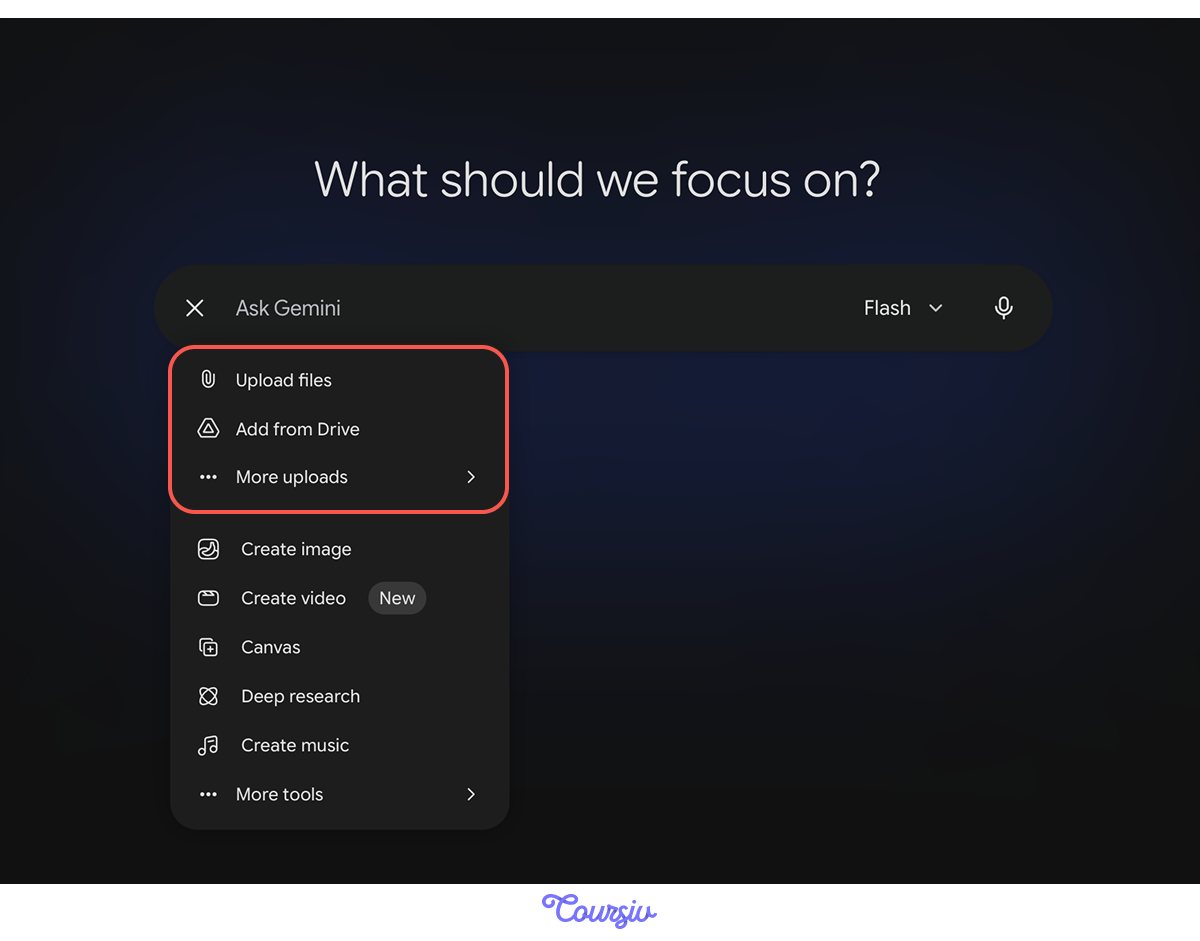
For this, you first need to input your document and write your prompt once the upload is confirmed.
practice preview
Interactive practice
Fill in the blank
Say you uploaded the document. Now, ask Gemini to summarize it.
practice preview
Interactive practice
Fill in the blank
Now, instead of "summarize this report," try asking to extract specific information you need.
Choose one
How did focused extraction (second prompt) improve the response compared to generic summarization (first prompt)?
To achieve better results, ask targeted questions:
- "Extract key risks mentioned in this report"
- "Find all mentions of competitor strategies"
- "Identify recommendations for *specific topic*"
- "Pull out financial projections and growth rates"
practice preview
Interactive practice
True / False
Evaluate whether this request will get useful results from a long document.
Formatting the Output
Returning to the opportunities Gemini extracted, they're helpful, but imagine you need to present this to your client in a meeting.
A paragraph list isn't easy to discuss or compare. You need something visual and scannable.
Choose one
What would make these extracted insights more useful for a client presentation?
This is where structured output comes in.
You tell Gemini not just what to extract, but how to format the findings — tables, charts, anything.
practice preview
Interactive practice
True / False
Evaluate this format specification for document analysis.
practice preview
Interactive practice
Fill in the blank
Now, ask Gemini with a better prompt by specifying the format effectively.
Choose one
How did adding structure improve these findings compared to the simple list from earlier?
Common structures for document analysis:
- Tables to compare multiple items across dimensions (Risk/ Impact /Likelihood)
- Categorized bullets for group findings (Opportunities / Threats / Neutral Trends)
- Prioritized lists to rank by importance (High/Medium/Low priority)
- Comparison format for side-by-side analysis (Company A vs Company B)
Combining Extraction + Structure for Complex Analysis
When you're working with really dense documents or multiple sources, you can layer extraction and structure for sophisticated analysis.
practice preview
Interactive practice
Fill in the blank
Extract, analyze, and structure findings from a complex document in one prompt.
Choose one
What makes this multi-layered approach powerful for complex documents?
Extraction Techniques Summary
You're now familiar with techniques for processing large documents efficiently.
Below are some tips about when to use different approaches.
- Simple extraction: "Find all mentions of [topic]" → Quick fact-gathering
- Structured extraction: "Extract risks as a table: Risk | Impact | Mitigation" → Decision-ready analysis
- Multi-layered analysis: "Analyze for threats, categorize by priority, present as tables by urgency" → Strategic intelligence
- Multi-document comparison: "Compare projections across these three reports, identify consensus and conflicts" → Synthesis across sources
practice preview
Interactive practice
Put in order
Last but not least, arrange these steps in the correct order for analyzing large documents with Gemini.
You've Mastered Document Analysis!
You started this lesson facing a 47-page report with no idea how to process it efficiently.
Now you can extract specific insights, structure them for decision-making, and even compare findings across multiple sources — all in minutes instead of hours.

- Ask focused extraction questions instead of requesting full summaries of long documents.
- Use structured formats (tables, categorized lists) to organize findings for quick comprehension.
- Layer extraction, analysis, and structure for sophisticated intelligence from complex documents.
- Compare multiple sources to identify consensus, conflicts, and synthesize insights.
In the next lesson, you'll learn how to stop repeating the same tasks manually: weekly reports, content pipelines, analysis routines — and turn them into efficient workflows with Gemini.
Keep it up!