Gemini · Gemini Essentials
Meet Gemini
What Gemini is and how it thinks
Understanding Gemini
Think about the last time you had to make sense of scattered information — emails from three different people, the notes you took, a PDF report, and some reading materials that you barely touched. And, the most challenging part is that you need to go through all of this as soon as possible.
If this sounds familiar, the Gemini is what you need. Its strength lies in handling exactly such challenges, and you will learn how in this guide!
Choose one
Before we start, what do you think is the hardest part in this kind of situation?
Meet Gemini
Gemini is Google's AI assistant that excels at synthesis work.
That is, not only can it process multiple inputs together and reason across them to answer complex questions, but it is also arguably the best choice for this type of task!
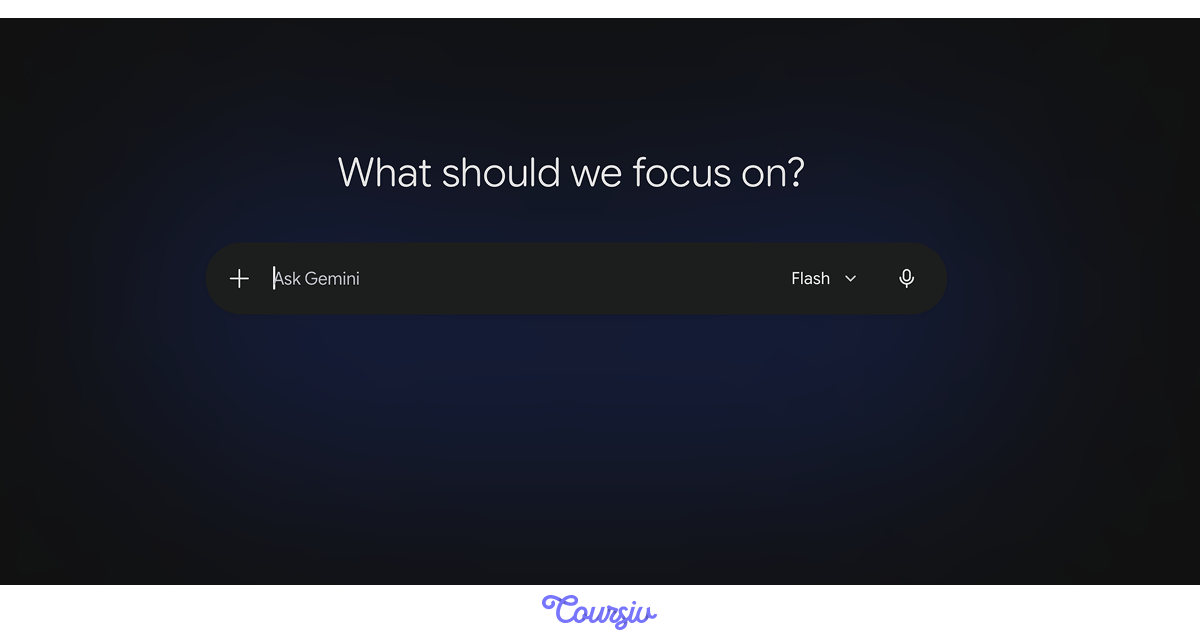
Gemini works with four main types of input:
- Screenshots and photos
- Various document formats (PDFs, Docs, etc.)
- Tables and CSVs
- Plain text
Choosing the right format increases clarity and reduces guesswork.
practice preview
Interactive practice
True / False
Considering the above, decide whether Gemini would be able to work with this prompt.
Gemini excels at synthesis across formats.
Instead of processing each input separately, Gemini treats them as one connected problem — which means it can spot contradictions, identify gaps, and answer questions that require reasoning across everything you've shared.
How Gemini Works
Let's see this in practice. Imagine you're preparing for an important meeting and you have scattered information:
- A few documents with key details
- Email threads with different people
- Some notes you took earlier
- Screenshots or images related to the topic
Normally, you'd open each file separately, read through everything, and try to remember how it all connects. That takes time and mental energy.

However, with Gemini, you can upload everything at once and ask one question: "Based on everything here, what are the main points I need to know?"
After that, Gemini will read across all your materials and give you a synthesized answer.
Select all that apply
So, to solidify your understanding, what would Gemini handle well in the context of this task?
Good Job!
Now that you've learned what Gemini is best at, let's try to actually communicate with it.
practice preview
Interactive practice
Fill in the blank
Imagine you've uploaded some documents and notes. Ask Gemini to help you get ready for your meeting.
Choose one
After seeing Gemini's answer, what do you think made the prompt effective?
The formula for effective Gemini requests:
What you're sharing + What you need done + How you want the answer
This simple structure helps Gemini understand your task and give you useful results.
Overall, getting good results from Gemini comes down to being clear in your requests. The more specific you are, the better Gemini can help.
In the upcoming lessons, you'll learn more techniques for working with Gemini effectively — but this approach is your starting point.
Gemini Features
What makes Gemini capable of handling complex tasks efficiently is its features. One of these features is Modes:
- Flash mode — for high-volume, everyday tasks
- Thinking mode — for complex problems that need careful analysis
- Pro mode — for advanced technical challenges
Each mode is created to approach different kinds of work in the most optimized way.
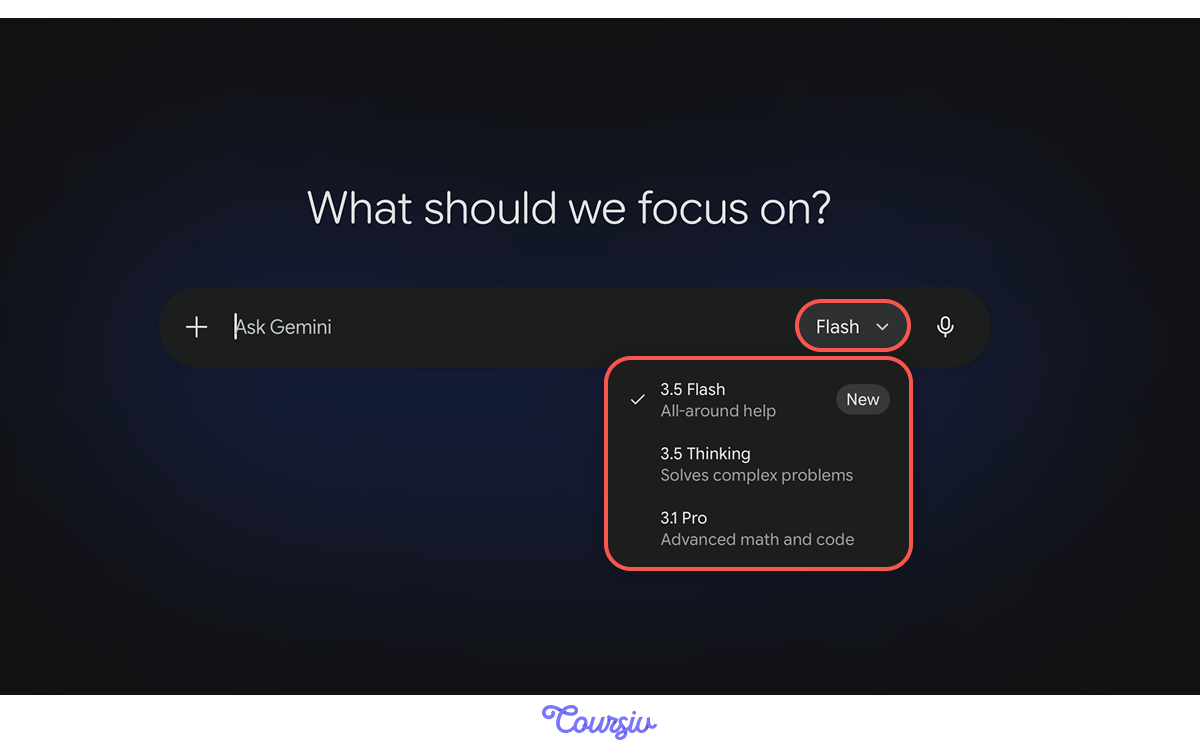
So, you can match the mode to your task's complexity.
This flexibility means Gemini adapts to what you're doing, not the other way around.
Apart from modes, Gemini also offers specialized tools for different types of work:
- Create Image and Create Video — generate visual content from prompts
- Create Music — produce original music
- Deep Research — multi-step research with structured summaries
- Canvas — draft and refine longer documents
- Guided Learning — interactive, step-by-step explanations
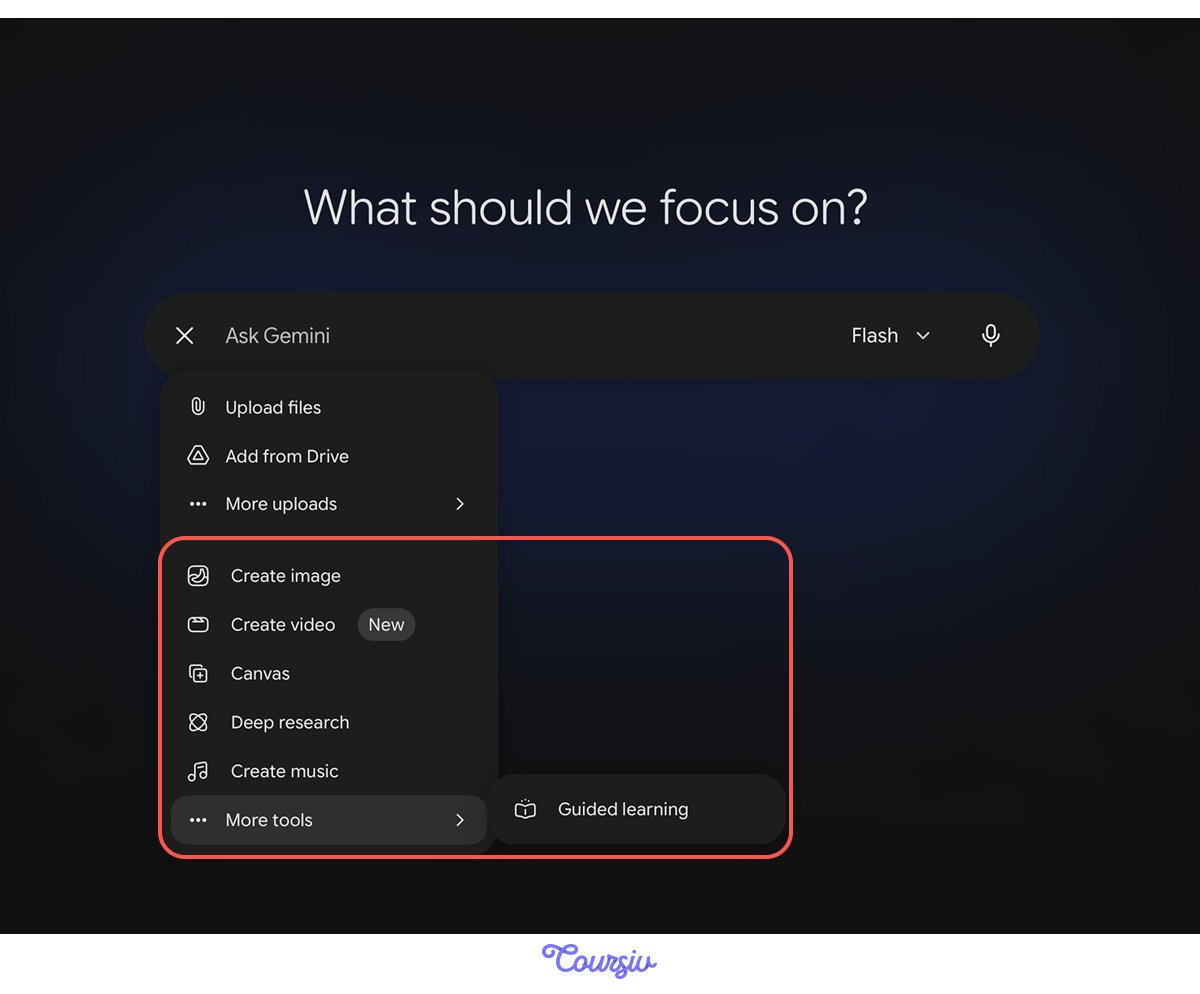
In this course, you'll explore three powerful Gemini capabilities: image creation, music generation, and deep research. Together, they help you unlock your creativity and tackle complex questions with more depth and confidence.
All of these features are available in the free version of Gemini, while video generation is exclusive to Pro users.
In turn, if you're also interested in creating videos with Gemini, then you can check out our guide about Veo after completing this one!
Where Gemini Has Limits
Last but not least, even the newest AI models have blind spots, so you need to know about it too. For example, Gemini:
- Might not know about every recent event
- Can sometimes make guesses when it's unsure
- Takes more time for complex tasks
- Should not replace human judgment when making decisions
Therefore, you need to always keep these things in mind while using Gemini and other AI tools.
Now, with the essentials covered, let's test your understanding of how to work with Gemini.
Choose one
You want Gemini to help you understand a complex topic by reading several articles. What's the most effective way to ask?
Choose one
It's Friday afternoon, and you need to quickly process 200 customer feedback responses. Which mode makes sense?
Choose one
When should you double-check Gemini's work before using it?
You're Ready to Start!
You now understand what makes Gemini different: its strength in synthesis across formats, its modes and tools for different tasks, and where it excels versus where you need to stay careful.
You also know the basics of how to communicate effectively with it — clear inputs, specific tasks, and defined outputs.
- Gemini excels at working with scattered information
- Prompts need to be clear and specific
- Choose the right mode for your task
- Tools like Image, Video, or Music creation extend what Gemini can do
- Always check important information before using it
What's Next?
This lesson was your foundation. Next, you'll learn how to use Gemini's tools in real workflows and how to apply advanced prompting techniques that make Gemini even more effective.
As a result, by the end of this guide, you'll know exactly how to leverage Gemini's capabilities for the work you actually do. Let's keep going!