Gemini · Gemini Essentials
Create Music and Soundscapes
Create tracks from ideas and images
Create Music and Soundscapes with AI
You've seen Gemini handle text, data, and images. But there's one thing that still catches people off guard — it can create original music too.
Most people think making music requires talent, tools, or years of practice. With Gemini, all you need is an idea!
Let's try it!

Meet Lyria
Behind Gemini's music creation is Lyria — the engine that turns your words into sound. You won't see it as a separate tool. It works quietly inside Gemini, handling everything: composition, instrumentation, vocals, and production.
All you do is describe what you want — Lyria will figure out the rest.

Moreover, you don't need musical terms to do it well. You can say things like:
- "A calm morning song with acoustic guitar"
- "An energetic workout track with heavy drums"
- "A peaceful background score for a travel video"
Lyria will build the musical interpretation from your words alone.
Choose one
What do you think makes Lyria different from standalone music creation tools?
Thus, through effective prompting, you can create :
- Background music for videos and presentations
- Intro and outro themes for podcasts or webinars
- Branded soundtracks for product demos
- Multilingual tracks for regional campaigns
- Motivational playlists for team events
Let's see how it's done!
How to Access the Music Tool
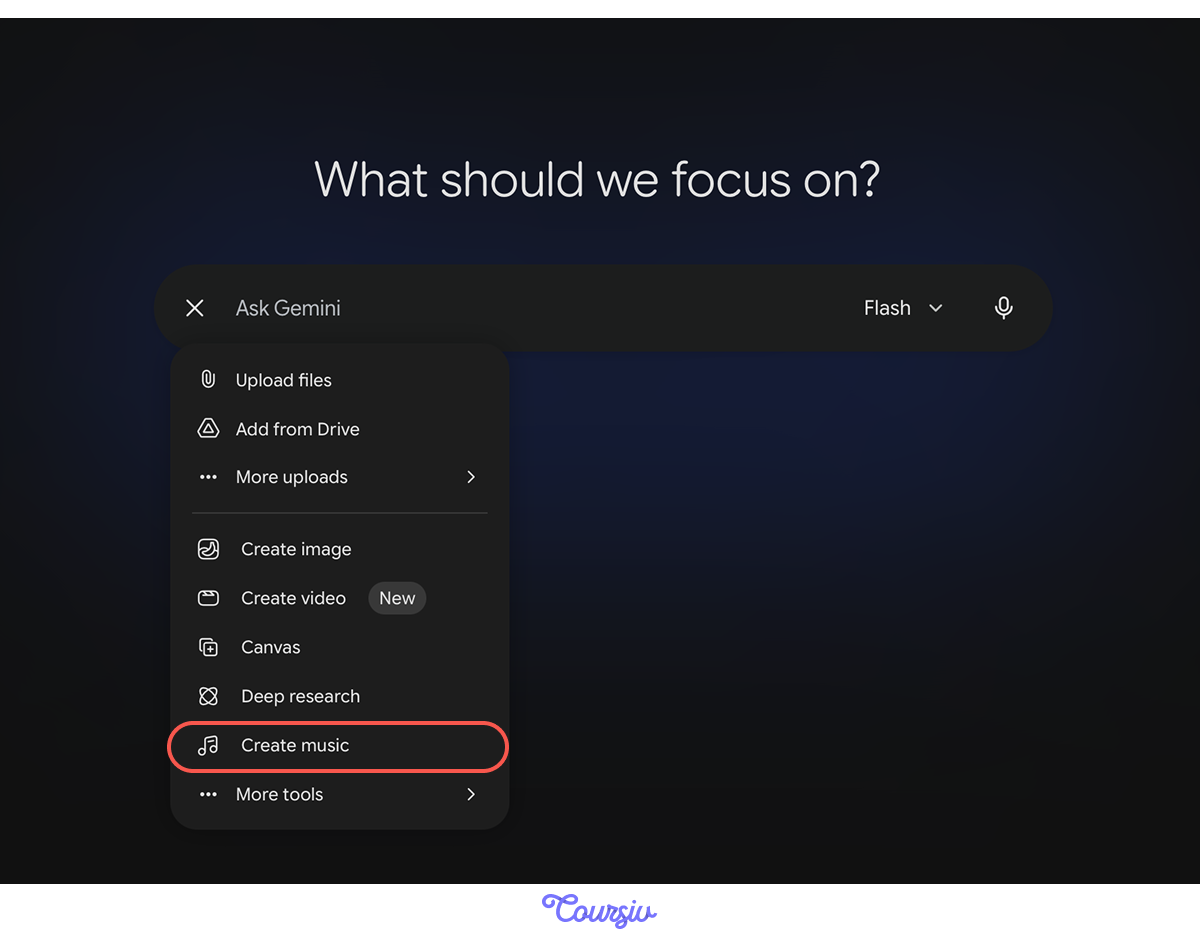
In the Gemini app, open the "Tools" menu and click the "Create Music" button — the one with the music note icon. That opens the music creation interface.
Understanding the Interface
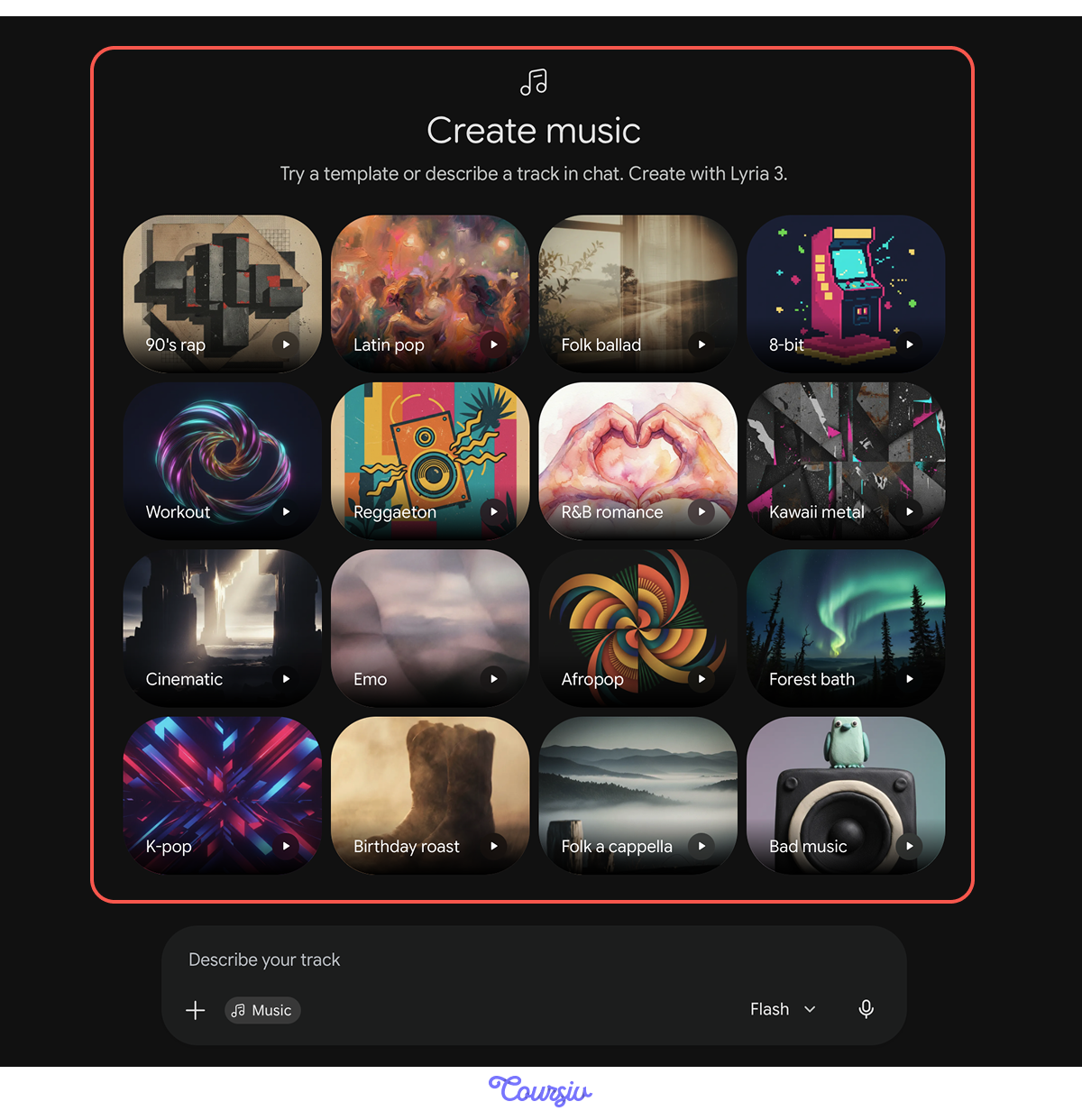
When you open Create Music, you'll see a set of ready-made styles like 90's rap, Folk ballad, Workout, and more. Each one is a starting point you can preview and customize.
At the bottom, a prompt field lets you add your own instructions to shape the result.
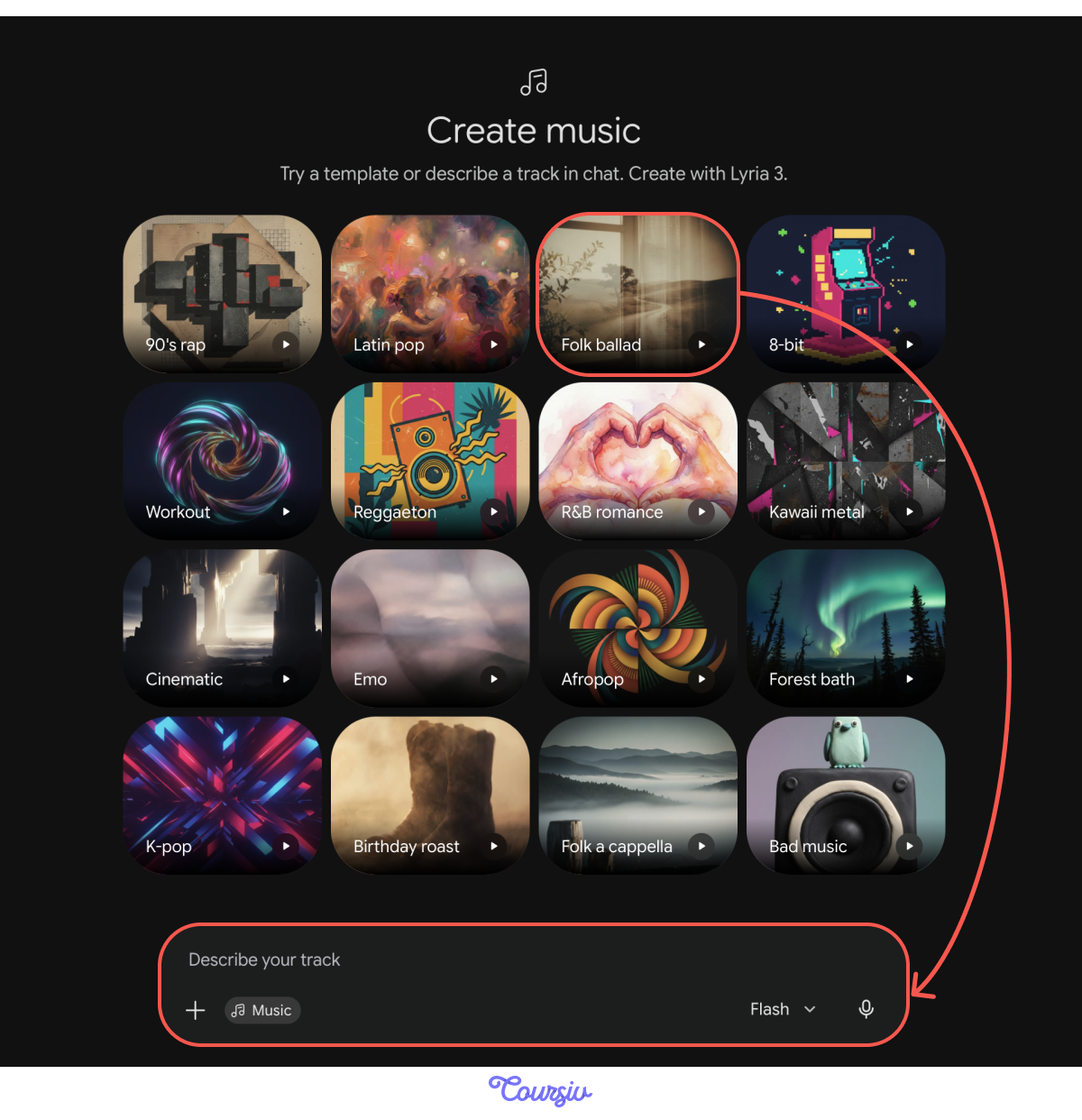
Remix tracks are the fastest way to get started. Instead of building from zero, you:
- Choose a style.
- Add your own description (topic, vibe, or even some lyrics).
- Generate a new version inspired by that base.
The selected track sets the overall vibe and instrumentation. Your prompt then refines the mood, tempo, lyrics, or atmosphere.
practice preview
Interactive practice
Fill in the blank
Complete the prompt using the Folk ballad track as your base.
And, here it is — a full track built from a base style, a mood, and a couple of instruments. Notice how the nostalgic feeling comes through in the melody and the guitar tone.
That's Lyria reading between the lines of your prompt and the remix base.
Taking It Further
Not bad for three parameters, right? Now imagine what happens when you give Gemini more to work with. The more layers you add, the more precise the result:
- Genre or era: 90s hip-hop, modern pop
- Mood or emotion: energetic, melancholic
- Instrumentation: piano, drums, guitar
- Tempo: slow build, fast and steady
- Vocals: male, female, or no vocals at all
Let's see what happens when we keep the same track but change two things: tempo and vocals.
practice preview
Interactive practice
Fill in the blank
Keep the same base track but change the tempo and vocals.
Hear the difference? Same instruments as before — but with a faster tempo and male vocals, the whole mood shifts.
Creating Music from Images
So far, you've described music in words. But words aren't the only way in. You can also hand Gemini an image and let it do the listening — this is called Image-to-Audio. Gemini analyzes the colors, mood, and composition of a photo, then composes music that matches what it sees.
This is especially useful at work. Upload a slide deck, a product photo, or any visual, and Gemini composes a matching soundtrack for it.

You can use Image-to-Audio for:
- Travel vlog soundtracks (upload scenery → get matching music)
- Product videos (upload photos → generate branded tracks)
- Presentation themes (upload slides → create audio atmosphere)
- Digital vision boards (upload inspiration → get motivational music)
Remember the image of kids playing in the snow from the last lesson? Let's turn that into a track.

practice preview
Interactive practice
Fill in the blank
Use an image to generate a track.
There it is — a full track generated from a single image. Gemini picked up the playful, energetic mood of kids in the snow and translated that directly into sound.
Editing Lyrics
What do you do if the music is perfect, but the lyrics don't quite fit? You don't have to start over. Just ask Gemini to rewrite them while keeping everything else the same.
Try: "Change the lyrics, but keep the rhythm, tone, and genre the same."
This is where the conversational advantage shines. Once you have a track, you can keep shaping it through chat:
- "Add a saxophone solo at the end"
- "Make the drums louder"
- "Speed it up and add more energy"
Gemini will adjust each time without losing what's already working. This is like collaborating with a producer who instantly understands your vision.
Changing the Language
Want to take it even further? You can change the entire song's language with a single request.
For example, if you prompt something like "Change this song to French, while keeping the rhythm, tone, and genre the same", you can get this as a result!
Last but not least, there are two things worth knowing before you start sharing your tracks:
- SynthID watermark: Every track gets an invisible digital signature woven into the audio. It doesn't affect sound quality, but it means anyone can verify whether a track was made by Google AI.
- Style, not copying: Ask for "90s West Coast vibes" and Gemini captures the era. Name a specific artist, and it draws on their style, not their actual voice. So you get the feel of it, without any of the legal headaches.
Great Work!
You now know how Lyria works inside Gemini to turn your ideas into original music — whether you're describing a track in words, generating sound from images, or refining existing compositions through conversation.
That's a complete toolkit for creating professional-quality audio without musical training!
- Describe music in plain language — no musical knowledge needed.
- Start with a remix track for quick results, and add your own description to customize.
- Image-to-Audio turns any photo into a matching soundtrack.
- Refine through conversation — change lyrics, tempo, language, or instruments with a simple request.
- Every track includes a SynthID watermark for transparency.
Path Forward
With Gemini's creative tools now under your belt: images and music — you're ready for Unit 2, where you'll explore multi-step workflows and automations.
See you there!