Midjourney · Practice Midjourney Use Cases
Illustrating Stories and Books
Enhance your storytelling with visuals
Images That Belong to a Story
Some illustrations explain a story. Others feel like part of it.
When images truly belong, they don't compete with words or summarize events. They quietly shape atmosphere, guide emotion, and help readers imagine what isn't said.
This lesson will tell you how illustration choices affect immersion — and how small decisions can pull a reader closer or push them away.
One World, Many Moments
Illustrating any big long story (like a book!) means returning to the same character and world again and again.
Scenes change, emotions change, the story moves. But the reader must always feel: "I know this person. I know this place."
Scenario: Illustrating Big Volumes
Today, you're illustrating a fantasy novella. Before working on chapters, you create a single anchor image that defines:
- The main character
- The overall visual style
- The level of detail
This image will guide every illustration that follows.
practice preview
Interactive practice
Fill in the blank
Generate the base reference image for the story.
Keeping Identity Stable
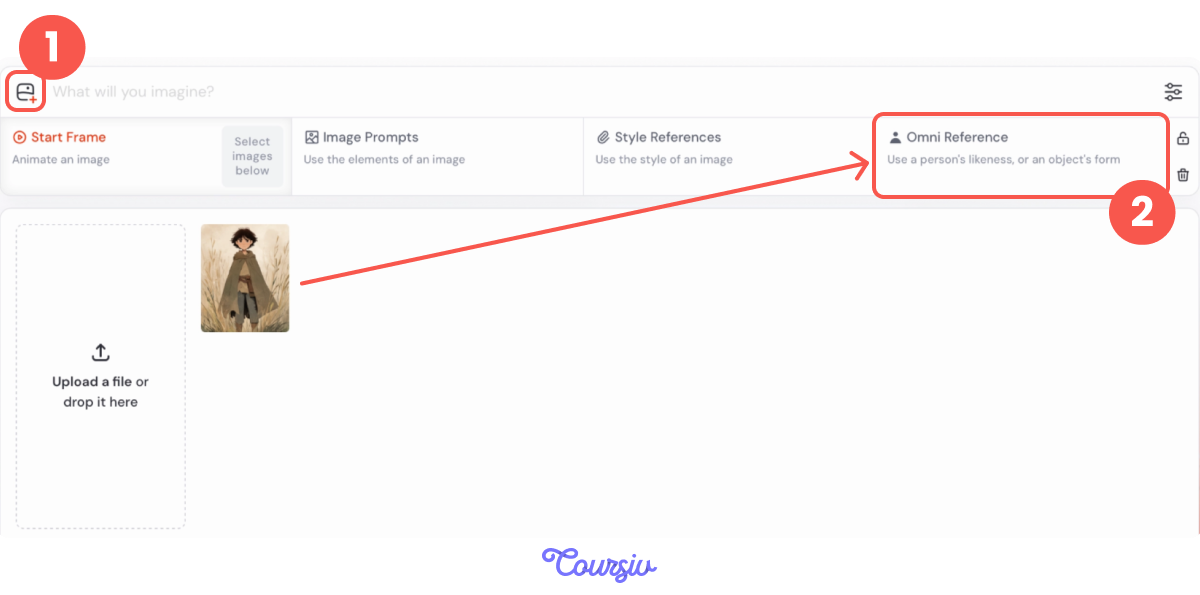
You can now pick and use one of these images as an Omni Reference. This feature helps keep the same character across chapters. It works for people, objects, or creatures.
You can control how strongly the reference influences the image using --ow (Omni weight). The default value is --ow 100, and it can be from 0 to 1000.
Chapter 1: A Quiet Beginning
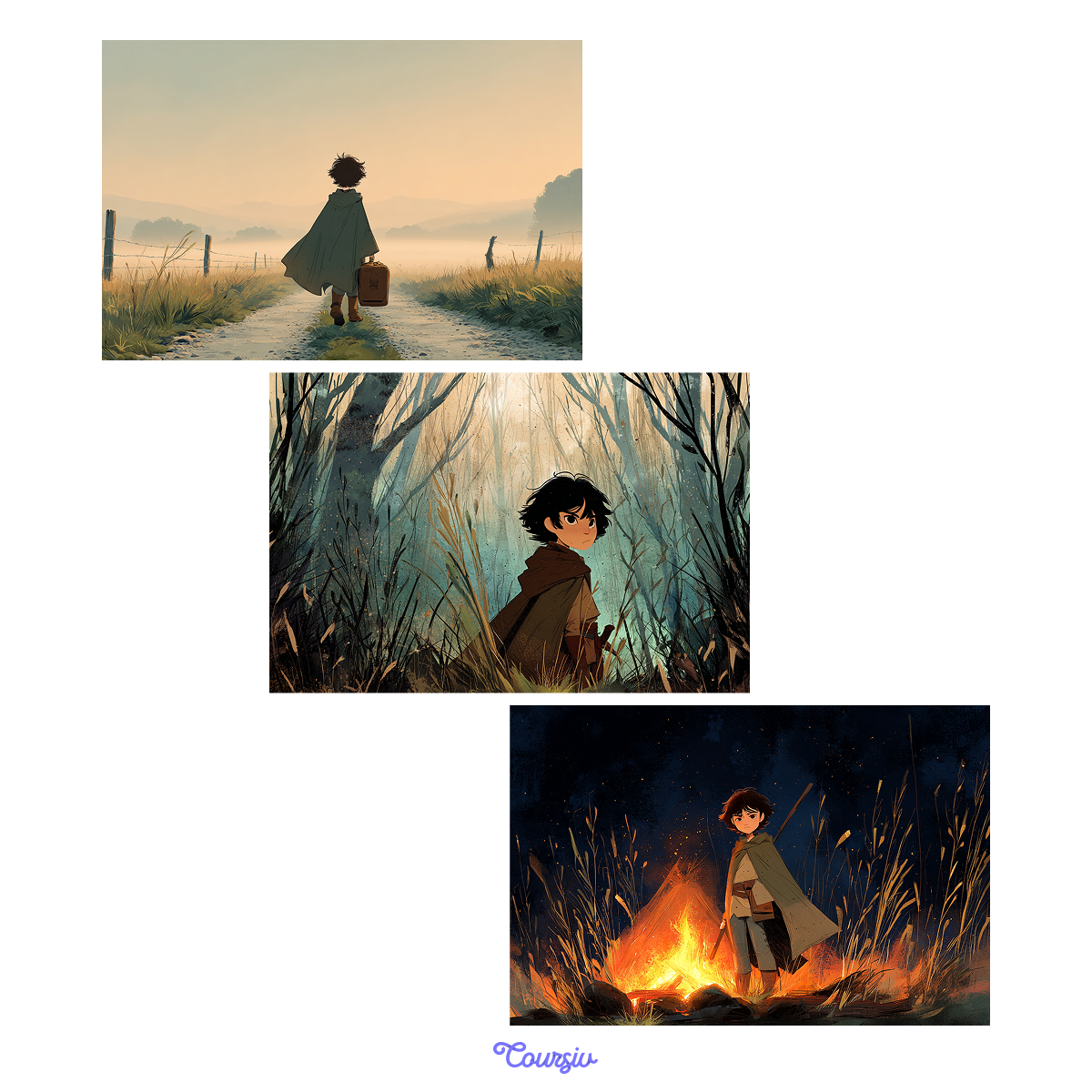
The story opens with a calm, reflective moment. The traveler walks alone at dawn.
practice preview
Interactive practice
Fill in the blank
Illustrate the opening scene with a stable character and gentle mood.
Chapter 2: Tension Builds
In the next chapter, the traveler enters a dense forest. The world feels darker, and the mood is more tense.
This is where many projects break — by changing too much at once.
practice preview
Interactive practice
Fill in the blank
Shift mood and lighting while keeping identity intact.
Select all that apply
What changed — and what stayed the same?
Chapter 3: Emotional Peak
Later in the story, the traveler reaches a dramatic turning point! This scene needs stronger contrast, tighter framing, and more emotional weight. But still — the same person.
practice preview
Interactive practice
Fill in the blank
Increase intensity without losing consistency.
Choose one
Why do you think the Omni weight was increased here?
The Rule You Just Discovered
As scenes become more expressive:
- Lighting grows stronger
- Contrast increases
- Chaos rises
You often need to slightly increase the Omni reference weight to protect identity!
From Prompts to a System
Look! You're no longer writing isolated prompts. You're reusing:
- One character reference
- One style language
- One prompt backbone
And making small, intentional tweaks: mood, lighting, chaos, framing. That's how books stay coherent.
- Long-form illustration starts with an anchor image: one reference that defines character, style, and detail.
- Omni Reference keeps identity stable. Works for people, objects, or creatures across chapters.
- --ow controls how strongly the reference holds: default 100, range 0-1000.
- Expressive scenes compete with identity. Raise --ow slightly when lighting, contrast, or chaos increase.
- Consistency comes from a system. Reuse one character reference, one style language, one prompt backbone.
Illustrating at Scale
By the end of this lesson, you've learned how to:
- Anchor a character using Omni Reference
- Control identity strength with --ow
- Change mood without breaking style
- Manage variation across chapters
This is the difference between generating images — and building a visual world. When readers recognize a character before they think about it, your system is working. And that's how long-form illustration succeeds.
Wrapping Up
This brings the Midjourney guide to a close.
You've moved beyond trial-and-error image generation and learned how to work with intention — shaping visuals through clear prompts, thoughtful constraints, and consistent creative systems.
You now know how to:
- Write prompts that communicate ideas, not just descriptions
- Guide lighting, composition, and viewpoint to support a message
- Use parameters deliberately to refine and control results
- Apply Midjourney to different creative goals and real-world scenarios
From here, the next step is practice.
Collect your best work, experiment with longer projects, and start building a portfolio that reflects your visual thinking.
You're leaving this guide with a practical skill set and a creative framework you can return to again and again. Good luck!