DeepSeek · DeepSeek Fundamentals
Understanding How DeepSeek Works
Explore why DeepSeek became a popular AI
Understanding the DeepSeek Phenomenon
Imagine an AI so powerful that it doesn't just retrieve information but uses step-by-step reasoning to understand, analyze, and synthesize it like an expert. Welcome to DeepSeek, the cutting-edge AI system that transformed how we interact with data.
Let's discover what makes DeepSeek special and how it can enhance your work with data!

What is DeepSeek?
DeepSeek is an advanced, open-source AI-assistant with an embedded search engine that enables it to write comprehensive reports on any topic.
The platform works across various types of tasks, from simple text generation to complex problem-solving, making it versatile for different needs: blog posts, market research, data analysis, and many more.

Since its release, the secret behind DeepSeek's hype has been its game-changing approach, which its developers used.
The thing is, DeepSeek is able to achieve impressive capabilities while using much less than other AI models.
According to available information, training the initial DeepSeek model cost only around $5 million, while for other assistants, the numbers reach tens of millions.
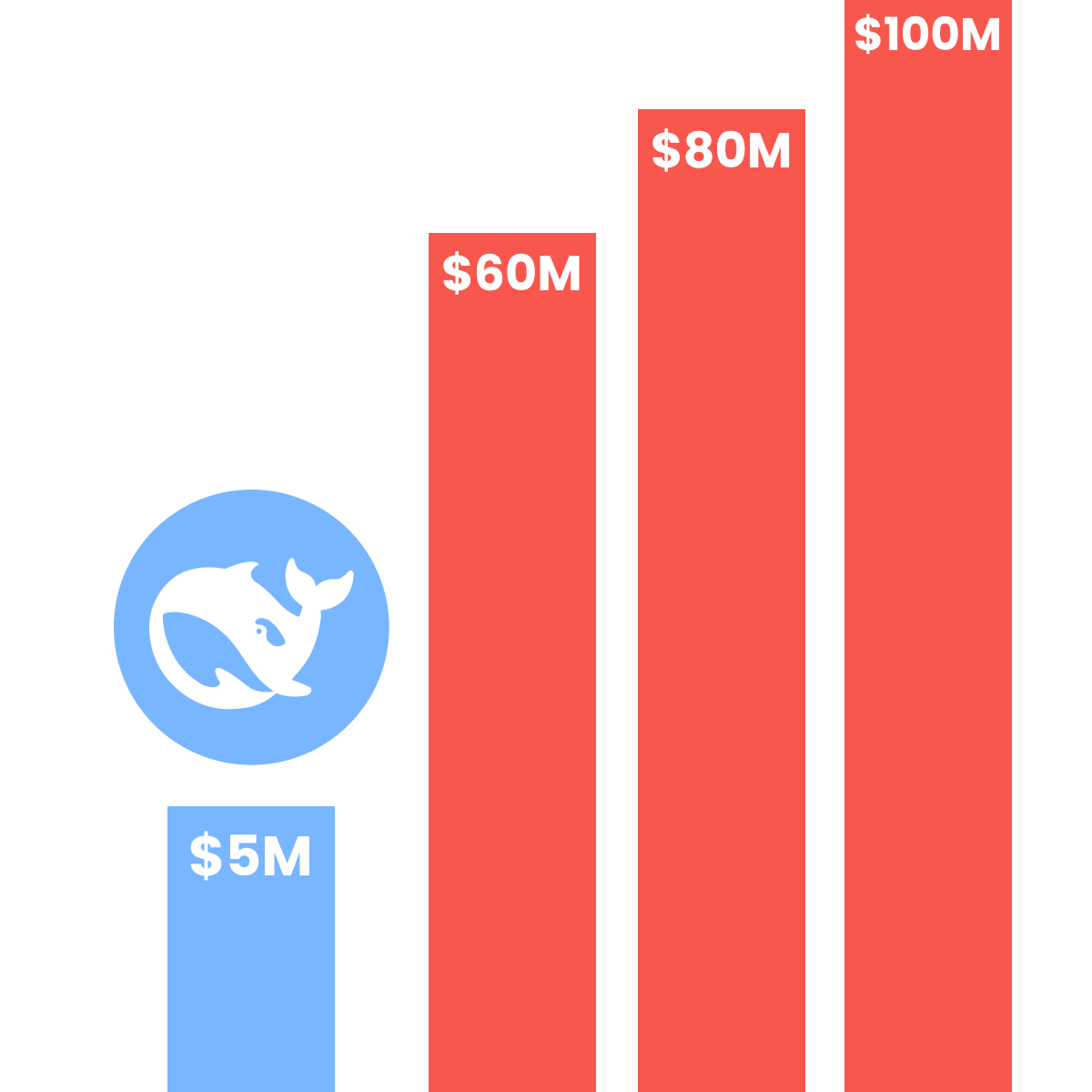
So, this is where one of the DeepSeek's main advantages comes from: if it's for personal use, it is available to everyone for free.
This means that, unlike other tools, there is no subscription required to access its full capabilities.
Also, DeepSeek works super fast. When it was first released, it operated 3x quicker than other top AI tools.
As a result, this created a trend for fast models like Gemini Flash or ChatGPT's Instant Mode.
So, DeepSeek's accessibility and powerful capabilities make it perfect for anyone, both for personal purposes and business.
Choosing the Right Mode
When you open DeepSeek, you'll see three modes at the top of the chat: Instant, Expert, and Vision.
Each one is built for a different kind of task, and picking the right one before you type shapes how DeepSeek answers.
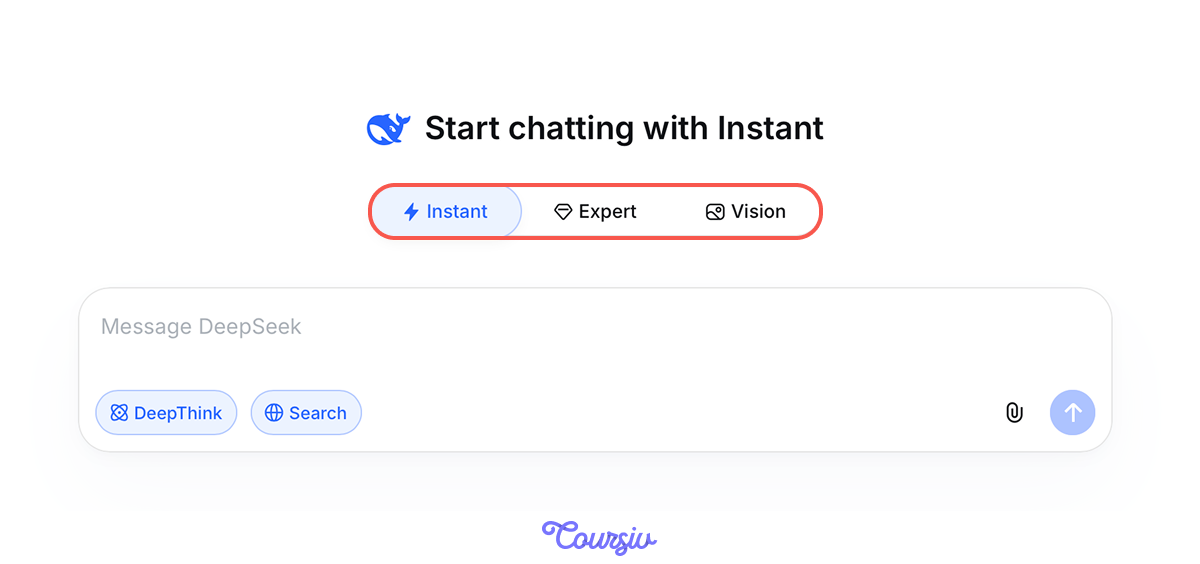
Instant is the default — fast, light, and made for everyday questions, quick drafts, summaries, or translations.
Reach for it when you want a usable answer in seconds rather than the deepest possible one.
Expert mode handles harder problems: deep analysis, multi-step research, or long documents that need careful handling.
It can be slower than Instant, but the answers are noticeably stronger when the task actually demands it.
Vision is the third mode, designed for working with images rather than plain text. Switch to it, attach a photo or screenshot, and ask DeepSeek what you want to know about what's in the picture.
It can describe what it sees, read text out of an image, or answer specific questions about the visual content.
Core Capabilities
Nice! Now you have the vision of DeepSeek core modes. Let's now focus on its capabilities.
DeepSeek excels through several key features that make it stand out in the AI landscape.
DeepThink is one of such features, and it lets users observe the AI's step-by-step reasoning as it works through a query.
This helps users identify potential errors in the AI's approach, making it especially useful for refining complex tasks and ensuring more accurate results.
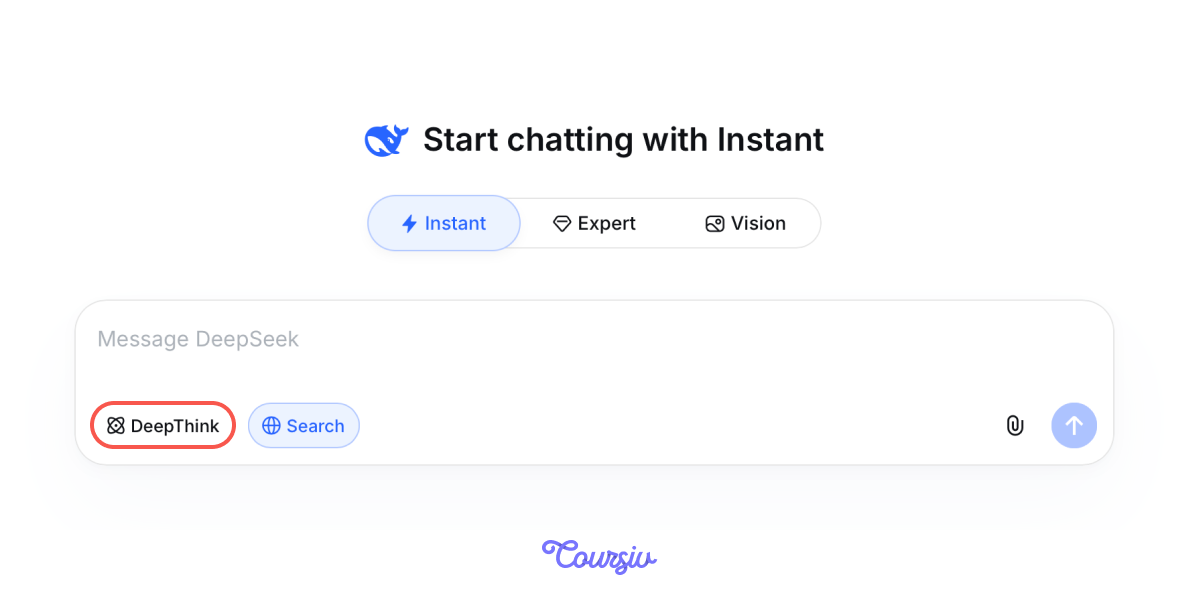
In the screenshot below, you can see an example of DeepSeek's thinking process.
For demonstration purposes, all screenshots are provided in English.
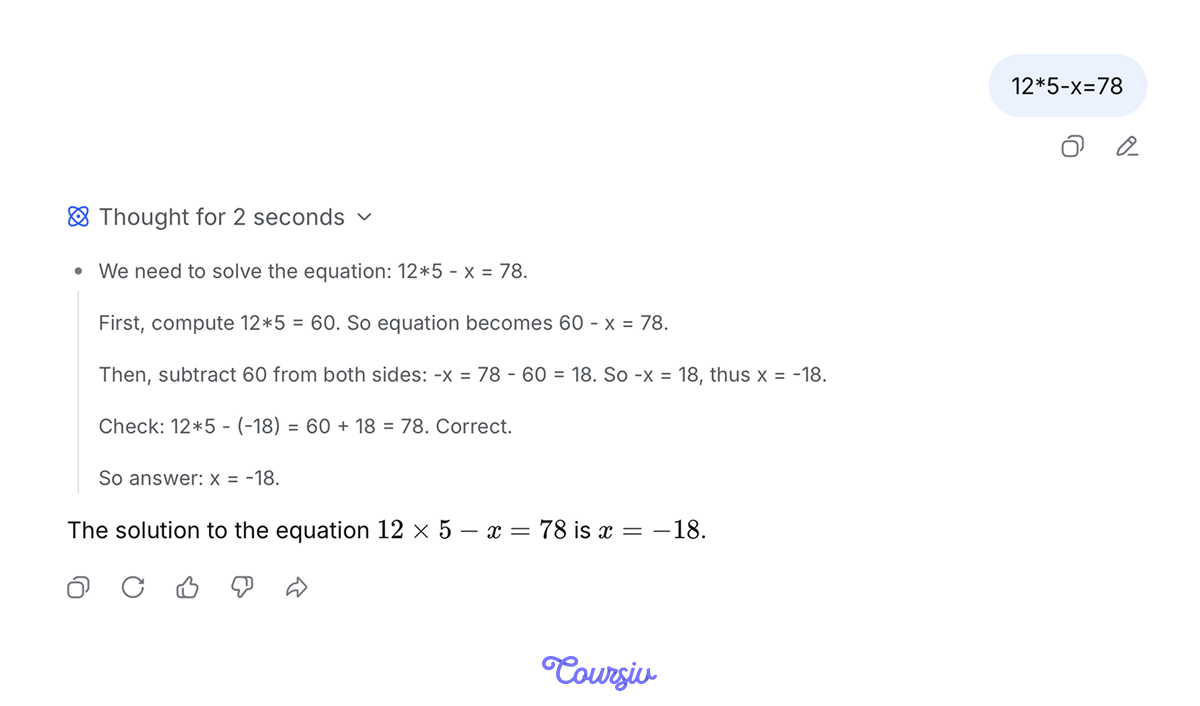
As you can see, DeepSeek approaches even the simplest queries, such as "12*5-x=78", with a thorough step-by-step reasoning process to deliver the best possible answer. Quite impressive, isn't it?
By the way, this feature was also later adopted by other models!
DeepSeek as a Search Engine
Also, unlike traditional search engines, DeepSeek's Search can understand the meaning behind your questions.
It interprets vague queries and finds relevant information based on concepts rather than just keywords.
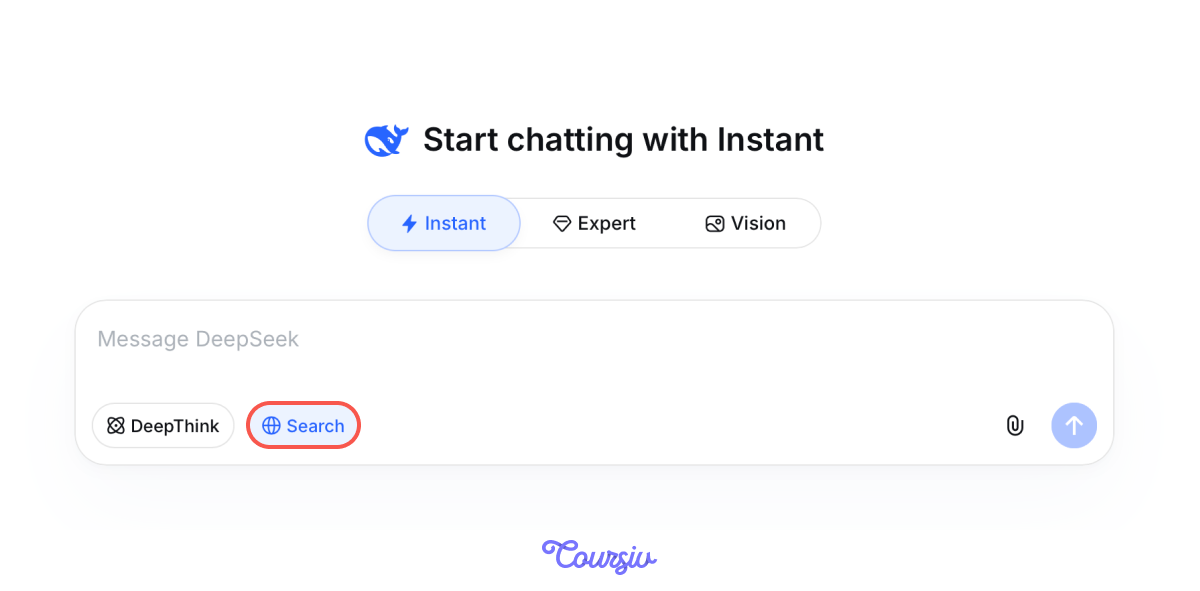
For example, asking "Why do people prefer shopping online?" prompts DeepSeek to analyze content related to online shopping habits, consumer behavior, and digital retail trends.
Then it will provide you with a detailed report on the question, helping you discover what you did not expect.
practice preview
Interactive practice
Fill in the blank
Complete the search query and see the answer that DeepSeek will provide.
Now you've seen both modes in action: DeepThink for transparent step-by-step thinking, and Search for comprehensive topic research.
Understanding when to use each mode is essential — let's test that knowledge.
Choose one
What primary factor contributed to DeepSeek's efficient development?
Choose one
When should you choose DeepSeek's Reasoning mode over Search mode?
- DeepSeek is a free, powerful AI tool for search and analysis.
- Three modes cover different needs: Instant (fast answers), Expert (complex problems), and Vision (image analysis).
- It offers two features: DeepThink (visible logic steps) and Search (research reports).
- It serves various sectors, from business to healthcare.
Well Done!
You now understand when to use DeepSeek and how its two modes serve different needs — reasoning for visible logic, search for research reports.
Let's learn more!