ChatGPT · ChatGPT for Real Life
Research Faster
Research any business idea in under an hour
The Research Overwhelm Problem
Have you ever tried to research something important — a new laptop, a car, a neighborhood to move to — and ended up more confused than when you started? There are too many tabs, conflicting opinions, and outdated prices.
Traditional search for answers can leave you overwhelmed, so let's learn how to do it with ChatGPT in under an hour!

Case Scenario: Buying a Laptop
For this lesson, let's imagine you're considering buying a new laptop.
You need it for work — video calls, documents, some light creative work. You have a budget and a few brands in mind, but no idea where to start.
Your instinct is to Google:
- "Best laptop, 2026"
- "MacBook vs. Dell comparison"
- "Is it worth buying a laptop now?"
After 2 hours, you're just more confused than when you started.

Select all that apply
When researching an important purchase or decision, what challenges might you face?
To be fair, googling works: you'll find reviews, prices, and rankings. The problem is that you still do all the reading, comparing, and cross-checking across dozens of tabs.
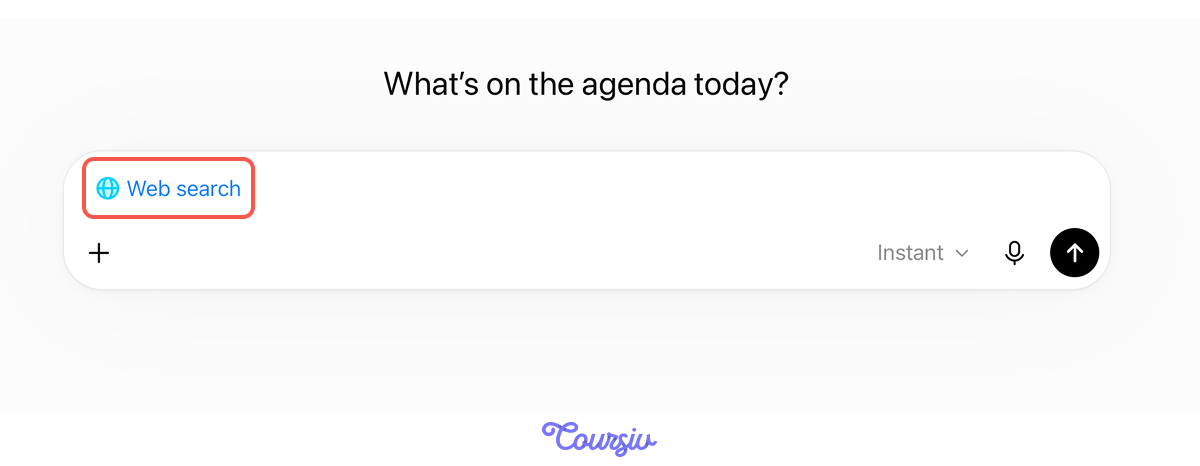
For research like this, ChatGPT's Web search feature takes over that part: it reads the sources and synthesizes the findings for you.
Select all that apply
Do you remember how Web Search can help with research?
One Rule Before You Start
Web search reads sources for you, but it can't read your mind. A vague question like "What's a good laptop?" returns a generic list — reasonable picks for an average person, not for you.
So make your prompt specific: name your use case, budget, timeframe, and the data you want to see. Watch how much that changes the answer.
practice preview
Interactive practice
Fill in the blank
Ask for specific data with Web Search enabled.
Look at what one specific question produced: exact models, current prices, battery life data, and a value tip for each. This is actionable intelligence.
Every parameter you specified — use case, budget, timeframe — shaped what came back.

Moreover, you'll notice that ChatGPT provides all information with citations.
Choose one
Why is this important when researching any decision?
Effective research with ChatGPT requires three elements:
- Specific prompts: Name your use case, budget, and the exact data you need.
- Web Search: It reads real-time sources across the internet and synthesizes them, instead of leaving the reading to you.
- Citations: They let you verify source credibility before acting on the findings.
Comparing Your Options
Now you have a shortlist. Next question: how do these options compare for your specific situation?
practice preview
Interactive practice
Fill in the blank
Ask ChatGPT to map competitors with specific details you need.
Now you have a direct comparison tied to your actual use case, not a generic ranking. The MacBook Air M3 leads overall, but the right answer depends on your priorities. That's the power of specific, layered questions.
Choose one
With an overview and comparison done, what should you research next?
Red Flags and Deal-Breakers
Final research question: What do real users complain about? This is where you find the problems that marketing never mentions.
practice preview
Interactive practice
Fill in the blank
Research what real users struggle with for your top option.
The Result
You just went from "I need a laptop" to a clear, verified recommendation — overview done, options compared, red flags surfaced.
So, you now know that your laptop decision is: MacBook Air M3 for best battery, smooth everyday performance, and reliability — accept higher upgrade costs and consider a USB-C hub.
All researched and cited in under 30 minutes!
You've just used a new prompting technique — the layered research approach. Here's its pattern:
- Layer 1 — Overview: "What are the best [X] for [use case] under [budget]? Include current data and trends."
- Layer 2 — Comparison: "Compare [option A] vs. [option B] for [use case]. Include [criteria]."
- Layer 3 — Red flags: "What do real users complain about with [options]? Cite reviews."
The same approach works for any decision you need to research:
- Choosing a neighborhood: area overview and prices → comparison of shortlisted areas → red flags from resident reviews
- Picking a bank: account types and fees → comparison of top options → customer service complaints and hidden charges
- Buying a car: current models in budget → side-by-side comparison → reliability complaints and known issues
Same pattern: overview → comparison → red flags.

practice preview
Interactive practice
True / False
Based on what you've learned, decide whether this research question is specific enough to get valuable intelligence.
practice preview
Interactive practice
True / False
Next, evaluate whether this is a best practice or a risky approach.
Excellent Work!
You've learned to research systematically using ChatGPT Web Search — turning days of scattered googling into an hour of focused intelligence gathering.

- Web Search transforms research from "find links" to "get briefed" with cited sources.
- Layer your research: overview → comparison → red flags (each builds on the previous).
- Specific questions get actionable intelligence; vague questions get vague answers.
- Verify critical sources before making business decisions — Web Search accelerates research, not judgment.
What's Next?
Now that you know how to research any decision systematically, it's time to put that clarity to work.
Next, you'll learn how to convert a messy goal into a structured and actionable plan. See you there!