Perplexity · Search and Research Foundations
What Is Perplexity?
Meet Preplexity
Meet Perplexity
Your team lead asks you to research three cities for a team offsite by the end of the week. You open Google. Forty minutes later, you have 12 tabs, three conflicting blog posts, and still no clear answer to bring to the meeting.
That's exactly the problem Perplexity was built to solve. By the end of this lesson, you'll know what it does, how it works, and when to use it.

Choose one
Before we go further, what is one common challenge in online research?
What Is Perplexity
Perplexity is an AI-powered search engine that, unlike Google, reads its sources and hands you one synthesized answer — with citations attached to every claim so you can verify what you're looking at before acting on it. Let's see it in action.
practice preview
Interactive practice
Fill in the blank
Ask Preplexity a question about the team's off-site.
Choose one
Compare this to opening Google for the same question. What did Perplexity do that Google doesn't?
So Perplexity reads, synthesizes, and shows its work all in one step. But if that sounds familiar, you might be thinking of ChatGPT.

Perplexity vs. ChatGPT
Perplexity might look similar to ChatGPT at first — you type a question and get an answer.
Both can search the web, but that's where the similarity ends. For Perplexity, live web search is the default — every answer comes with citations. For ChatGPT, web search is optional. It's built for conversation, writing, and creative tasks, not for sourced, real-time research.
Choose one
You need to compare venue costs across three cities for next month's offsite. Which tool fits best?
- Google finds links.
- ChatGPT generates responses, with optional web search.
- Perplexity reads the live web and shows its work — every time.
Looking at the Interface
Now that you know what sets Perplexity apart, let's look at how it's laid out and how to find your way around it.
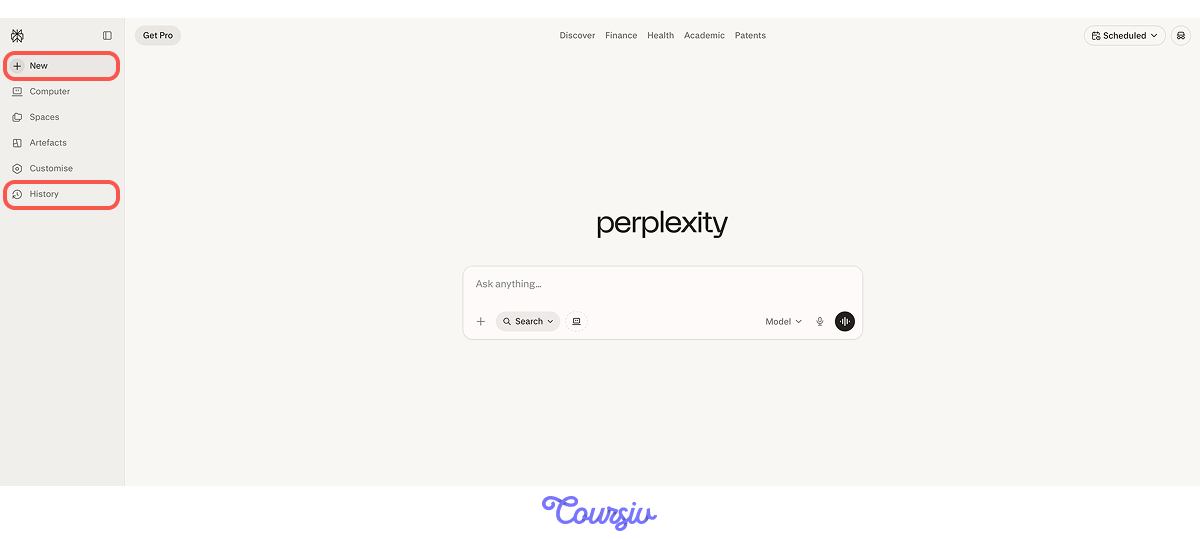
When you open Perplexity, you'll use two things consistently. New is where you tap to start a new thread. History is where your research history is stored so you can return to any search later.
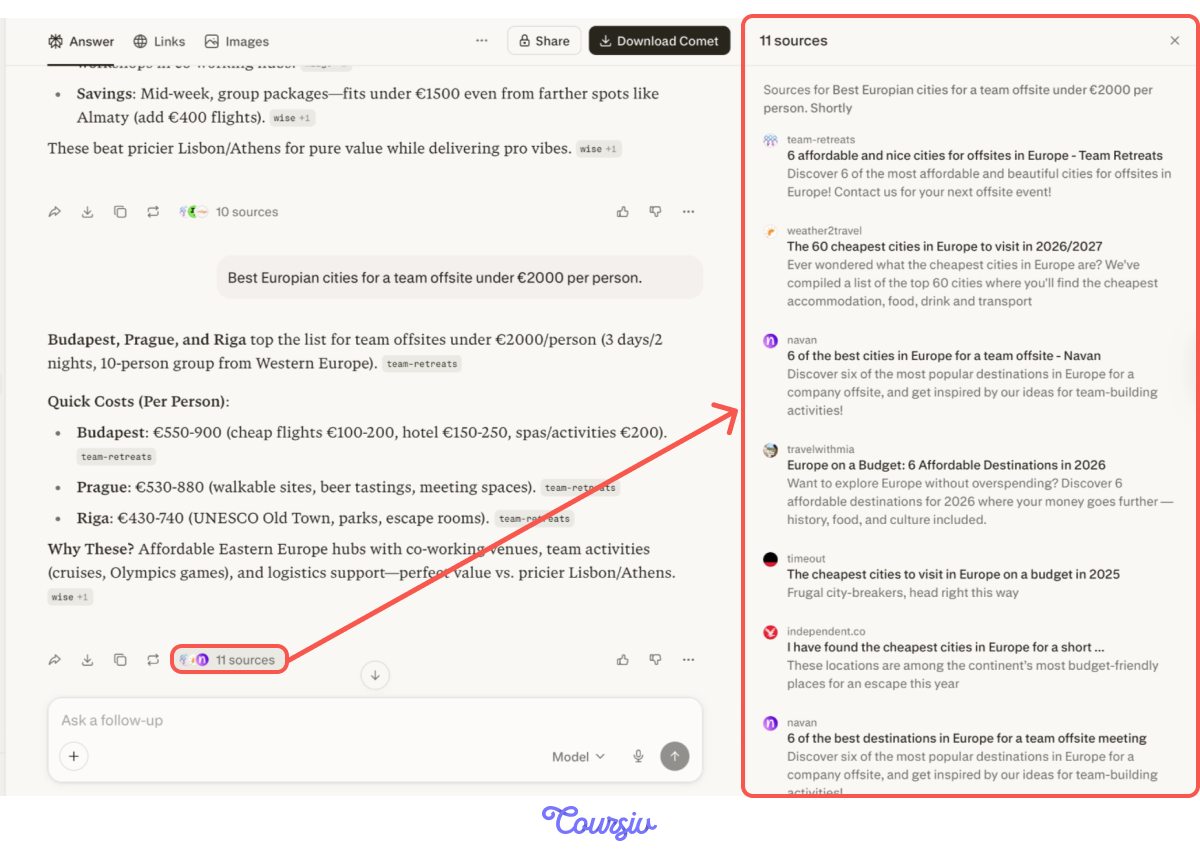
When you run a search, you'll see the sources panel on the right. Every claim in the output links back to where it came from, so you can check any figure before using it.
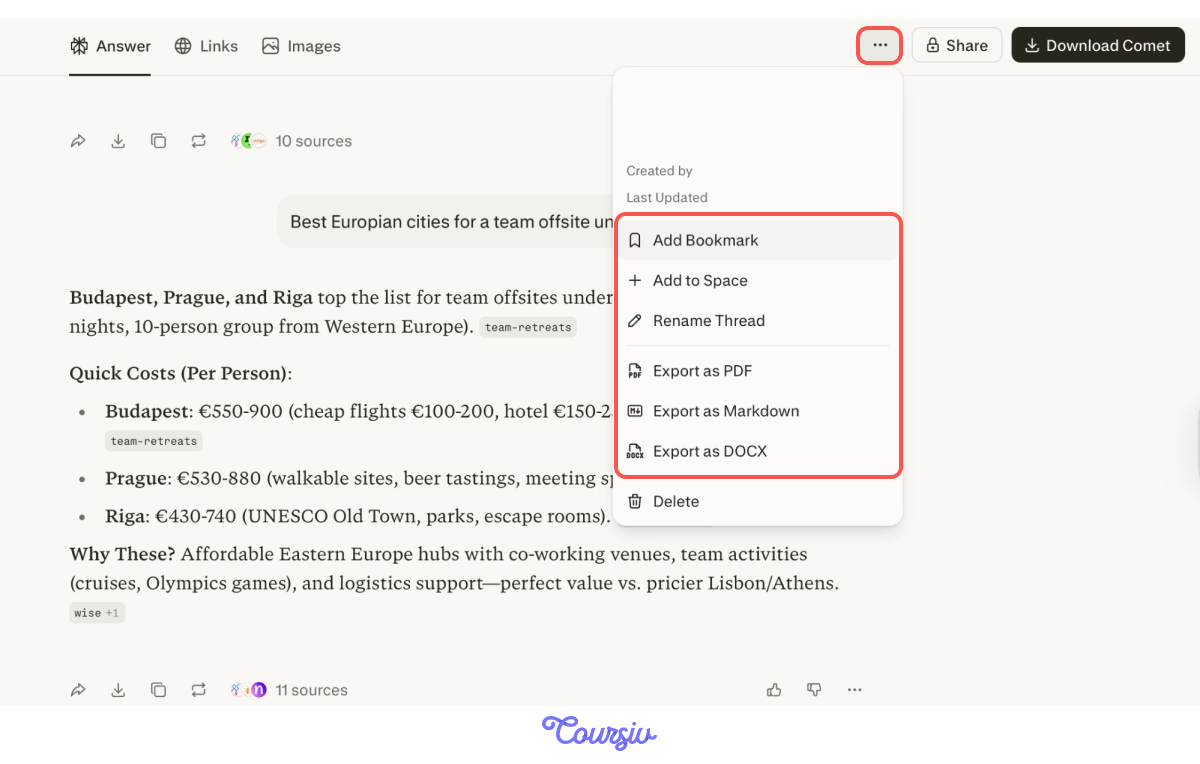
You can click the menu at the top of any conversation to rename the thread, add a bookmark, or export it as a PDF, Markdown, or DOCX file.
You'll find all your saved threads in the left sidebar, ready to revisit whenever you need them.
Now that you know how Perplexity works, the next step is knowing when to reach for it.
practice preview
Interactive practice
True / False
Identify whether this is a good use of Perplexity.
Choose one
What's the biggest way Perplexity changes the approach to research tasks?
Use Perplexity when your question involves multiple variables, needs current information, or requires comparing sources.
practice preview
Interactive practice
Put in order
You're researching venues for a team offsite. Put these steps in the right order.
- Perplexity is an AI-powered search engine — it reads the web and synthesizes the answer.
- Unlike Google, it returns conclusions, not links. Unlike ChatGPT, every claim is cited by default.
- Use it for multi-variable questions that need current, verifiable information.
That's the foundation of what Perplexity is and how it works. You've gone from blank search bar to a verified, saved research thread — and that was just the beginning.
What's Next?
Next, you'll learn how to mode for your task — because not every search needs the same approach, and knowing the difference is what separates a quick answer from a genuinely useful one. See you in the next lesson!