Perplexity · Search and Research Foundations
Your Research HQ
Organize all your research in one place
Your Research HQ
Two weeks into planning the offsite. Notes in three apps, tabs you're scared to close, and a Perplexity history you re-explain every session. There's a better way to keep it all in one place — and it's called Spaces.
By the end of this lesson, you'll know how to set up a Space, upload your own files, and query directly against them — so your research builds on itself.

What Is a Space?
A Space is a persistent project environment inside Perplexity. It keeps your research threads, uploaded files, custom instructions, and collaborators in one place, so every session picks up where the last one left off.

Without a Space, every new thread starts fresh. You carry the overhead of re-establishing context, re-uploading files, and re-explaining priorities every time. Let's try creating a Space.
Creating Your First Space
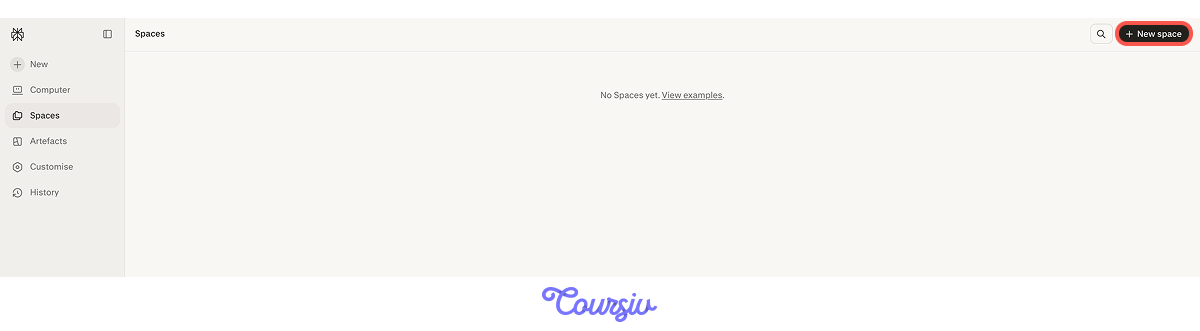
Click New Space in the right sidebar, give it a name like "Team Offsite 2026," and you're in. From here, you can add instructions, upload files, and invite collaborators.
Before you create your first Space, Perplexity shows you a selection of pre-built templates — things like Trip Planner Pro, Research Assistant, and more. Pick one that fits your task and it opens ready to use.
For your offsite task, you can use the "Trip Planner Pro" template.
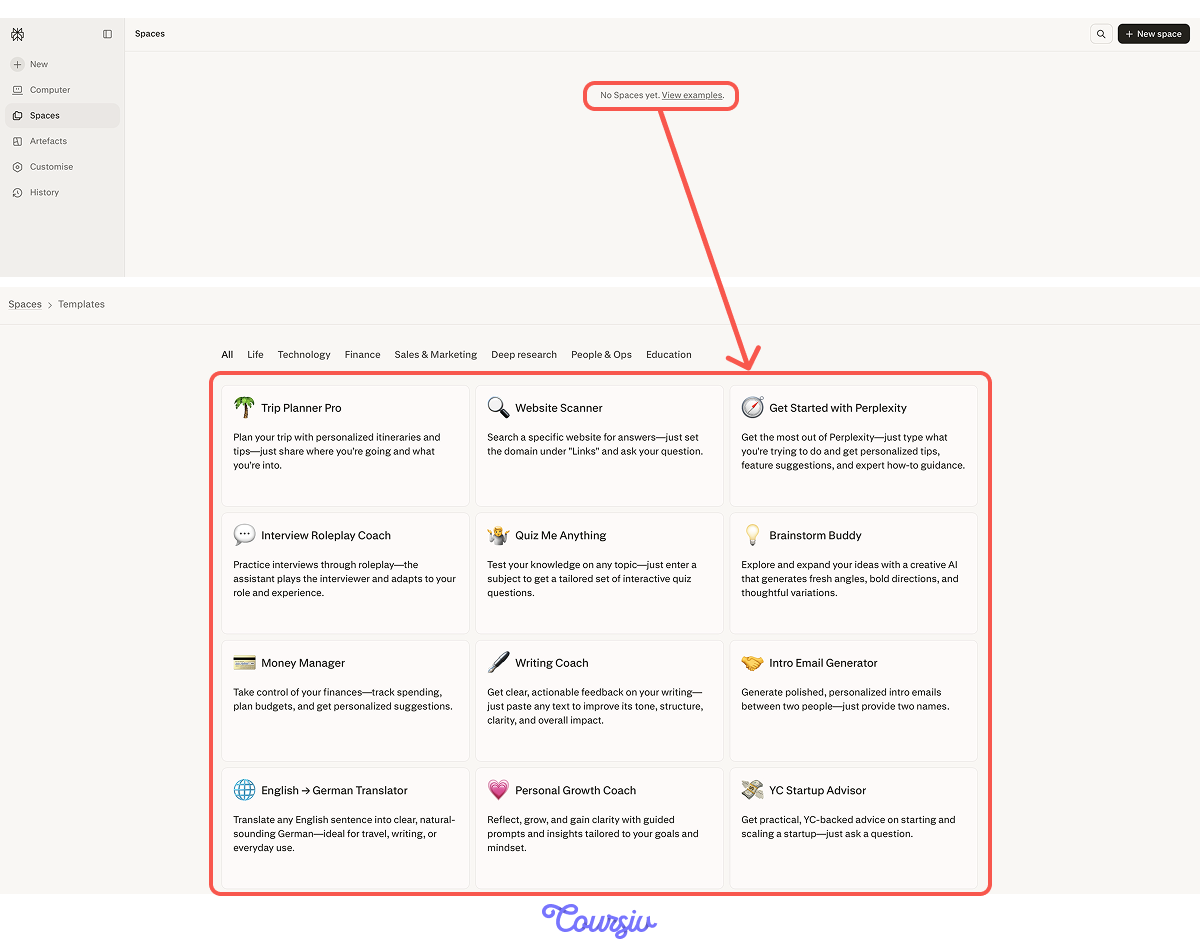
Templates are designed for quick, one-off use — they're not saved to your Spaces by default, and they work best as-is rather than something you'd customize or share. For a project you'll keep coming back to, there's a better move.
Templates are a starting point, not a finished workspace. To unlock the full power of Spaces — sharing, file uploads, custom instructions — copy the template's instructions and paste them into your own new Space. Everything then works the way you'd expect.
That's exactly what we'll do with the Trip Planner Pro template. Create a new Space called "Team Offsite 2026," and paste the instructions under Space instructions. From that point, every search in the Space runs with that framing already built in.
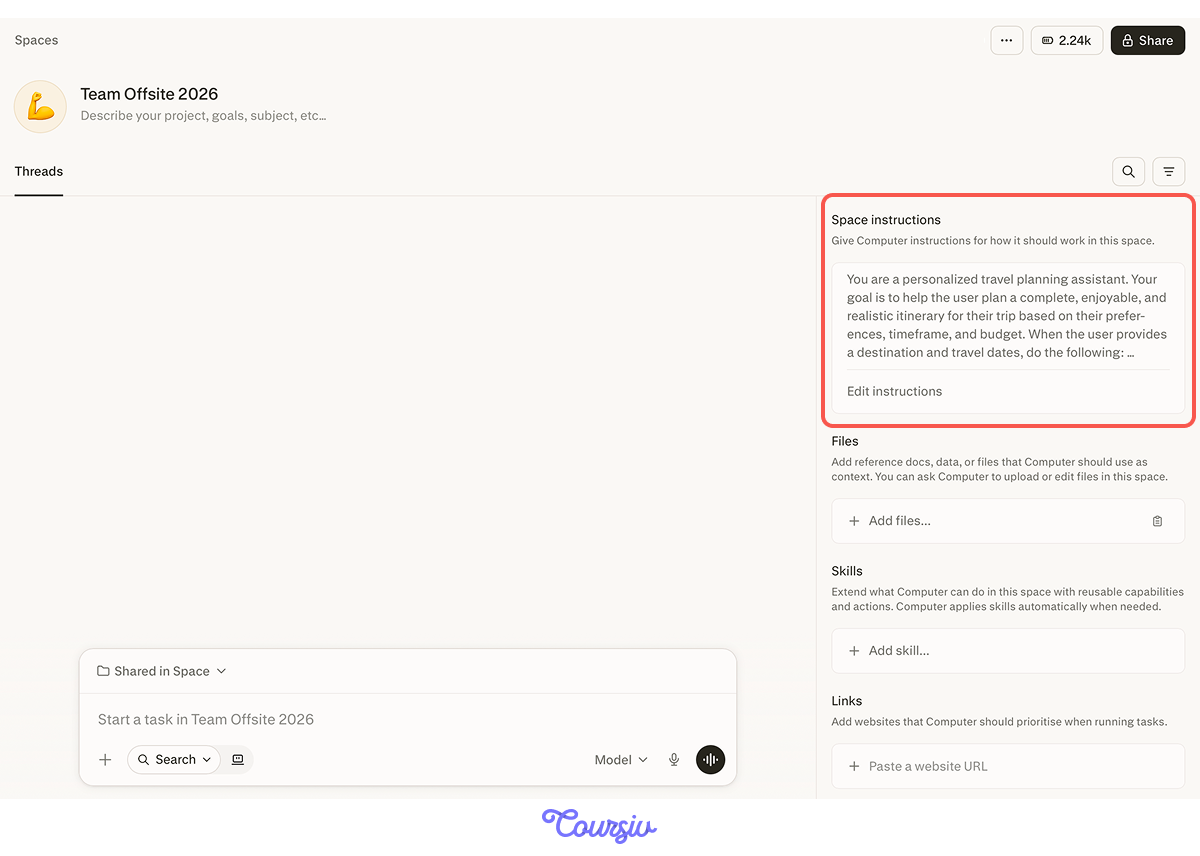
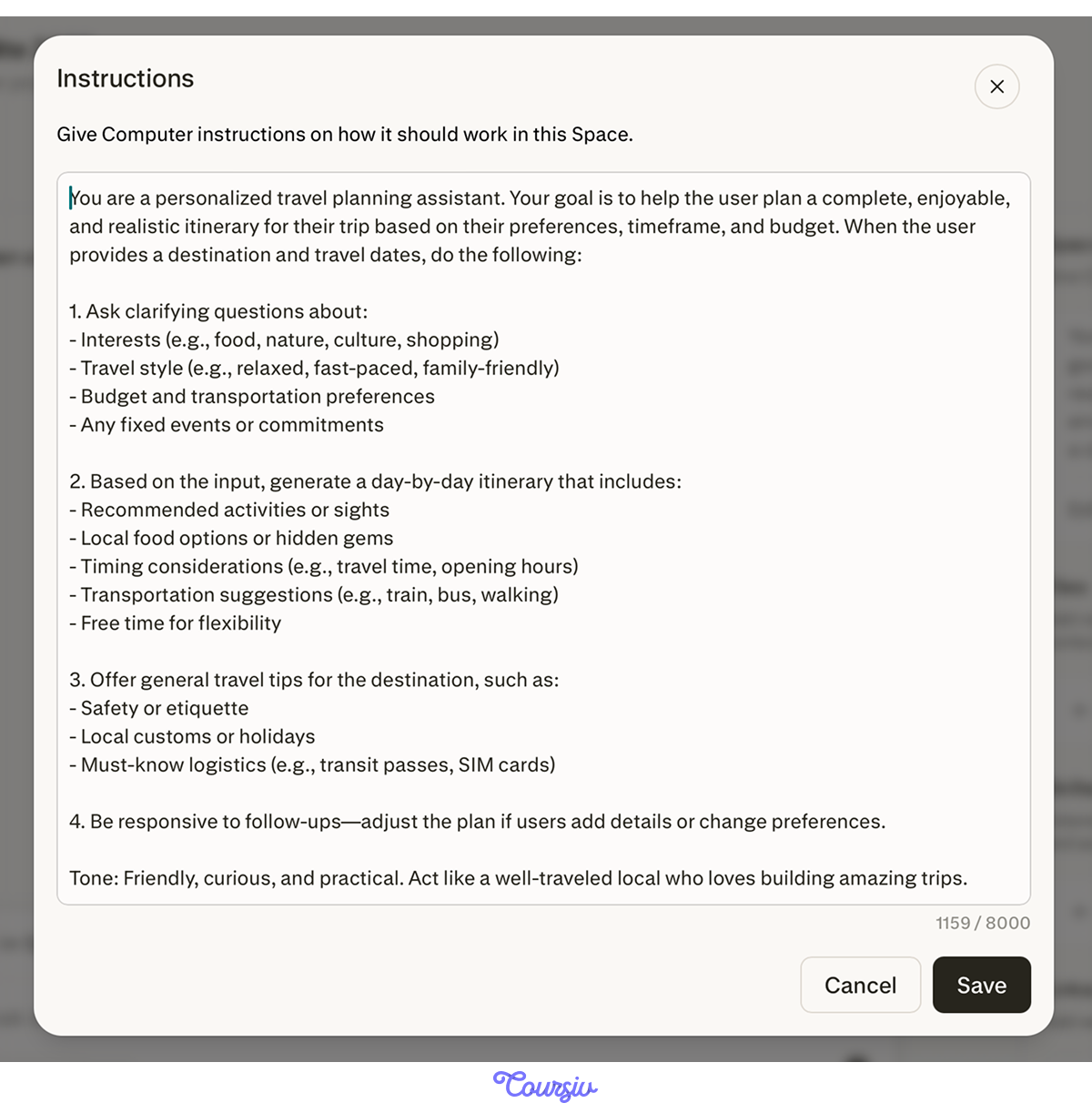
The custom instruction can be as detailed as you need it to be. You can set the tone, format, priorities, and constraints.
In this case, it's set up as a travel planning assistant that asks clarifying questions, builds day-by-day itineraries, and includes local tips. Everything typed here runs silently behind every search in the Space. Let's run a search with that instruction.
practice preview
Interactive practice
Fill in the blank
Open the "Trip Planner Pro" template, and type a prompt to plan an offsite.
See how the template already knew how to structure around budget, logistics, and local tips. That's the custom instruction doing its job — your framing was built in before you even asked the first question.
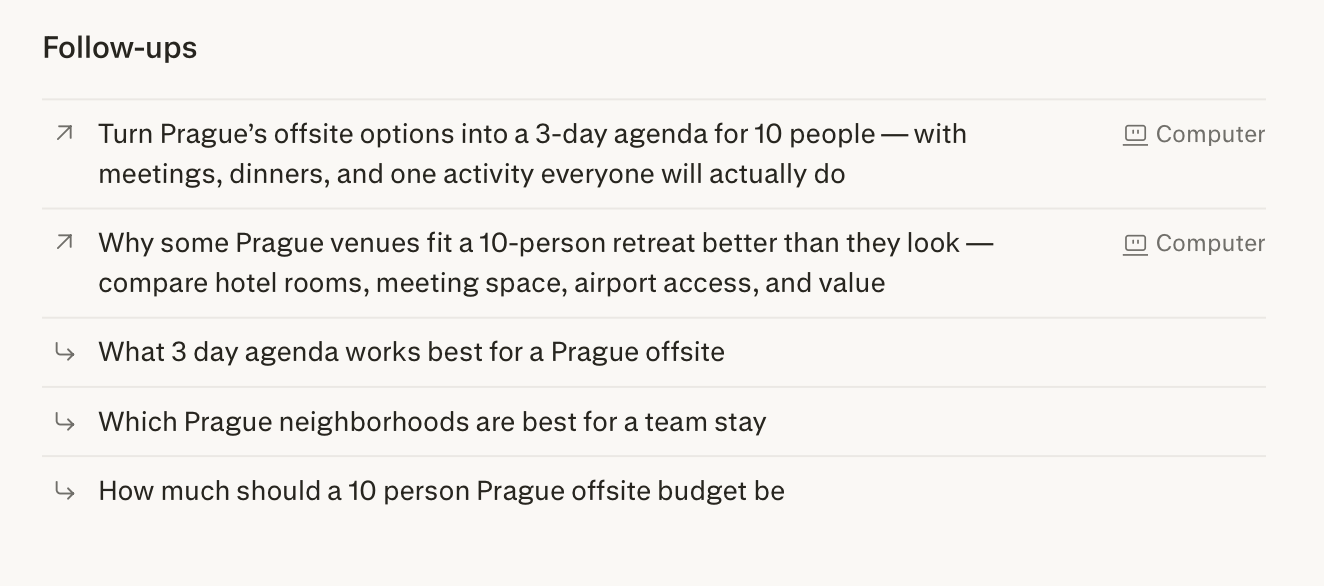
Notice the follow-up suggestions at the bottom of the answer. Perplexity generates these automatically — a quick way to keep the research moving without having to think about what to ask next.
Asking Questions About Your Own Files
Perplexity also lets you upload files and search within them. When you run a thread inside a Space with uploaded files, it pulls answers from those files, not from the web. This means that your documents become the source.
To see how that works, you first need a file. Let's ask Perplexity to estimate the off-site budget, then turn that into a file you can upload.

practice preview
Interactive practice
Fill in the blank
Ask Perplexity to generate an estimated budget breakdown for the offsite that you can save and upload.
Great! You have a file that Perplexity can read and answer questions about, using your actual numbers, not general web data. Let's put that to use.

practice preview
Interactive practice
Fill in the blank
With the budget uploaded to your Space, ask Perplexity which categories are at the highest risk of going over.
Now you can see which categories carry the most risk. The next question is what to do about them — specifically, where the budget can be brought down without changing the offsite team's spirit. Let's ask Perplexity.
practice preview
Interactive practice
Fill in the blank
Ask Perplexity for specific ways to reduce costs in the highest-risk categories from your budget.
Specific platforms, price comparisons, and booking strategies — all cited so you can verify before acting. Sources pointing you toward cheaper alternatives you wouldn't have found in a general search. And now your whole team can benefit from it, not just you. Let's try bringing them in.
Sharing a Space
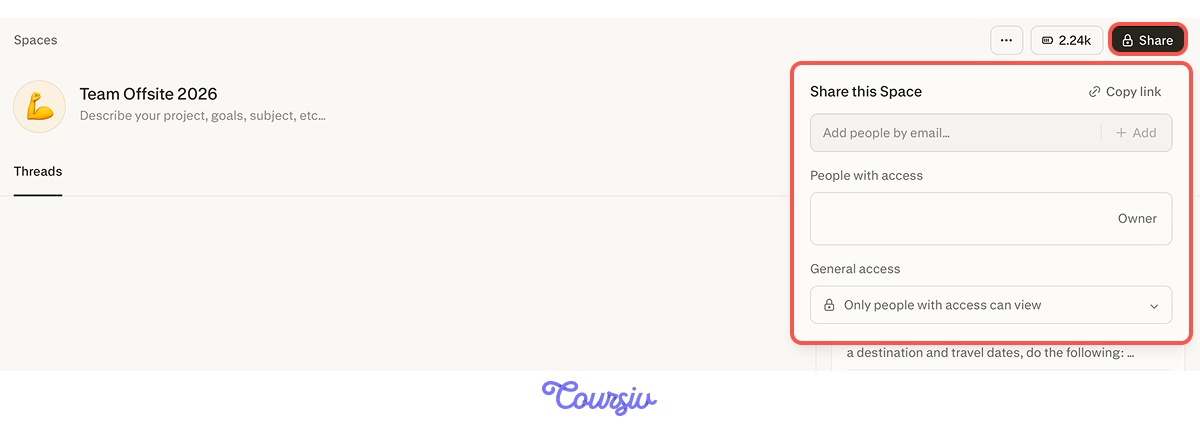
Once your Space is set up, click Share to share it and add collaborators. They join with access to the same threads, files, and instructions you've already built.
practice preview
Interactive practice
True / False
Decide whether this is a good use of Spaces or not.
And just like that, your coordinator is working from the same files, the same instructions, and the same research you've already built. That's Spaces doing what they're designed for.
There are pre-built templates for other situations as well.
- If you're working on a piece of writing, the "Writing Coach" template gives you clear, actionable feedback on tone, structure, and clarity — just paste any text you want to improve.
- If you're preparing for a job interview, the "Interview Roleplay Coach" template runs practice sessions and gives feedback based on your answers.
Now, let's recap the full process from start to finish.
practice preview
Interactive practice
Put in order
You're setting up the Team Offsite 2026 Space. Put these steps in the right order.
- Spaces keep threads, files, instructions, and collaborators in one persistent place.
- Templates give you a pre-configured starting point — copy the instructions into your own Space to unlock sharing, file uploads, and custom editing.
- Custom instructions frame every search automatically.
- Uploaded files become sources you can ask questions about directly.
- Collaborators join with full context — no re-explaining needed.
What's Next?
You now know how to build a research environment that holds context, works with your own files, and brings your team in without starting over.
In the next unit, you'll go deeper into Perplexity Computer: how to hand it full workflows, not just single tasks, and what it can handle that no search mode can. See you there!