Perplexity · Search and Research Foundations
Search Operators & Filters
Find the sources you need
Search Operators & Filters
A well-structured prompt gets you closer to what you need — but not always all the way there. Sometimes the results come back from the wrong sources, in the wrong format, or from three years ago.
Search operators are how you close that gap: short commands that tell Perplexity exactly where to look, what type of content to surface, and how recent it needs to be.

What Are Search Operators
Search operators are short commands you add directly to your search. They control where Perplexity looks and what it surfaces. Think of them as filters you apply before the search runs.

Without operators, Perplexity decides which sources to pull from. With them, you decide. A personal question works fine without operators, but the moment source type, recency, or precision matters, operators close that gap.
Choose one
Which type of search benefits most from using a search operator?
Now imagine the same search principle applied to something where the source matters — like finding current pricing data or an industry report. For that, a standard search isn't enough.
That's where operators come in. There are four worth knowing, each one solving a different problem.

Here's what each operator does:
- Site filters ("site:") restrict results to a specific domain.
- Filetype filters ("filetype:") surface a specific document type, such as PDF or DOC.
- Date filters ("after:"/"before:") force results within a specific time window.
- Quotes match an exact phrase rather than individual words.
Restricting by Source
Let's start with "site:" — the operator that controls where Perplexity looks. Add it to any search, and Perplexity pulls only from that domain — no competing pages, no off-topic results. Use it when the source matters as much as the answer. See how that looks like on a simple personal question first.

practice preview
Interactive practice
Fill in the blank
You want to learn about home pruning techniques, but only from a trusted gardening institution.
Choose one
What did the "site:" operator do?
That's how the source operator works! Note that it returned 10 sources only from the specific site you requested.
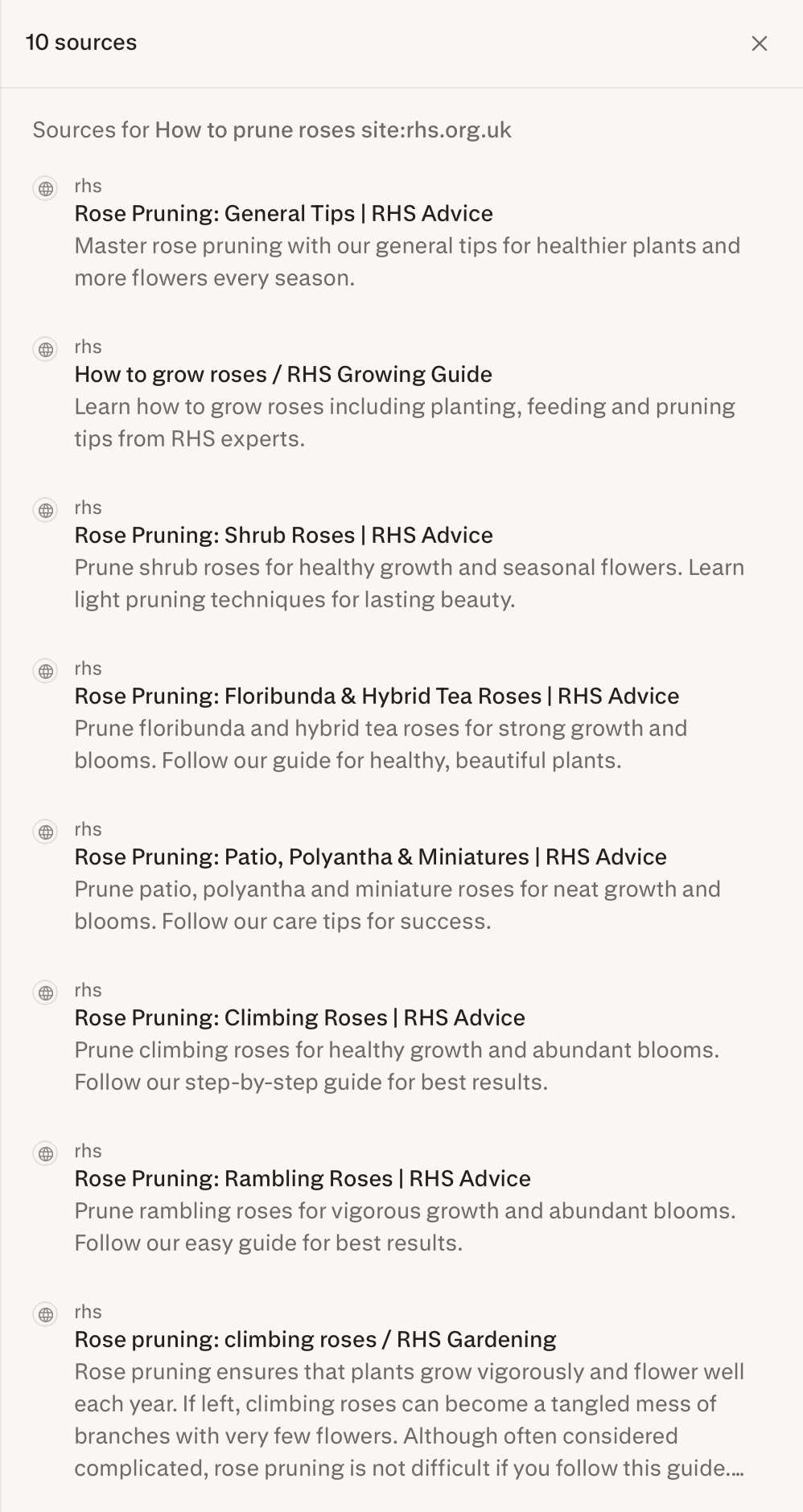
The same operator works just as well for professional research. Restricting to a trusted publication means credible, relevant sources appear from the start.
Now let's look at the next operator, which controls the type of document that comes back.

Finding Specific Document Types
Some information only exists inside documents — research reports, whitepapers, official papers — not on web pages. If what you need is in a PDF or a Word file rather than an article, web results won't get you there.
That's what "filetype:" solves. Add "filetype:pdf" or "filetype:doc" to any search, and Perplexity surfaces the documents directly — the reports and research papers that web pages only ever summarize. Let's say you need to find research on sleep patterns.
practice preview
Interactive practice
Fill in the blank
Search for sleep patterns research restricted to PDF documents only.
"filetype:pdf" went straight to the source documents where the actual data lives. Perplexity also lets you download research papers from the search results.
But sometimes Perplexity returns data more than 10 years old, and in a fast-moving research field, that's a problem. When the data needs to be current, you need to control the time window. That's what the next operator is for.

Filtering by Date
Date filters control exactly which time range your results come from. Add "after:" or "before:" to any search, and Perplexity only returns results inside that window — everything outside it is excluded before the search runs.
Use them whenever an old source would actively mislead rather than inform: pricing data, market reports, product releases, regulatory updates. Let's apply one now.
practice preview
Interactive practice
Fill in the blank
Search for sleep patterns research — this time filtered to the last two years only.
Choose one
What does the date filter do to your search results?
Every result inside the window, nothing outside it. That's the date filter keeping the results where they need to be.
Now there's one more precision tool worth knowing — for when the words are right, but the context needs to be more exact.
Exact Phrase Matching
Putting a phrase in quotes tells Perplexity to match those words exactly in that order. With quotes, a search for "machine learning algorithm list" returns only results where that exact phrase appears. Let's say you need to find Apple's financial reports specifically. That's the kind of search where quotes make the difference.
practice preview
Interactive practice
Fill in the blank
Search for a specific Apple concept using exact phrase matching — without quotes, the individual words return unrelated results.
See how "Financial Reports" came back specific — not scattered results about Apple's earnings calls, or investor commentary in unrelated contexts. The quotes matched the exact phrase before the search ran, which is why every result pointed to the same specific thing.
Combining Operators
Each operator solves one problem, but combined, they close all the gaps at once — source, format, recency, and precision in a single search. Let's add everything together.

practice preview
Interactive practice
Fill in the blank
Run the Apple search with all four operators combined — exact phrase, site filter, filetype, and date filter.
Choose one
What did combining all four operators give you that a standard search wouldn't?
practice preview
Interactive practice
Match pairs
Tap a left item, then a right item to match.
- Site filters ("site:") restrict results to a specific domain: Use when the source matters as much as the answer.
- Filetype filters ("filetype:") surface reports and research documents instead of web page summaries.
- Date filters ("after:"/"before:") force recency: Essential for pricing data, market reports, and anything time-sensitive.
- Quotes match an exact phrase rather than individual words: Use for specific metrics, terms, or titles.
- Combined, all four give you a precise query: Source, format, recency, and phrase work together.
You now know how to tell Perplexity not just what to find, but where to look, what format to return, and how recent the results need to be.
Next, you'll learn how to organize everything into one persistent workspace, so your research builds on itself, your files are always at hand, and your whole team works from the same place. See you there!