Perplexity · Workflows and Automation
Perplexity Computer
Turn research into a finished, shareable deliverable
Turn Research Into a Workflow
You've compared cities, built a Space, flagged budget risks, and mapped out cost-saving options. The research is solid. But now you need the next crucial step — a finished plan. That's a different kind of task. And Perplexity has a different tool for it.

Perplexity Computer
Computer is a separate workspace inside Perplexity. You'll find it in the left sidebar. It's not a search mode or a research feature. It's where you hand off tasks that have multiple steps and need a finished result at the end.
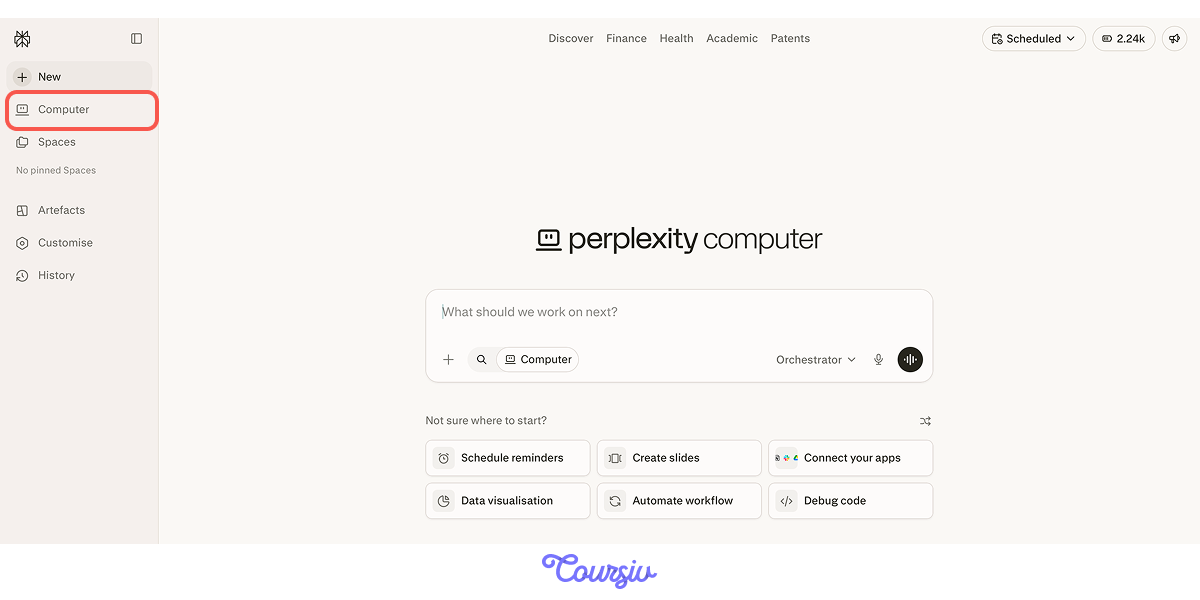
Computer works through a task the way you would — it searches, reads pages, cross-references sources, uses your files, and keeps going until the deliverable is ready. The difference is it does all of that without you driving every step.
Choose one
What makes Computer different from running a Deep Research query in Perplexity?
What Computer Is For
Not every task needs Computer. The right signal is this: does the task have multiple steps and a specific output at the end?
Here's how Computer fits alongside everything else:
- Search answers a single question
- Deep Research produces a sourced research report
- Spaces keep context, files, and threads in one place
- Computer executes a multi-step task and delivers the finished result
practice preview
Interactive practice
True / False
Decide whether this is a good use of Computer.
The clearest way to see Computer in action is through the offsite task that's already in progress.
Starting a Task in Computer
Click Computer in the sidebar, and you'll see a text input field. This is where you describe what you need. Remember that the task shouldn't be a search query, but a clear outcome with context.
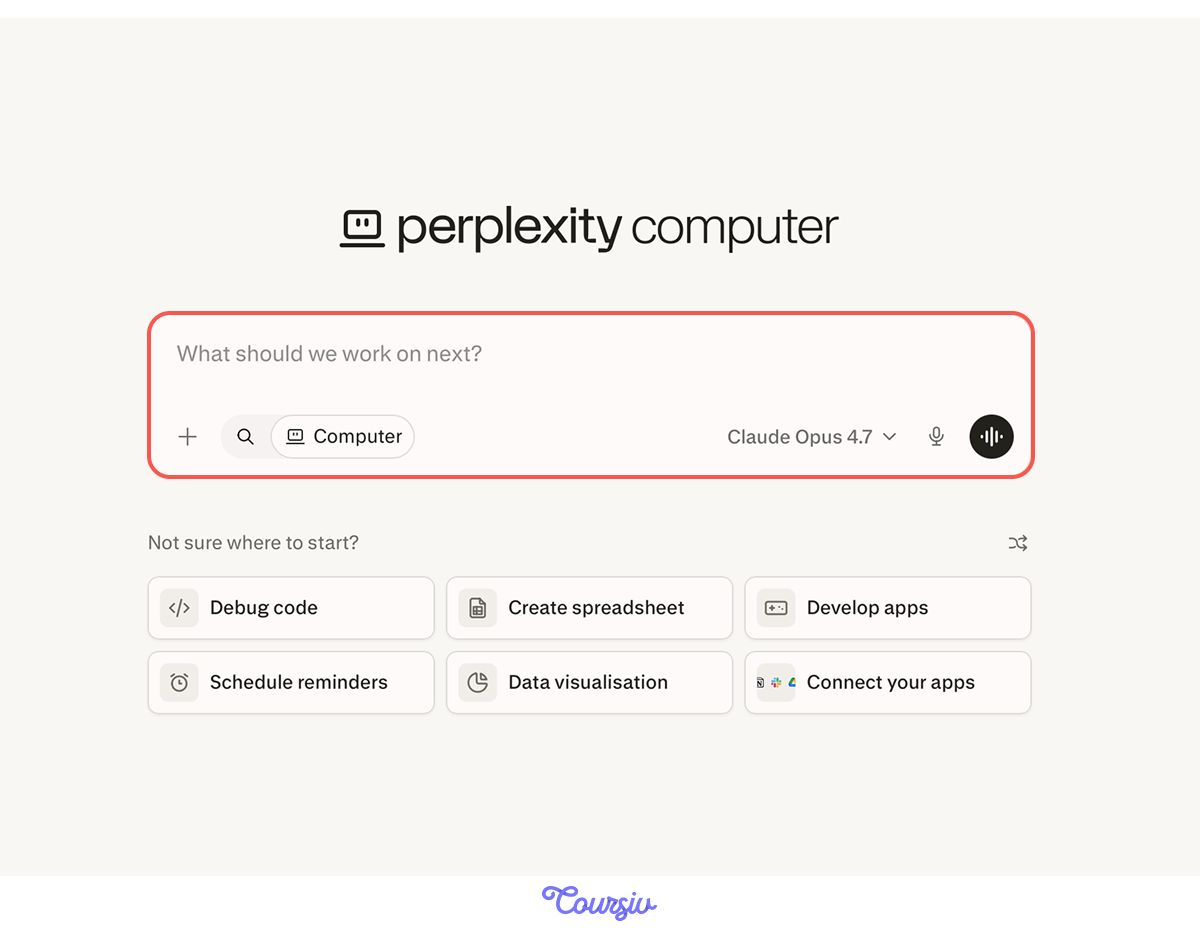
Before you type, think through four things:
- What you need produced
- What context Computer should use
- What the constraints are
- What the output should look like
The clearer the handoff, the better the result is suited for you.
practice preview
Interactive practice
Fill in the blank
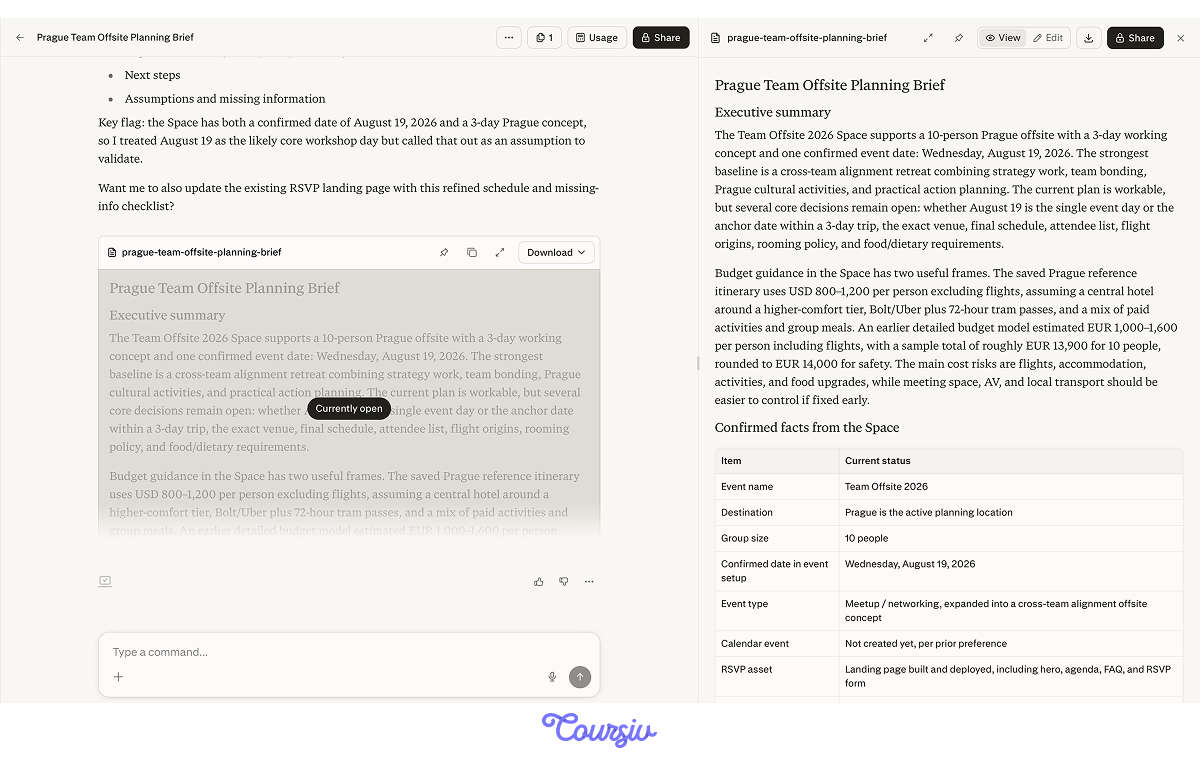
Ask Computer to turn your offsite research into a planning brief.
Notice what came back — a structured document: executive summary, confirmed facts pulled from your Space, open assumptions flagged for review. Computer shows its work and asks what to do next.
Workflows: Ready-Made Tasks
Computer also has pre-built Workflows — guided task templates for common deliverables. You'll find them under Customise in the sidebar.
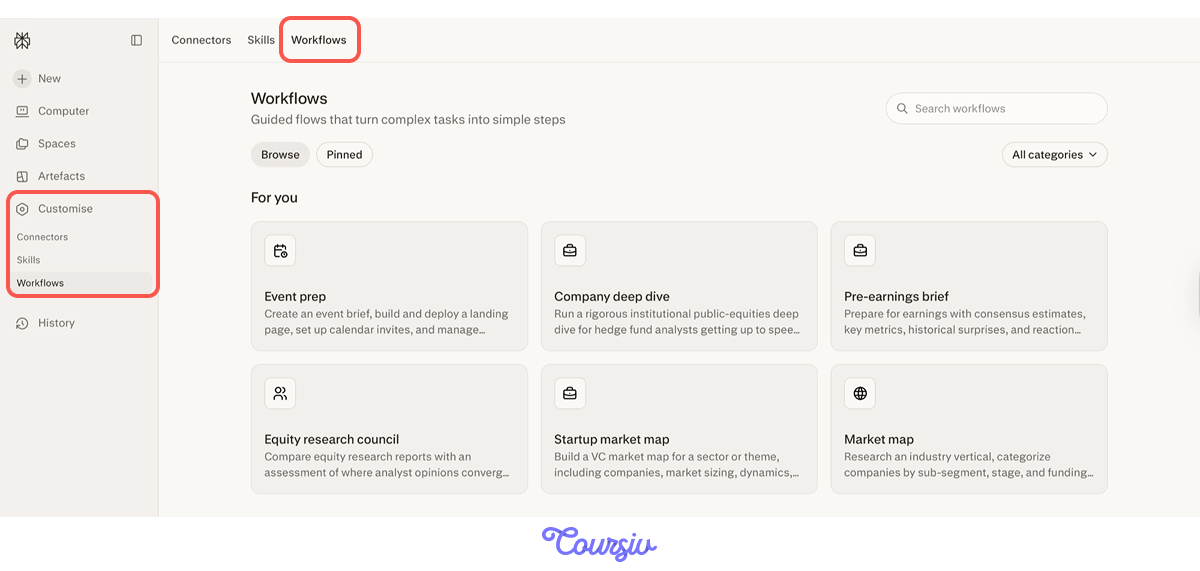
Workflows cover a wide range of use cases: marketing, creative, career, productivity, sales, and many more. Pick one that fits, fill in your specifics, and Computer runs the whole process for you.

For offsite, Event prep template fits the best. With it, you can create an event brief, build and deploy a landing page, set up calendar invites, and manage RSVPs. Fill in the information and let Computer do the rest.
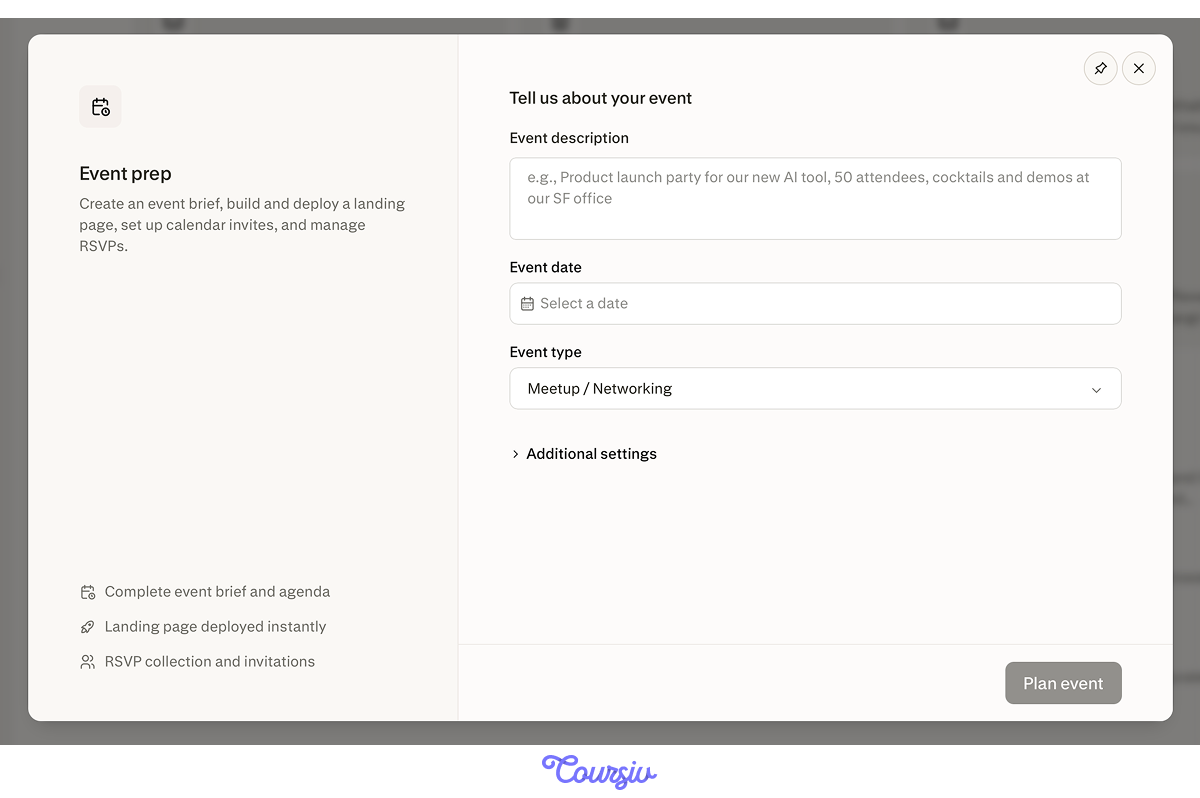
practice preview
Interactive practice
Fill in the blank
Give Computer the key details it needs to create a planning brief for your offsite.
Here's what came back. Computer built a full event package: a deployed landing page plus a structured event document you can view, edit, download, or publish directly. For the calendar invite, it flagged that authorization is still pending and left a ready-to-send draft for when you confirm the timing.
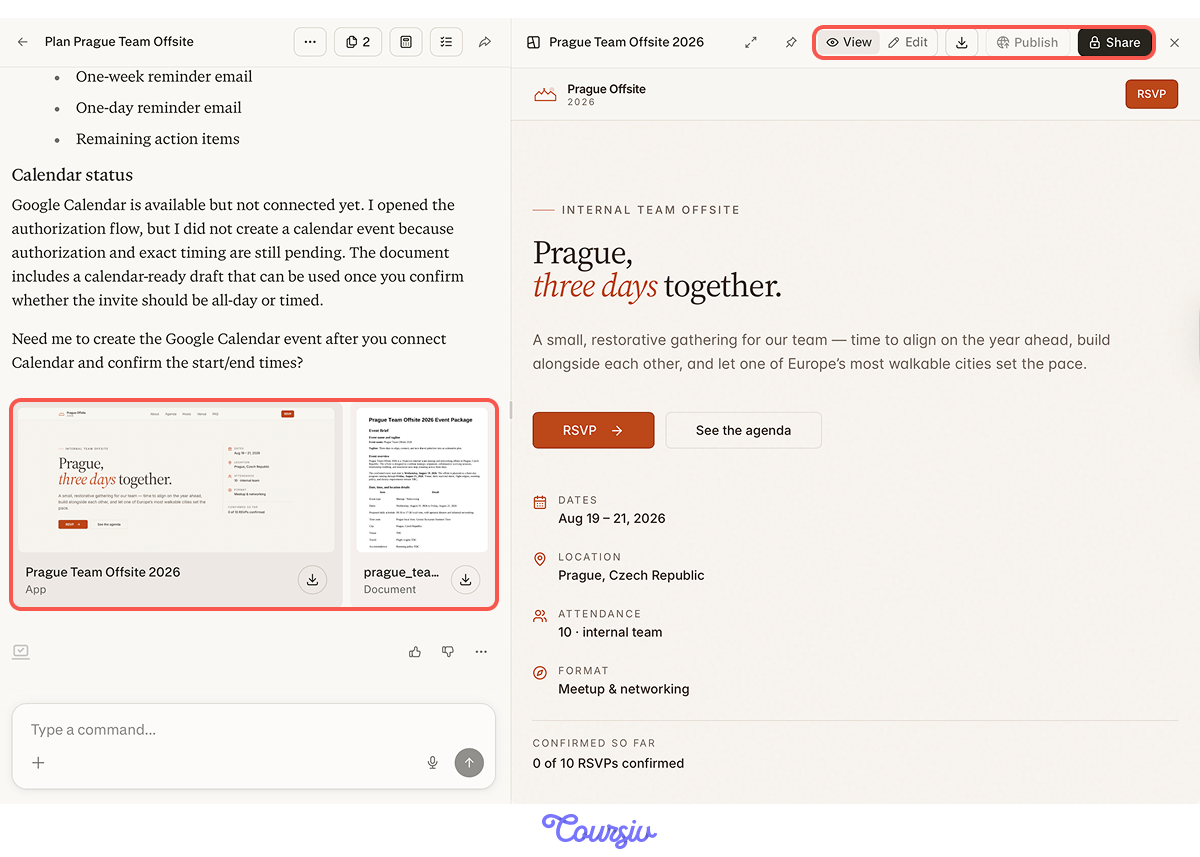
That's a lot done in one task. But before you share any of it, it's worth checking what Computer assumed along the way.
Select all that apply
You review the Event prep output and notice two things: the landing page lists "venue TBC" and the agenda assumes all 10 people arrive by noon on August 19. What do you do before sharing?
Now the brief is clean and the assumptions are visible. One more thing before you share — the constraints just changed.
Your team lead updated the brief: the budget is 15% lower and one person will arrive late on Day 1. The main team-building activity stays. Everything else needs to adjust.
practice preview
Interactive practice
Fill in the blank
Ask Computer to update the offsite plan based on the new constraints.
Notice what happens before the answer arrives — Computer runs tasks in parallel, thinks through dependencies, reads the existing files, and explains its approach before making any changes. This is reasoning through what the budget cut affects.
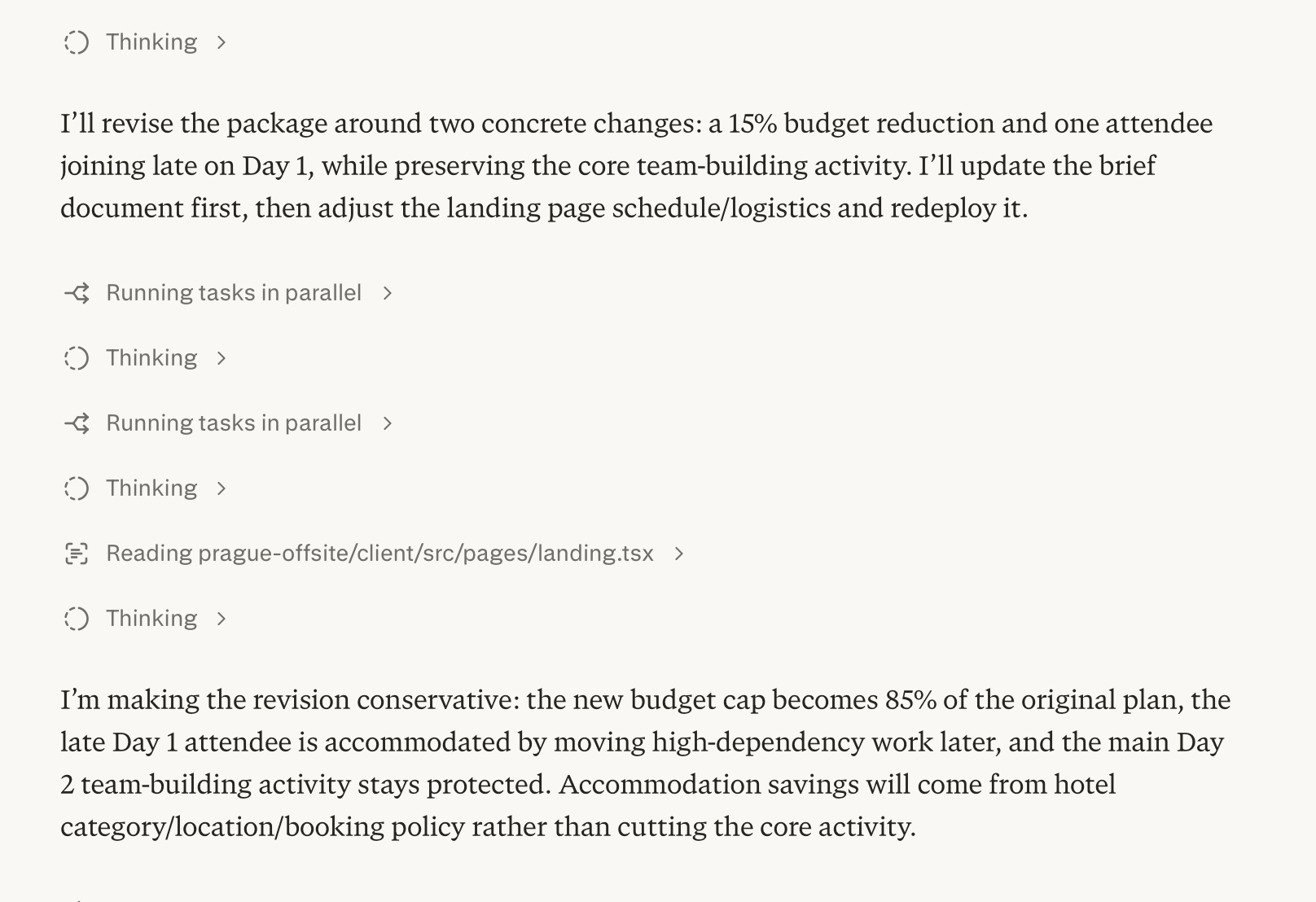
What makes Computer genuinely useful for planning work: it holds the full context and adjusts everything when one thing changes.
Share Your Work
Once you're happy with the landing page, hit Share to send it directly to teammates by email, copy the link, or enable Allow remix so others can create their own version without touching yours.
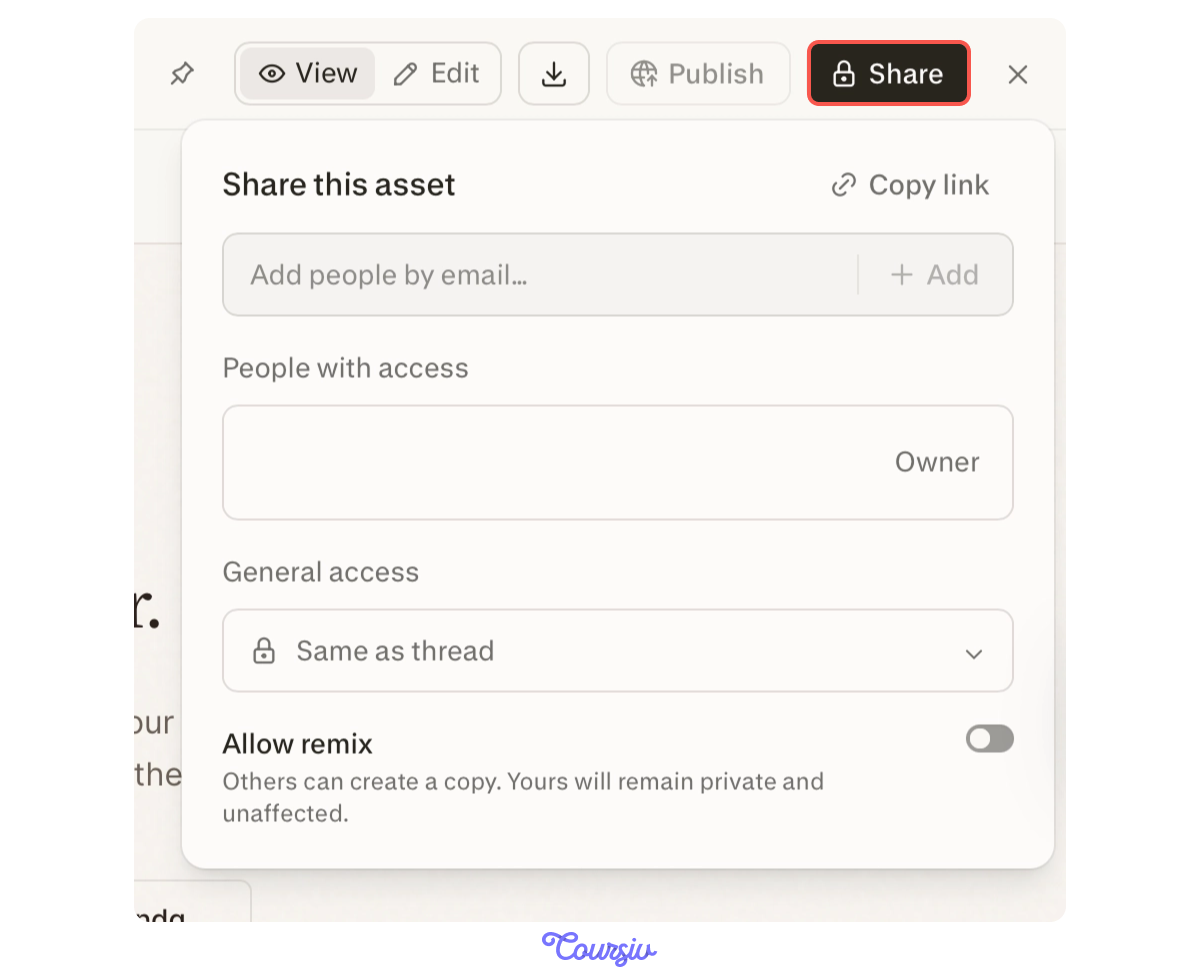
Beyond Trip Planning
The same logic works beyond trip planning:
- Files → risk list: "Review this survey export and flag the top three planning risks"
- Content pipeline: "Turn the offsite research into a draft internal announcement"
- Recurring reports: "Every Monday, summarize budget changes, open decisions, and next steps"
practice preview
Interactive practice
Put in order
Put the Computer workflow in the right order.
- Computer is a separate workspace: It's not a search mode or a research feature.
- Use it when the task has multiple steps and a specific deliverable: a plan, a brief, a document.
- Workflows give you ready-made task templates: Find them under Customise.
- Review before you share: Flag assumptions, verify key figures, separate confirmed from open.
- Computer holds full context: Update one constraint and it revises the whole deliverable.
What's Next?
You've gone from research to a finished, shareable deliverable — brief, landing page, and all. But right now, every new task still starts from scratch. Next, you'll learn how to teach Computer your process once, so it follows the same structure, tone, and review checks every time, no matter the destination.