AI in Design · Design: From Concept to Real Assets
Social Media Graphics With AI
Create social media posts with AI
Three Posts by Friday
You've built the foundation of any design work: prompting for better designs, a visual direction, a brand kit, and editing.
Now those skills have a deadline. A client needs three social media posts — Instagram feed, Instagram Story, and Facebook banner — by Friday. This lesson walks through the full production process!
Meet Bloom
Bloom is a plant care app that reminds users when to water, fertilize, and repot their houseplants. It's launching next week, and it needs a set of social media creatives that feel as alive as the product itself.

The brand direction is soft and natural — warm greens, terracotta, clean, rounded type, lifestyle imagery of plants in real homes. The brief: create a launch post set that works across formats.
Start With One Strong Visual
Every format adaptation starts from a single source image. Get that right first. A strong hero image — well-composed, on-brand, with a clear focal point — adapts to any ratio without losing its impact.
Let's create the visual in Midjourney to get a realistic, high-quality result.
practice preview
Interactive practice
Fill in the blank
Prompt Midjourney for Bloom's hero image. Use "--no" to exclude anything clinical or artificial.
These images work as a starting point because they have a clear subject, consistent lighting, and enough negative space to layer text onto. Those three qualities are what make an image adaptable.
Format Is Not Just Size
Adapting a design to a new format isn't just resizing, but rethinking the hierarchy. An Instagram rectangle puts the subject at the center. A Story puts it top-and-center with space below for a CTA. A Facebook banner puts it left with text on the right.
Resize With Canva
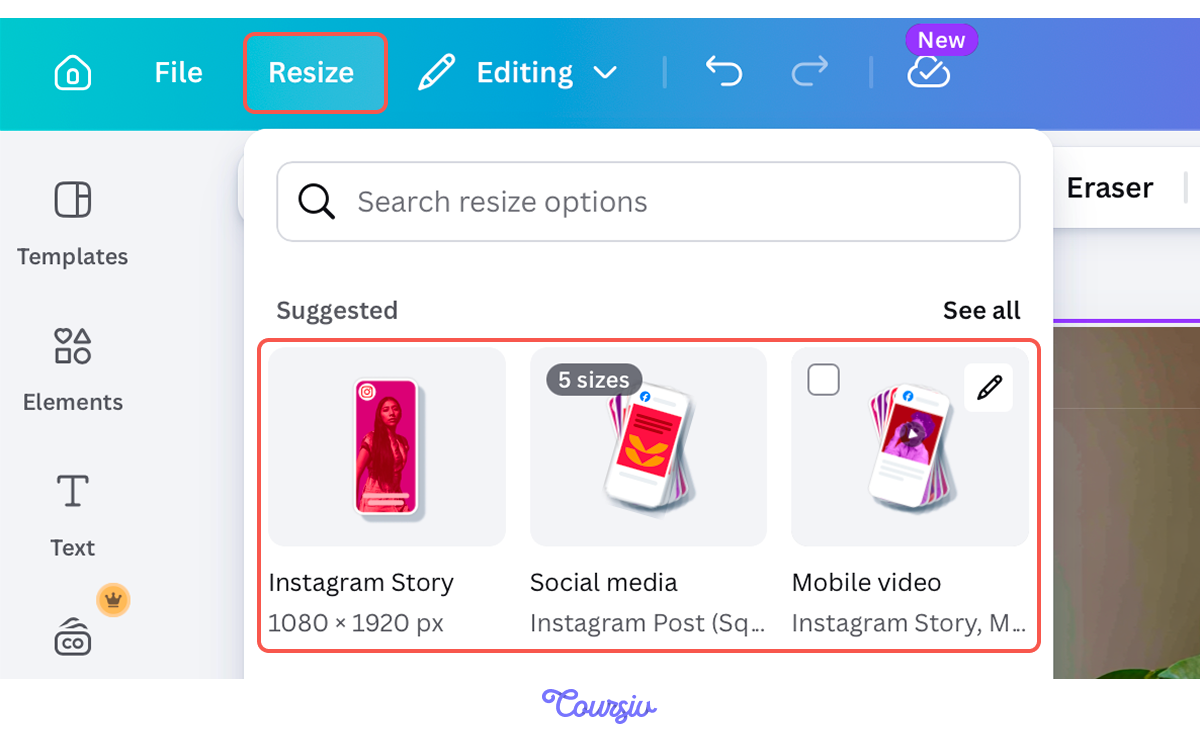
Let's say you've built an Instagram post draft. Use Canva's "Resize" feature to change the format of the visual.
Instagram Formats
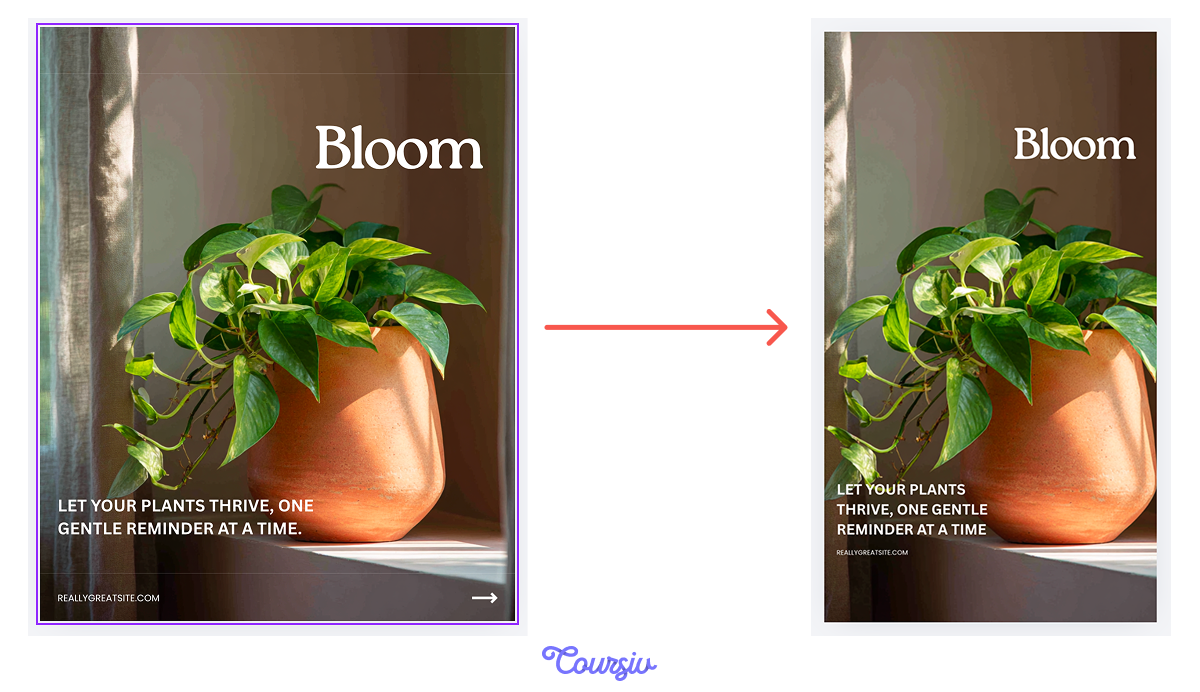
Resize handles the mechanical part. Your job is to check what the resize did to the composition: whether the focal point is still visible, the text has breathing room, and the CTA is readable.
Choose one
You've resized the Bloom hero image from an Instagram rectangular post (4:5) to Instagram Story (9:16). The plant is now partially cropped. What's the right fix?
The Facebook Banner
The Instagram formats share a vertical logic — subject prominent, CTA below. The Facebook banner is horizontal, which flips the hierarchy entirely. The subject on one side, the text anchored to another, and the image supports the message.
Use Resize to generate the banner dimensions, then reposition the plant image to either side of the frame. Another half needs clear space — that's where the headline and tagline will sit.
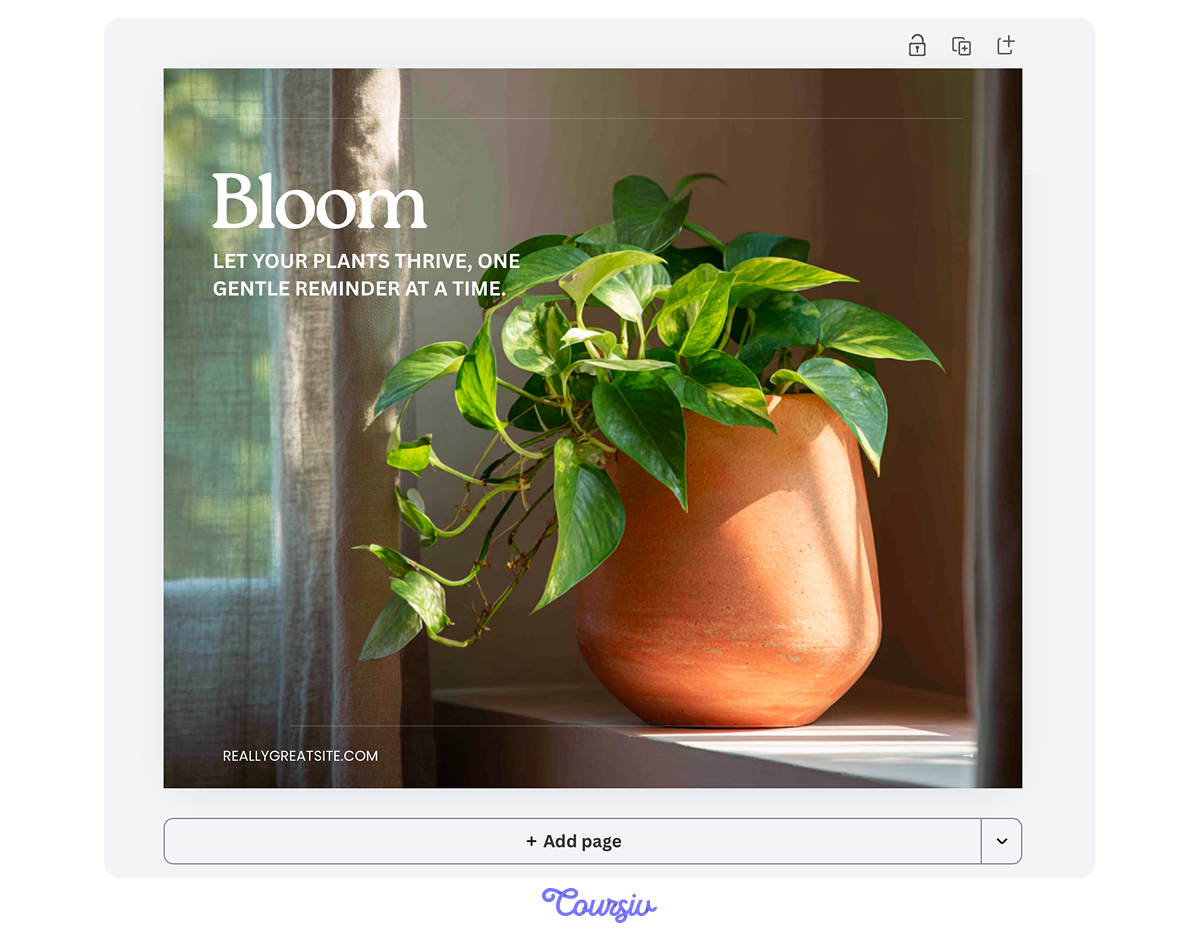
Every format has its own hierarchy: what the viewer sees first, where their eye goes next, and where the CTA lands. Adapting well means checking all three after every resize.
- Instagram feed: Subject centered, copy layered over negative space
- Instagram Story: Subject top-and-center, CTA in the lower third
- Facebook banner: Subject left, headline and CTA right
Ask Canva
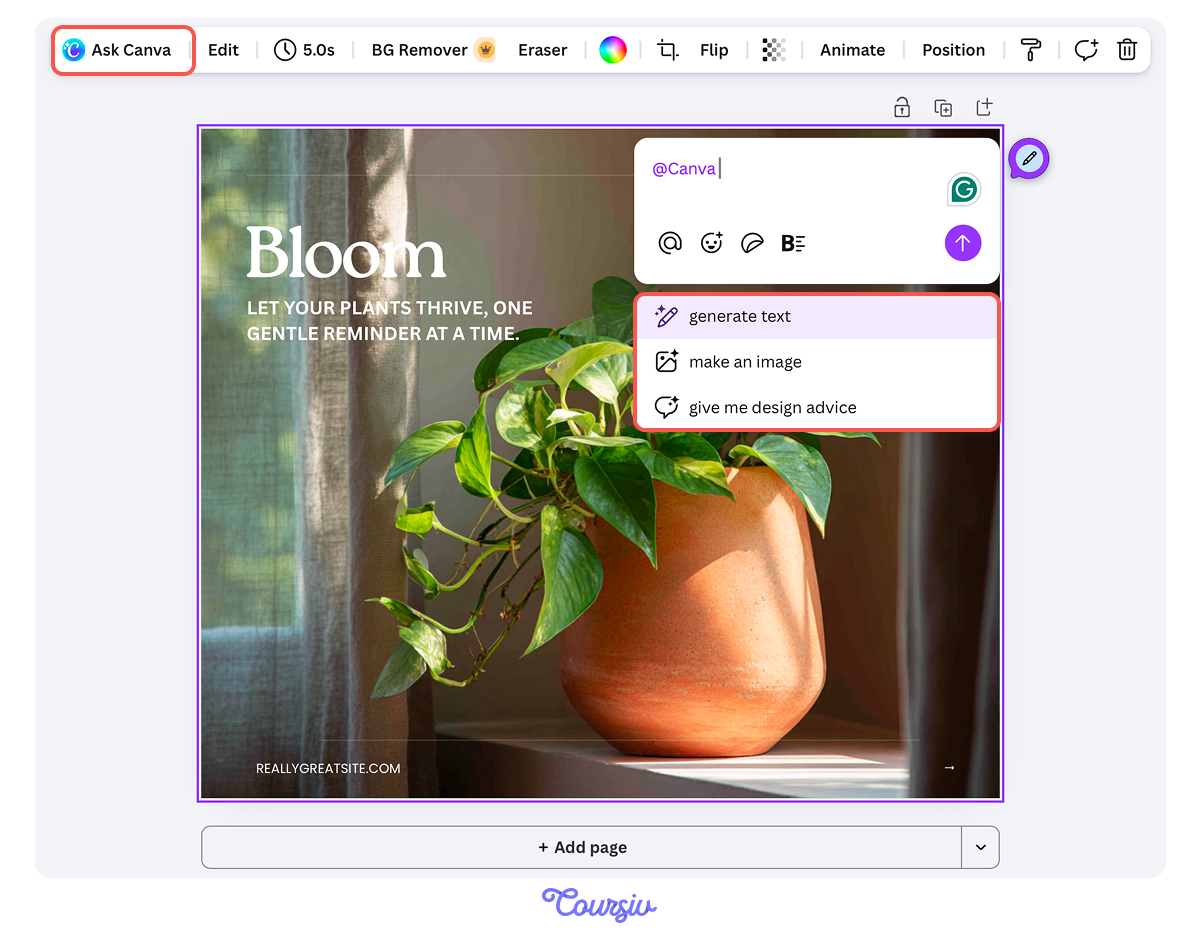
Canva has a built-in chatbot that comes in handy when you're not sure about your design — Ask Canva. Type a question or a request directly inside the editor, and it gives contextual advice, suggests next steps, or helps you make design decisions without leaving the canvas.
practice preview
Interactive practice
Fill in the blank
Use "Ask Canva" to get composition advice for the Bloom Story visual.
Place the Copy on the Design
Social media visuals aren't only about images and layouts. Copy's an important part of it.
In fact, text that repeats what the image shows is wasted space. Copy that fights the image creates clutter. The rule: copy adds what the image can't say.
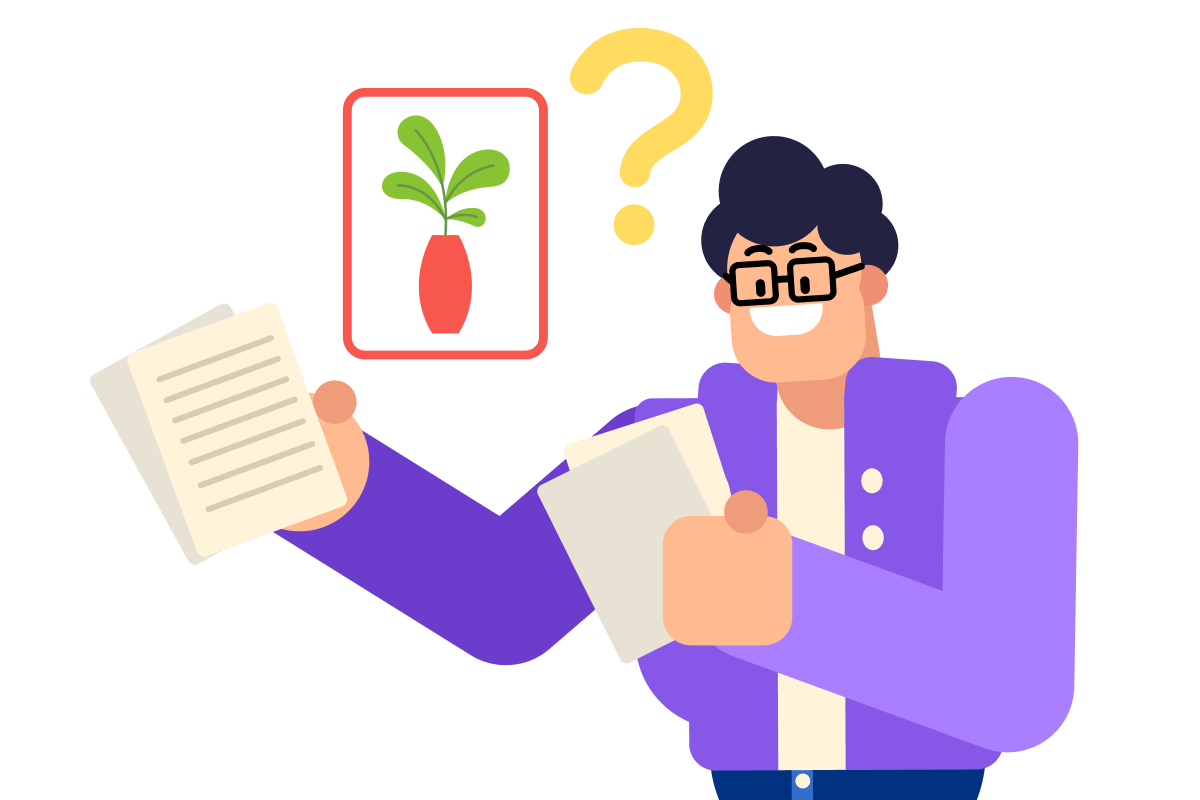
For Bloom's launch, they want a targeted Instagram ad. The image needs to show what Bloom looks like. The copy should say what it does and what to do next. Headline, one supporting line, CTA — three elements are enough to communicate the idea.
practice preview
Interactive practice
Fill in the blank
Fill in the gaps to write targeted ad copy for the Bloom Instagram post.
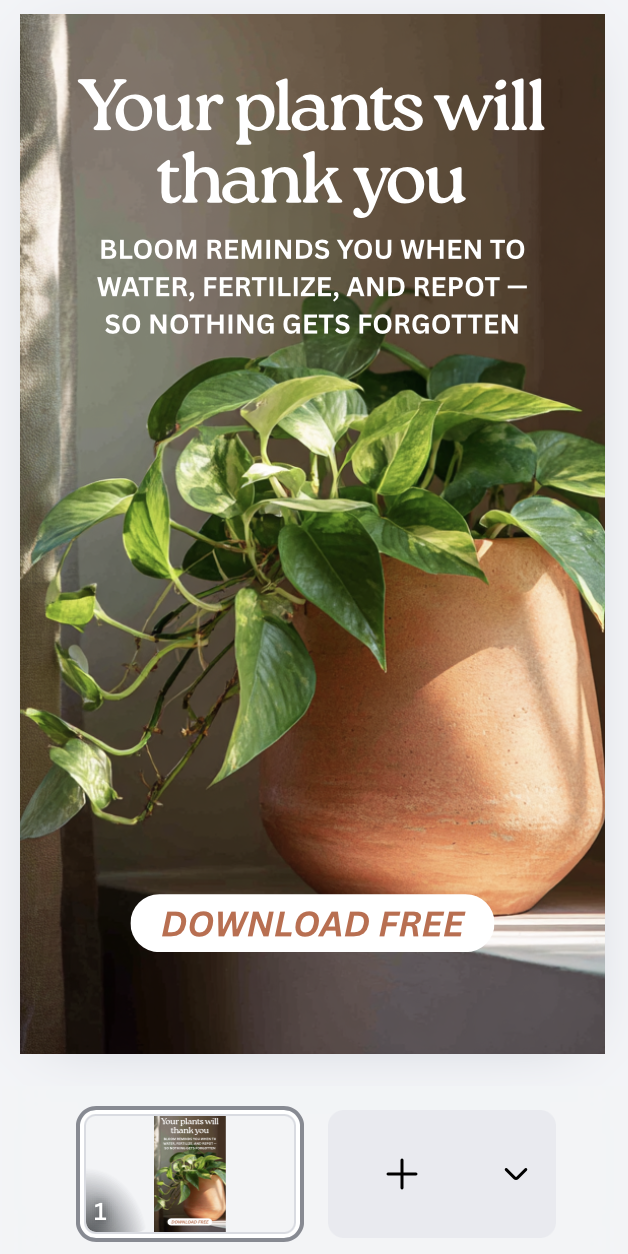
"Your plants will thank you" works because it speaks to the user's relationship with their plants, not the app's features. The supporting line handles the features. The CTA is short because the image already made the case.
The Finished Post
Here's what the Bloom Instagram post looks like with the copy placed — headline in the upper third over the negative space, supporting line below it in the body font, CTA anchored at the bottom.
Before You Publish — One Check
The Bloom visuals were generated in Midjourney. Before they go live on a brand account, one question needs an answer: what does Midjourney's license allow for commercial use?
The answer lives on Midjourney's Terms of Service page — linked in the footer of docs.midjourney.com. Look for "Content Rights" and confirm it applies to your plan. Paid plans include commercial rights. Free plans do not.
Select all that apply
Which of the following are true about publishing AI-generated visuals for a product launch?
practice preview
Interactive practice
Put in order
Arrange the production steps in the correct order for a social media post set.
That sequence — generate → adapt → check → write → verify — is the same regardless of the brand or the brief.
- One image, multiple formats: Generate a single strong hero image in Midjourney and adapt it with Canva's Resize. Format changes hierarchy, not just size — check focal point, breathing room, and CTA placement after every resize.
- Each format has its own logic: Instagram feed centers the subject. Stories push it top-and-center with CTA below. Facebook banners split the frame — subject on one side, text on the other. Use Canva's Expand Image if the composition needs more room.
- Copy and image have different jobs: Write targeted ad copy in ChatGPT with audience, tone, and character limits specified, then place it in Canva using the brand kit fonts and hierarchy rules.
- Check licensing before publishing: Commercial use rights depend on the tool and the plan tier.
What's Next?
With the three formats and one cohesive set, you're ready to go live.
But social media isn't the only place where your design skills can shine. In the next lesson, you'll put them to work in UI screens.