AI in Design · Create: From Idea to Visual Direction
Prompting for Design
Fix and refine AI prompts
The Output Isn't What You Pictured — Now What?
You ran the prompt, and the result came back fine, but you still feel like it's not right. The colors are off, the mood is wrong, or it just looks like something you've seen a hundred times. Starting over feels wasteful. There's a faster way.

Every Weak Output Has a Cause
When an AI design tool produces something generic, it's not random. One of the four prompt components that you've covered in the previous lesson — visual type, audience, style, or mood — was either missing or too vague. The tool filled the gap with its own defaults.
Don't fix it with "try again" and the same prompt. Instead, find the weak part and replace it with something specific.
Choose one
This prompt returned a flat, forgettable result: "Create a social media banner for Roamly. The design should feel adventurous." Which components are missing?
Choosing the Right Tool
You've identified what's missing from the prompt, but what's also important to consider is where you run it. For social media banners, Canva's Magic Media is the strongest fit. It generates images directly inside the editor, so you can adjust sizing, swap brand colors, and layer text without switching apps.
practice preview
Interactive practice
Fill in the blank
Roamly is a travel app for independent adventurers. Add the two missing components to sharpen the banner prompt.
This is what Canva AI returned. All the variations match the description, but give you options to choose what you like more.
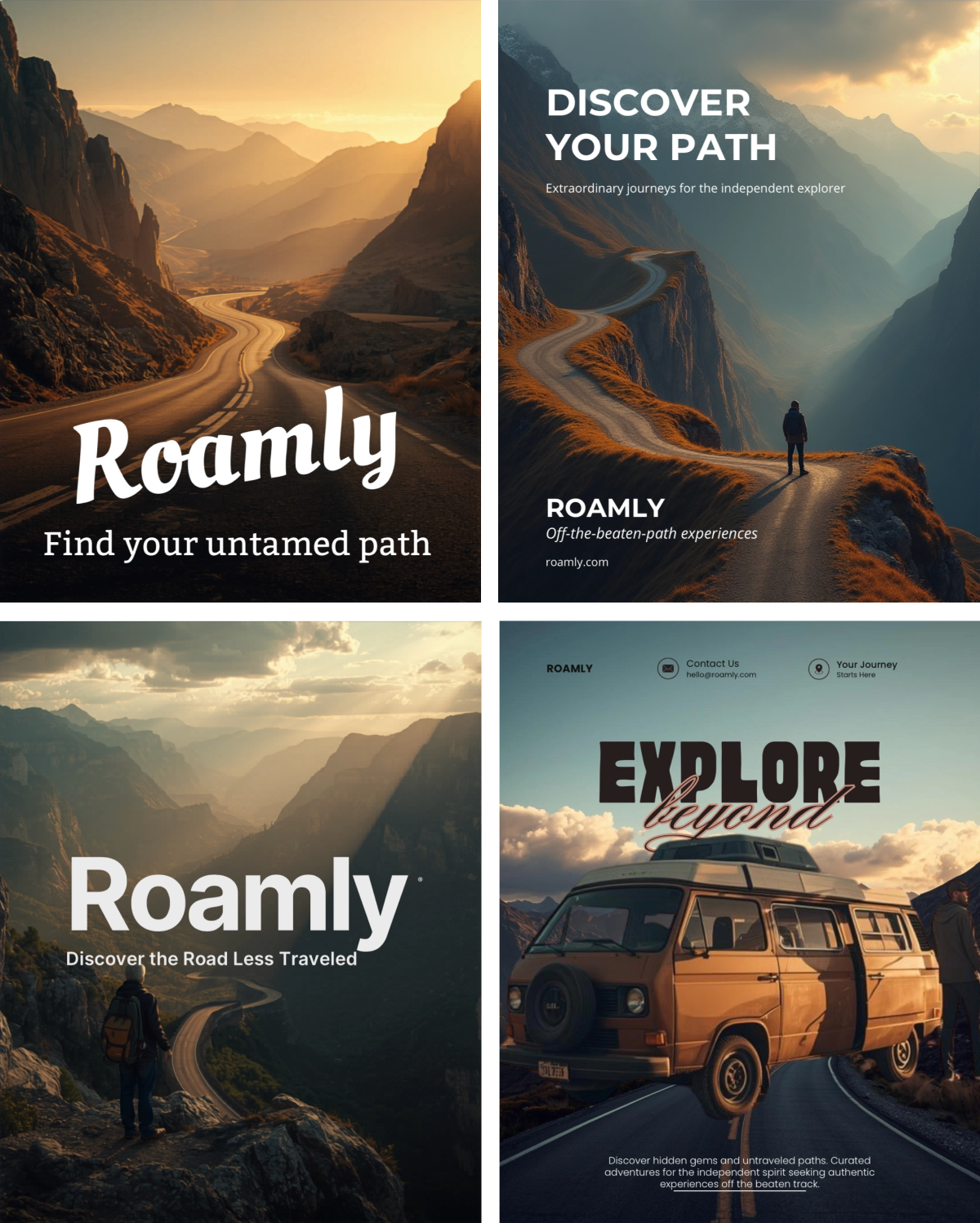
Two targeted additions do make a difference. The audience told the tool who it's speaking to. The style told it how the visual should look. The mood was already there — it just finally had something to work with.
Prompt refinement means editing, not rewriting. Find the component that failed, replace it with something specific, and regenerate. Everything else stays exactly as it was.
Constraints Lock the Style
Fixing a missing component gets you closer. But let's say you specifically don't want your visuals to have faces, text overlays, or other noise.
Constraints close that gap. They don't add to the output; they cut from it. "No text overlays, no faces, wide landscape only" removes an entire category of defaults.
practice preview
Interactive practice
Fill in the blank
Expand the Roamly prompt with a refinement that tells Canva what to avoid.
Compare the results. The last variations came back far more minimalistic. The "Avoid" command didn't restrict creativity but redirected it toward what the brief needed.
Constraints in Midjourney
In Canva, you can type the constraints in the prompt as a simple instruction. Midjourney does the same thing differently — it uses a --no parameter at the end of the prompt. The syntax changes, but the logic stays the same.
practice preview
Interactive practice
Fill in the blank
Add the --no parameter in the prompt for FocusShift's logo.
The --no parameter works like a filter — it narrows what Midjourney pulls from, so the output stays inside the visual range you defined.
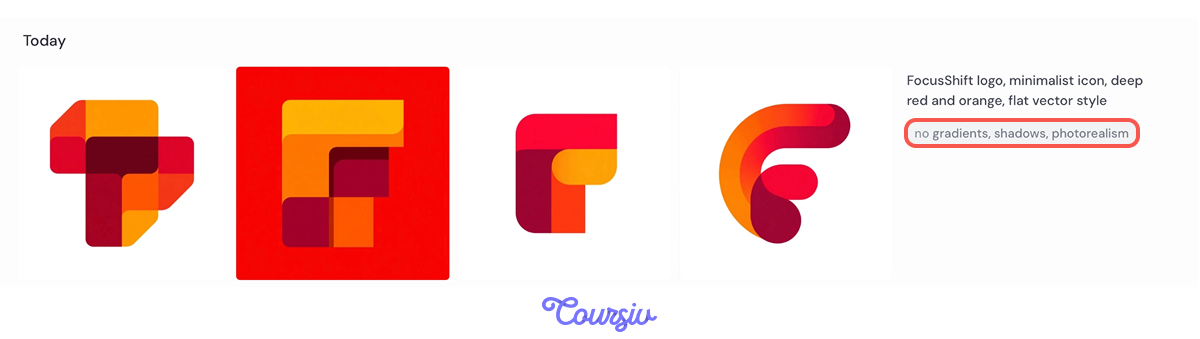
Specificity tells the tool what you want, constraints tell it what you don't. Together, they compress the output range to something close to the brief. Use both.
In Canva, constraints go in the text prompt. In Midjourney, add --no [elements] at the end of your prompt.
The Same Logic Works for Words
Back to FocusShift. The landing page has a logo, and now it needs words: a headline, a tagline, and a call-to-action. ChatGPT handles this, and the prompt structure is the same one you've been using in Canva.

The four components stay the same, but with a slight shift.
- Visual type = content type
- Style direction = tone
- Audience and mood carry over unchanged
practice preview
Interactive practice
Fill in the blank
Build a structured copy prompt for FocusShift's landing page.
Constraints work the same way in copy as they do in image generation.
The headline and tagline are specific because the tone ruled out corporate language. The CTA is direct because the mood ruled out anything pressuring.
practice preview
Interactive practice
True / False
You've used the four-part structure in Canva. Now you're switching to ChatGPT for copy. Sort the statement.
The four-part prompt works across tools and output types:
- Visual type → content type
- Style direction → tone
- Audience and mood stay the same
A Prompt Template
Saving, labeling, and adapting your best prompts turns a one-time effort into a system you can use across every project.
practice preview
Interactive practice
Put in order
Arrange these steps in the correct order to turn a one-time prompt into a reusable template.
Next time you're working on a similar brief, you're starting from something that already produced a good result.
- Refinement, not rewriting: Find which of the four components produced the wrong output, fix that one, and regenerate. Everything else stays.
- Constraints cut noise: Specificity tells the tool what you want; constraints tell it what to skip. Use both to narrow the output range.
- One structure, any output: The four-part prompt transfers from image tools to copy tools. Visual type becomes content type, style becomes tone, and mood and audience stay as is.
What's Next?
You have refined visuals and landing page copy for different projects. In the next lesson, you'll expand into multiple visual directions and build a moodboard that locks one in before you start producing assets.