AI Side Hustle · Start and Grow AI-Powered Side Hustles
Assist Businesses Virtually
Support busy professionals remotely
Work as a Virtual Assistant
Busy professionals and small businesses need help to manage daily tasks — emails, scheduling, research, document organization — but can't afford full-time employees. This creates a market for virtual assistants.
In this lesson, you'll explore how to use Gemini to handle common VA tasks efficiently, turning organizational skills into consistent income. Let's help businesses run smoothly!

Understanding Virtual Assistant Work
Virtual assistants provide remote administrative support:
- Email management and inbox organization
- Calendar scheduling and meeting coordination
- Research and data collection
- Document creation and organization
- Travel booking and expense tracking
Each client needs different combinations of these services.

VA responsibilities include: responding to emails promptly, managing schedules without conflicts, maintaining organized systems, and handling tasks with minimal supervision.
Virtual assistant rates vary by experience and specialization:
- General admin tasks: ~$10-$15 per hour
- Specialized support: ~$15-$35 per hour
- Executive assistance: ~$30-$60 per hour
Many VAs work with 2-3 clients simultaneously to maximize income.
Skills You Need
To succeed as a virtual assistant, you need:
- Strong organizational abilities
- Clear written communication
- Basic tech proficiency
- Time management skills
Don't have these skills? Don't worry! Gemini can help you handle research, drafting, and information synthesis efficiently.
Why Gemini Works for VA Tasks?
Gemini excels at virtual assistant work because it:
- Research topics quickly across multiple sources
- Draft professional emails and documents
- Summarizes long meetings or documents
- Organizes information into structured formats
This allows you to deliver more value per hour without getting overwhelmed by information overload.
Here's what Gemini handles well:
- Conducting research and summarizing findings
- Drafting emails based on talking points
- Creating meeting agendas and summaries
- Organizing scattered information into clear formats
Nonetheless, verification of important details is still important.
Common VA Tasks
Let's explore how Gemini accelerates typical VA work. We'll focus on three high-demand tasks: research, email drafting, and meeting summaries.
Each task follows a pattern: you gather the information → Gemini structures it → you refine and deliver.
Research tasks: Clients often need quick information gathering — competitor analysis, venue options, travel routes, vendor research.
Ask Gemini to search the web for a certain topic or turn on the "Deep Research" mode if you're looking for something more advanced, and it will do the search for you.
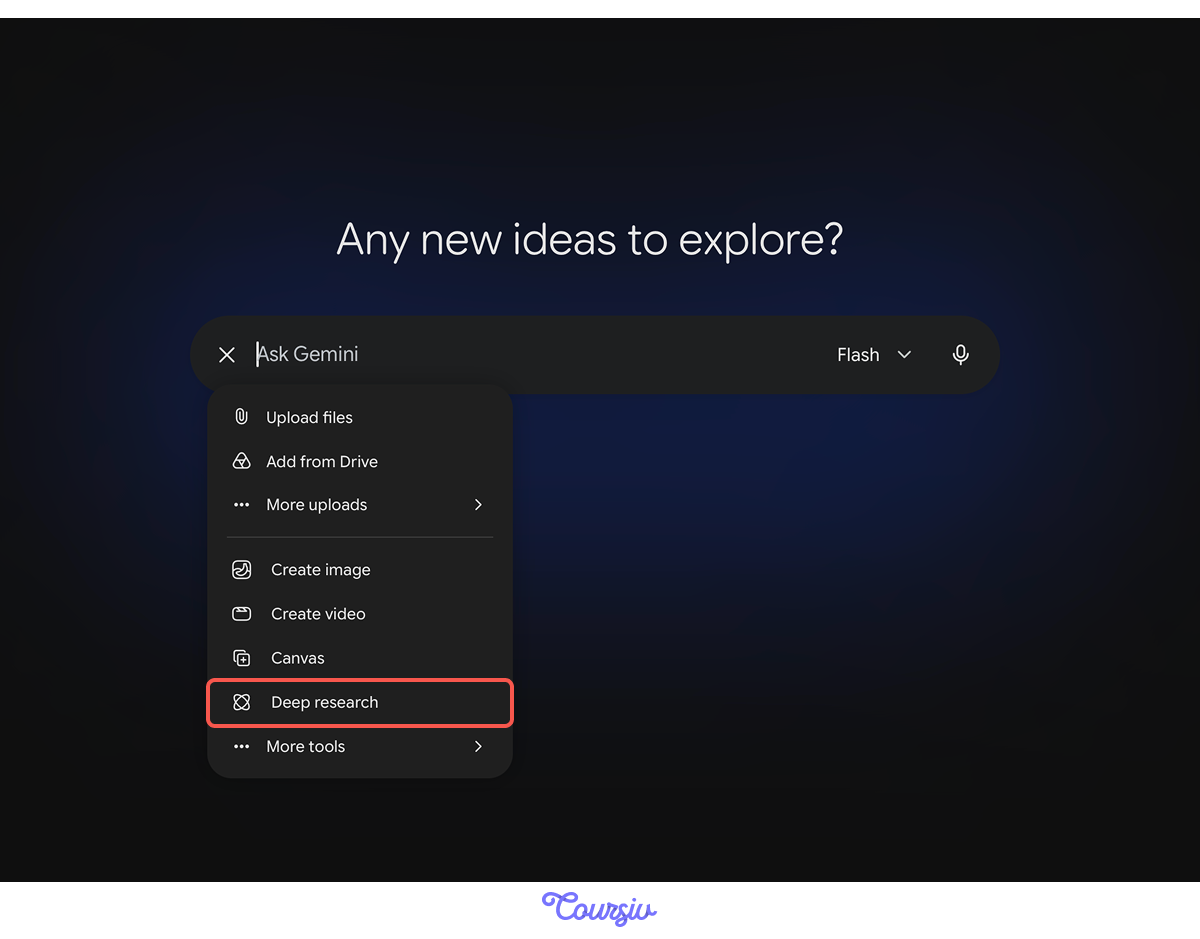
Then it can summarize quickly, giving you structured results you can refine and present professionally.
practice preview
Interactive practice
Fill in the blank
Your client needs venue options for a 50-person corporate event in Chicago. Complete the prompt to research this topic.
Notice how Gemini provided structured options with key details and even a recommendation?
That's because the prompt specified the output format (comparison) and key details needed.
Email drafting: Clients need help responding to routine emails — confirming meetings, declining invitations, requesting information, and following up.
Gemini can draft professional emails based on the talking points you provide.

practice preview
Interactive practice
Fill in the blank
Your client needs to decline a speaking invitation due to schedule conflicts.
See how Gemini maintained a professional tone while politely declining?
This is because the prompt specified tone (polite) and key elements (gratitude, future interest).
Meeting summaries: After calls or video meetings, clients need organized notes — action items, decisions made, next steps.
Gemini takes raw notes or transcripts and creates structured summaries.
practice preview
Interactive practice
Fill in the blank
Your client had a project kickoff call. You took notes. Complete the prompt to create a clean summary.
Notice how Gemini organized scattered notes into clear sections?
This works when you specify required sections in your prompt. Structure makes summaries useful, not just informative.
Where to Find VA Work
Virtual assistant roles are available on Upwork, Virtual Staff Finder, and Fancy Hands.
You can also reach out to busy entrepreneurs, consultants, and small business owners on LinkedIn who often need part-time support.

Start at $20-25/hour, emphasizing reliability and fast response times.
Build reviews by overdelivering on organization and communication.
Practice Time!
Let's test your understanding with real VA scenarios.
Choose one
A client asks you to research and book a hotel for their business trip. You find options but aren't sure which to book. What do you do?
Choose one
You're drafting an email for your client, but Gemini's output sounds too formal for their casual business style. What's your fix?
You're Ready to Assist!
You now understand how to use Gemini for virtual assistant work!
Gemini handles the heavy lifting — you ensure outputs match your client's needs and voice.
In the next lesson, you'll learn how to create AI-generated comic books using Claude and Midjourney — a creative side hustle that combines storytelling with visual art.
Keep up the good work!