AI-Powered Real Estate · Daily Realtor Workflow with AI
AI for Real Estate: First Steps
Your first real estate prompts
AI for Real Estate: Setup, Prompting, and Guardrails
Imagine it's Monday morning. You've got three listing descriptions to write, two consult recaps from Friday still unsent, a pile of CRM notes from weekend showings — all before your 11 a.m. appointment. That stack of work is exactly what AI can handle!
This guide introduces you to using AI tools across your entire real estate workflow from first lead response through closing and beyond.
Let's get started!

Select all that apply
Which of these real estate tasks can be most successfully solved by AI?
What AI Does in a Real Estate Workflow
AI converts messy inputs — your notes, property facts, documents, raw data — into formatted, client-ready output. Here's what it handles across your daily work.
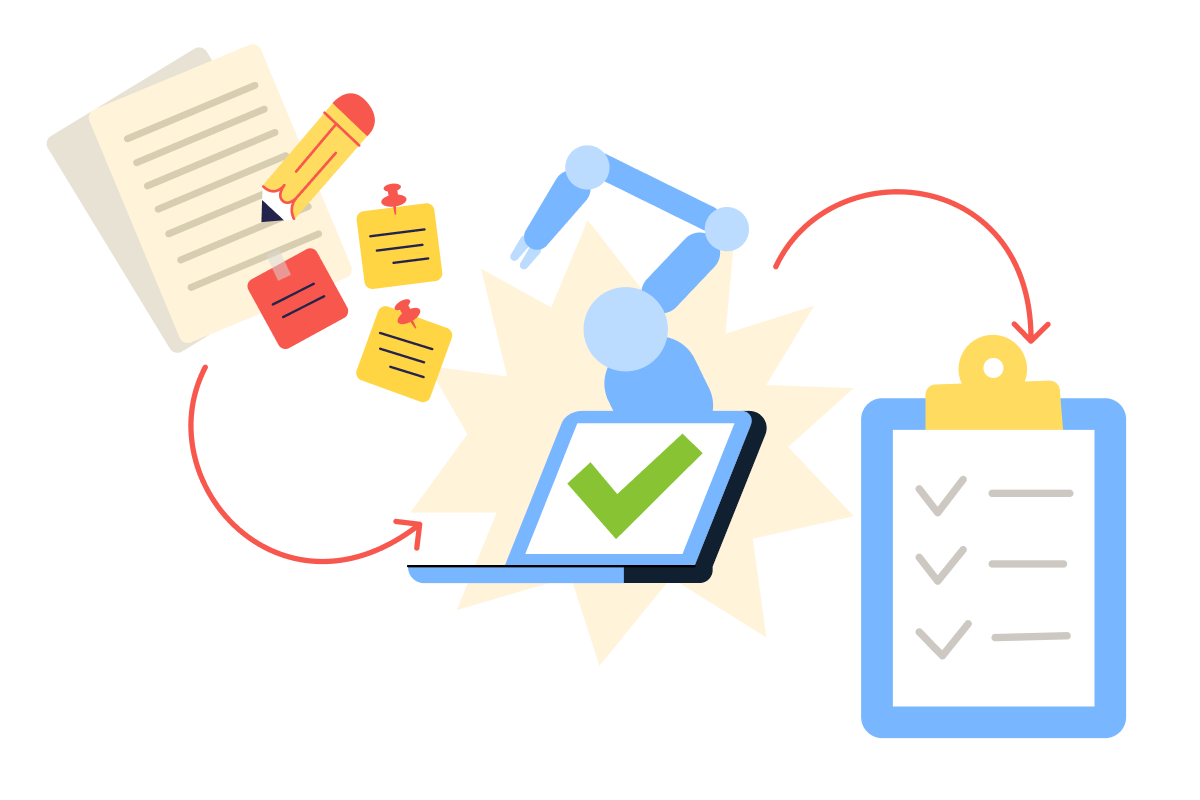
- Drafting: listing descriptions, consult recaps, follow-up emails, negotiation scripts, counter-offer language
- Summarizing: contracts, inspection reports, disclosures, and meeting transcripts into plain language
- Marketing: social posts, email newsletters, video scripts, and neighborhood content from a single brief
- Organizing: checklists, timelines, CRM notes, and task lists for listings and transactions
- Analyzing: property comparison matrices from showing feedback, market narratives from comp data, pricing scenario write-ups
- Visualizing: virtual staging, photo enhancement, renovation previews, and 3D walkthrough production
Notice what's missing from that list: pricing decisions, negotiation strategy, and client relationships.
AI handles the formatting, drafting, and production work that surrounds your expertise — it doesn't replace the judgment that makes you valuable.
Two Categories of AI Tools
You'll use two types of AI tools in this course: General-Purpose and Real Estate-Specific

General-Purpose Tools
General-purpose AI tools that handle any prompting task — drafting, summarizing, analyzing, and brainstorming.
- ChatGPT is the most versatile starting point — fast, conversational, and strong at generating text from instructions. You'll use it for most drafting and brainstorming tasks.
- Claude handles long documents and multi-step instructions particularly well — ideal for summarizing contracts, inspection reports, or building detailed plans.
- Microsoft Copilot works inside Word, Outlook, and Excel, so you can draft and edit without switching apps.
- Grammarly catches grammar and tone issues in your final output — use it as your last-pass polish before anything reaches a client.
Real Estate–Specific Tools
Real estate-specific AI tools that are pre-built for agent workflows — they come loaded with industry context, property data formats, and integrations with your existing platforms.
- Write.Homes generates listing descriptions, social captions, and marketing copy using real estate language patterns — feed it property facts and get MLS-ready output.
- Structurely runs AI-driven lead texting and phone follow-up with real estate conversation flows, so leads get responses while you're on a showing.
- Lofty includes built-in AI assistants for auto-responses, lead scoring, and follow-up sequences inside your CRM.
- ReimagineHome and Virtual Staging AI digitally stage empty rooms and enhance listing photos — no physical furniture or stager needed.
- Matterport creates interactive 3D walkthroughs from property scans, and tools like BoxBrownie handle photo editing, virtual renovation previews, and floor plan redraws from your existing images.
The Four-Step Workflow
Every AI task in this course — regardless of which tool you use — follows one pattern: Intake → Draft → Verify → Finalize.
- Intake means collecting your facts and constraints before you prompt.
- Draft is the AI output.
- Verifying is your accuracy and compliance check.
- Finalizing is formatting for the actual recipient — client, MLS, CRM, or marketing channel.
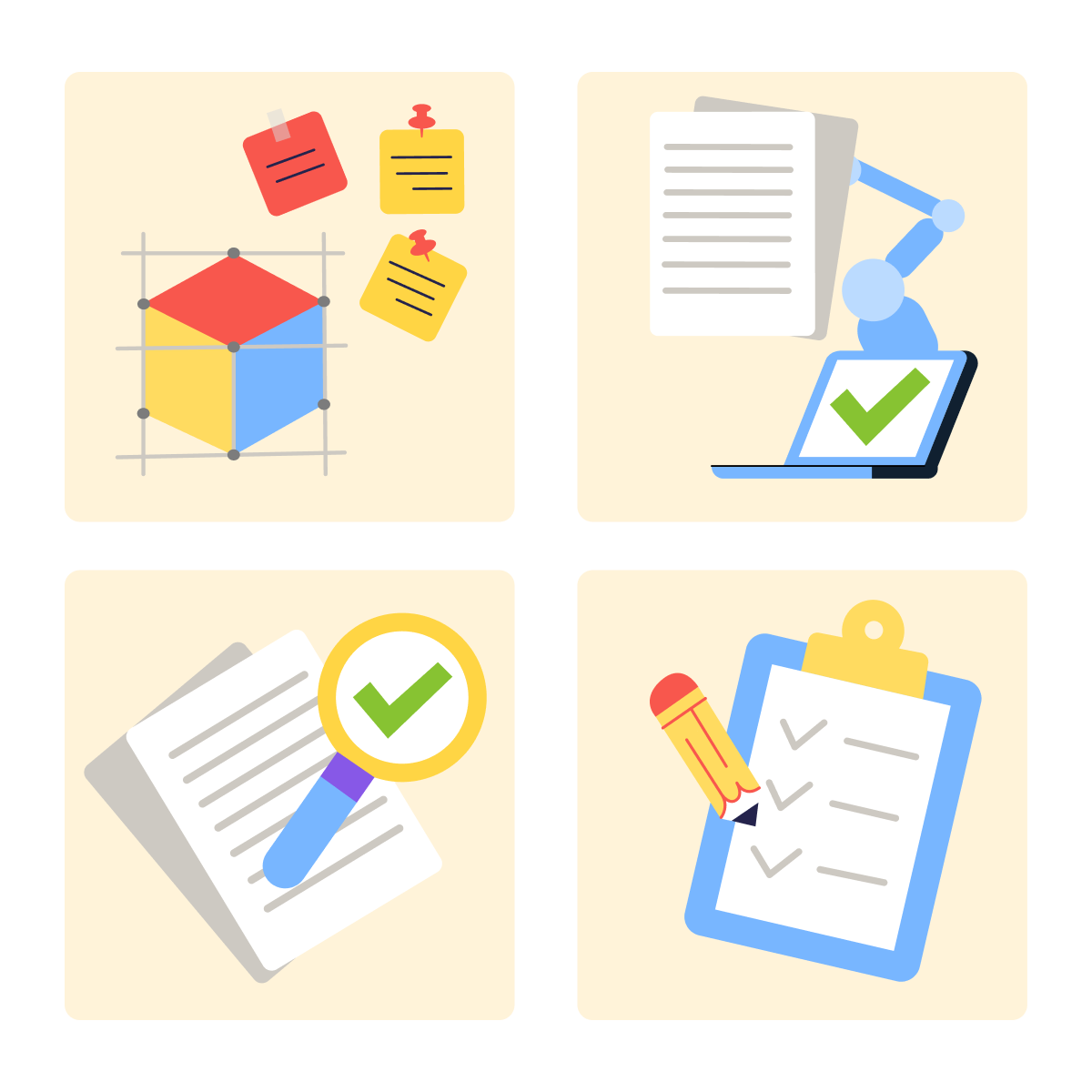
This sequence works because it puts your knowledge first. You supply the substance — property details, client context, and market insight. AI supplies the structure and speed.
practice preview
Interactive practice
Fill in the blank
Use ChatGPT to generate your first listing description.
Choose one
What's the main problem with this output?
Intake First, Prompt Second
The fix isn't a smarter prompt structure; it's better input. Before you type anything into an AI tool, collect the specifics: property details, renovation history, lot characteristics, school zone, pricing, and any constraints, such as word count or platform format. That's your Intake step.
practice preview
Interactive practice
Fill in the blank
Now load real property facts before asking ChatGPT to draft.
Select all that apply
Same tool, better output. What made the difference?
Great Work!
Now you see the core difference between prompting techniques and know which one produces a usable draft on the first try.

Three Patterns That Sharpen Every Prompt Template
These are three useful patterns of how to strengthen every prompt template you're using:
- Constraints tell the AI what not to do — and they prevent common real estate output failures. "Don't invent features not listed." "No legal claims or guarantees." One or two constraints per template reduce unusable output.
- "Ask me questions first" is a single line you can add when you're unsure what inputs the AI needs. It asks for missing details before drafting.
- Targeted fixes let you refine without restarting: "Make the second paragraph more specific about the kitchen" or "Shorten to 60 words and cut the last sentence."
Guardrails That Run Automatically
Constraints, clarifying questions, and targeted fixes make your prompts sharper one at a time. But some rules need to run every time — without you having to remember to add them. That's where guardrails come in.
Guardrails are simple rules you add to an AI prompt that tell it what it must not do, so the output stays safe and accurate.
Guardrails are instructions baked directly into your templates. When every template already includes compliance boundaries, the AI follows them every time without you having to think about it.

Three guardrails belong in every real estate prompt.
- No invented facts: "Use only the information I provide — do not add details, features, or claims not listed."
- Privacy-aware: never paste social security numbers, financial details, or other sensitive personal data into any AI tool.
- Fair housing-safe language: no phrases that describe neighborhoods by resident demographics or imply who should live there.
And one critical habit: always fact-check the output before it reaches anyone. Verify property details against your source documents, confirm dates and numbers, and flag anything the AI may have inferred rather than pulled from your input.
practice preview
Interactive practice
Fill in the blank
Build guardrails directly into this prompt so the AI stays compliant automatically.
Choose one
Why are guardrails especially critical in neighborhood descriptions?
Building Your Prompt Kit
A prompt kit is a saved collection of reusable templates — one for each task you repeat. Instead of writing a new prompt from scratch every time, you pull up a template, drop in the current details, and get consistent output.

Setting Up Your AI Workspace
You don't need a manual system of copy-pasting prompts into documents. Both major AI tools have built-in features for saving and reusing your templates.
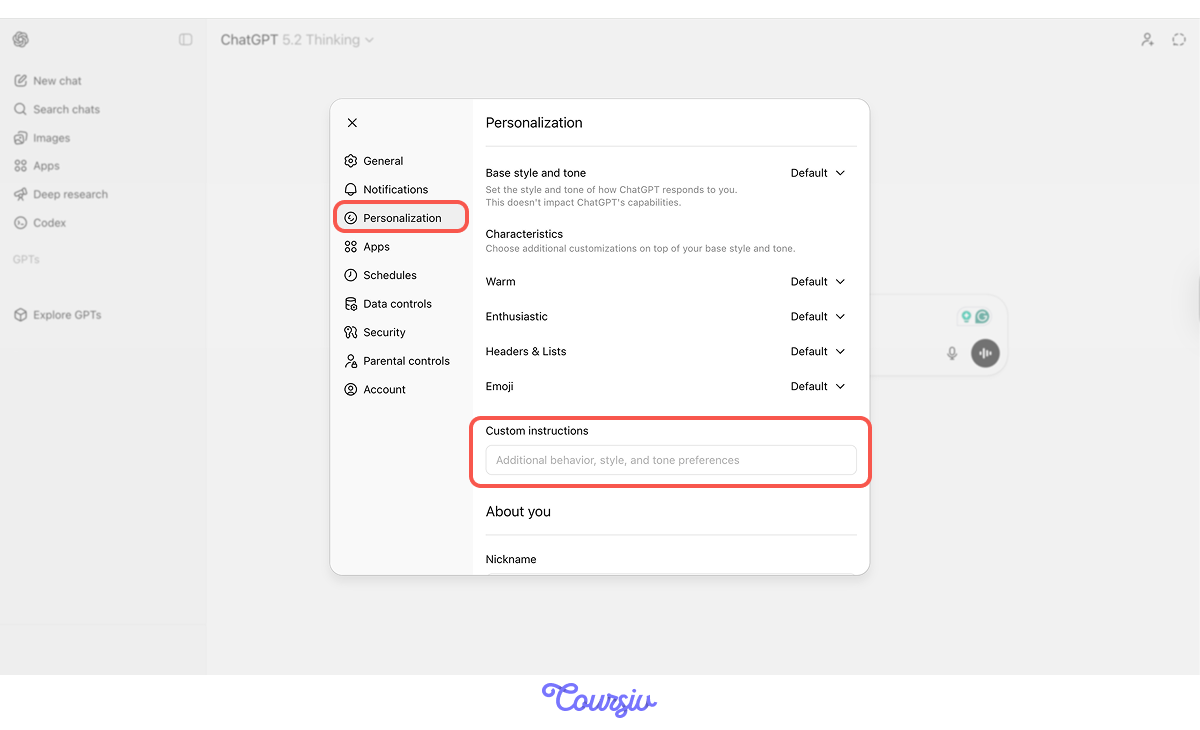
ChatGPT Custom Instructions save your recurring context (your role, market, and default tone) so every new chat starts with that information automatically.
You can find them in settings → personalization
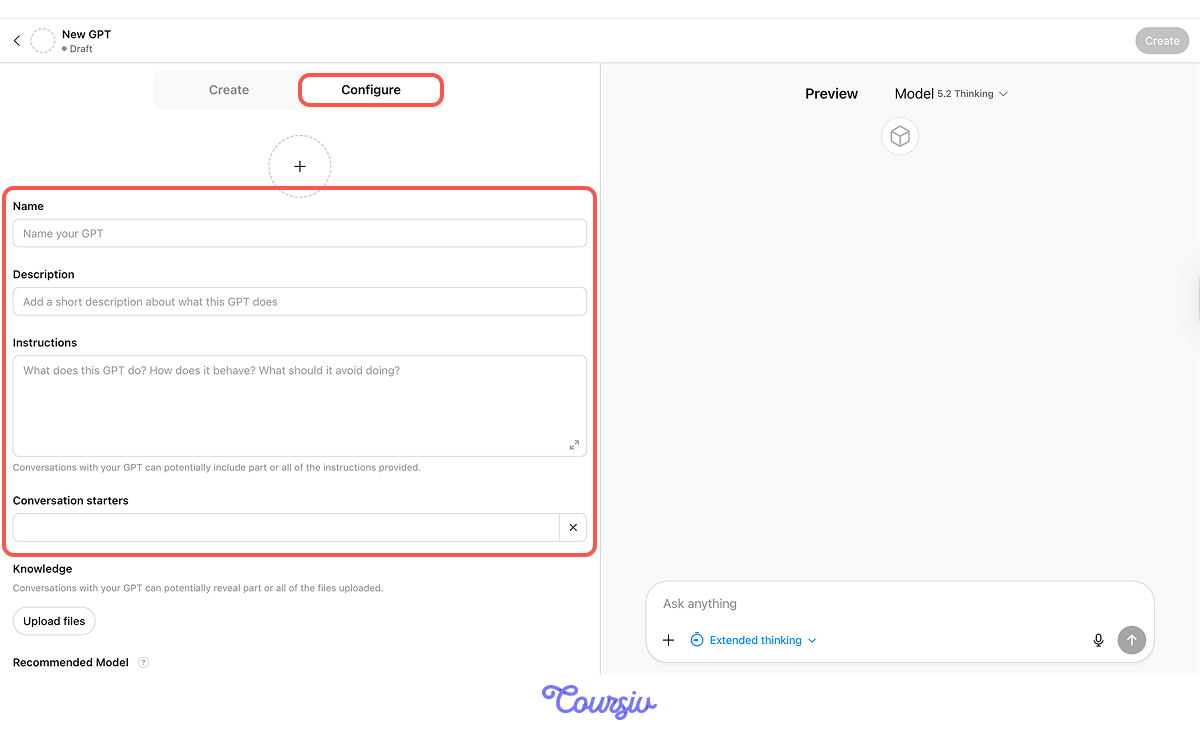
ChatGPT Custom GPTs let you build a specialized assistant — like a "Listing Description Writer" — with your prompt template, guardrails, and property fact sheet format baked in.
Go to ChatGPT → Explore GPTs → Create.
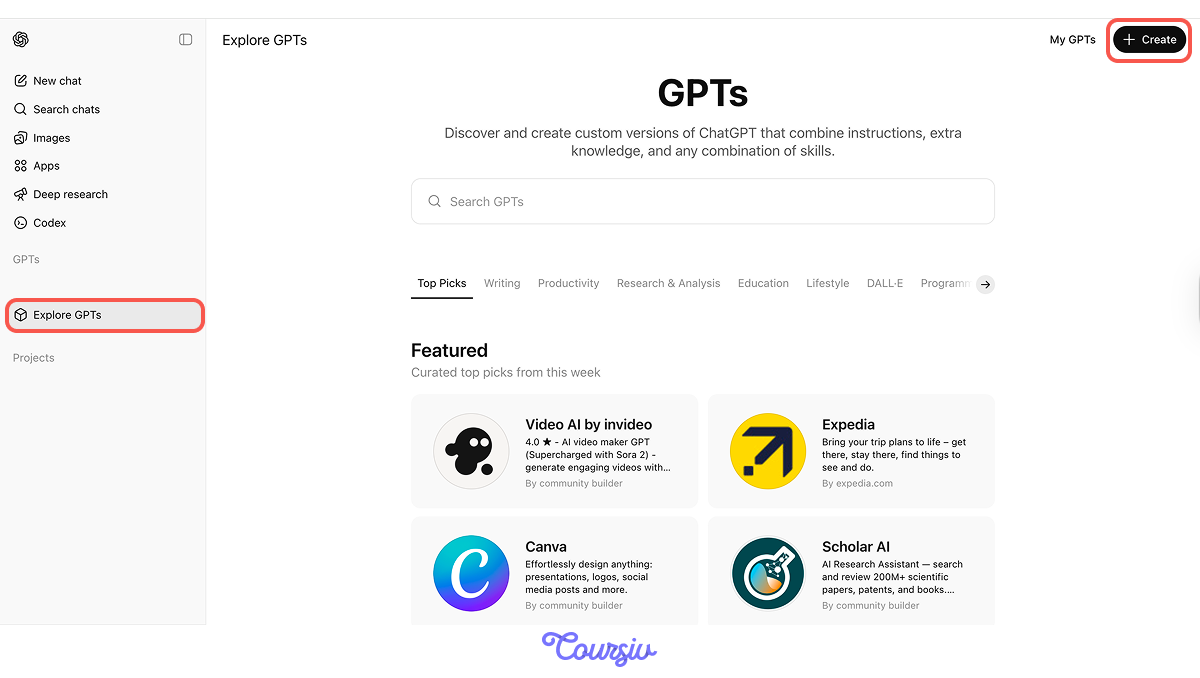
Give it a name like "Listing Description Writer," paste your prompt template into the Instructions field, upload your property fact sheet format as a knowledge file, and add conversation starters like "Write an MLS description" or "Write an open house flyer."
Now, instead of typing a prompt, you open your GPT, enter the property details, and it runs your template automatically — with your guardrails, structure, and tone already loaded.
Every AI task follows four steps of the core workflow:
- Intake: Collect facts and constraints.
- Draft: AI generates the output.
- Verify: Check accuracy, compliance, fair housing, and tone — always fact-check before sending.
- Finalize: Format for the recipient.
Look at What You've Built Today
You now have a four-step workflow that applies to every AI task in real estate. You know which tools fit which tasks. Your prompt templates carry built-in guardrails so compliance runs automatically, and your workspace is set up to save and reuse everything you create.
What's Next
Next lesson, you'll put this to work on one of the highest-pressure daily tasks: responding to leads fast, qualifying them with the right questions, and turning raw conversations into clean CRM data — without a single lead slipping through the cracks.