Omni · Getting Started With Omni
What Is Omni
Introduction to AI video generation
Welcome to Your AI Video Studio
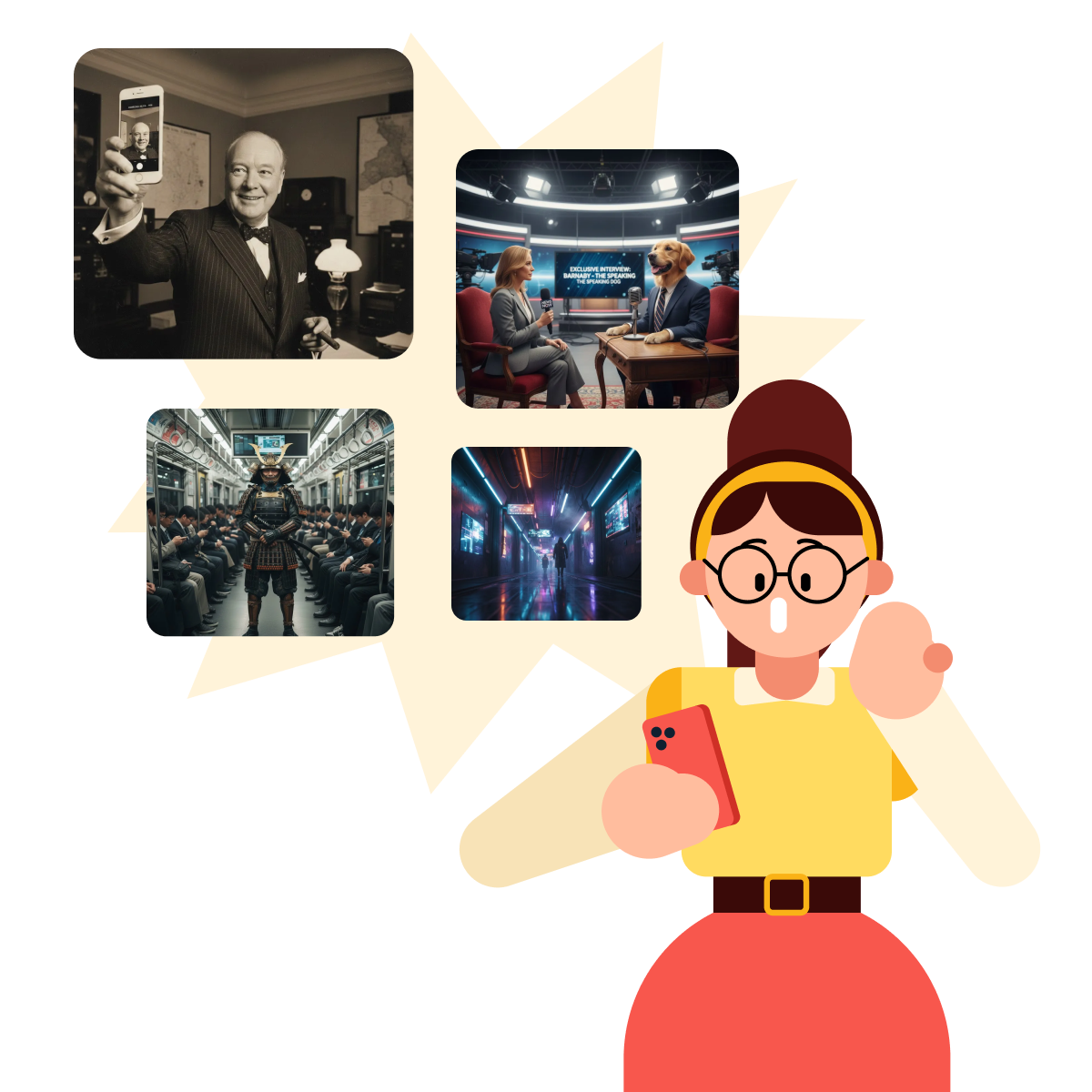
You've probably seen AI-generated videos — some cinematic, some educational, some surprisingly realistic.
What you might not know is that the tool behind many of them just got a major upgrade. In this course, you'll learn to create, edit, and direct videos with Gemini Omni, Google's most intelligent video model yet.
What Is Gemini Omni?
For a while, Google's video tool was called Veo — a specialized model focused purely on generating video from text. Gemini Omni replaces it with something much broader.
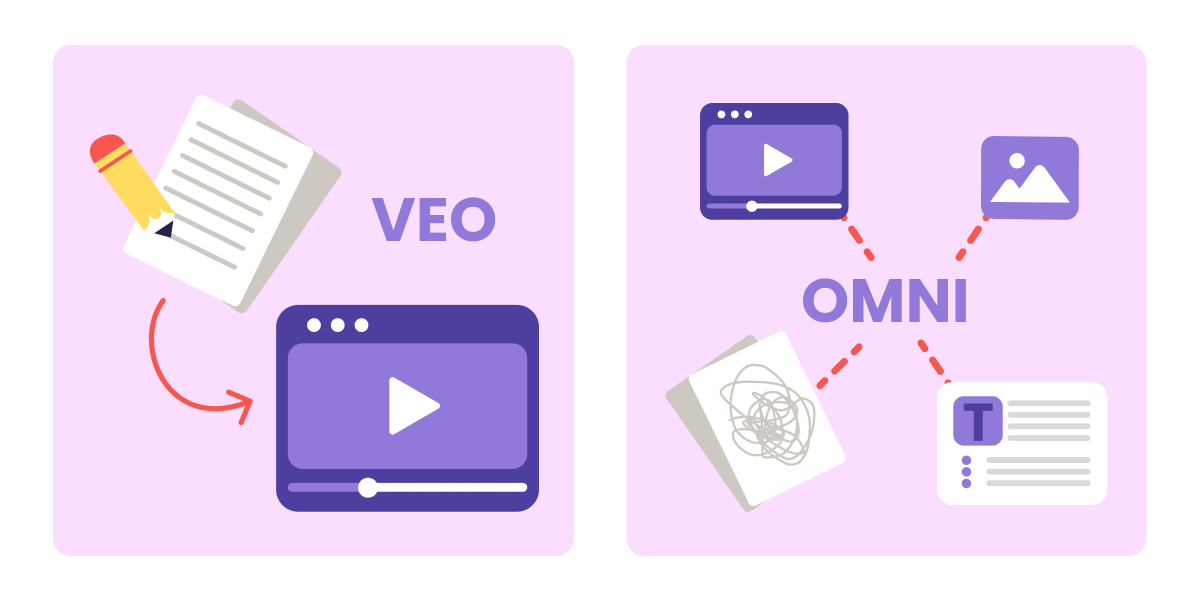
Omni is a unified model that works with any kind of input — text, images, existing video, even hand-drawn sketches — and can generate or edit video from all of them.
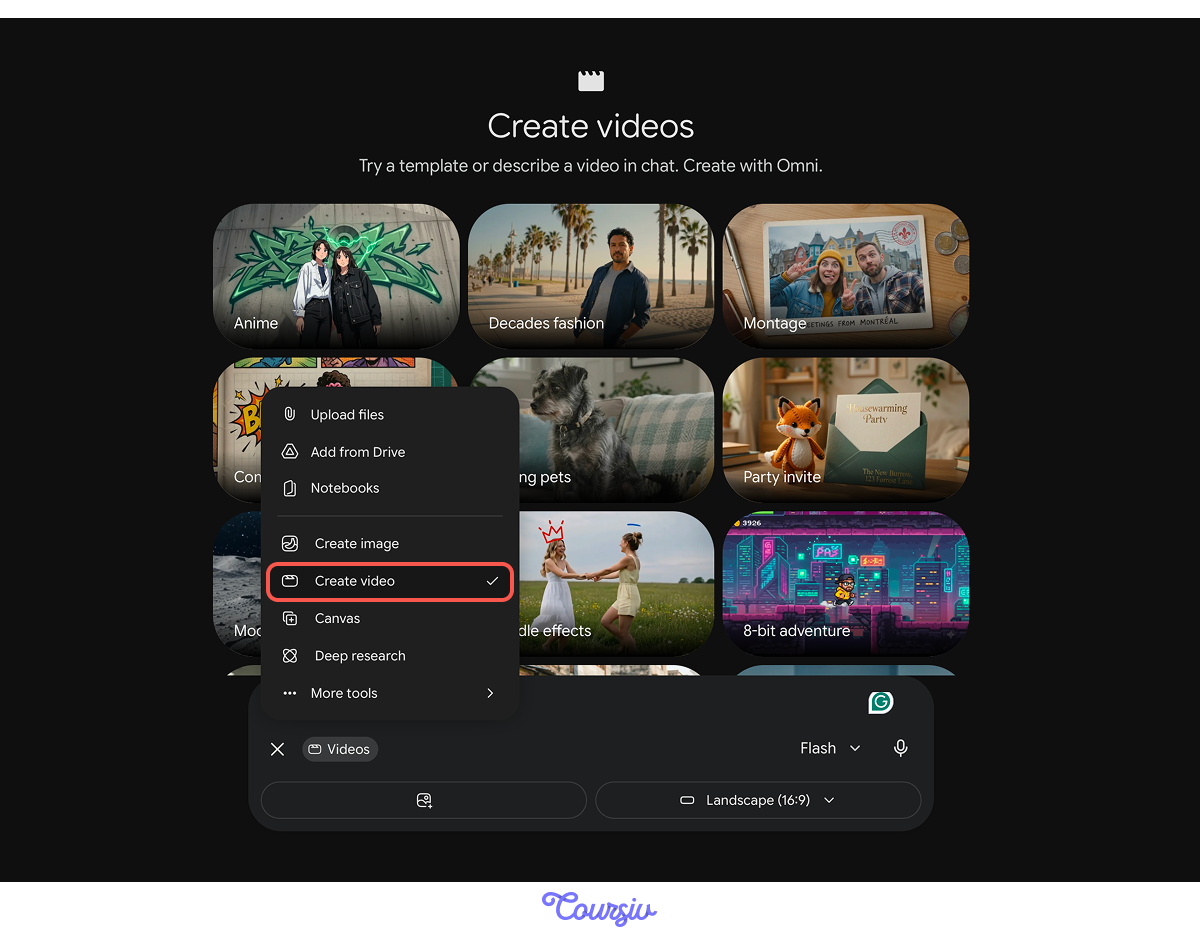
It's is available through Gemini — Google's AI assistant — for all Google AI Plus, Pro, and Ultra subscribers globally.
Turn it on by tapping "+" → "Create Videos."
What Makes Omni Intelligent?
Most video generators guess at what things should look like. Omni is built on Gemini's world knowledge — it actually understands what it's creating.
practice preview
Interactive practice
Fill in the blank
Complete this prompt to generate a scientifically accurate explainer video.
This is what Omni gave back — a 10-second video.
Select all that apply
What does Gemini Omni's world knowledge allow it to do?
This is the core difference: Omni reasons about the world and translates that understanding into video rather than just rendering visuals.
However, always remember to watch the output. Even intelligent models can get details wrong, so verify any scientific or factual content before sharing it.
Every video Omni generates is marked with SynthID — an invisible watermark that identifies it as AI-generated content. You won't see it, but it travels with the file.
What Omni Can Do
Beyond generating from text, Omni handles a wider range of tasks:
- Animate photos and existing video footage
- Accept hand-drawn sketches as visual instructions
- Edit footage through follow-up prompts — characters and objects stay consistent across edits
- Generate video with multilingual lip-sync
Here's what that range looks like in practice.
Realistic: "A street vendor arranging fruit at a busy Cairo market at golden hour, warm light, ambient crowd noise."
Let's try a different creative direction.
practice preview
Interactive practice
Fill in the blank
Complete this prompt to create a video with Gemini Omni.
This is the result! You described the basics. Omni filled in the cinematic details: lighting, movement, atmosphere, and sound.
Now, let's push the creative direction further.
practice preview
Interactive practice
Fill in the blank
Now send Omni a follow-up instruction to change its style.
Let's see how the output changed.
Notice that you didn't rewrite the prompt. Instead, you just told Omni what to change.
That's multi-turn editing: refine the result through follow-up instructions, without starting over. Because Omni holds the context of the original scene, characters and objects stay consistent — they don't drift or reset between edits.
Choose one
Why does specifying a style matter when prompting Omni?
The same subject, action, and setting can produce completely different videos depending on the style you specify. Style is your first creative decision. Make it intentional.
What You'll Learn in This Course
Over the next lessons, you'll learn:
- How to write prompts that focus on action, not just description
- A simple recipe that structures effective prompts every time
- How to control camera movement, lighting, and sound
- How to keep characters consistent and extend videos
- Real-world use cases for work, social media, and personal projects
By the end, you'll be directing your own videos!

- Gemini Omni replaced Veo: It's a unified model that works with any input type, not a standalone video generator.
- World knowledge is the core differentiator: Omni understands science, history, and cultural context — but always verify factual outputs before sharing.
- Multi-turn memory keeps edits consistent: Follow-up instructions refine the video without resetting it — characters and objects hold across edits.
- SynthID watermarks every output: An invisible marker that identifies AI-generated content if needed.
- Style is a creative direction: The same scene can feel cinematic, painted, or animated — one word changes everything.
What's Next?
You've seen what Omni can do. Next, you'll learn the formula that separates flat, generic video prompts from cinematic ones — the Director's Blueprint.