Omni · Getting Started With Omni
Moving the Camera
Learn three essential camera movement types
Camera Movement
Great job on learning the Director's Blueprint! Now, let's add the element that separates amateur clips from cinematic footage: camera movement.
In this lesson, you'll learn how to make your camera move with purpose.
Why Camera Movement Matters
Watch any movie or TV show closely. The camera is almost never completely still.
It pans across landscapes, pushes toward a character's face during an emotional moment, and follows a hero running through the streets.
This constant motion is intentional. It makes the video feel alive.
Select all that apply
What do you think camera movement does for your video?
Three Essential Camera Movements
You don't need film-school vocabulary to direct Omni's camera. Three core movements will cover most of what you need:
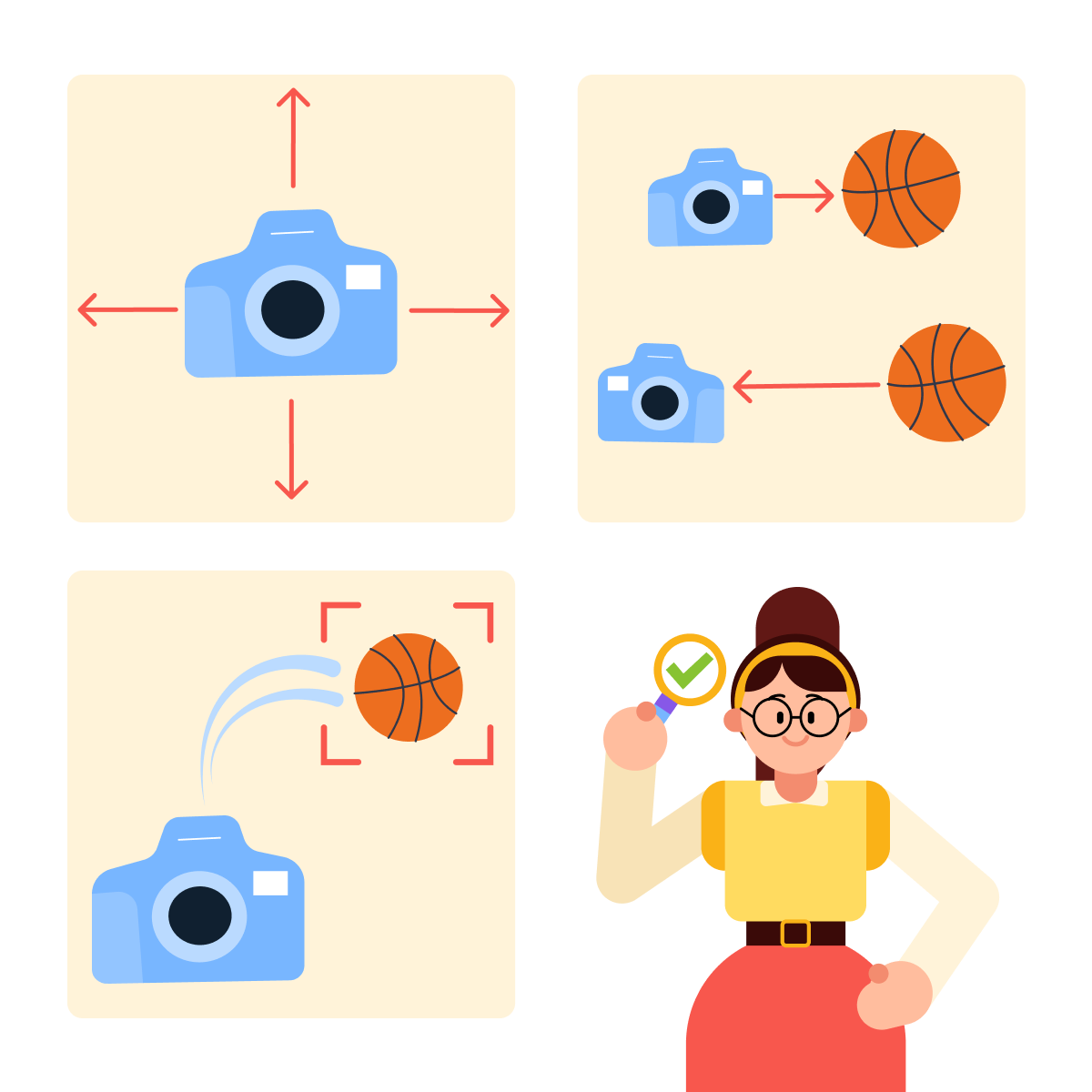
- Pan — the camera rotates side to side or up and down.
- Dolly — the camera physically moves toward or away from the subject.
- Tracking shot — the camera follows a moving subject.
Let's explore each one.
Movement 1: Pan
A pan is when the camera rotates on a fixed point, like turning your head to look from left to right.
Pans are perfect for:
- Revealing a wide landscape or location
- Following the action that moves horizontally
- Showing the scope of a scene
Common prompt phrases: "pan left," "pan right," "slow pan across."
practice preview
Interactive practice
Fill in the blank
Complete this prompt to create a panning shot.
Notice how the pan reveals the landscape gradually? Instead of showing everything at once, the movement creates a sense of discovery.
That's how it works — it lets viewers explore the scene.
Movement 2: Dolly
A dolly shot is when the camera physically moves toward or away from the subject, like walking closer to someone or stepping back.
- Dolly-in: moving toward the subject (creates intimacy, tension, or focus)
- Dolly-out: moving away from the subject (reveals context, creates distance)
Common prompt phrases: "dolly-in," "dolly-out," "slow push toward," "camera pulls back."
practice preview
Interactive practice
Fill in the blank
Complete this prompt to create a dolly-in shot.
The dolly-in transforms a simple scene into an emotional moment. You can see that as the camera moves closer, we feel drawn into the woman's experience.
This is why dolly shots are impactful — they control emotional distance.
Movement 3: Tracking Shot
A tracking shot is when the camera follows a moving subject — moving alongside them, behind them, or in front of them.
Tracking shots are perfect for:
- Action sequences (chasing, running, walking)
- Following a character through a space
- Creating a sense of journey or momentum
Common prompt phrases: "tracking shot," "follow shot," "camera follows," "moving alongside."
practice preview
Interactive practice
Fill in the blank
Complete this prompt to create a tracking shot.
The tracking shot keeps us with the cyclist, sharing the momentum and energy.
This is what makes tracking shots immersive.
Choosing the Right Movement
Each camera movement serves a different purpose. Choosing the right one depends on what you want the viewer to feel or see.
practice preview
Interactive practice
Match pairs
Tap a left item, then a right item to match.
- Pan: Camera rotates side to side or up and down. Best for revealing locations and scope.
- Dolly-in: Camera moves toward the subject. Best for building intimacy or tension.
- Dolly-out: Camera moves away from the subject. Best for revealing context or creating distance.
- Tracking shot: Camera follows a moving subject. Best for action, journeys, and immersion.
Also, remember the shot types you learned earlier? You can also combine them with movements. For example:
- A close-up dolly-in
- A wide tracking shot
The more precise your instructions, the more cinematic your results.
- Static cameras feel flat — movement brings video to life
- Pan to reveal locations and scope
- Dolly to control emotional distance (in for intimacy, out for context)
- Tracking shot to follow action and create immersion
- Combine movements with shot types for more precise results
What's Next?
You can now frame your shots and move your camera with intention. But there's an element that dramatically affects how your videos feel: lighting.
In the next lesson, you'll learn how to use light to set the mood, adding special atmosphere and emotion to ordinary scenes.