AI-Powered Creative Income · Create Profitable Content
Writing Books
Write, illustrate, and design eBooks
From Blank Page to Published eBook
A client asks if you can write, illustrate, and design a short eBook shortly. Only writing alone could take weeks or months. But creators who use AI to deliver a complete eBook are in growing demand.
In this lesson, you'll build one from scratch using four tools: ChatGPT and Claude for writing, Midjourney for illustrations, and Canva for design and export. One workflow, one finished product, and one new service you can sell.
Why eBooks Are a High-Margin Creative Service
Short eBooks are repeatable products you can offer as an AI-powered creator. Coaches need lead magnets, small brands need educational content, consultants need authority pieces.
If you can take a topic and deliver a finished, designed PDF in under a week, you have a service that commands premium pricing — and almost every step can be accelerated with AI.
The Four-Tool Pipeline
Your workflow uses each tool for what it does best:
- ChatGPT handles fast brainstorming and outlining — generating structure quickly to shape the book's direction.
- Claude takes over for the actual writing — drafting chapters, maintaining a consistent voice, and handling editorial revisions.
- Midjourney generates illustrations that match the book's tone.
- Canva brings everything together into a designed, export-ready layout.
Stage 1: Outlining and Writing
Your project starts with structure. ChatGPT excels at rapid brainstorming: it generates detailed chapter outlines and is ideal for exploring different structural angles.
practice preview
Interactive practice
Fill in the blank
Prompt ChatGPT to generate a structured outline for an eBook.
You can also try Custom GPTs by clicking "Explore GPTs" in the ChatGPT interface and searching for "book outline" or "nonfiction writer" for specialized assistants.
From Outline to Chapters
With the outline locked, feed it to Claude and prompt it to write one chapter at a time.
Don't ask for the entire book in a single prompt — the quality drops significantly. Instead, refer to the outline and request each chapter individually, keeping the tone from the project instructions.

practice preview
Interactive practice
Fill in the blank
Prompt Claude to write Chapter 1 based on the outline you generated in ChatGPT.
Choose one
After generating Chapter 1, you notice the writing feels generic. What's the most effective next step?
Stage 2: Illustrating With Midjourney
Your eBook text is done. Now it needs visuals that match the tone — not generic stock images, but illustrations that feel like they belong to this specific book. Midjourney generates these from text prompts, and the key to usable results is the same principle you've practiced throughout this course: specificity tied to intent.

Prompt Structure for Book Illustrations
A Midjourney illustration prompt has four parts: subject, setting, style, and parameters.
Parameters go at the end, always starting with a double dash. The most useful ones for eBook work are --ar 3:2 for landscape page spreads, --style raw for less AI-polished results, and --no text to prevent unwanted lettering in the image.
practice preview
Interactive practice
Fill in the blank
Create a Midjourney prompt for an illustration that matches Chapter 1's theme.
Keeping Visuals Consistent Across Chapters
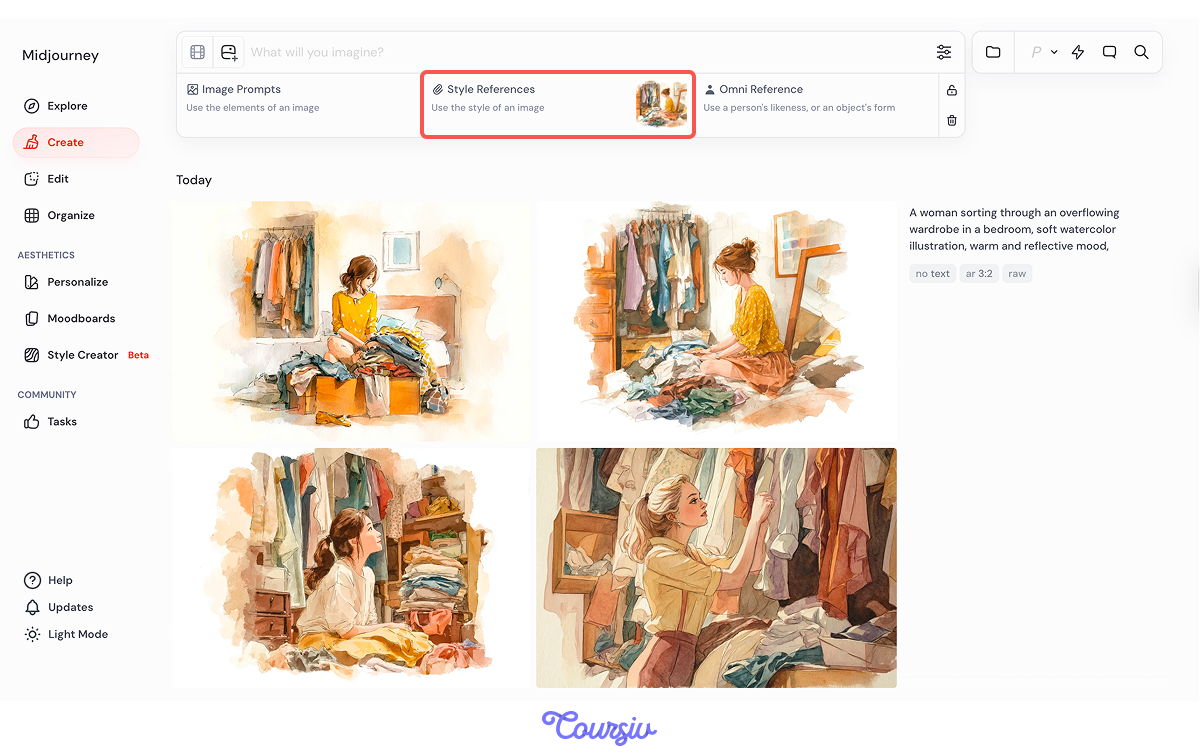
The biggest challenge with eBook illustration is making all images look like they belong together. Midjourney's Style Reference feature solves this.
Click the image icon next to the "Imagine" bar, select Style Reference, and upload your strongest illustration. Every subsequent generation will draw on that visual DNA, and the color palette, line quality, and artistic approach remain anchored.
Stage 3: Designing in Canva
You now have written chapters and matching illustrations. The final stage is assembling everything into a designed, export-ready PDF.
Canva handles this without a design software experience: templates, typography, layout tools, and AI writing assistance are all built in.
Choose one
You're on a tight deadline. What do you think is the most efficient way to start your eBook layout in Canva?
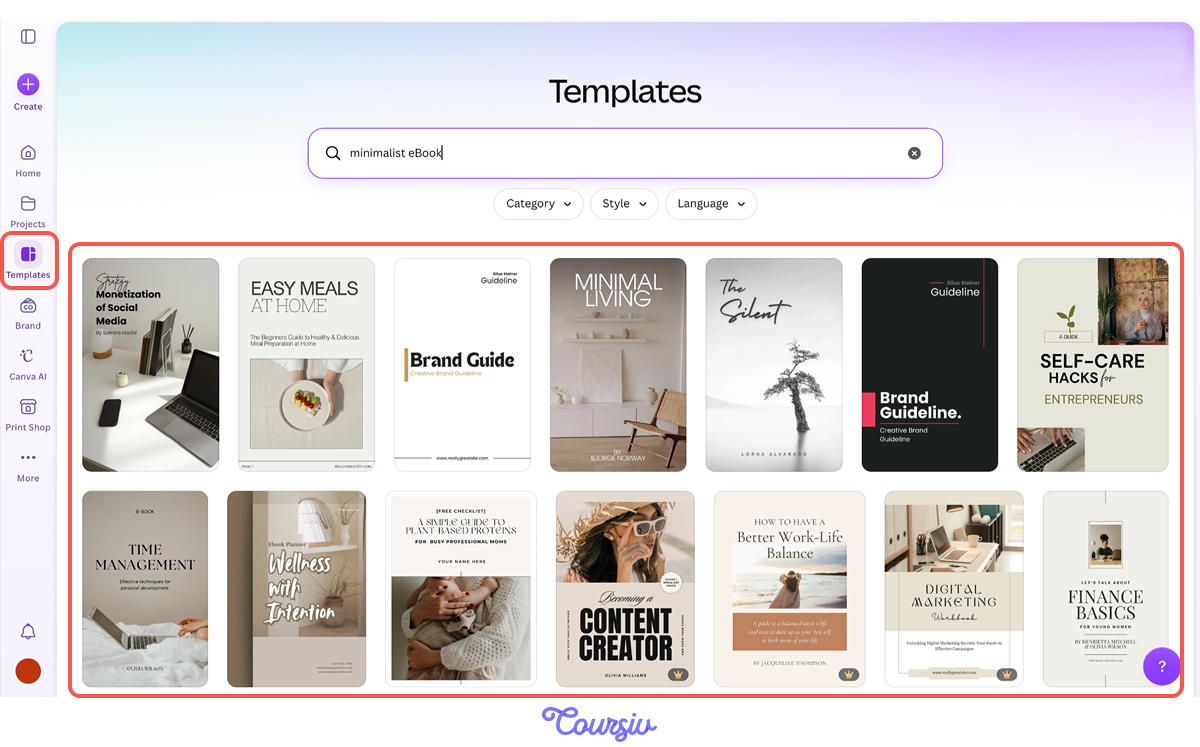
Start by searching "minimalist eBook" in Canva's template gallery. Pick a template that matches your book's tone. You'll customize it completely, but starting with a professional layout saves time compared to building from scratch.
You can also generate your own template using Canva AI.
Assembling the Layout
Work page by page:
- Place each chapter's illustration as a full-bleed image or a framed visual, depending on the template style.
- Add chapter titles using the template's heading font, then paste your written text into the body sections.
- Keep spacing consistent: match margins, paragraph gaps, and image placement across every page.
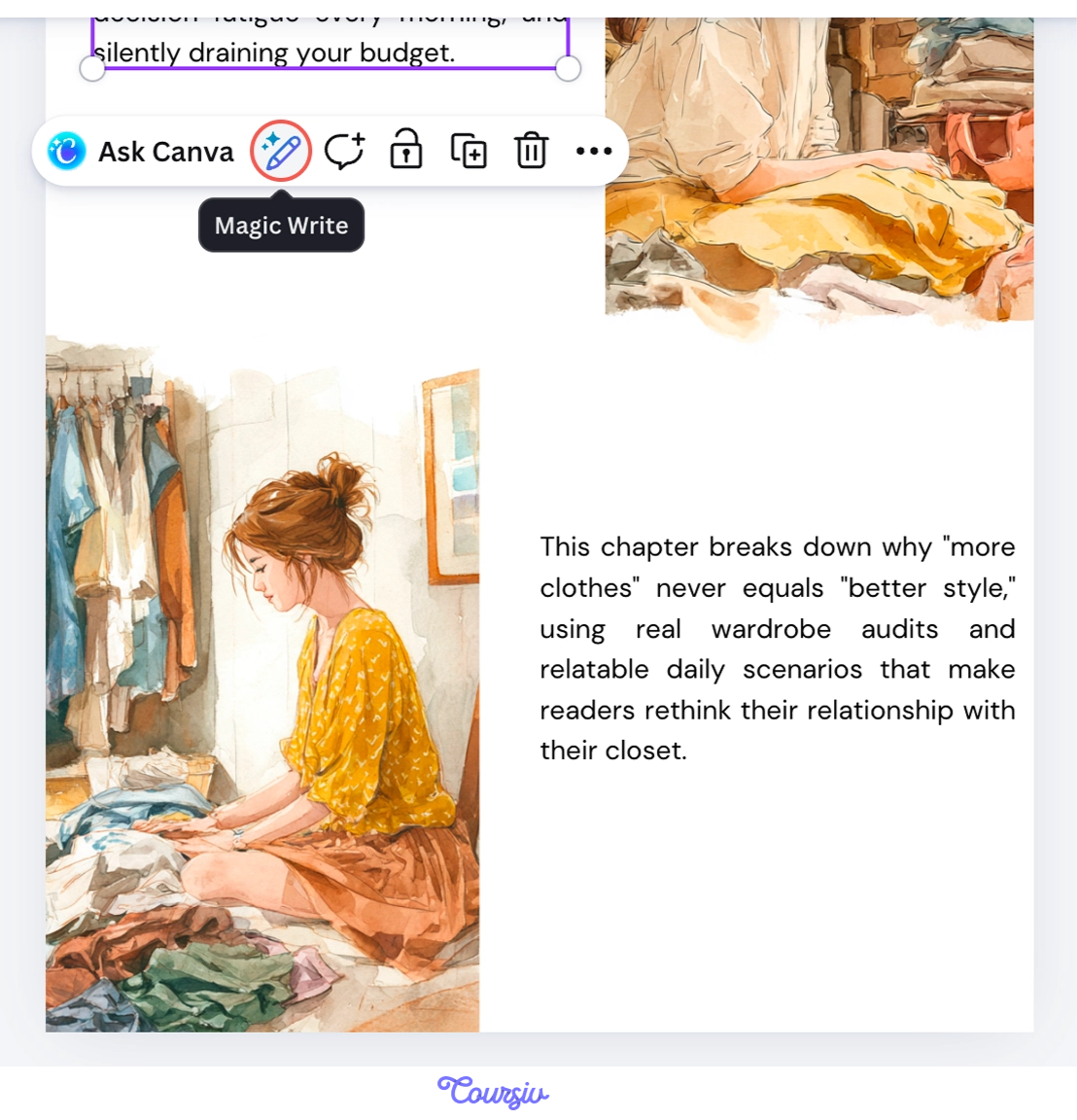
If your text runs long on any page, use Canva's Magic Write to condense it: select the text, open Magic Write, and prompt it to make the passage more concise without losing key points.
Exporting the Final Product
Once all pages are assembled and reviewed, export as PDF Standard for digital distribution or PDF Print if the client plans physical copies.
Before exporting, scroll through every page one final time: check for orphaned text lines, image alignment, and consistent spacing.
Packaging eBook Services
A complete eBook service — writing, illustration, and design — is worth significantly more than any single piece. Freelancers who can deliver this full package are in high demand, and the more you can offer, the stronger your position as a creator.
You can also productize this workflow. Offer a fixed-price eBook package on your website or freelance profile — for example, "5-chapter illustrated eBook with designed PDF layout, $750."
Fixed pricing removes negotiation friction, attracts clients with a budget, and lets you scope your time accurately because you know exactly what you're delivering each time.
Every completed eBook becomes a portfolio piece and a case study. Describe the turnaround time, the tools used, and the business outcome — "lead magnet eBook that generated 400 email signups in its first month." That context is what turns a writing sample into a sales tool.
practice preview
Interactive practice
Put in order
Arrange these steps in the correct order to deliver a finished eBook from a client brief.
That's the full pipeline: outline, write, illustrate, design, export. Each stage builds on the previous one, and the entire process can be completed in three to five focused days. This is a repeatable production system, not a one-time project.
- A complete eBook service — writing, illustration, and design — commands premium pricing because most clients can't produce any of these stages themselves.
- Claude delivers the strongest writing when you prompt one chapter at a time and iterate with specific editorial feedback.
- Midjourney illustrations stay consistent across an entire book when you use Style References to anchor the visual identity from your first image.
- Canva templates provide a professional layout that saves hours compared to building from scratch, and Magic Write helps tighten copy to fit the design.
- The entire pipeline is repeatable and productizable — one workflow, fixed pricing, portfolio-ready output every time.
What's Next
You've just built a complete digital product from concept to export using four AI tools. In the next lesson, you'll expand into a different medium — learning how to turn creative briefs into short-form video content with AI, adding motion to the assets you already know how to create.
Let's keep going!