AI-Powered Creative Income · Create Profitable Content
Audio Workflows
Use AI to add professional audio
Audio Workflows
You deliver a polished product video to your client. It looks professional — but it plays in silence. No voiceover, ambient sound, or music.
In this lesson, you'll use ElevenLabs to generate voiceovers that add authority, music that creates mood, and sound design that adds texture.

Audio Makes Simple Content Feel Premium
Every asset you've built so far gains value when audio is added. A product video with ambient sound and a subtle music bed feels more polished than the same video in silence. A narrated eBook provokes feelings — hearing the voice makes the writing feel more real. Audio is the finishing layer on skills you already have.

The good news is you don't need a recording studio, a microphone, or any audio engineering experience. One platform handles voiceovers, music, and sound effects — and it plugs directly into the video and content work you've already been doing.
Your Audio Toolkit
ElevenLabs is an all-in-one audio platform that covers three key areas:
- Text-to-speech with ultra-realistic AI voices (including voice cloning).
- Music generation for producing original tracks in any genre.
- SFX generation for custom sound effects and ambient audio. Its Studio editor lets you combine voice, music, and video on a timeline.
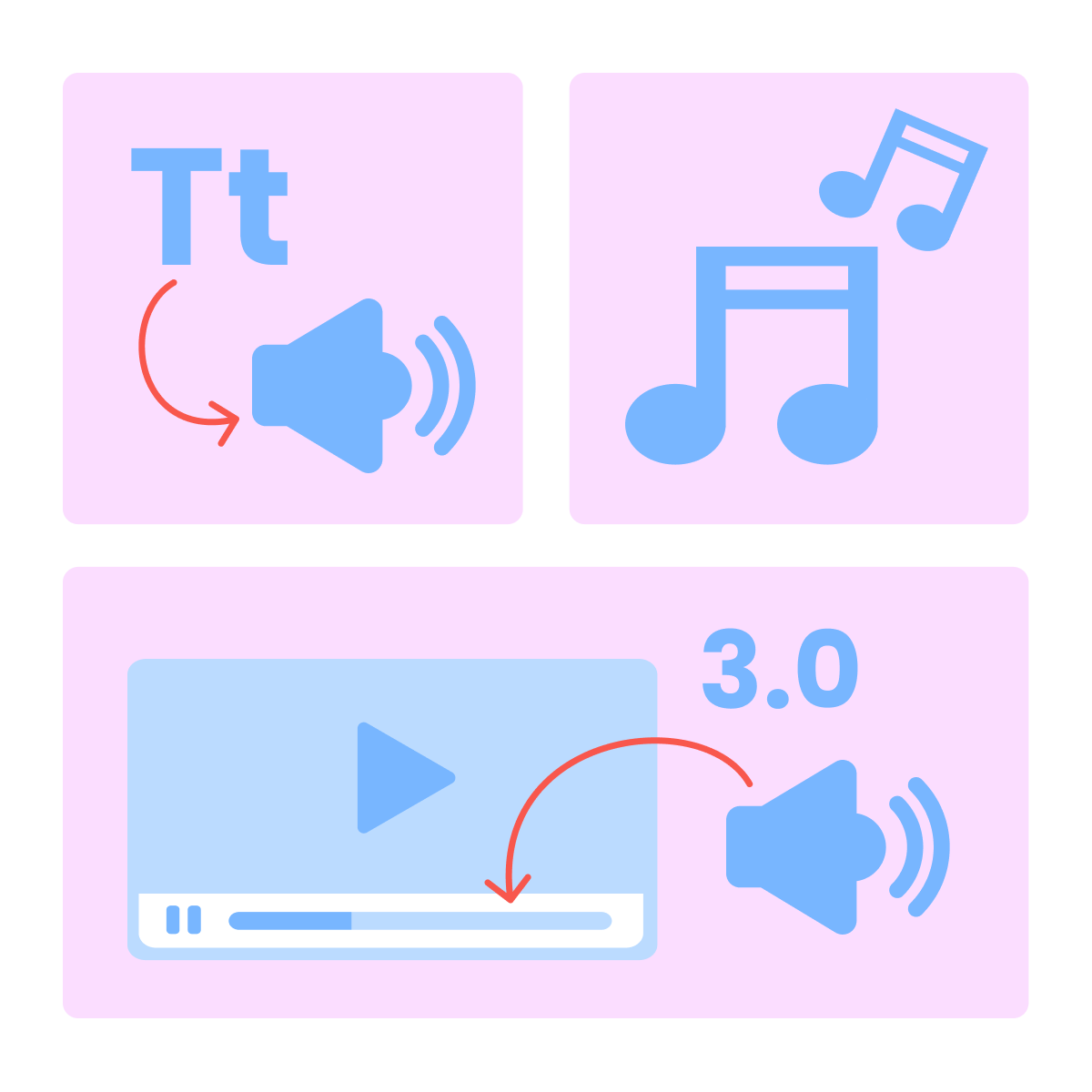
When to Use Which Audio Type
Not every project needs all three. A product demo video needs ambient sound and music, but usually not a voiceover. An explainer or course module needs a clear voiceover with subtle background music. A social media teaser might only need a sound effect timed to a visual moment.
practice preview
Interactive practice
Match pairs
Tap a left item, then a right item to match.
Technique 1: Generating Voiceovers
ElevenLabs' text-to-speech generates voiceovers that sound natural. You paste a script, choose a voice from the library, and generate audio. You can control tone and delivery directly in the script by using audio tags like whispers, laughs, and pauses.
Choose one
Why do audio tags matter for commercial voiceovers?
Open ElevenLabs and navigate to the Text to Speech section. Select a voice that matches your project's tone — warm and conversational for a brand intro, clear and authoritative for an explainer, calm and measured for a meditation app.
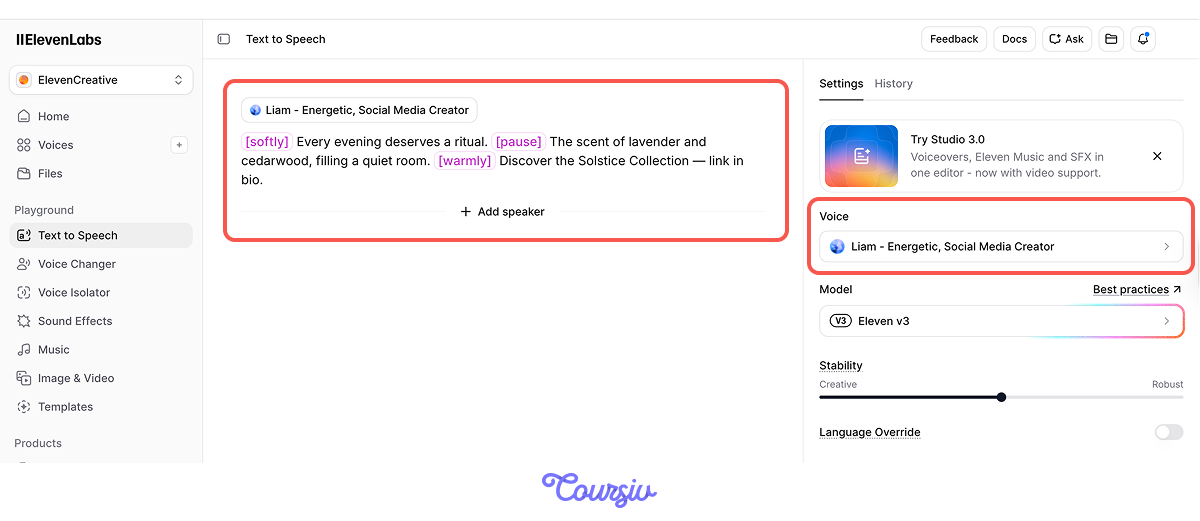
Generate a short test line before committing to a full script. Listen for pacing, pronunciation, and emotional tone. Adjust settings or try a different voice until the match feels right.
Technique 2: Generating Music
Both Eleven Music and Gemini generate original tracks from a text prompt in any genre. This eliminates the need for stock music libraries and licensing. For most client work, you need a music bed — a subtle background track that supports the content without competing with it.
practice preview
Interactive practice
Fill in the blank
Use Gemini to create a background music track for the candle brand's product video.
Technique 3: Sound Effects and Ambient Audio
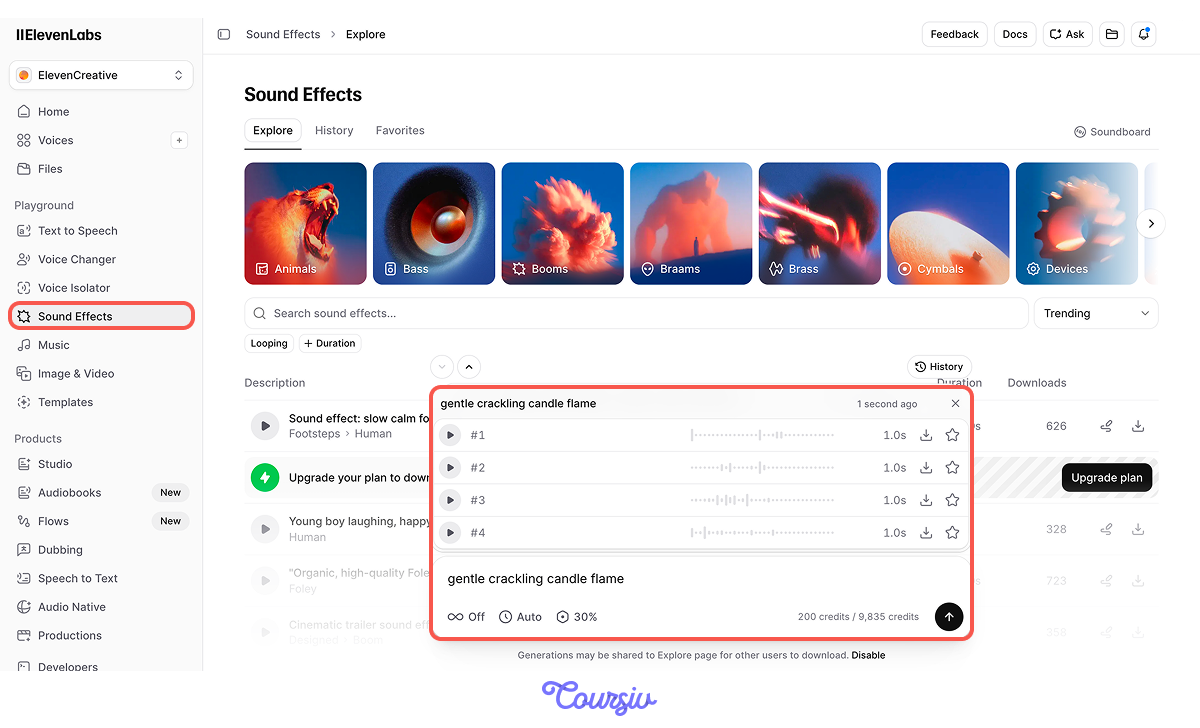
ElevenLabs' SFX generator creates custom sound effects from text descriptions. Describe the sound you need — "gentle crackling fire," "coffee being poured into a ceramic mug," and it generates a usable clip.
For product videos and social content, ambient sound effects matter a lot. They ground the visual in reality and make AI-generated footage feel tangible.
Layer sound effects strategically. For the candle video, you might use a match strike at the opening, soft crackling flame throughout the middle, and a quiet room tone fade at the end. Each sound maps to a visual moment.
Technique 4: Combining Audio in Studio
ElevenLabs' Studio is a timeline editor where you assemble all your audio layers — and sync them with video.
Upload your video clip, then layer your voiceover, music bed, and sound effects on the timeline. Adjust volume levels so the voiceover sits clearly above the music, and sound effects punctuate visual moments without overwhelming. Export the finished file with audio and video combined.
This is What You Got!
A standard audio mix for content follows a simple hierarchy:
- Voiceover at 100% volume
- Music bed at 15-25%
- Sound effects at 30-50%
If there's no voiceover, music rises to 40-60%, and sound effects stay at 50-70%. These aren't exact rules — but they prevent the most common amateur mistake: everything playing at the same volume, creating a wall of noise instead of a layered experience.
Voice cloning in ElevenLabs (paid) lets you create a digital replica from around five minutes of recorded speech — reusable across any future voiceover. Great for personal brands or clients who want a consistent signature voice throughout their content.
Adding Audio to Your Service Menu
Audio is an easy upsell in your creative toolkit. Most clients don't even think to ask for it — which means when you deliver a video with professional sound design already included, you exceed their expectations instantly. Price audio as an add-on or bundle it into premium packages.
A voiceover script plus generation typically takes 20-30 minutes. A music bed and SFX layer add another 15-20 minutes. For less than an hour of work, you can increase a project's value by $100-$200.
Monetization Beyond Client Work
Audio skills open revenue streams that don't require clients at all. Audiobook narration is a growing market — indie authors on platforms like ACX and Findaway need narrators, and AI voiceover with a cloned or designed voice can produce chapters at a fraction of the traditional cost.
Podcast production — intro/outro music, voiceover intros, and sound design packages — is a productizable service. And if you're creating your own content, professional audio is what separates your Reels and Shorts from the millions of silent clips in every feed.
- ElevenLabs covers all three audio needs in one platform: voiceovers, music generation, and custom sound effects.
- Along with ElevenLabs, Gemini is a decent tool for music generation.
- Studio lets you layer and mix all audio elements with video on a single timeline — no external editing software required.
- Audio is the easiest upsell in your service menu — less than an hour of work can add $100-$200 to a project's value.
Next Up — Presentations and Pitch Decks
You now have the complete content creation toolkit. In the next lesson, you'll learn how to package and present all of it. You'll build pitch decks and presentations using AI tools.
Let's keep going!