AI for SEO · Building and Scaling SEO With AI
On-Page SEO & Content Writing
Write and optimize pages that rank
Optimize Content That Google Rewards
You have your content plan from Lesson 3 — topics, structure, and depth. But unoptimized content rarely ranks, even if it's good.
Most people either keyword-stuff or skip optimization entirely. Let's see how to optimize your page strategically using AI — making it clear, relevant, and easy to understand for both users and search engines.
What Is On-Page SEO?
On-page SEO means optimizing individual pages to rank higher and attract the right traffic. This includes everything on the page itself: your content, titles, headings, meta descriptions, images, and internal links.

On-page optimization ensures your content is useful to readers and easy for Google to understand. The main elements include:
- Page titles and keywords: what appears in search results
- Meta descriptions: preview text that gets clicks
- Heading structure: H1, H2, H3 for organization
- Internal links: connecting to related pages
- Image optimization: alt text, file size
- Readability: short paragraphs, clear language
For your home decor business, proper optimization helps Google understand what your page is about, improves readability so visitors stay and convert, and matches SERP expectations so you compete with top-ranking content.
You already have a content plan from Lesson 3 with topics, structure, and depth. On-page optimization takes that plan and adds the technical elements — titles, meta descriptions, heading tags, and keyword placement that Google expects.
Imagine that your content plan is the blueprint, and on-page optimization is the finishing work that makes the house ready to sell.

Understanding Page Titles and Keywords
Let's start with the page titles. Your page title (also called the title tag) is the blue clickable link people see in Google search results. It's the single most important on-page element — it tells the search engine what your page is about and convinces searchers to click.
practice preview
Interactive practice
True / False
Based on the page title definition above, evaluate this title.
A good page title has three qualities:
- Includes target keyword at the start (tells Google and searchers the exact topic)
- Stays under 60 characters (prevents Google from cutting it off in search results)
- States clear benefit or includes number (gives searchers a reason to click your result instead of competitors')
The good example tells Google the page is about "minimalist bedroom ideas" specifically, not just any bedroom ideas.
practice preview
Interactive practice
Fill in the blank
Use ChatGPT to create good page titles.
Yes, page titles get people to your result in search, but there's another element that works with titles to earn clicks: meta descriptions.
Meta descriptions are the gray preview text that appears under your page title in Google search results. Together, the title and meta description convince searchers to click your result instead of the 9 others on page 1.
Understanding Meta Descriptions
A good meta description includes your keyword naturally, stays under 160 characters, explains what the page covers, and includes a clear benefit.
ChatGPT generated page titles — now use Claude for meta descriptions. Claude excels at concise, benefit-focused copy within strict character limits.
practice preview
Interactive practice
Fill in the blank
Use Claude to generate a meta description that earns clicks.
Excellent!
Yes, the title shows relevance (keyword placement), and the meta description shows value (what they'll learn and why it matters). Let's move on to understanding the heading structure.
Understanding Heading Hierarchy
For "minimalist bedroom ideas," top results use specific heading patterns:
- H1 is your main title (one per page).
- H2 marks main sections.
- H3 marks subtopics within sections.
This hierarchy helps Google understand your content structure and helps readers scan quickly.
practice preview
Interactive practice
Match pairs
Tap a left item, then a right item to match.
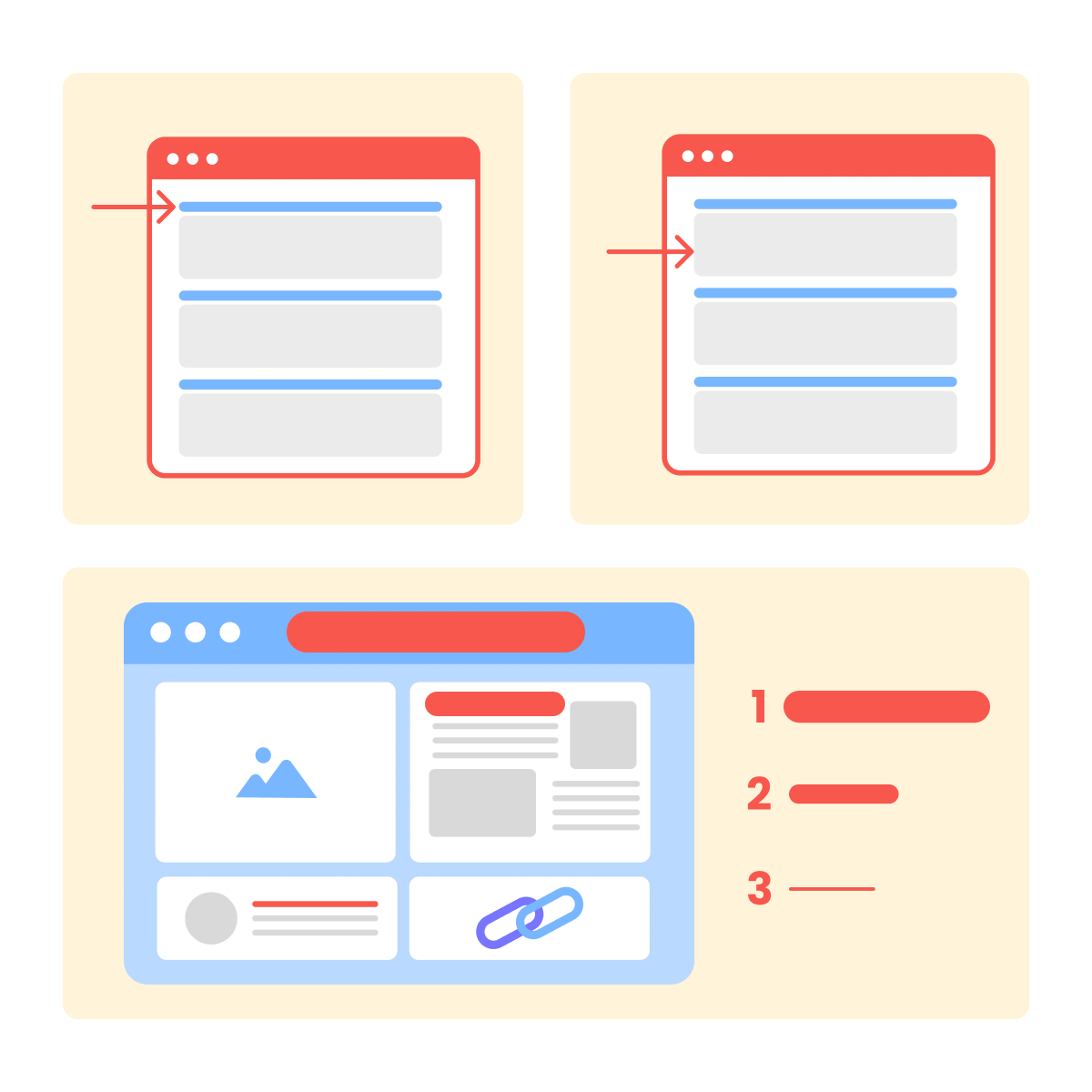
Proper hierarchy helps Google understand your content organization and lets mobile readers scan to find the section answering their question. These three foundational elements work together to optimize your page.
- Page titles: keyword at start, under 60 characters, include benefit or number
- Meta descriptions: under 160 characters, mention specific topics, and end with a clear benefit
- Heading hierarchy: H1 for main title (one per page), H2 for main sections, H3 for subtopics
But how do you create a complete, optimized article that applies all these elements? Frase showed you what to write (topics, structure). Now SEOWriting.ai creates the actual content with all on-page elements — titles, meta, headings, paragraphs automatically optimized. Let's see how.
What Is SEOWriting.ai?
SEOWriting.ai generates complete SEO-optimized articles that automatically include optimized page titles, proper heading hierarchy, keyword placement, and inserted images.
For your home decor business, input your keyword and topics from Lesson 3, and SEOWriting.ai outputs a complete article with optimization applied. Let's create your first article.
Step 1: Create Your First Optimized Article
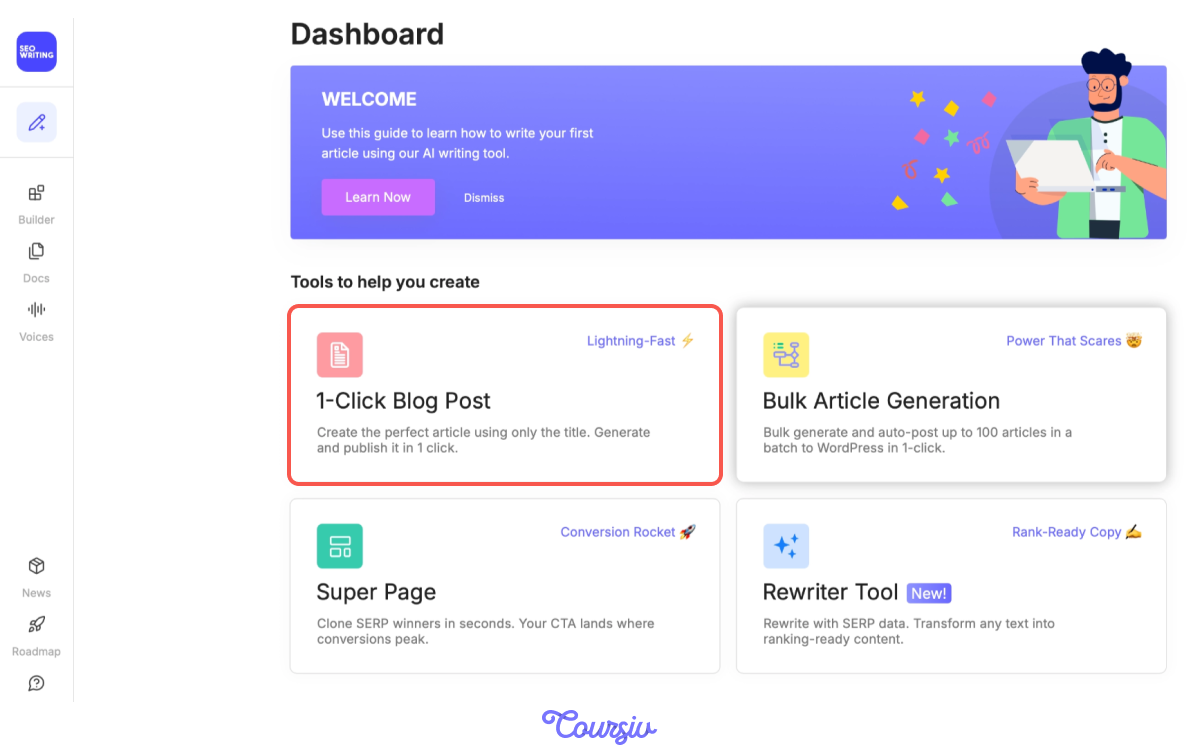
Go to Seowriting.ai and click "1-Click Blog Post." Enter your keyword — "minimalist bedroom ideas."
Step 2: Configure Core Settings
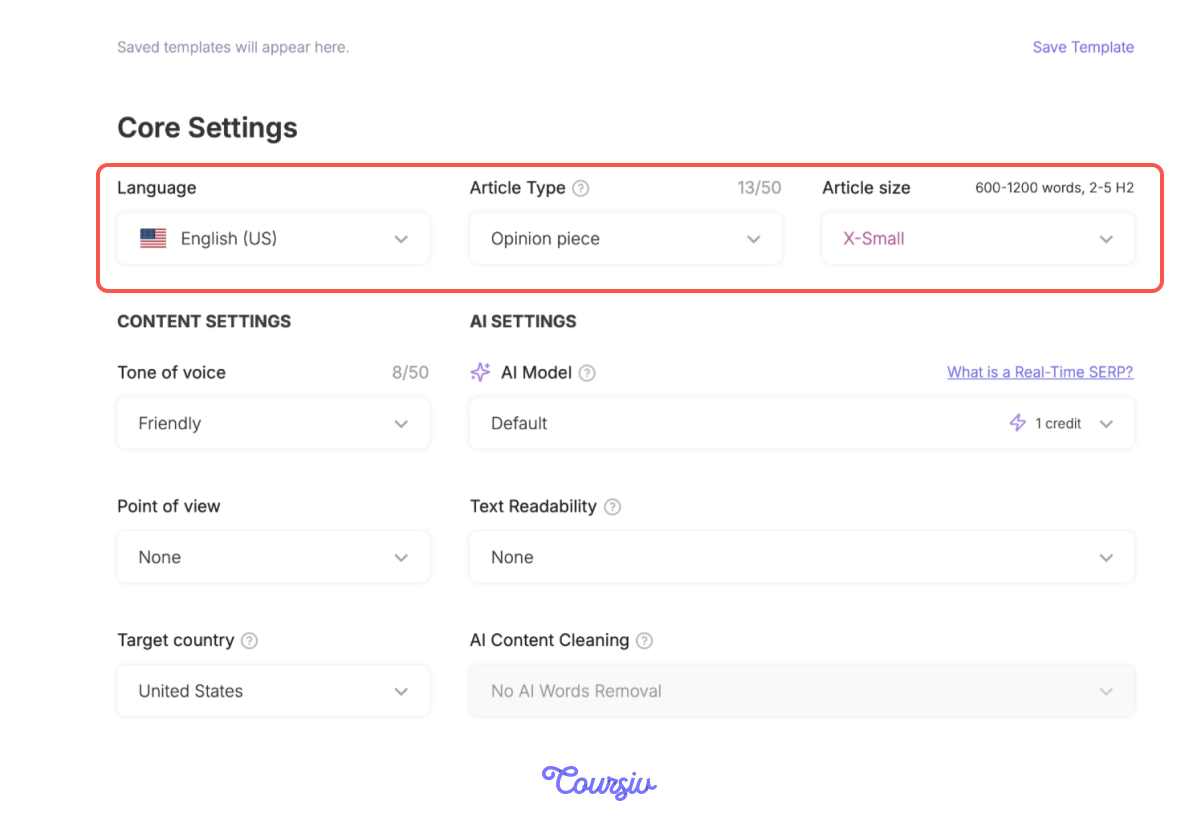
SEOWriting.ai shows you core settings to customize. Here you'll set your language, article type (blog post, how-to guide), and article size.
You can also customize content settings and AI model preferences — for your home decor business, it's best to keep the default AI model for natural, readable content and enable "add images" for visual topics like bedroom design.
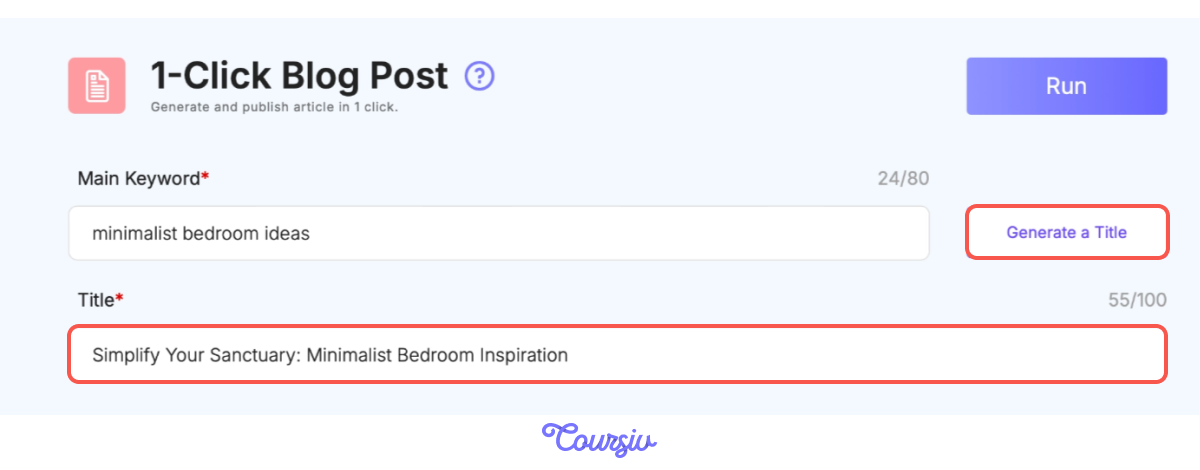
Let's generate a title. SEOWriting.ai automatically generates SEO-optimized titles from your keyword, keeping them under 60 characters for Google search results.
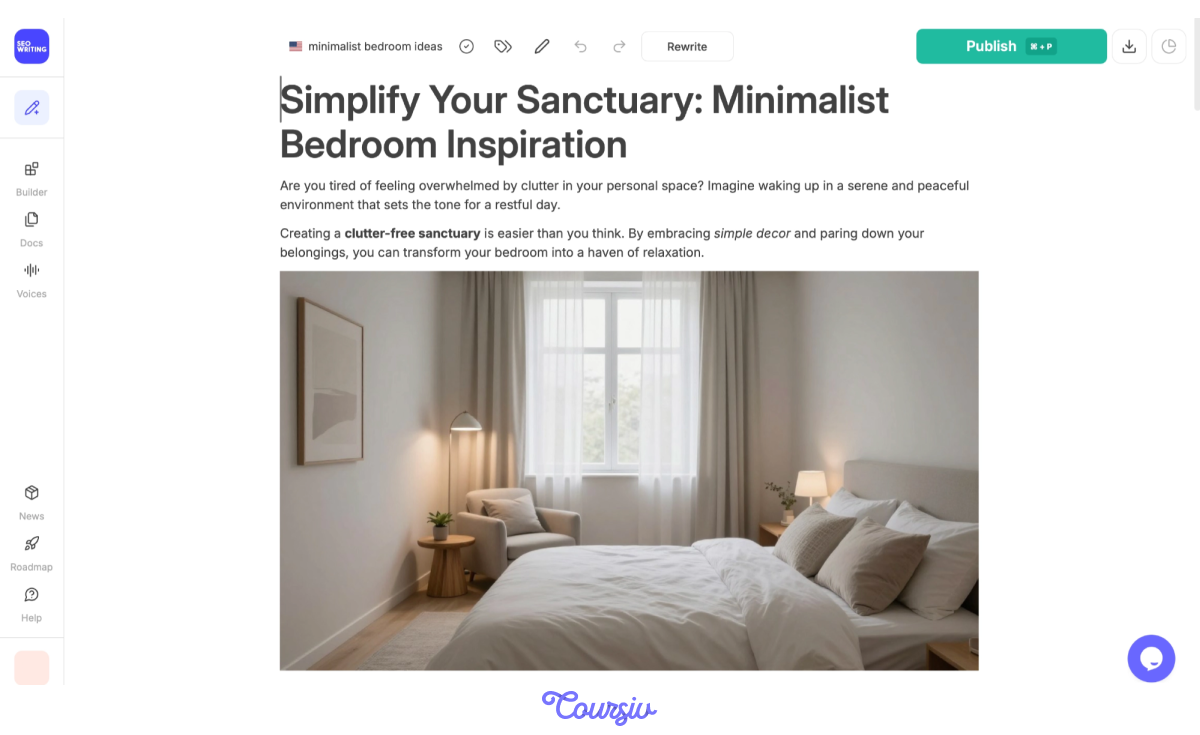
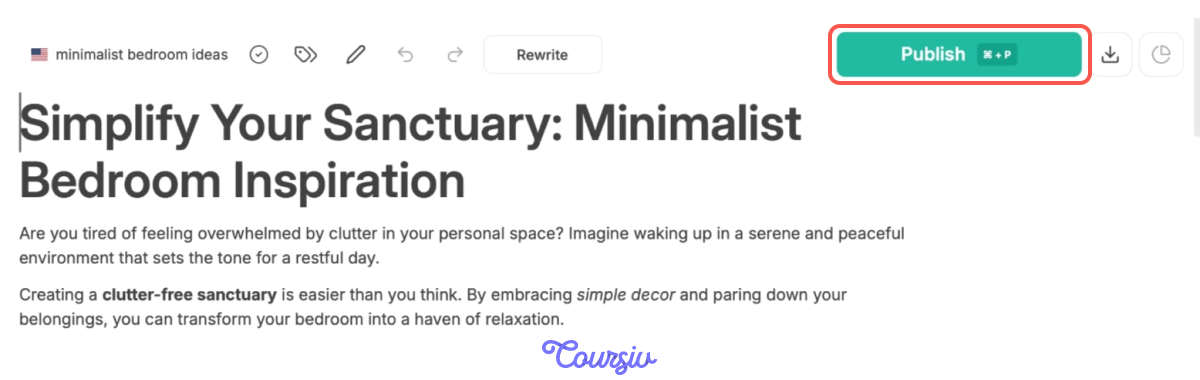
For "minimalist bedroom ideas," it automatically generated "Simplify Your Sanctuary: Minimalist Bedroom Inspiration."
Step 3: Add Keywords, Customize Structure, and Details
In the "SEO" section, SEOWriting.ai shows "Keywords to include in the text." It generates a list of related keywords based on SERP analysis — these are terms that top-ranking content uses.
For "minimalist bedroom ideas," you'll see keywords such as "simple bedroom decor" and "modern minimalist bedroom."
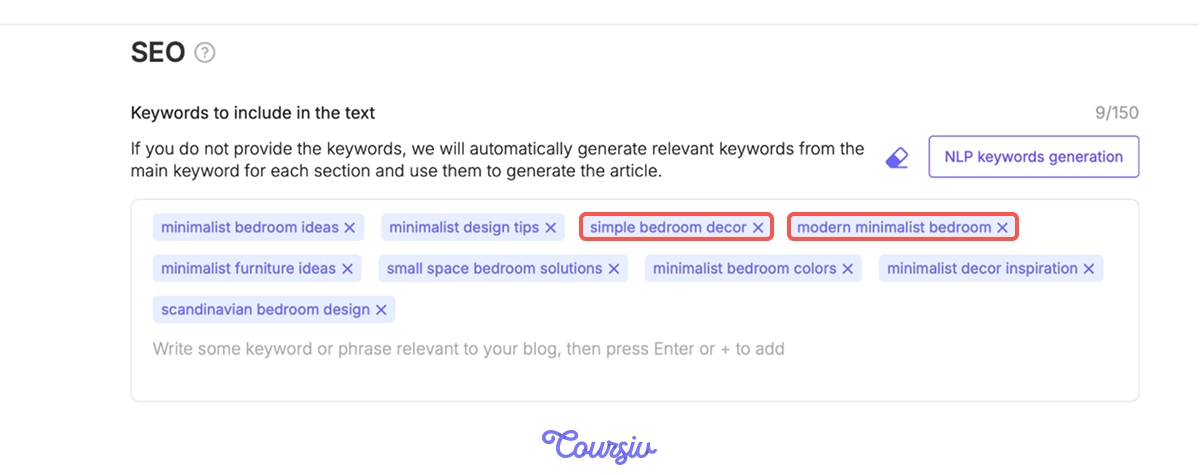
You can also customize your article structure here: add or remove sections like Conclusion, Lists, FAQ, or Key Takeaways. This ensures your article matches the exact structure from your content plan.
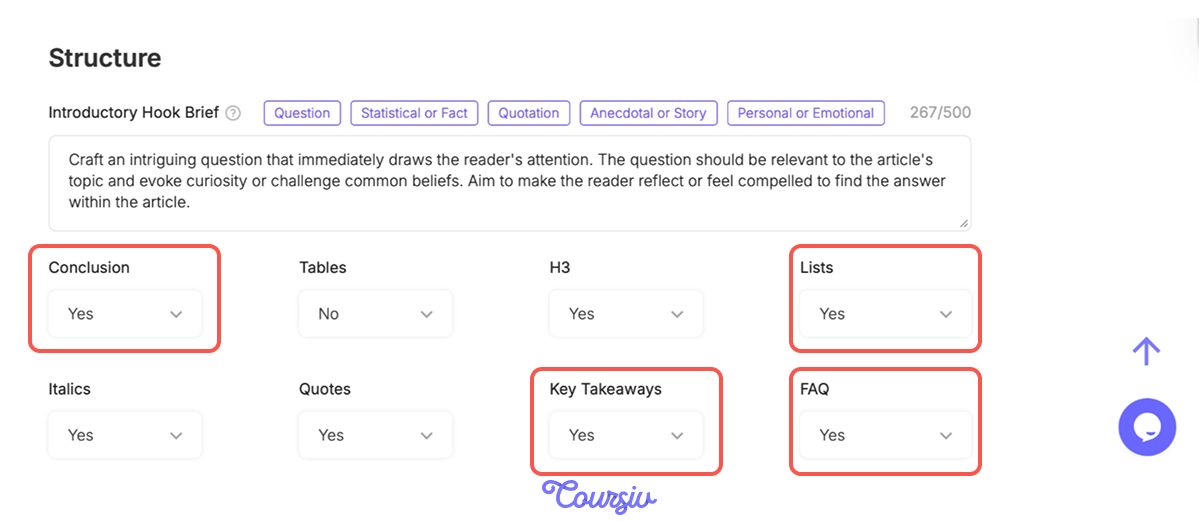
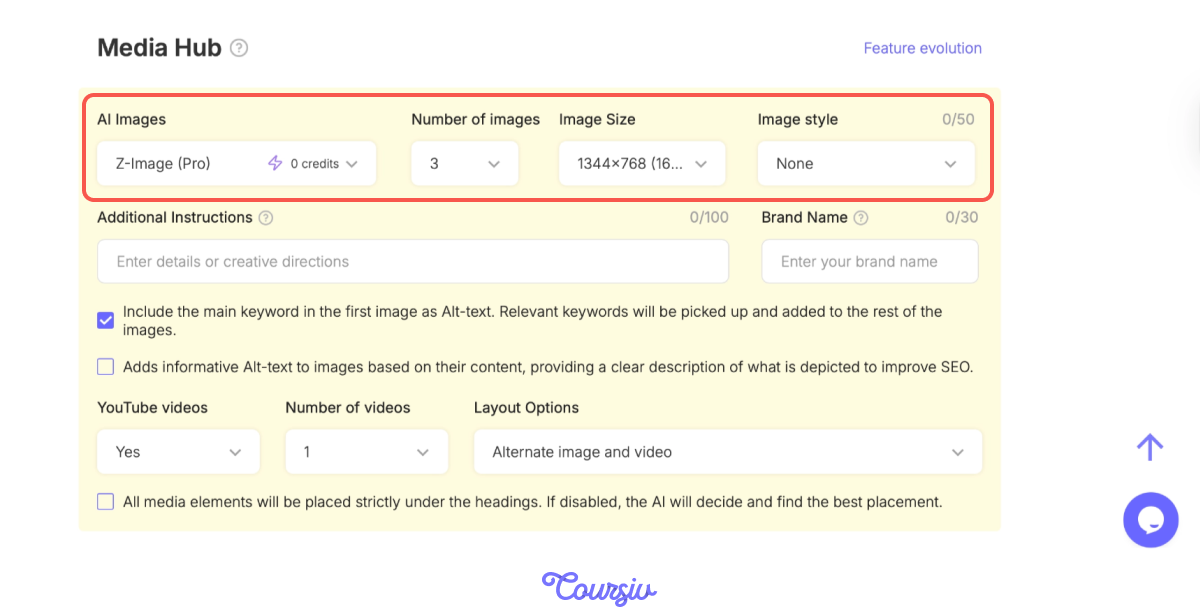
In the Media Hub section, you can customize how images appear in your article:
- AI Images: Toggle this on to let Frase generate images automatically for your article.
- Number of images: Three is recommended for readability.
- Image size: 1344x768 works well for blog posts.
- Image style: Choose the visual style that fits your content.
Step 4: Generate Your Article
Click "Run" and SEOWriting.ai creates your complete article! This is what you'll see: properly structured headings (H1, H2, H3), short, scannable paragraphs, natural keyword placement, and relevant images inserted automatically.
Add Internal and External Links
Your article is ready, but before you publish, there are two quick things worth paying attention to.
Add 2-3 internal links to related pages using descriptive anchor text — "see our platform bed buying guide" works better than "click here." For external links, use "Connect to Web" in SEOWriting.ai for automatic suggestions to credible sources, or add them manually.
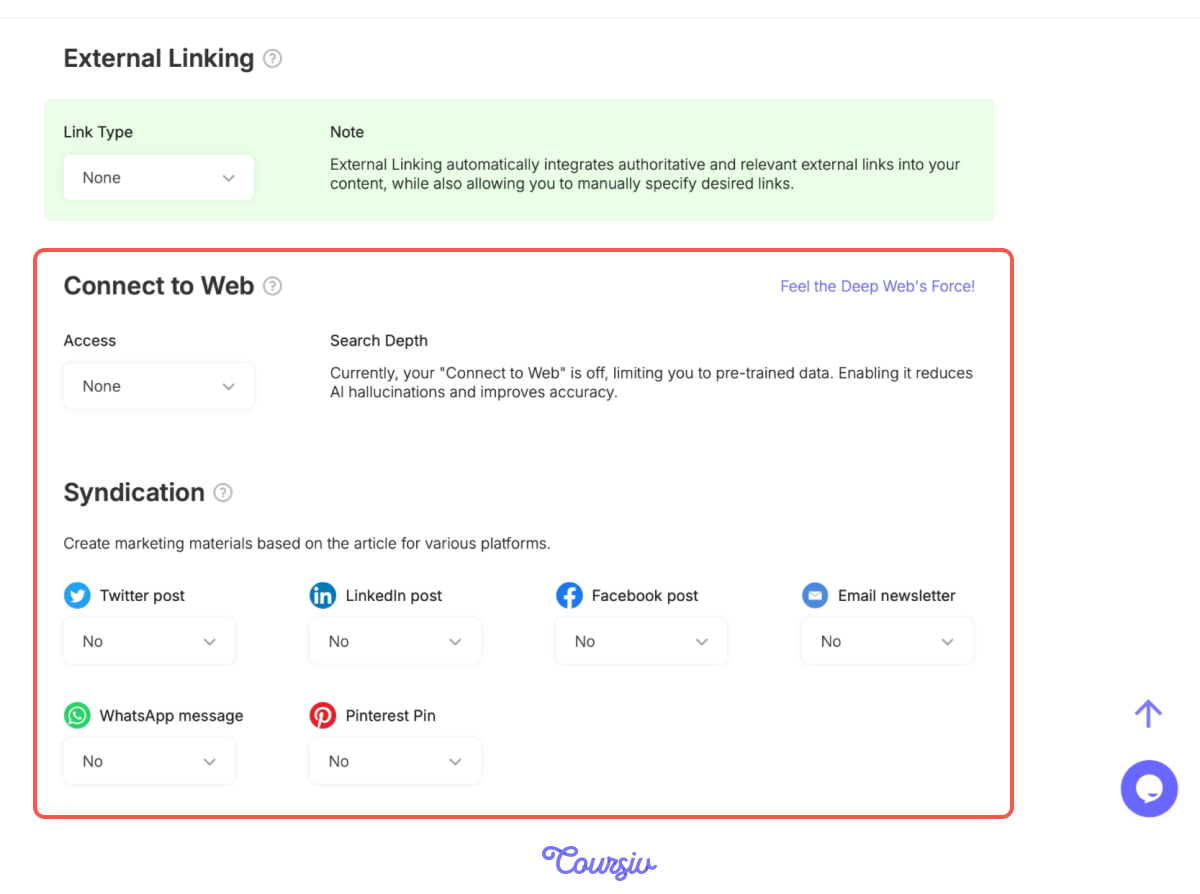
SEOWriting.ai suggests relevant external links to authoritative sources (design publications, research studies) that support your claims and inserts them contextually.
For "minimalist bedroom ideas," it might link to Architectural Digest (color theory), sleep studies (neutral colors and rest), or Elle Decor (furniture recommendations).

Step 5: Connect to WordPress and Auto-Publish
Links added — your article is now ready to publish. And if you're on WordPress, you don't even need to copy and paste. SEOWriting.ai connects directly and lets you auto-publish with one click — proper headings, images, keywords, and links all in place. You're good to go!
- On-page SEO is about clarity and structure — page titles, meta descriptions, and headings that help both readers and Google understand your content.
- Use ChatGPT and Claude to generate optimized page titles (keyword first, under 60 characters) and meta descriptions (under 160 characters, ends with a benefit).
- Use heading hierarchy: H1 for your main title, H2 for main sections, H3 for subtopics — to help Google and readers navigate your content.
- SEOWriting.ai turns your keyword into a complete optimized article — headings, keywords, images, and links — and auto-publishes directly to WordPress.
You now know how to optimize content using AI — from generating properly structured articles to adding keywords, external links, and auto-publishing to WordPress.
Your content from Lesson 3's plan is now fully optimized to compete with top-ranking pages. In the next lesson, you'll learn technical SEO — making sure Google can find and crawl your optimized content!