AI Performance Marketing · Social Media Performance Advertising
Expanding Channels
Multi-channel performance strategies
Expanding Channels
Welcome back! You've created format-native creative and maintained your $45 CPA. But today your CMO raised a concern, "Our Google Search and Meta ads are performing well, but we're only reaching 10% of our target market. How do we expand reach beyond paid search and social?”
In this lesson, you'll discover when to add new channels, how measurement differs across them, and how to align selection with where your audience actually spends time — not where competitors advertise.

Channel Expansion Requires Strategy
The instinct is to copy competitors, "They're on TikTok, we should be too." But channel expansion without a strategy wastes budget and team capacity.
Before adding any channel, ask, where does your audience spend time? Let's test your judgment on channel selection.
Choose one
Your colleague wants to launch TikTok ads for TechFlow immediately. Is this a good idea?
Good work!
You've recognized that channel selection depends on audience behavior on that platform, not platform size or competitor presence.
TechFlow needs additional channels to reach more of your target market. But which ones make sense?
Channel Selection
Most marketers assume more channels mean more results. But each channel requires different creative formats, measurement approaches, and audience behaviors.
- Email works when you have an owned list and can nurture over the course of weeks.
- Affiliate scales when partners have audiences you can't reach directly.
- Video (YouTube, TikTok) works when your product needs a demonstration, or your audience consumes video content daily.
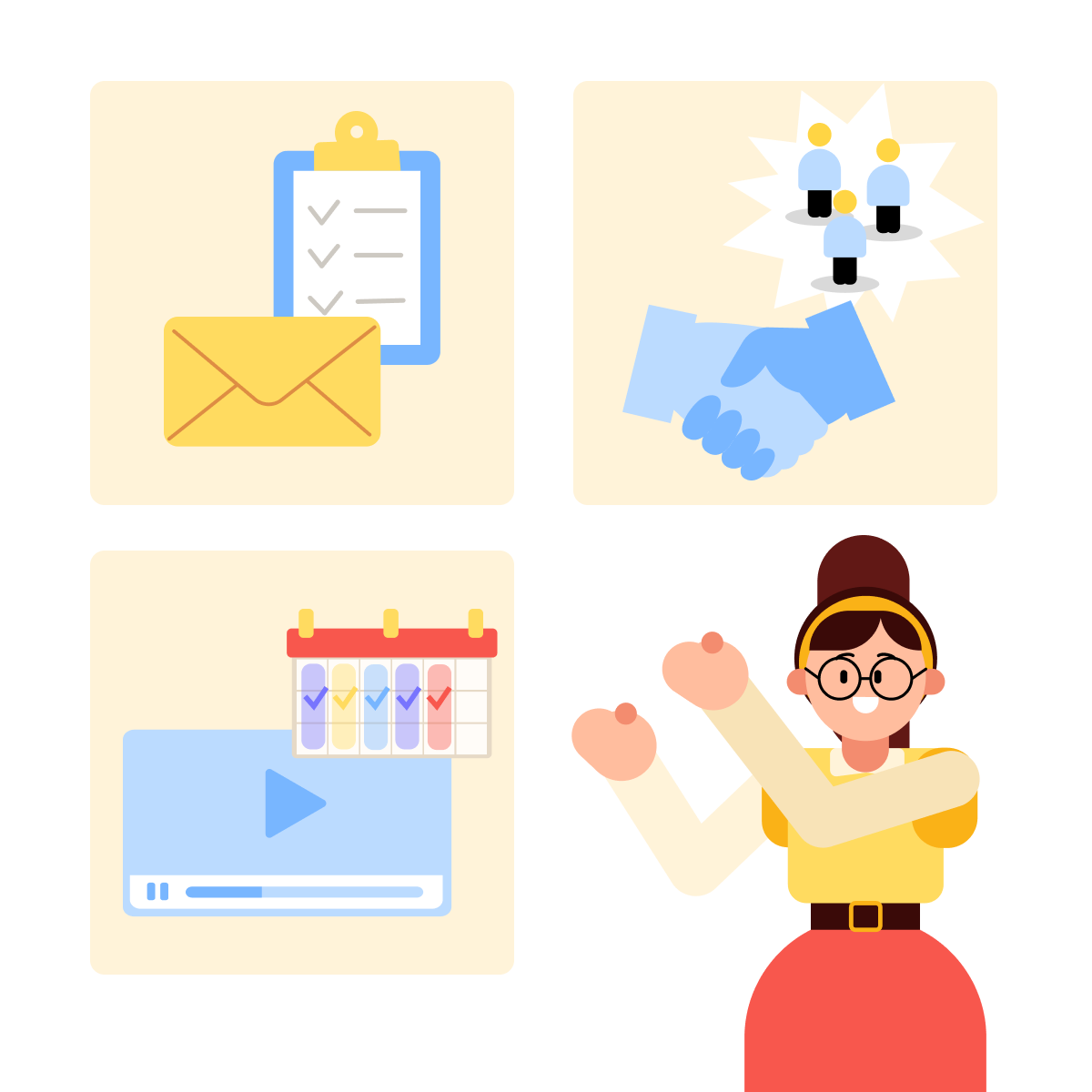
TechFlow's marketing managers are on LinkedIn and Google Search daily — but are they checking marketing newsletters, watching YouTube tutorials, or scrolling TikTok?
Adding channels without understanding audience behavior wastes budget on platforms where your prospects don't exist or don't engage. Let's discover how to evaluate channel fit before committing resources.
TechFlow's current situation: you have 8000 newsletter subscribers, established Google/Meta ad accounts, and a marketing team with limited capacity.
Your goal: expand reach beyond Google and Meta. With limited team capacity, you can only test 1-2 new channels effectively. Which should you prioritize?

practice preview
Interactive practice
Fill in the blank
Ask Claude to recommend channels based on TechFlow's audience and resources.
Perfect!
You know how to prioritize channels based on audience behavior. TechFlow tests email first, then skips TikTok and delays affiliates.
Now let's see how emails work — and why it's a completely different channel from paid ads.
How Email Nurtures Over Time
Here's what most marketers get wrong: they expect email to perform like paid ads — instant conversions from a single touchpoint.
But email nurturing works differently. One email rarely converts cold subscribers. Instead, you guide them through multiple touches over days or weeks.
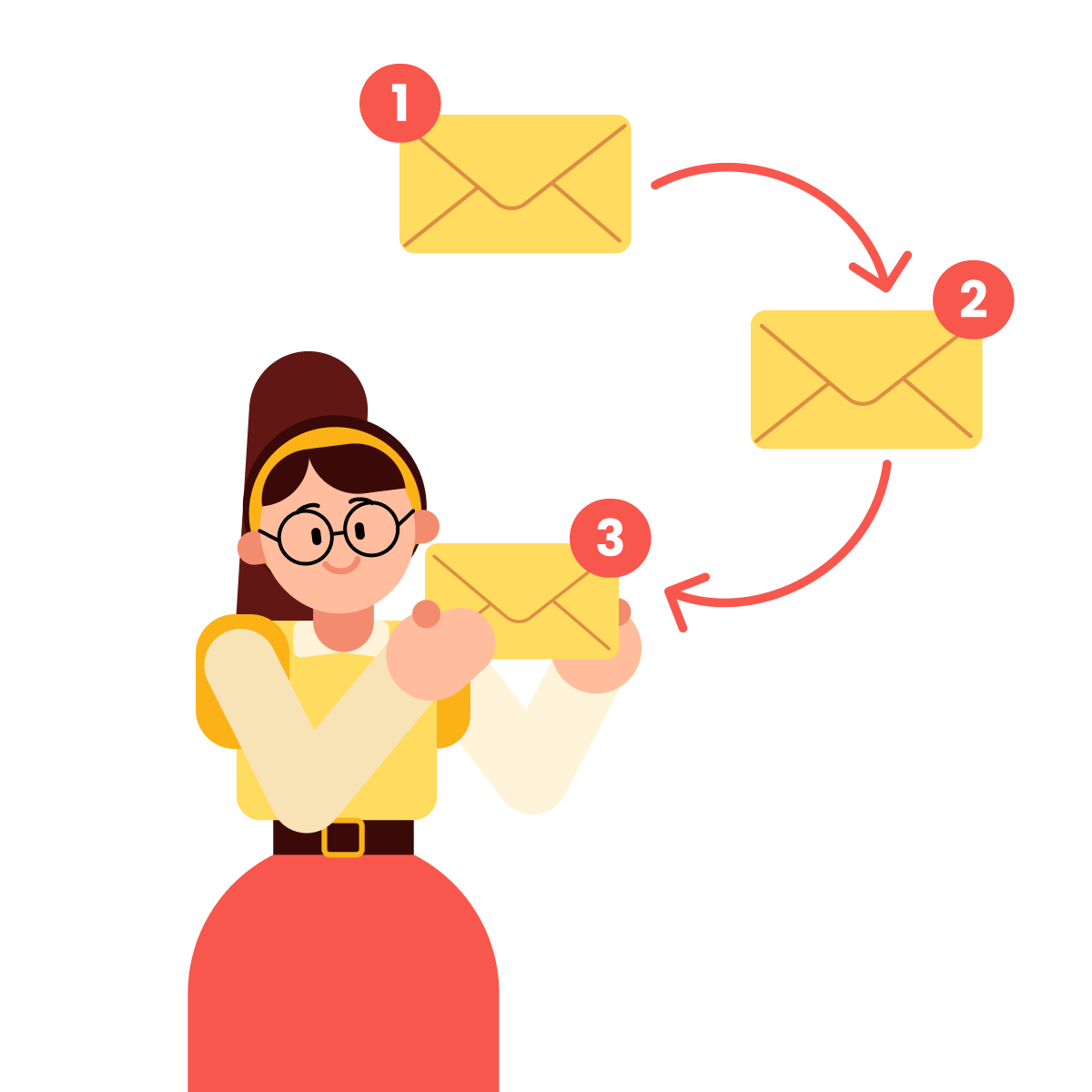
Paid ads reach high-intent searchers ready to buy now. Email subscribers opted in weeks or months ago and need nurturing before they're ready to buy.
Let's practice building an email sequence that reflects this reality.
practice preview
Interactive practice
Fill in the blank
Ask ChatGPT to create a 3-email nurture sequence for TechFlow.
Great work!
You've created a nurture sequence that moves from problem awareness (email 1) to solution demonstration (email 2) to a conversion ask (email 3), with realistic metrics that decline each email as you filter for interest.
Now you need to actually build and send these emails. That's where Mailchimp comes in.
Mailchimp automates email delivery, tracks opens and clicks, and manages subscriber segments. Let's walk through the interface step by step.

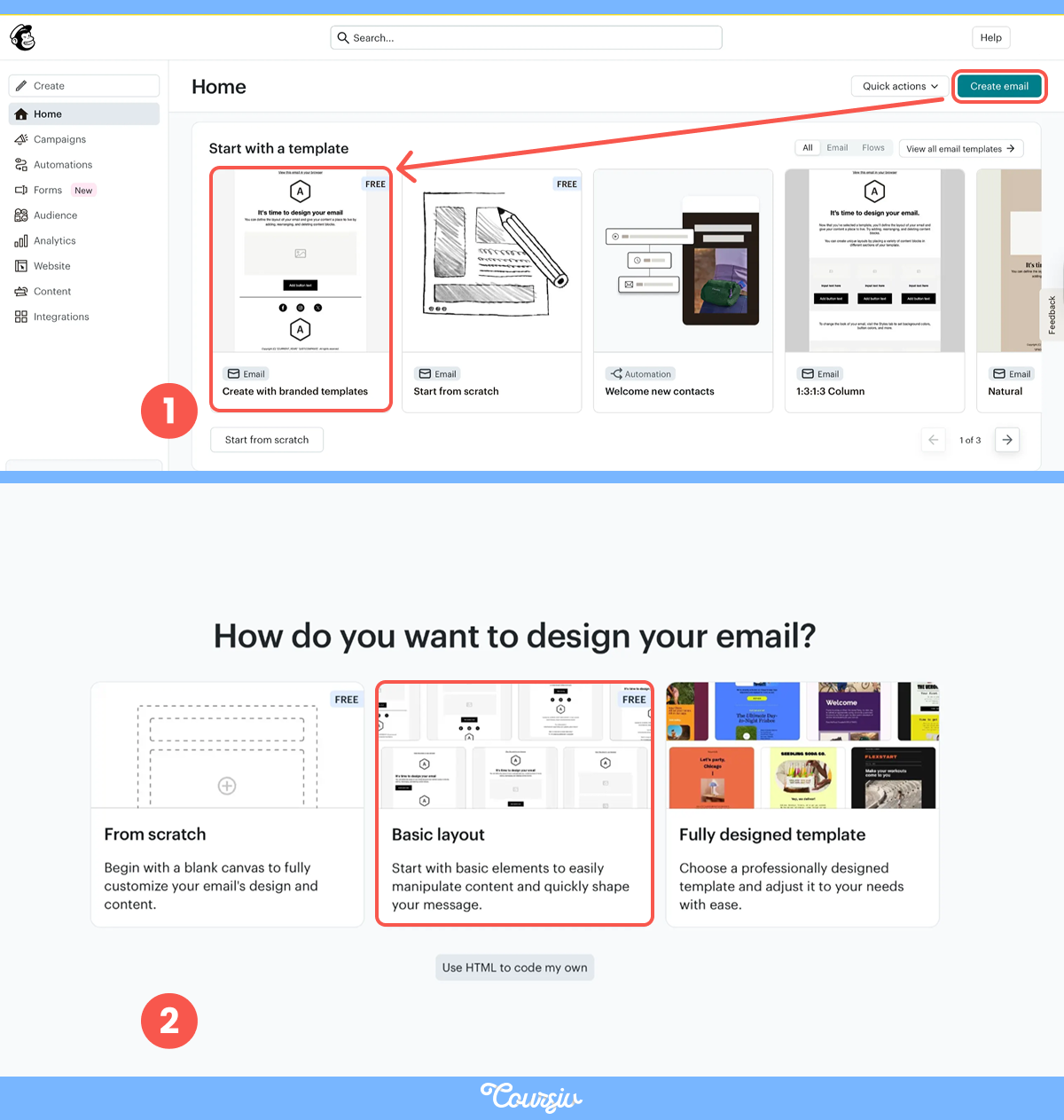
When you log into Mailchimp, you'll see the main dashboard where you can manage campaigns, audiences, and automations.
To start building TechFlow's nurture sequence, click the "Create email" button in the top right corner. Then start to create with branded templates.
Next, you'll choose your email layout. Mailchimp offers templates, but let's start with a basic layout that matches TechFlow's brand first.
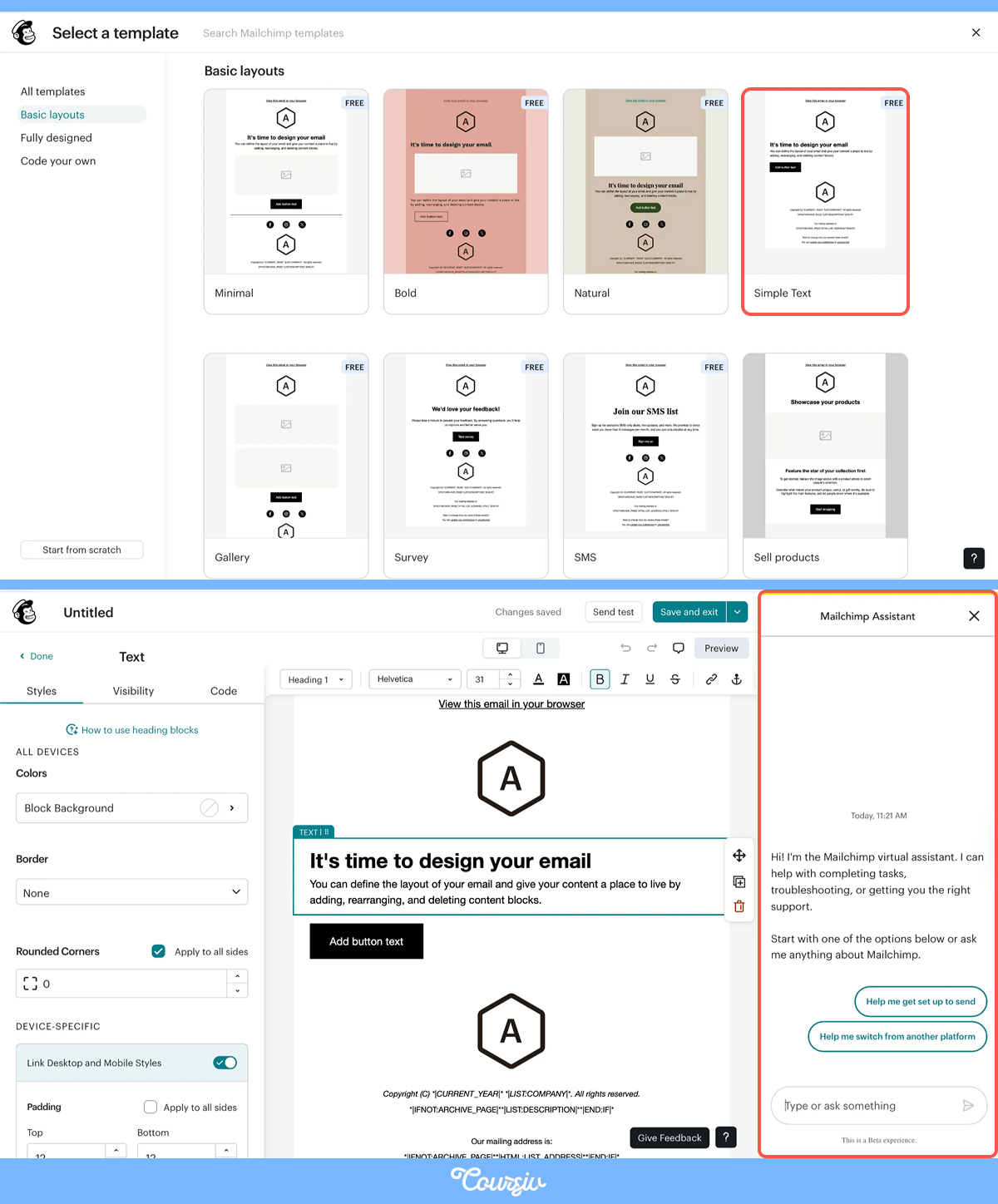
Select a "Simple Text" template. It's mobile-responsive and keeps focus on your message and CTA. Notice the "Mailchimp Assistant" option in the top right — this AI tool helps generate content.
practice preview
Interactive practice
Fill in the blank
Use Mailchimp's AI assistant to generate Email 1 content based on your sequence.
Great! Mailchimp AI generated your email content in seconds — subject line, body copy, and CTA. But do you want more control over the design to match TechFlow's brand colors and layout?
Mailchimp's templates are limited to preset styles. For TechFlow's custom color (#2563eb blue), fonts, or layouts, you'll need HTML code. Don't worry, AI makes this easy.
practice preview
Interactive practice
Fill in the blank
Fill in the missing parts of the prompt to generate TechFlow's demo email in Mailchimp.
You have your code — now just paste it from Claude into Mailchimp's "Code Your Own" template, and you'll see your custom design come to life.
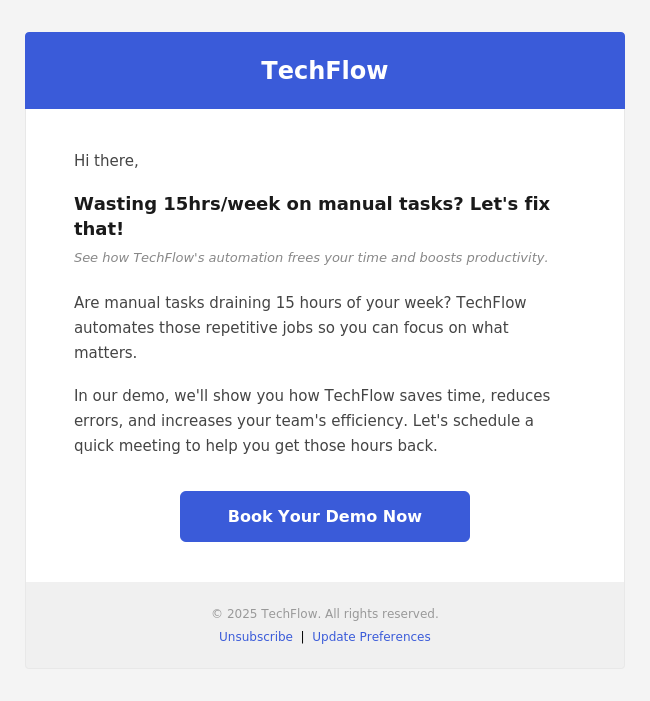
You have your first email, and its design is ready. Now, let's revise the complete workflow for launching TechFlow's email campaign in the correct order.
practice preview
Interactive practice
Put in order
Arrange these steps in the correct order for launching TechFlow's email campaign.
- Channel selection follows audience behavior: TechFlow's managers don't use TikTok for B2B research, but read work newsletters. Platform size is irrelevant without behavior fit.
- Email nurtures over time, not instant conversion: Unlike paid ads that convert immediately, email guides subscribers through multiple touches over days or weeks before conversion.
- Mailchimp + AI accelerates email production: Mailchimp AI generates content, Claude creates custom HTML for branding, and automation handles timing.
Unit 3 Is Completed!
You can now answer the CMO's concern: "How do we expand reach beyond paid search and social?"
Your answer: Prioritize email first (8000 subscribers = untapped asset). Evaluate channel fit with Claude, build sequences with ChatGPT, generate content with Mailchimp AI, and create platform-native video with Jasper.
Congratulations on completing Unit 3!
In the next unit, you'll discover how to design statistically valid A/B tests, understand attribution models, detect ad fraud, and build strategic growth frameworks. Let's progress with TechFlow together!