AI Performance Marketing · Search and Contextual Advertising
Targeting Layers in Google Ads
Optimizing targeting and bidding
Targeting Layers
Great work so far! You've built your keyword strategy and know which searches are worth targeting based on search intent.
But here's the next challenge: keywords alone aren't enough to efficiently reach the right people. You need to layer in additional targeting options to refine who sees your ads while controlling costs. Today, you'll discover how Google's targeting layers work together to expand reach while maintaining relevance, and how Performance Max automates these decisions for you.

How Targeting Layers Work Together
You've selected keywords like "marketing automation software" for TechFlow. But Google Ads also combines multiple targeting layers simultaneously.
Targeting layers include:
- Keywords
- Topics — content categories
- Placements — specific websites
- Audiences — user behavior
These layers work together to expand reach while maintaining relevance.

TechFlow's ad can be shown to the same person in three ways: when they're reading marketing articles (topic), when they're on a specific website (placement), or because they visited your site last week (audience).
Understanding how these layers interact determines whether you reach 500 people or 50K — and whether they're the right people.
Select all that apply
Why do you think TechFlow should use multiple targeting layers instead of keywords alone?
Yes! Now that you understand why layers matter, let's discover how to prioritize them when you have a limited budget and no conversion data yet.
practice preview
Interactive practice
Fill in the blank
Ask ChatGPT to prioritize targeting layers based on TechFlow's constraints.
With an unlimited budget, you'd test everything simultaneously.
This is why context matters when asking AI for strategy recommendations. With a $5000 monthly budget and zero conversion data, TechFlow needs results fast. High-intent keywords like "marketing automation software" reach people ready to request demos now. Topic targeting builds awareness but converts more slowly — better once you have data to optimize.
Now you need to actually implement this strategy: set up campaigns in Google Ads, configure your targeting layers manually, allocate your $5000 budget across keywords and audiences.
But here's where Google offers a completely different approach.
Performance Max Is an Operating System
Earlier in the course, we briefly mentioned Performance Max when discussing campaign types and metrics. But Performance Max has a broader use; it also manages all targeting layers simultaneously across every Google property: Search, Display, YouTube, Gmail, Maps.
You provide conversion goals, budget, creative assets, and audience signals. Performance Max automatically decides where to show ads, who sees them, which creative combinations work best, and how to distribute budget across channels in real-time.
You set the inputs, and Performance Max handles all the execution and optimization automatically.
Let's see the setup process in Google Ads. You'll create asset groups, add audience signals, and configure conversion goals.
Step 1: Configure Campaign Settings
Start by selecting Campaigns Settings, then setting your locations (United States for TechFlow's market) and language (English). These are the only geographic restrictions you'll set — everything else stays automatic.
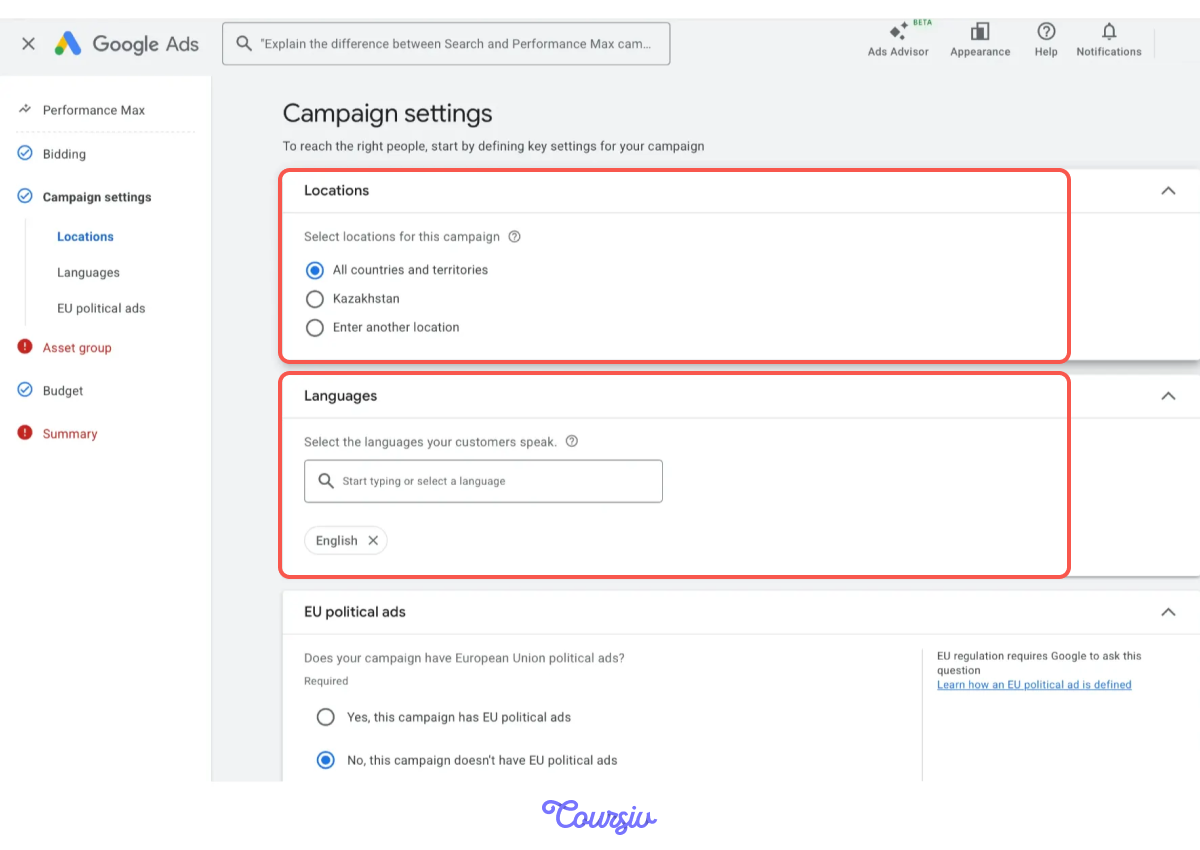
Notice you're not selecting an ad schedule, devices, or specific placements. Performance Max needs freedom to discover when and where TechFlow's prospects actually convert.
Step 2: Create Your First Asset Group
Asset groups are themed collections of creative. TechFlow might create "Product Features" (workflow automation benefits) and "Social Proof" (customer testimonials) as separate groups.
Each asset group needs headlines, descriptions, images, videos, and a final URL. This is where AI finds the best combinations for different audiences.
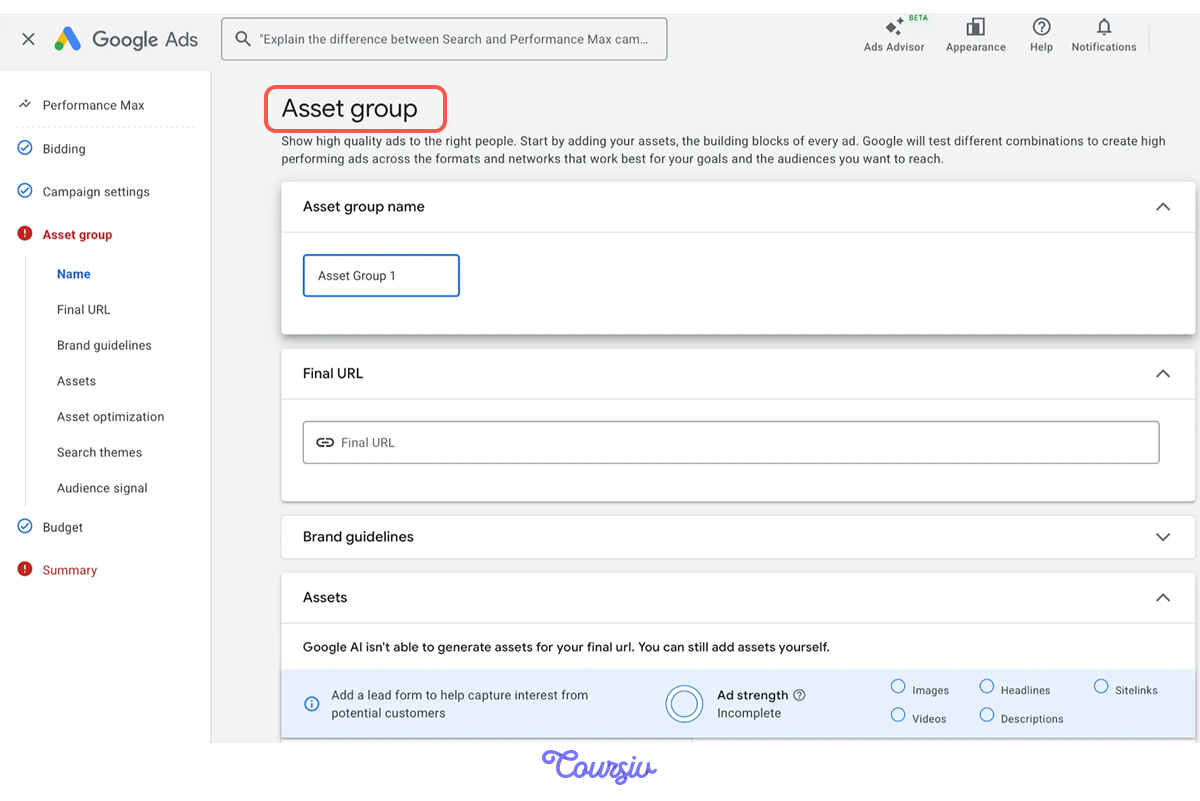
Asset groups alone give you creative options, but it's best to combine them with audience signals. This way, Performance Max can find both the right people and the right message.
Let's practice creating asset groups with audience signals together.
practice preview
Interactive practice
Fill in the blank
Ask ChatGPT to create asset groups and audience signals together.
Great Work!
You've created three asset group themes and five audience signals that guide where Performance Max starts testing.
Let's see how to actually upload them into the campaign. Back to our setup steps — Step 3 is where everything comes together.
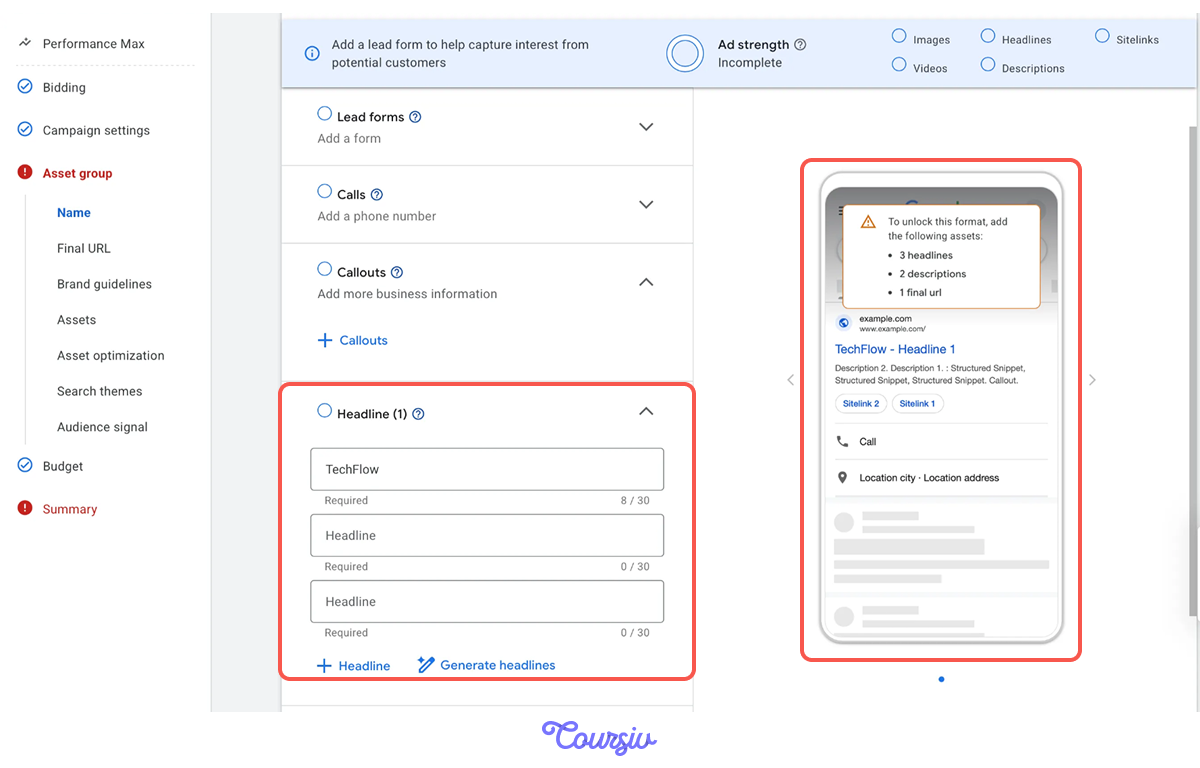
Step 3: Upload Creative Assets
Performance Max requires a minimum of 3 headlines, 2 descriptions, and 1 image to unlock full delivery. But TechFlow should provide 5+ headlines and 3+ images so AI has combinations to test.
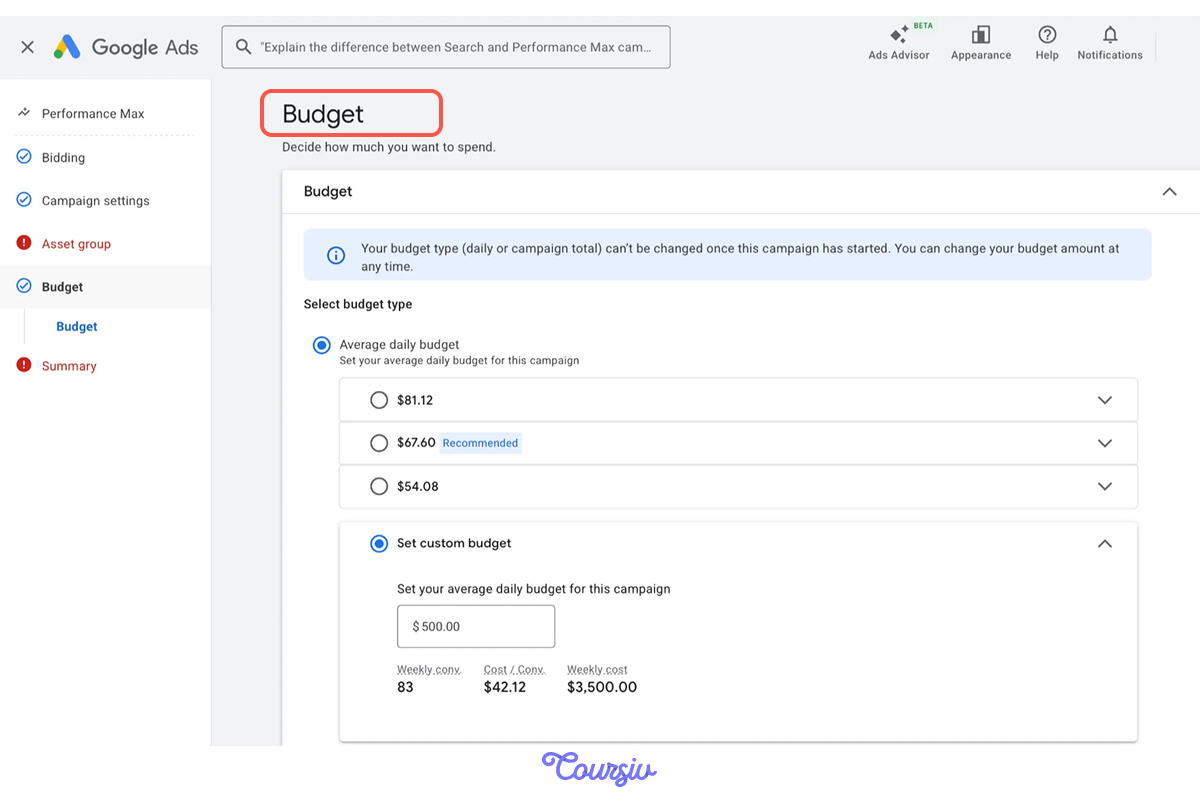
Step 4: Set Budget and Bidding
Now for the final step: setting your budget and letting Performance Max know how to spend it. Choose "Average daily budget" and set your metrics. Google shows weekly projections: weekly conversions, cost per conversation, and weekly cost.
These are estimates based on your conversion goals and asset quality. Actual performance will vary as the AI learns TechFlow's conversion patterns over 2-3 weeks.
How All Layers Work Together
Let's break down the complete system:
First, you manually configure targeting layers like keywords, topics, placements, and audiences, and manage each one separately to expand reach while maintaining relevance.
Second, you provide inputs, and the AI combines them automatically:
- Audience signals guide where AI starts testing.
- Asset groups provide creative variations.
- Conversion goals tell AI what success looks like.
Excellent!
You now understand Performance Max as an operating system that needs strategic direction — not a "set and forget" campaign type.

- Layered targeting expands reach without losing relevance: Keywords capture active search intent, but topics, placements, and audiences unlock the other 80% of touchpoints.
- Prioritize intent when budget and data are limited: With $5000 and no conversion data, high-intent keywords and audience signals deliver faster results than broad contextual targeting.
- Performance Max automates execution, but strategy is still yours: You provide goals, assets, and audience signals. Google's AI optimizes delivery across channels, but success depends on strong inputs.
- AI tools prevent expensive mistakes: ChatGPT provides a constraint-based strategy. You provide context; AI provides options.
What You'll Do Next at TechFlow
In the next lesson, you'll discover how search optimization works as a continuous loop, how to separate performance signals from noise, and how to prioritize actions that actually move CPA toward your target.
Let's keep unlocking TechFlow's performance!