AI in SMM · Learning from Results and Scaling
Client Acquisition Strategies
Win clients with AI insights
Turning Skills Into Paying Clients
You already understand how platforms work, how to build a strategy, and how to use AI to create content smarter. Now it's time to turn those skills into real clients.
In this lesson, you'll learn how to position yourself as an AI-powered SMM professional, where to find your first clients, and how to pitch them confidently using AI-supported workflows.

Your Competitive Advantage
Many beginners think they need to compete on price to land clients. That's a common mistake.
Your real advantage is speed, clarity, and insight powered by AI. You can analyze faster, create smarter proposals, and clearly show clients opportunities they're missing.

Why You Need a Portfolio
Many beginners think they need to compete on price. That's a mistake. Your real advantage is showing speed, clarity, and insight.
You can demonstrate to your clients that you deliver measurable results by presenting a strong portfolio.
Let's build one using AI!
Building a Portfolio
As an SMM specialist, your portfolio should demonstrate measurable business impact.
Include:
- Client projects with clear before/after performance data
- Strategic audits showing actionable insights and implementation results
- Campaign case studies linking social metrics to business outcomes (leads, sales, retention)
- Cross-platform experiments demonstrating your analytical and optimization skills
Your portfolio should prove that you understand the connection between engagement and business goals — not just your ability to create content.

practice preview
Interactive practice
Fill in the blank
Ask Claude to help you create a description for your portfolio.
And while were at it, you can even generate a visual for your portfolio right in Claude — here's how it turned out.
This keeps the flow natural without a sharp jump to the image.
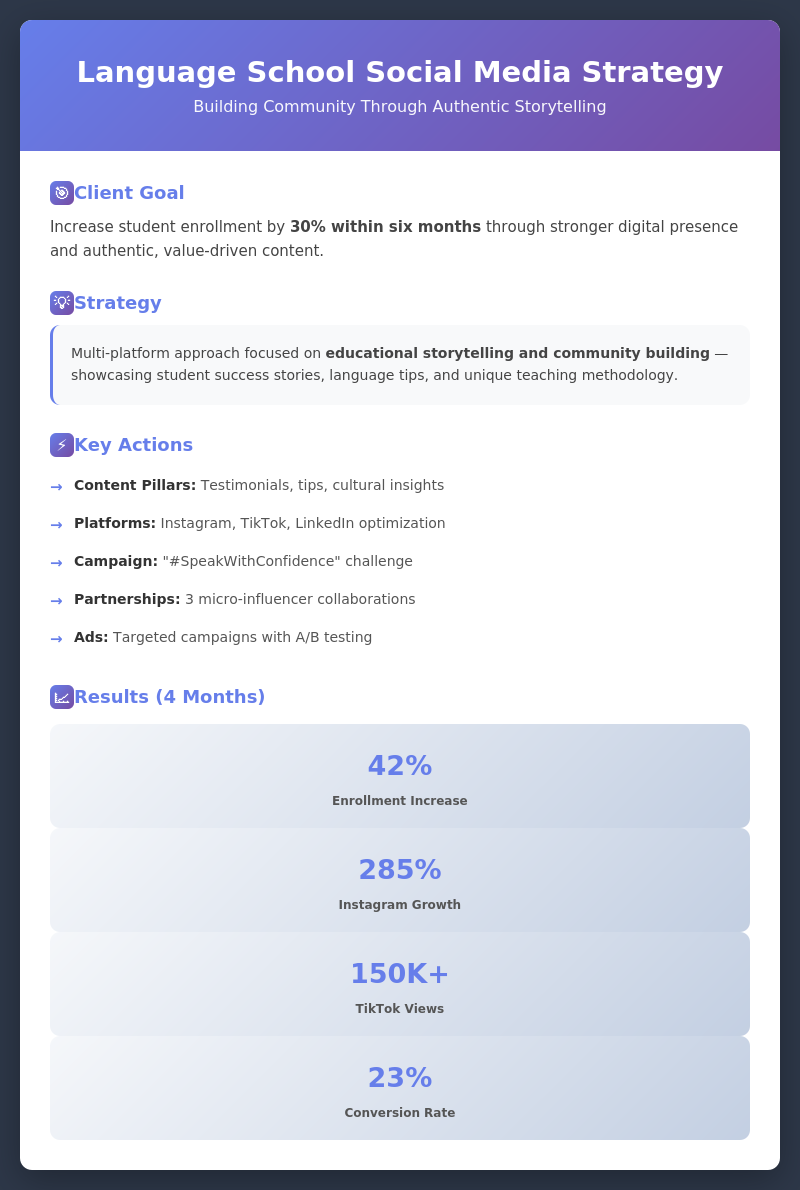
Your Advantage in Action
With AI tools, you have a competitive advantage: you can build portfolios faster, analyze data more effectively, and find clients more strategically.
A strong portfolio is your proof of thinking, strategy, and results. But even the best portfolio won't help if potential clients never see it.
So, where do you actually find those first clients? Let's start with the most accessible opportunities right in front of you.

Select all that apply
Where do you think you should focus when looking for your first social media clients?
How to Find Clients in Your Circle
Start with people who already know and trust you. Reach out to friends, former colleagues, or acquaintances who run businesses or know someone who does.
Look for local businesses with weak or inconsistent social media — cafés, gyms, salons, coaching practices, or studios. These businesses often recognize they need help but don't know where to start, making them ideal first clients.
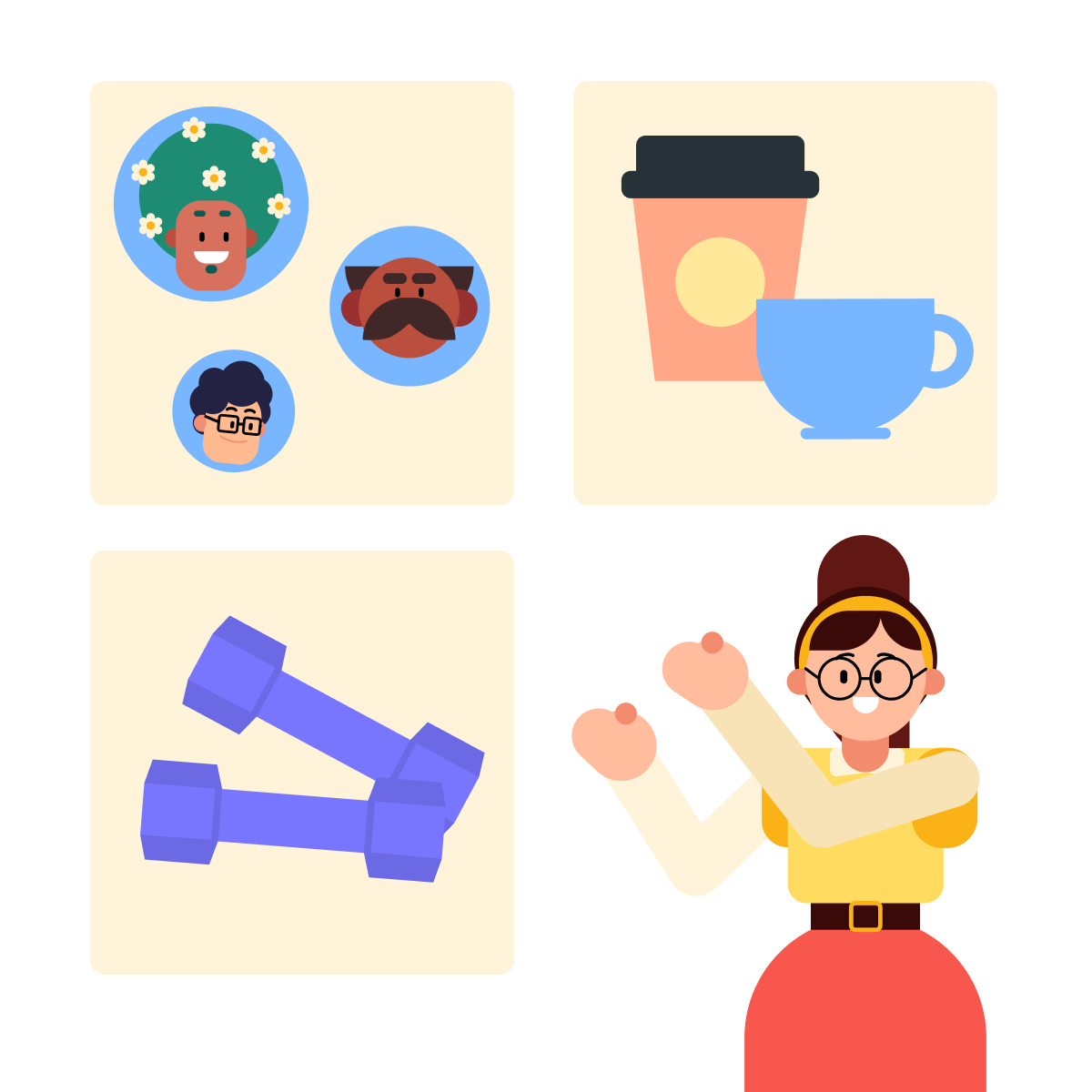
Research Before You Pitch
Before reaching out, take time to identify how to position your pitch so it's relevant to them. Let's figure it out!
practice preview
Interactive practice
Fill in the blank
Use AI to assess whether your pitch is truly specific and actionable, or just sounds good on the surface.
A strong pitch doesn't just list your services; it shows you understand their specific problem and can solve it.
Structure your pitch and add:
- Specific observation: Reference real data (follower count, engagement rates, posting patterns).
- Clear problem: Identify the gap between content quality and results.
- Concrete solution: Name one specific tactic or outcome, not vague promises like "I'll help you grow."
- Business impact: Connect the fix to their goals (for example, more customers, bookings, or sales).
Before sending, use AI to test whether your pitch is truly actionable or just sounds good.
How to Write a Pitch For a Client
Now, you know how to define good pitches, but how to write one?
Try creating a pitch for a friend's business — a local bookstore.

practice preview
Interactive practice
Fill in the blank
Use Claude to create a personalized, non-salesy outreach pitch.
Now that you know how to evaluate and generate your pitch, let's take it a step further. A good pitch gets attention, but a strong proposal wins the client.
A proposal is more thorough. It doesn't just point out the problem but lays out the plan, shows you understand their business, and makes the path to results clear. Let's break down what makes a proposal actually work.
A strong proposal shows three things:
- You understand their problem.
- You have a clear plan.
- You can explain expected outcomes.
AI helps you draft the structure, and you add clarity and confidence.

practice preview
Interactive practice
Fill in the blank
Ask ChatGPT to generate an example of a clear, client-friendly proposal.
Choose one
Why do you think this approach converts better?
Using AI to Define Your Service Packages
Good job! Now, let's design tiered packages that clients actually understand and want to buy.

practice preview
Interactive practice
Fill in the blank
Use ChatGPT to structure professional service offerings based on client needs and budget levels.
Finding Clients Further
After you've built your service packages, it's time to find clients beyond your acquaintances and take it further. Use platforms like LinkedIn to identify businesses that need your help and can afford to pay for it. Let's explore how to use it strategically.
practice preview
Interactive practice
True / False
You're looking for potential social media clients on LinkedIn. Which search approach will help you find qualified prospects faster?
Crafting Personalized Outreach
After you've searched for the right client, you can use the same technique as you did to generate messages and set different tones and themes.
AI tools like Claude are excellent at writing personalized outreach messages — but outreach needs to become ongoing engagement, which requires staying visible and building relationships over time.
This is where Extrovert comes in.

Meet Extrovert
Extrovert is an AI-powered LinkedIn engagement tool that acts as your full-time ghostwriter for comments.
It helps you stay consistently engaged with top leads by commenting thoughtfully on their latest LinkedIn posts without spending hours writing daily responses. It's like a bridge between "I sent the outreach message" and "I'm building a real relationship with this prospect."
Let's see how you can track and manage all your interactions in one place with Extrovert.
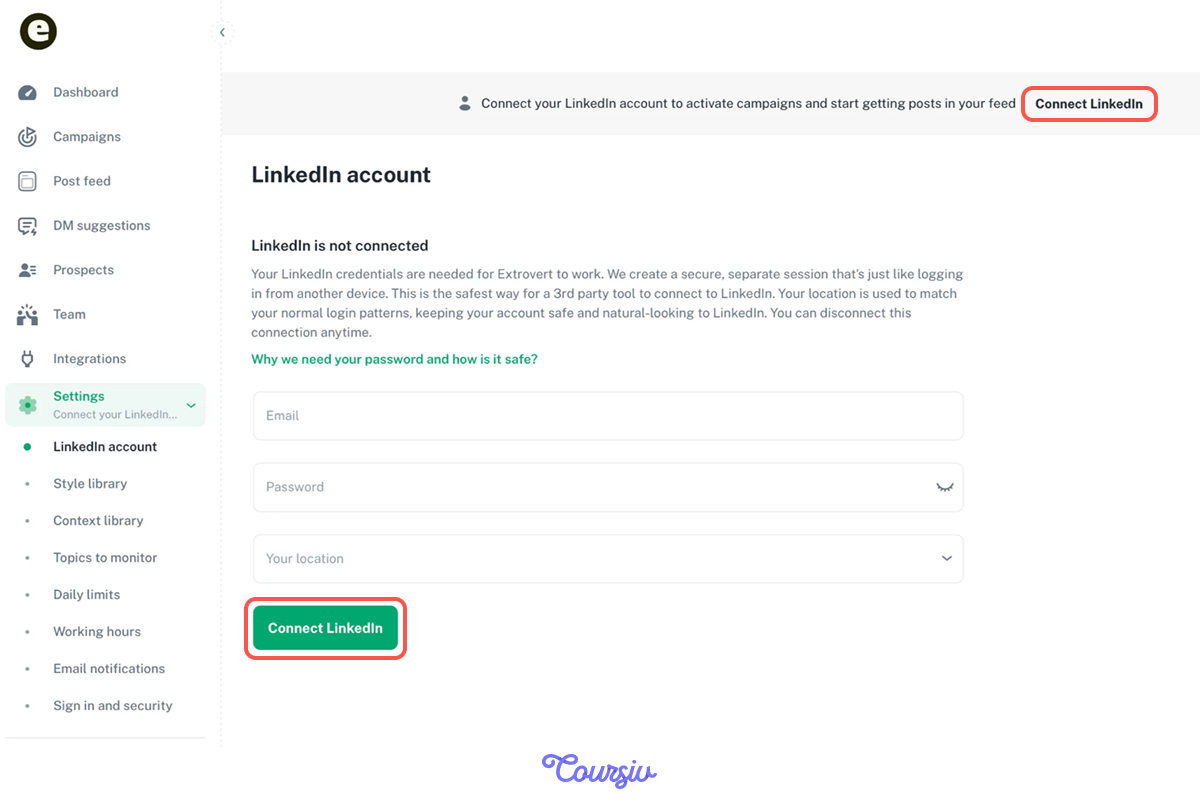
Step 1: Connect Your LinkedIn Account
- Sign up for Extrovert and connect your LinkedIn account securely.
- Grant permission for Extrovert to access your feed and enable comment suggestions.
- Once connected, your dashboard will start populating with posts from your target prospects and leads.
Your LinkedIn engagement is now centralized and ready to track.
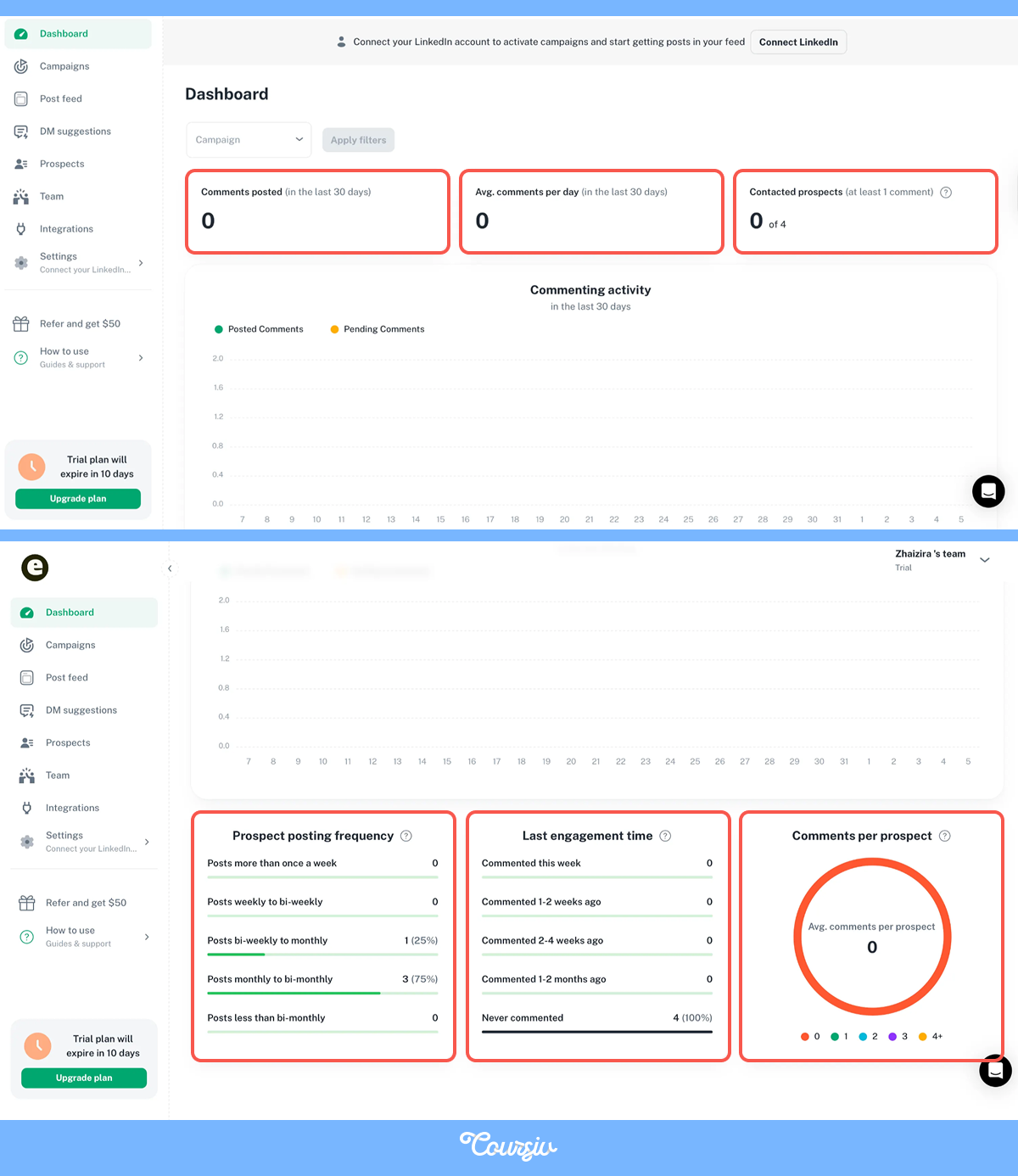
Step 2: Use the Dashboard to Track Engagement
- View Contacted Prospects: See a list of everyone you've engaged with, including comment history and post summaries.
- Monitor Comment Performance: Track which comments get replies or spark conversations, helping you refine your engagement strategy.
- Set Engagement Goals: Schedule daily or weekly engagement targets to stay consistent without overwhelming yourself.
- Filter by Priority: Focus on high-value prospects first so your time goes to the leads that matter most.
What Extrovert Does
- Keeps you visible: Consistently engages with prospects' posts so you stay top of mind without manual effort.
- Generates thoughtful comments: AI crafts contextual responses that add value, not just generic "Great post!" replies.
- Saves time: Summarizes long posts instantly so you can engage meaningfully in seconds, not minutes.
- Builds relationships over time: Regular, meaningful engagement turns cold outreach into warm connections.
You get your personalized outreach from Claude, then use Extrovert to stay engaged and build trust over time, turning one-off messages into long-term relationships.
How to Use the Extrovert Dashboard
Extrovert's dashboard gives you two ways to engage: use pre-built buttons for instant actions or add your own custom instructions for personalized responses.
Pre-built buttons include:
- Elaborate — Make the AI comment more detailed
- Make short— Condense the comment while keeping the meaning
- Ask a question — Turn it into a conversation starter
- Make a joke — Make it sound warmer and more relatable
And many more for you to respond to easily!
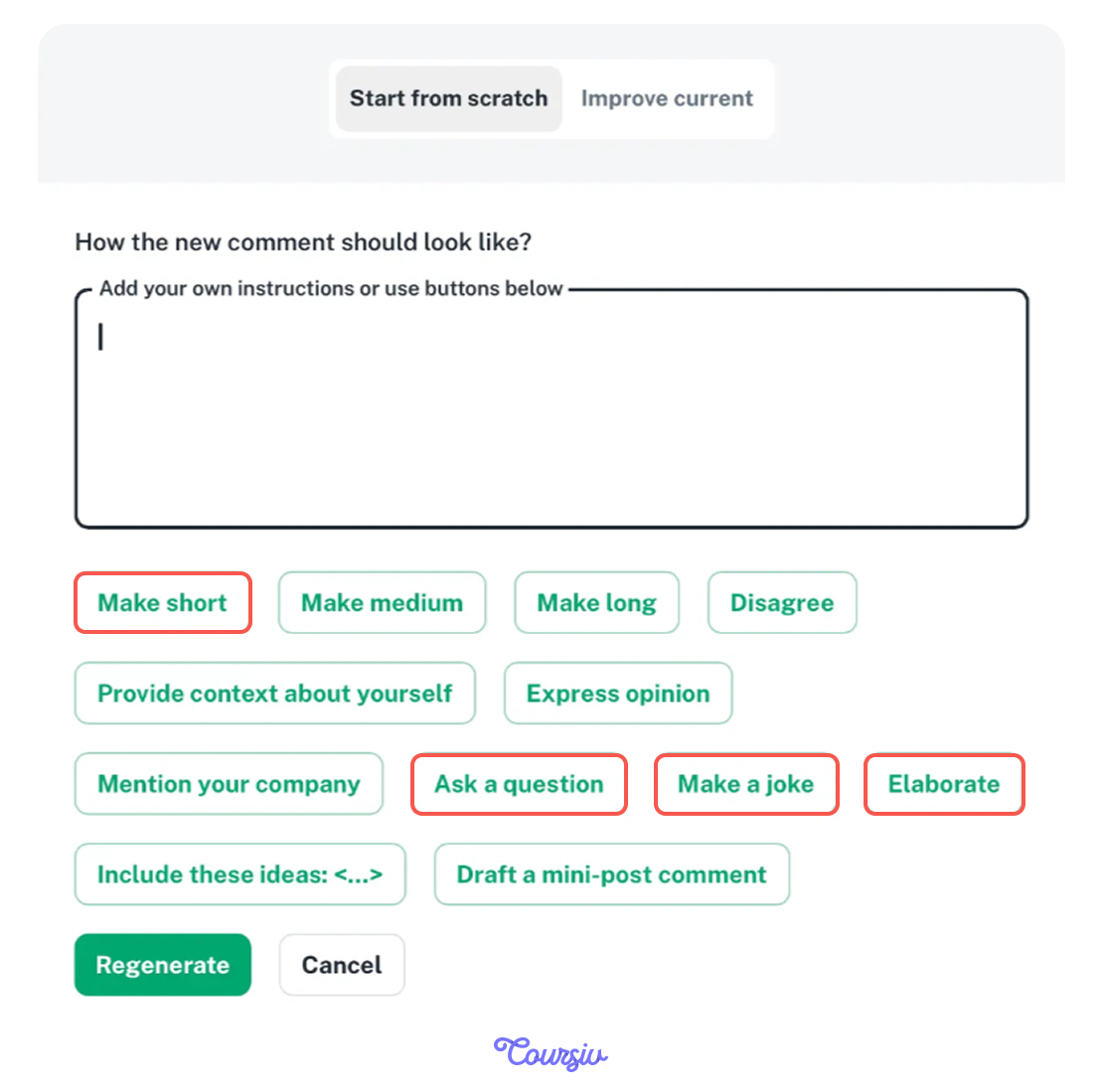
When you type your own request in the command box, like "make this more professional" or use pre-built buttons, Extrovert adapts instantly to match your voice and engagement goals. Let's test it!
practice preview
Interactive practice
Fill in the blank
Ask Extrovert to regenerate and personalize a comment to make it sound more authentic and engaging.
Your AI-Powered Client Acquisition System
Good job! Let’s look at how the pieces fit together:
- Build your portfolio with case studies showing measurable business impact.
- Evaluate and write your pitch with Claude to ensure it's specific and actionable, not vague.
- Write tailored proposals with ChatGPT that address their specific problems and goals.
- Keep clients engaged and conversations going with Extrovert for authentic comment responses.

The first few pitches will feel awkward. That's normal. The more you practice proposing and pitching, the faster you'll refine what works.
Remember: track your outreach, messages sent, response rate, conversion to calls, and to clients. Improve one step at a time!
- Outreach is just the first step — ongoing engagement builds real relationships and keeps you top of mind.
- Use AI tools like Claude, ChatGPT, and Extrovert to craft personalized messages and stay consistently visible on LinkedIn.
- Authentic, thoughtful comments turn cold outreach into warm connections over time — without spending hours writing daily.
Next, we'll go deeper into client management and scaling, and how to handle multiple clients smoothly, automate reporting, and grow without burnout.
You've learned how to land clients. Now let's make sure you keep them — and scale sustainably. Almost there, keep it up!