Stable Diffusion · Stable Diffusions Techniques
Color Scheme & Lighting
Set the tone and mood of your images
Color Scheme & Lighting
Colors and lighting are essential to setting the tone and mood of any image. By using specific keywords, you can guide the AI to produce vivid, well-lit visuals that perfectly match your vision.
Get ready to learn how to control these elements effectively!

Color in Your Image
You can control the overall color of your image by adding color keywords. These keywords can influence the tone or even specific objects in the scene.

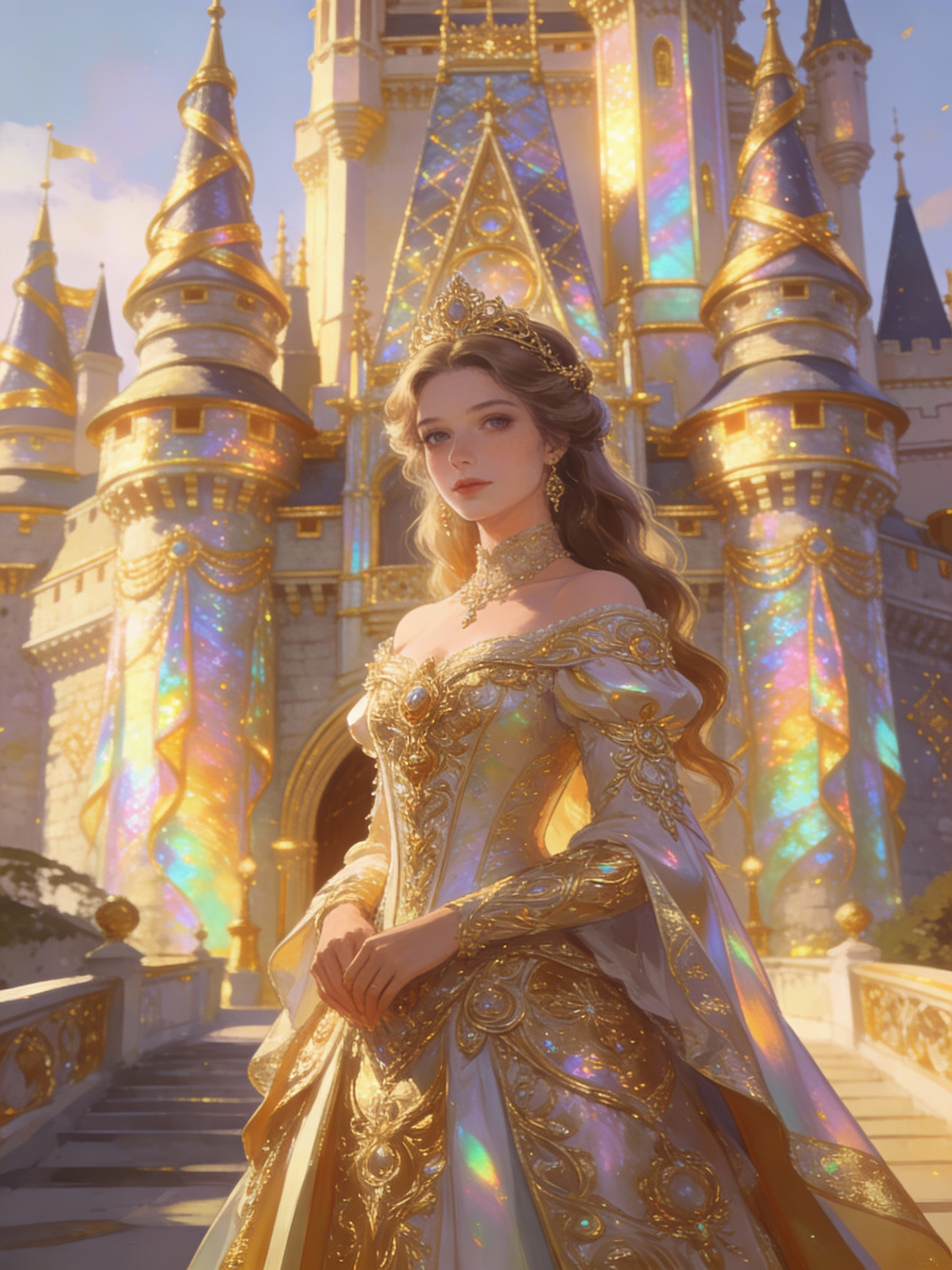
For example, adding "iridescent gold" creates a shimmering golden hue in various parts of the image.
Example: "A beautiful princess in detailed clothing, castle background with iridescent gold accents."
practice preview
Interactive practice
Fill in the blank
Complete the prompt by adding a color keyword to enhance the overall tone.
Common Color Keywords
Here are some commonly used color keywords that can dramatically alter the look of your image:
- Iridescent gold: Adds a glowing, metallic sheen.
- Silver: Soft metallic tone, often used for sci-fi or sleek designs.
- Vivid colors: Enhances the brightness and intensity of the entire image.
- Monochrome: Restricts the palette to a single color or shade for a more stylized result.
Using the right color keyword can help bring out specific elements in your image or create a certain mood.
practice preview
Interactive practice
Fill in the blank
Choose the best color scheme for the given prompt.
The Power of Lighting
Just as in photography, lighting can dramatically affect the outcome of your AI-generated image. By using lighting keywords, you can control the atmosphere and depth.

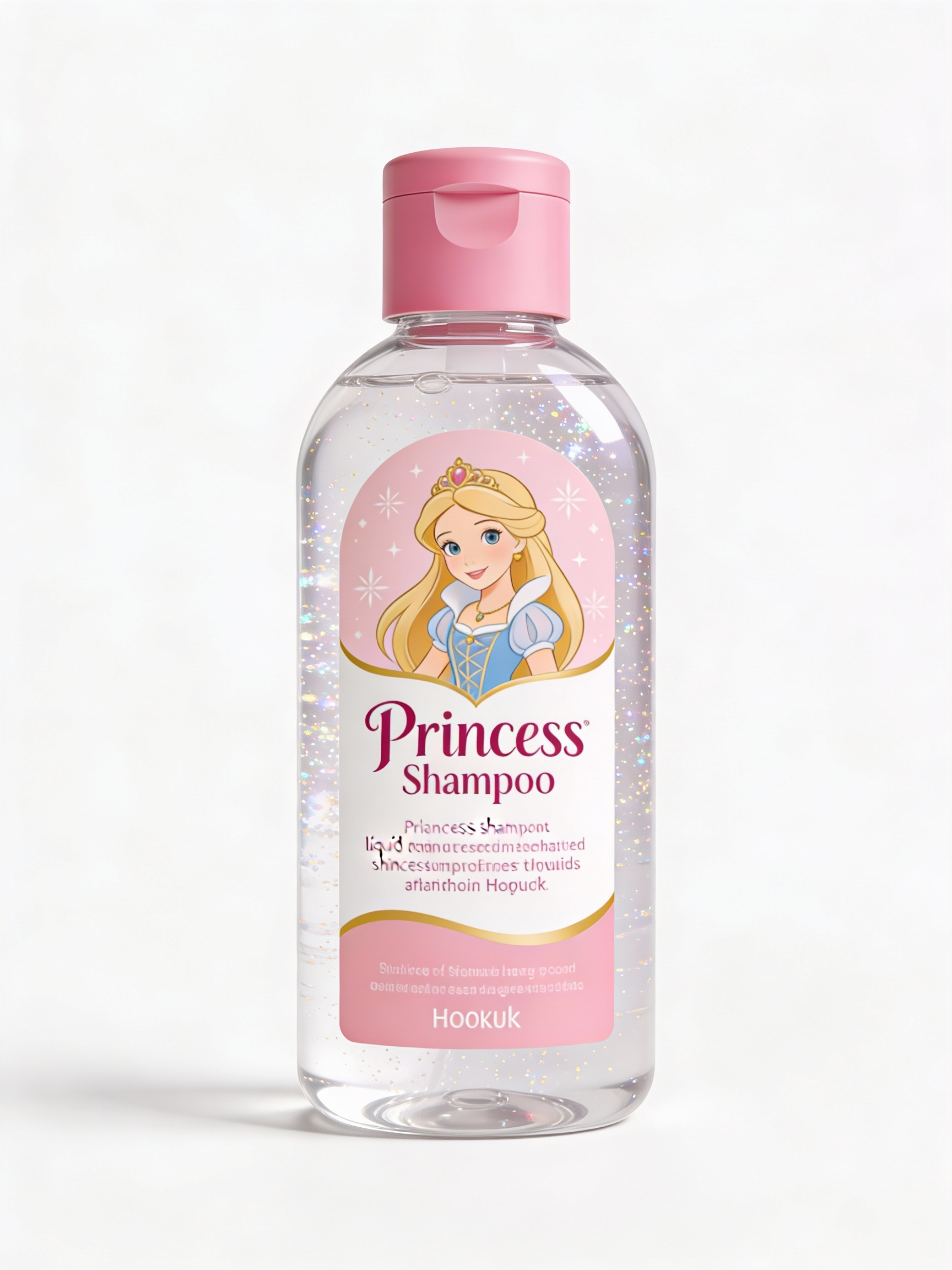
For example, adding studio lighting gives the image a professional, photo-like feel, while god rays create a more magical, ethereal look.
Example: "A princess shampoo mockup with studio lighting."
practice preview
Interactive practice
Fill in the blank
Complete the prompt with a lighting keyword to control the image's atmosphere.
Popular Lighting Keywords
Here are some commonly used lighting-related keywords and their effects:
- Studio lighting: Creates sharp, well-defined light, like a professional photo.
- God rays: Beams of sunlight breaking through clouds, often used to create a magical or ethereal atmosphere.
- Cinematic lighting: Creates strong contrast and depth, as seen in movie scenes.
The right lighting can transform an image from simple to stunning, adding drama, softness, or a mystical touch.
practice preview
Interactive practice
Fill in the blank
Choose the appropriate lighting for the prompt.
Combining Color and Lighting
Combining color and lighting can create incredibly dynamic visuals.
For example, using iridescent gold with studio lighting can produce a vibrant, metallic look, while cool tones with god rays can evoke calmness and mystery.
practice preview
Interactive practice
Fill in the blank
Combine a color and lighting keyword to create the perfect atmosphere.
Choose one
What effect does adding "studio lighting" to your prompt have on the final image?
Let's recap the essential elements to include when crafting your prompts:
- Subject: Clearly define what you want the image to feature.
- Medium: Specify artistic mediums like watercolor, digital art, or oil painting.
- Style: Choose an artistic style such as hyperrealistic, fantasy, or pop art.
- Color: Use color-related terms like iridescent gold to add specific hues or tones.
- Lighting: Define the lighting style with keywords like studio lighting or natural light.
Now it's time to experiment with your prompts and explore how colors and lighting bring your visions to life!