Jasper AI · Jasper Essentials
From Idea to Finished Content
Jasper IQ, Agents, projects working together
From Idea to Launch Content
Let's say you've built a new consulting service that helps B2B companies accelerate deals.
You know it works (you've tested it with 3 clients). Now you need to tell the world about it. Website copy, announcement email, social posts, maybe ads later.
Let's do it all with Jasper by applying what you learned!

The Multi-Channel Challenge
Launching a new service means creating content for multiple channels.
Each needs the same core message but adapted for different audiences and formats.
Select all that apply
What makes this task particularly challenging?
The solution starts with giving Jasper the foundational context about your service — once. Then using that context across every piece of content you create.
Let's start by setting up Jasper IQ.
practice preview
Interactive practice
Fill in the blank
Fill in the details you'd save in Jasper IQ for your new consulting service.
Perfect! Now, Jasper has this context available for every piece of content you create. No more re-explaining your service every single time.
Let's start creating content.
You need website copy that explains what "90-Day Revenue Sprint" actually is. This will go on your services page.
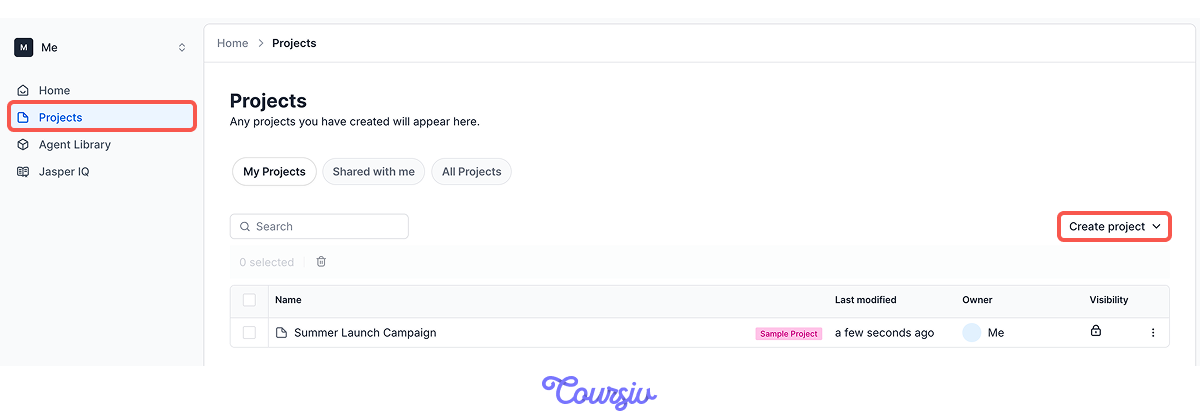
Head to Projects and create one: "90-Day Revenue Sprint Launch." Everything you generate next will live inside it, drawing on the context you set in Jasper IQ.
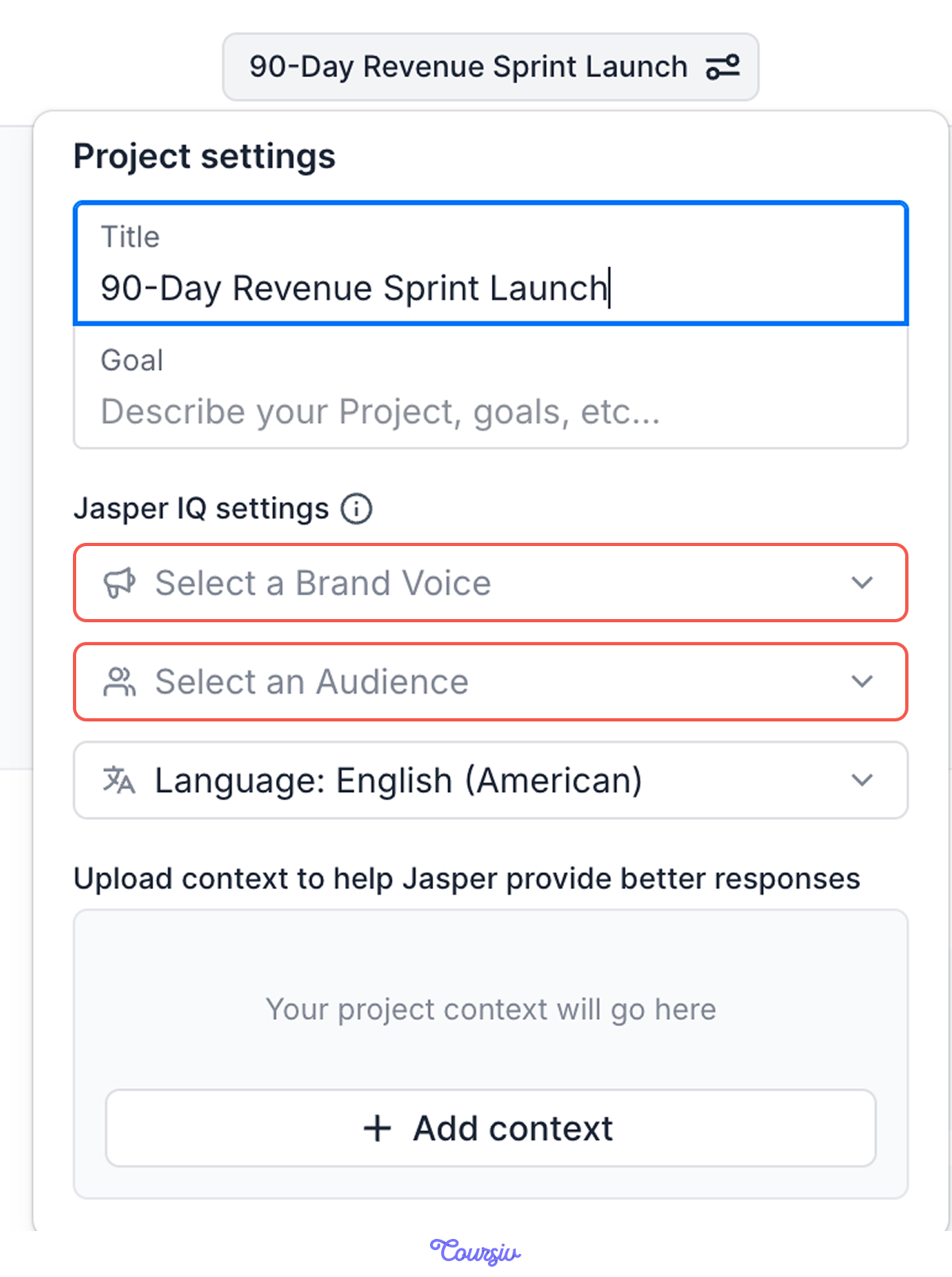
In your project's settings, you set your Brand Voice, Audience, and Knowledge Base once. From then on, every asset you create inside the project uses that context automatically — no re-selecting it each time.
So as you generate the website copy, email, and social post, they all stay grounded in the same business details and live together in one place.
Choose one
Why is creating a project useful for this launch?
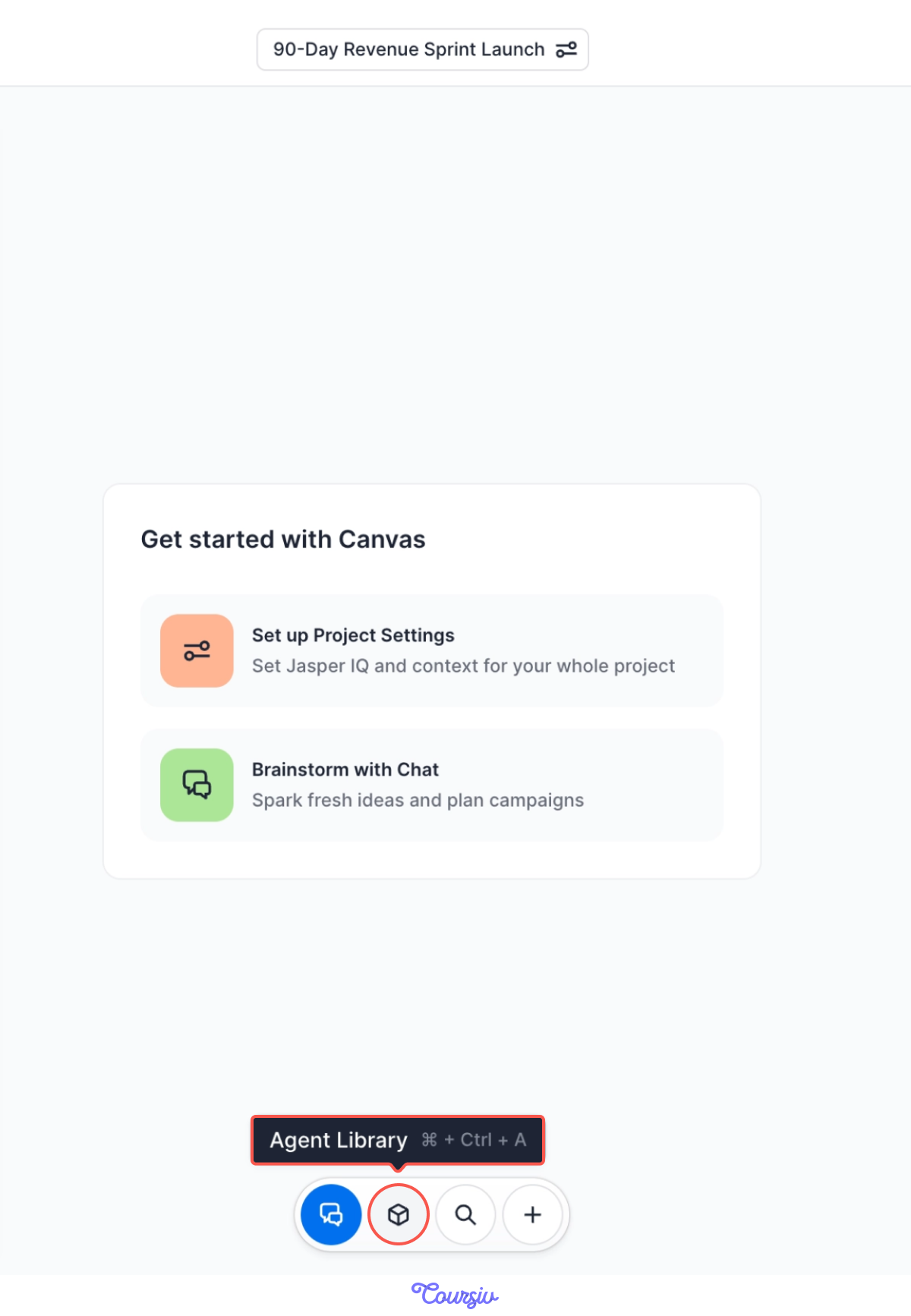
Then, you open Jasper's "Agent Library" tab and select the "Product Description" Agent.
practice preview
Interactive practice
Fill in the blank
Use the Product Description Agent to create your website copy.
See? You have a solid first draft for the services page, and it pulls directly from the context you set in Jasper IQ.
That's one launch asset done.
Choose one
You have website copy. Now you need an announcement email and social posts. What should you do next?
You realize you need multiple pieces for this launch:
- Website description ✓ (done)
- Announcement email (to your contact list)
- LinkedIn/social announcement post
- Optional: ad copy later
Three more to go — and your project's ready to hold them all.
With your project set up and Jasper IQ connected, creating additional content becomes much faster.
Let's see how it works.
Still inside your "90-Day Revenue Sprint Launch" project, you select the "Promotional Email" Agent to announce your service to existing contacts.
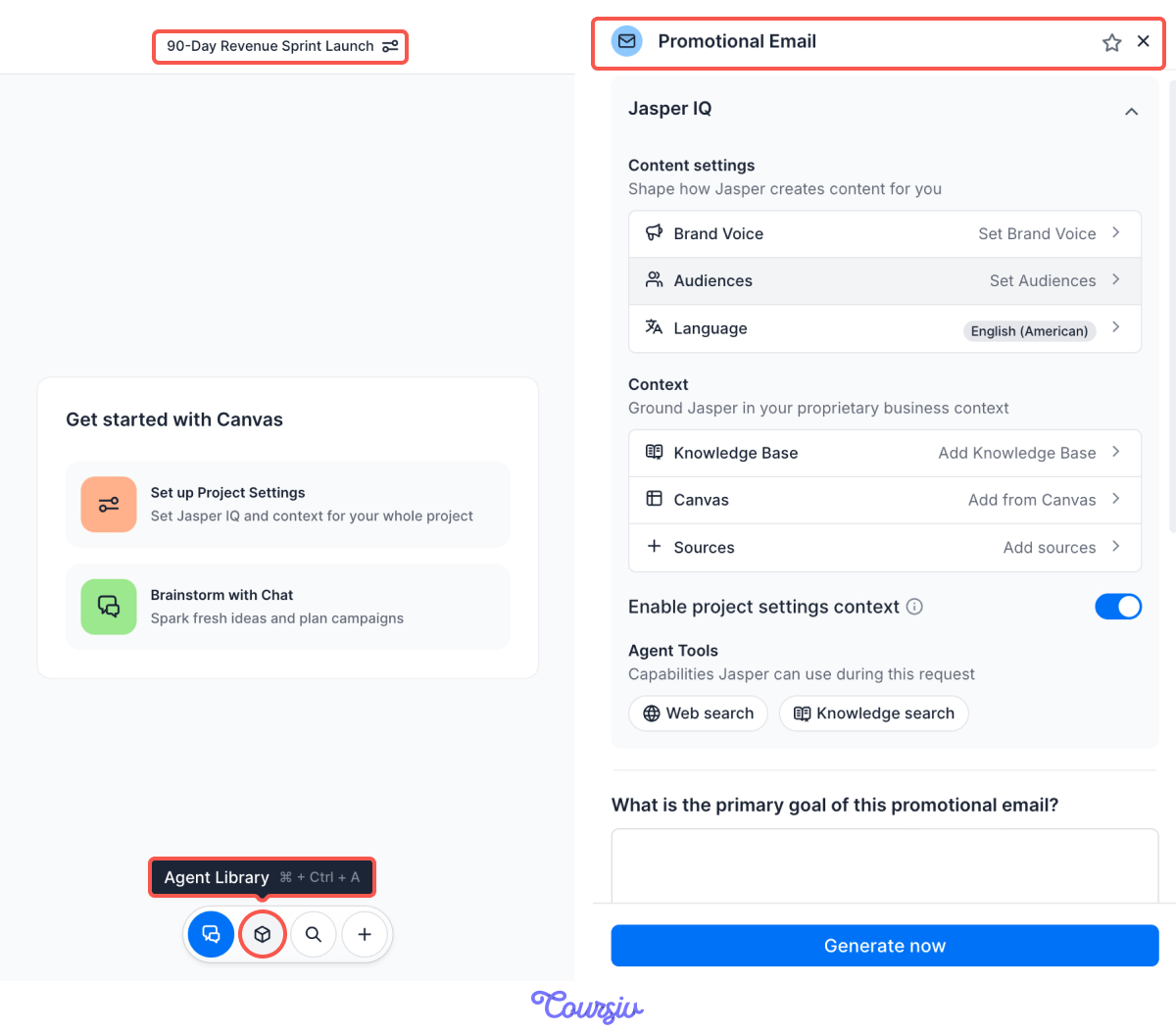
practice preview
Interactive practice
Fill in the blank
Use the Promotional Email Agent inside your project.
Choose one
Email is now done too! Time for a social media announcement. What Agent would you choose?
practice preview
Interactive practice
Fill in the blank
Complete the prompt to generate a LinkedIn post announcing your service launch.
See? Jasper created a post that maintains your message but adjusts for social media.
Same core message, different format and tone.

Choose one
Why was this process faster than creating each from scratch?
Here's what makes Jasper efficient for launches and campaigns:
- Set context once: Jasper IQ stores your service/product details.
- Use appropriate Agents: Each format has its structure handled.
- Organize in Projects: Related content stays together.
- Adapt, don't recreate: Same message, different formats.
Launch Ready!
In less than an hour, you've created:
- Professional website copy
- Announcement email
- LinkedIn launch post
And you did it without rebuilding the message from scratch each time. Now that you understand the process, you can start applying it!

That's it for Unit 1! You've learned the essentials of Jasper: what it's for, how to create content with Agents and chat, how to organize work in Projects, and how Jasper IQ keeps everything grounded in your real business context.
In the next lessons, you'll apply this workflow to specific marketing tasks: local business marketing, email campaigns, website content, and more.
Get ready to put Jasper to work for your business!