Jasper AI · Jasper Essentials
Working with Jasper IQ
Store business context for better content
Understand Jasper IQ
No matter how long you work with an AI tool on your business needs, it'll often write content as if it's meeting your business for the first time.
Jasper IQ fixes that by giving Jasper permanent knowledge about your business, so every piece of content reflects who you are. Let's dive into it!

The Generic Content Problem
Although Jasper is built for marketing copy, its outputs can sometimes feel generic, even when using Agents.
Choose one
Why do you think that happens?
Let's say you run a small coffee shop called Bean & Brew in Portland.
You use Jasper's "Promotional Email" Agent to announce a new seasonal drink.
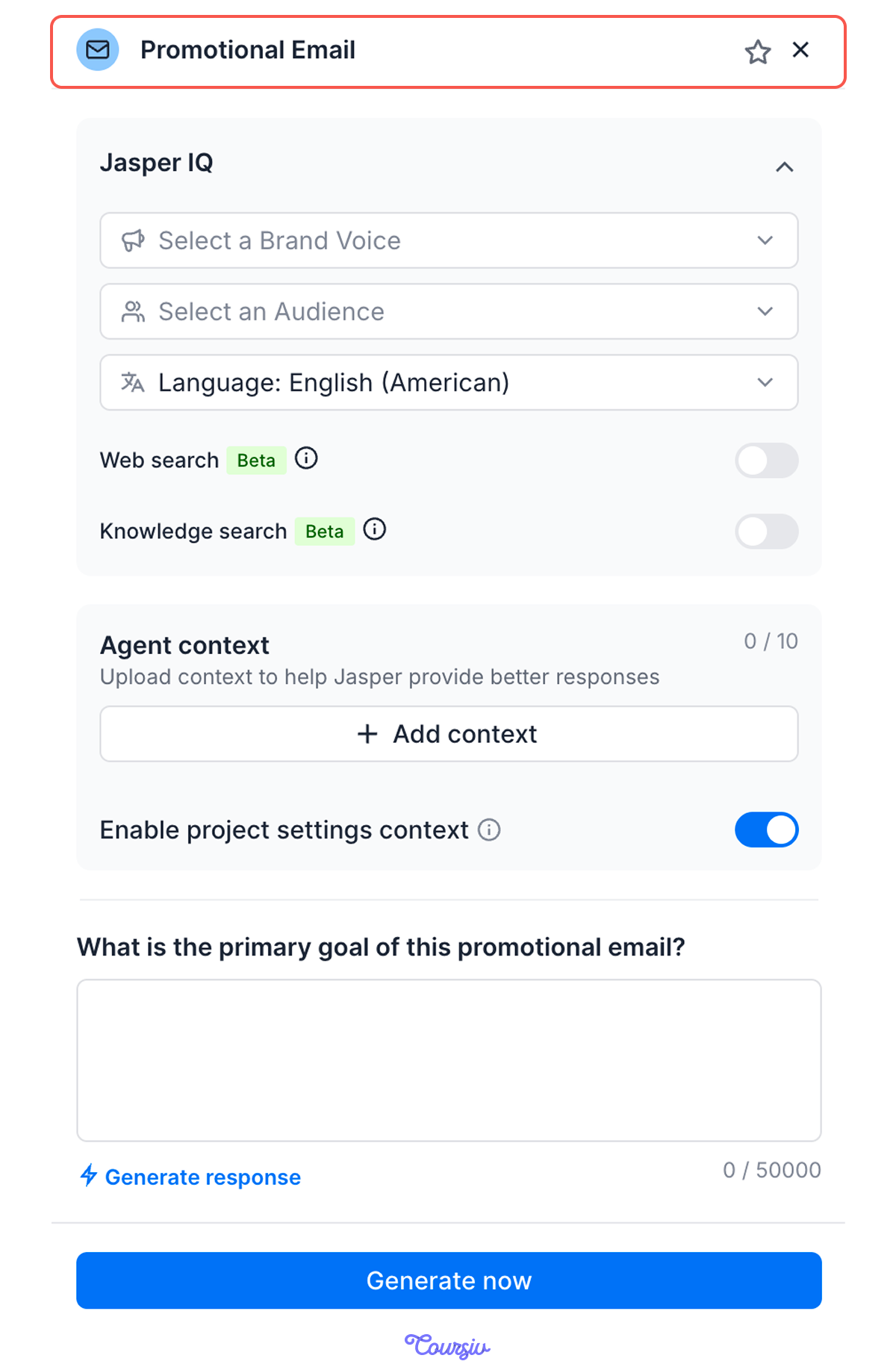
practice preview
Interactive practice
Fill in the blank
Fill in the gaps to use Jasper's email Agent to announce a new seasonal drink at your coffee shop.
The answer that Jasper provided isn't wrong per se. But something feels off.

Select all that apply
What's missing from this email?
Meet Jasper IQ
This is where Jasper IQ comes in and saves the day!
It lets you store business context in one place, so Jasper can use it while generating content.

Instead of explaining your context again in every Agent, you set it up once in Jasper IQ.
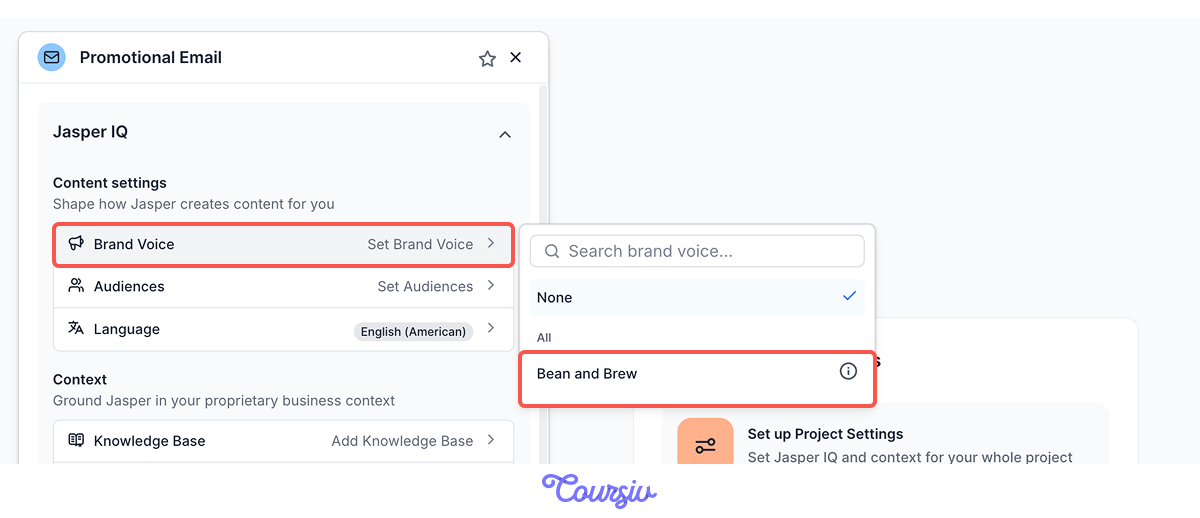
After that, any Agent can use it. You can choose your Brand Voice and Audience from a dropdown, or set them as defaults, so Jasper creates content based on that information.
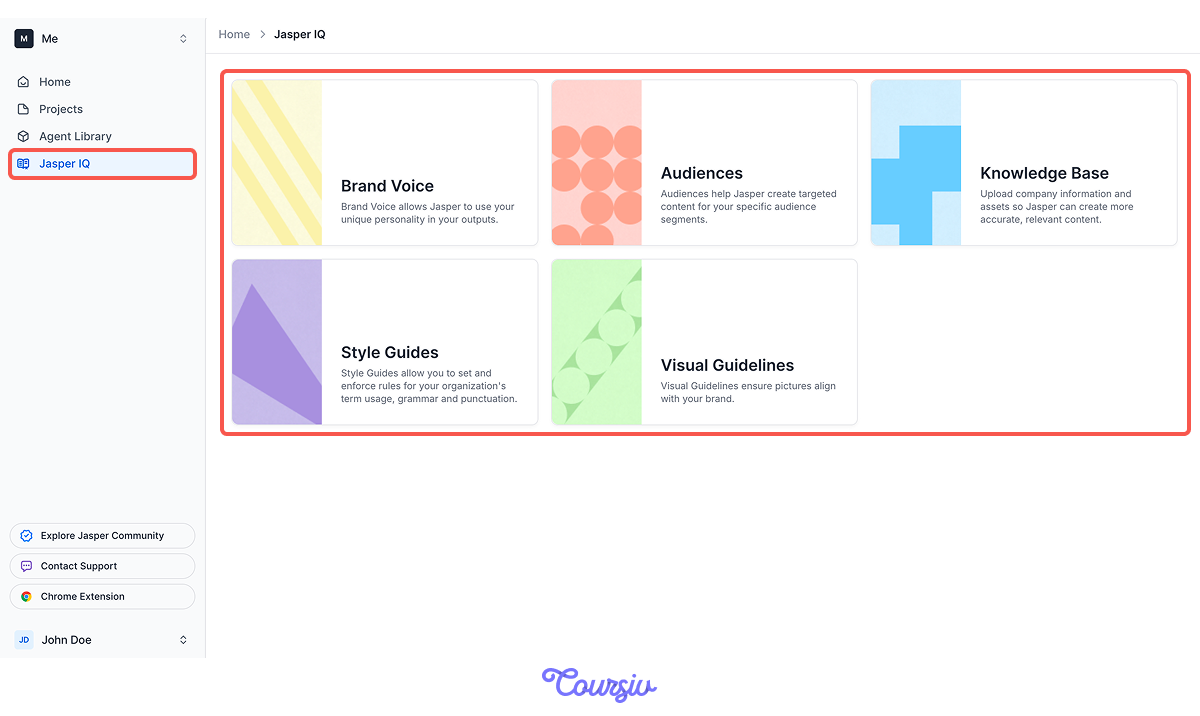
In this sense, Jasper IQ is your business knowledge base, split into a few sections:
- Brand Voice: your tone and personality, so outputs sound like you and not a generic brand
- Audiences: your customer segments, so content speaks to who you're actually addressing
- Knowledge Base: your company info — products, pricing, locations, hours — uploaded so Jasper stays accurate
- Style Guides: your rules for terminology, grammar, and punctuation
- Visual Guidelines: your rules for imagery, so any visuals stay on-brand
Set these up once, and the information becomes available across all your projects and Agents.
Setting It Up Once
Setting up Jasper IQ is a one-time job. Open Jasper IQ from the sidebar, pick a section, and add your details.
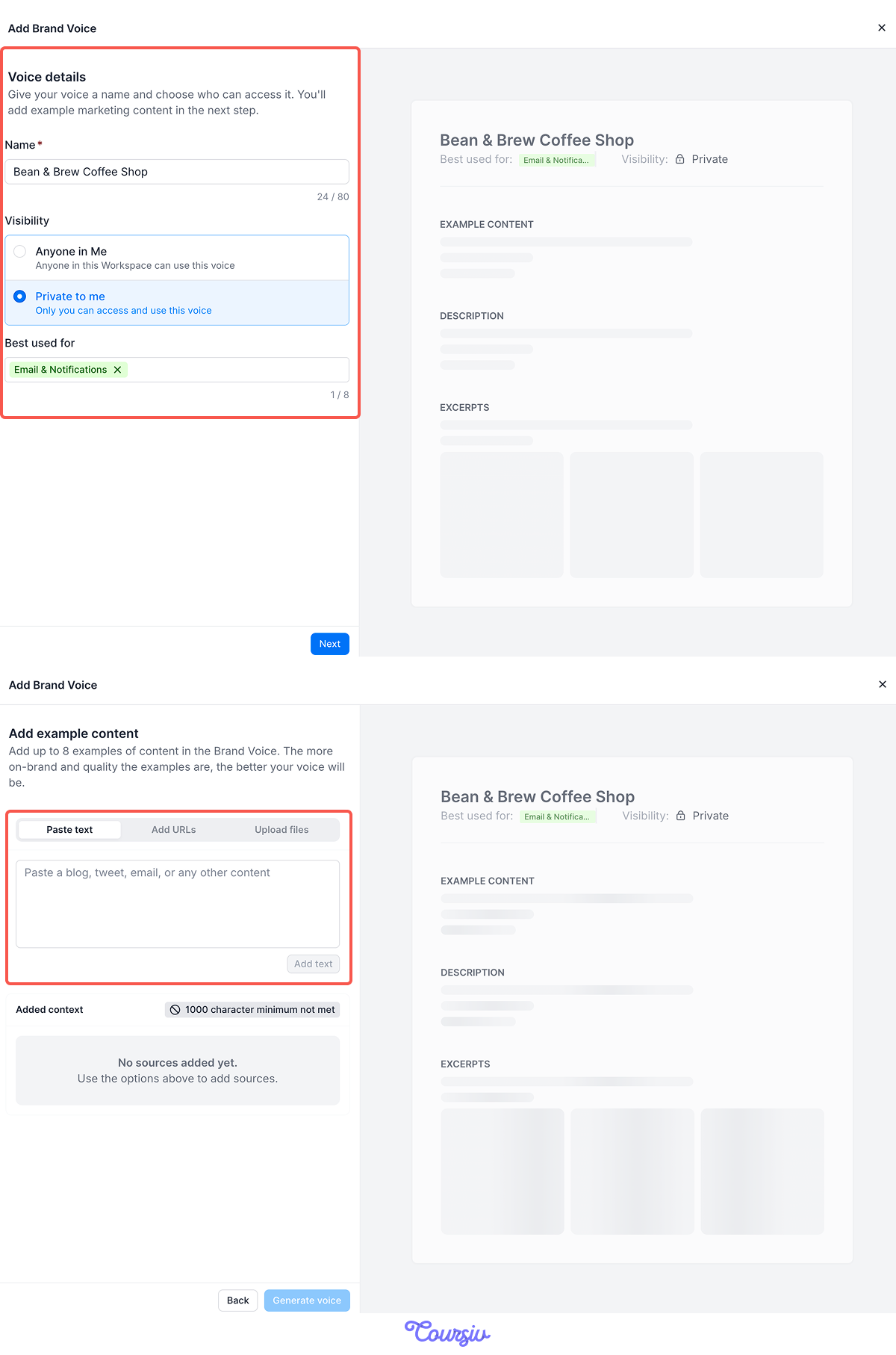
Start with Brand Voice: click Add Brand Voice, give it a name, then add a few examples of content that already sounds like you — emails, posts, or other brand materials.
You can paste the copy directly, share a link, or upload a document. Jasper reviews the samples and builds a voice from them.
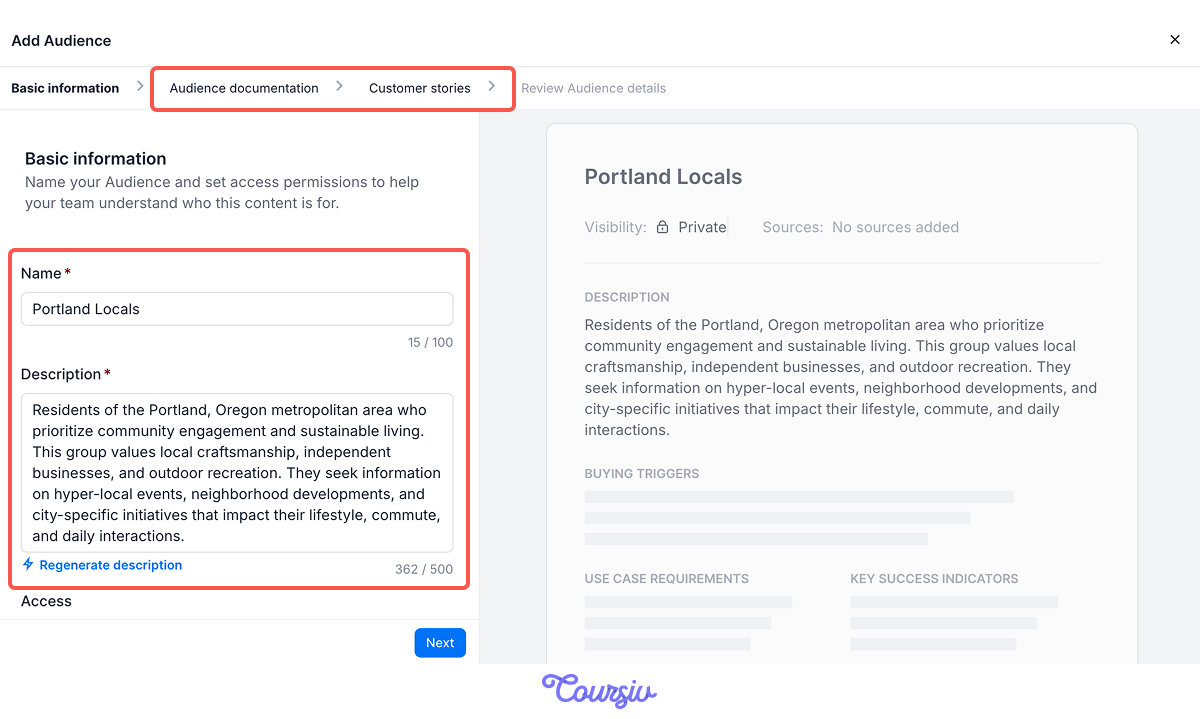
Audiences work the same way. Click Add Audience, name a segment like "Portland locals," and add a short description or let Jasper generate one for you. Jasper expands it into a full profile of the group.
You can also provide audience documentation, such as demographics or statistics, and customer stories.
Once your Brand Voice and Audiences are saved, you select them from a dropdown inside any Agent.
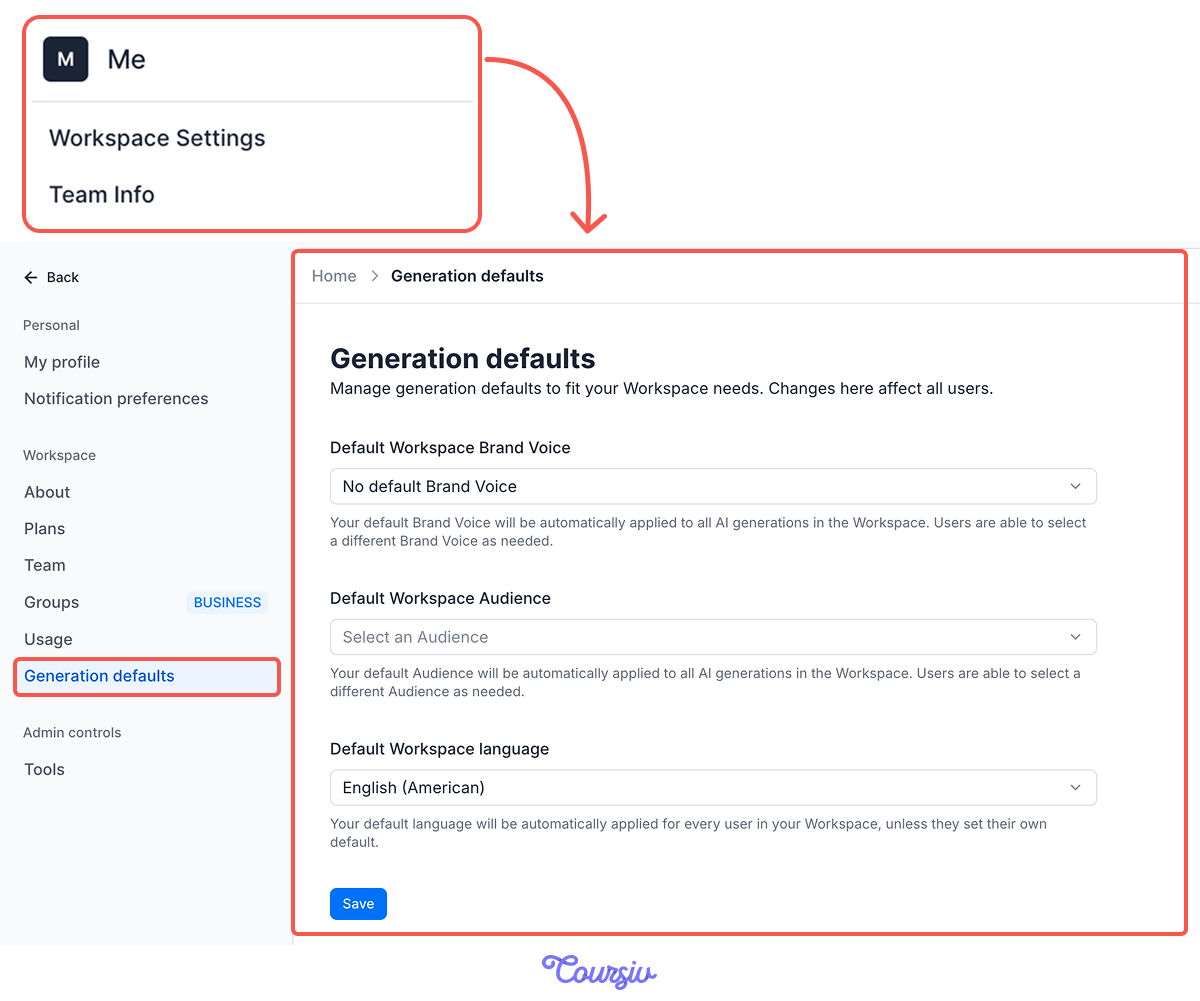
Or you can set them as defaults in Workspace settings, so they apply to everything automatically.
Nice. Now that your context is set, you can pull it into any Agent with a click.
Let's run the same promotional email again, this time with your Brand Voice and Audience applied.

practice preview
Interactive practice
Fill in the blank
Run the same Promotional Email Agent, now that Jasper IQ is set up for Bean & Brew.
See? Completely different result!
Here's what the first version sounded like again:
"A brand-new seasonal drink just landed on our menu… order one and get a second one completely free."
Select all that apply
What changed between the first version and this one?
Excellent work! You can now see how Jasper IQ transforms generic output into content specific to your business.
Now, let's practice this understanding.
practice preview
Interactive practice
True / False
Which output likely used Jasper IQ?
practice preview
Interactive practice
True / False
Which output likely used Jasper IQ?
Choose one
Last question: What's the main way Jasper IQ reduces "AI-sounding" generic content?
Overall, Jasper IQ is most useful when:
- You create content regularly for the same business
- You have specific products, services, or offers you reference often
- You want a consistent brand voice across all content
- You're tired of explaining the same business details repeatedly
Well Done!
You've learned what Jasper IQ is, how it grounds your content in real business information, and when to use it.
Next, you'll see how all these pieces — Agents, projects, and Jasper IQ — come together in a complete workflow from idea to finished marketing content.
Ready to put it all together? Let's continue!