Jasper AI · Jasper Essentials
Jasper's Core Features
Structure your work with templates and projects
Content Creation Flow
In Lesson 1, you learned that Jasper is built for fast and structured marketing content. Now, let's make Jasper feel simple.
When most people open Jasper, they see a lot at once: Agents, chat, documents, projects. It can be overwhelming to the point where you think: "Where do I even start?"
So, this lesson will show you the logic behind Jasper's workflow, so you can work efficiently instead of guessing.

Understanding Ways to Create Content
Jasper gives you two paths for creating marketing content:
- Chat — a flexible space for exploring, brainstorming, and refining
- Agents ("Agent Library" tab) — structured formats for specific tasks
Most beginners default to chat because it feels familiar. But Agents can save you time when you already know what you're making (email, ad, product description, and so on).
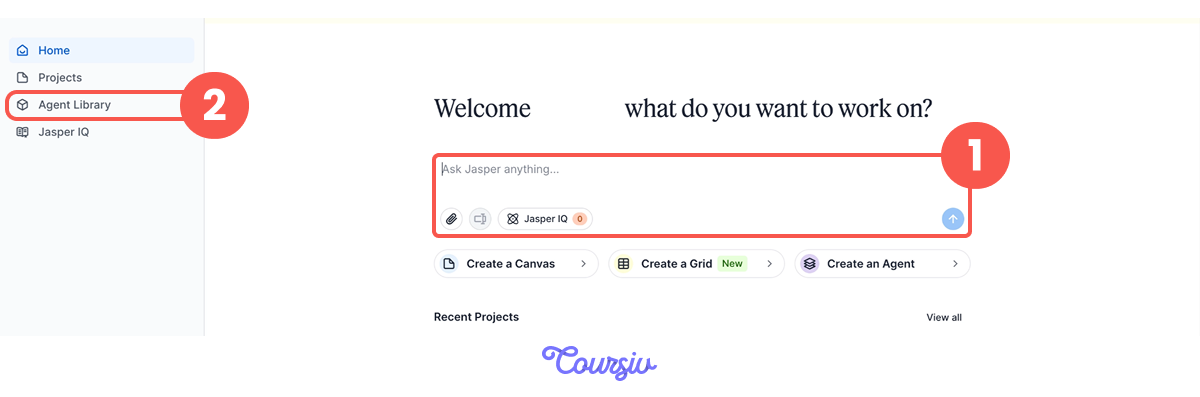
Agents ("Agent Library" Tab)
Agents are pre-built formats for common marketing tasks. They reduce "blank page thinking" by asking for the inputs that matter.
You can think of them as specialized tools in a toolbox — each one designed for a specific job.
So, when you open the "Agent Library" tab, you'll see a list of Agents with their names and short lines on what each does.
To find the right one, type a task into the search bar or use the Filter button to narrow the list. There are more than 100 Agents.
Let's look at how they work in practice.
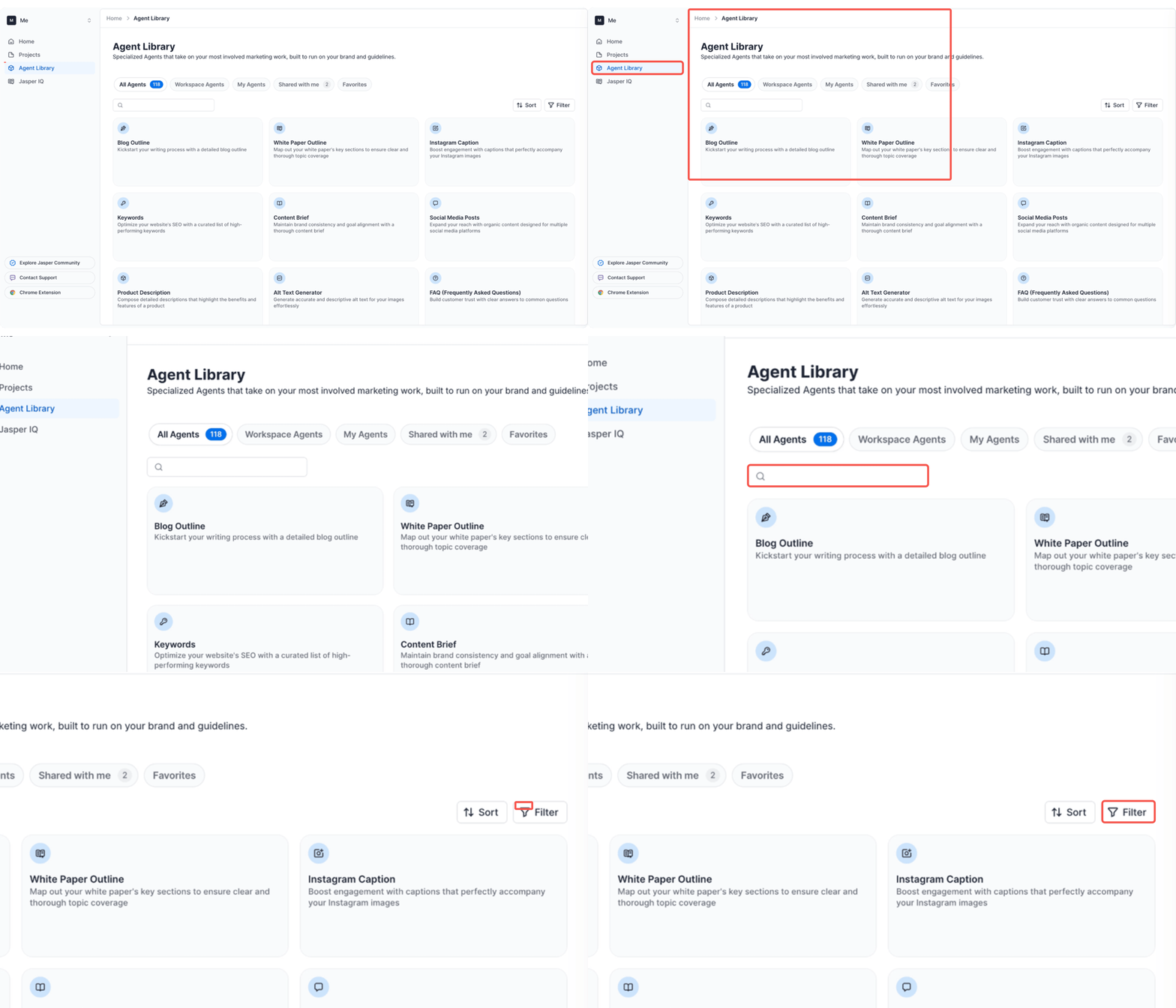
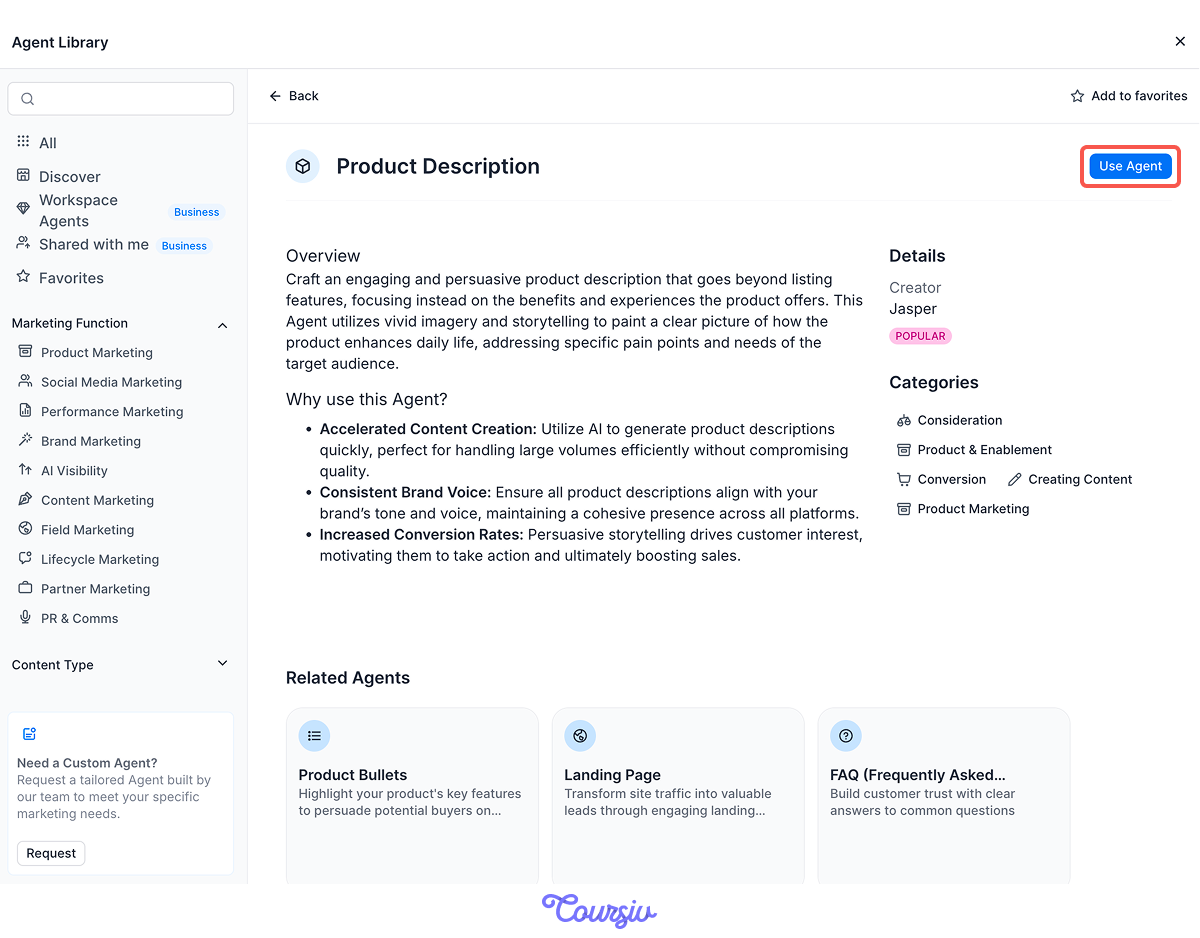
Scenario: You're adding a new item to your online store — handmade candles — and you need a selling product description. So, you:
- Open "Product Description" Agent and click use Agent
- Fill in the necessary information.
- Generate!
Jasper will produce a complete product description ready for your store.
practice preview
Interactive practice
Fill in the blank
Fill in the Agent fields to see what Jasper can do.
Choose one
Looking at the provided answer, what do you think was the main advantage of using the "Product Description" Agent for this task?
Refining in Canvas
That candle description opened in Canvas, Jasper's editing workspace, where every Agent draft goes once it's generated.
Select any line and the toolbar lets you adjust the text. So if one sentence isn't quite right, you fix that part instead of regenerating the whole thing.
Agents Worth Starting With
You don't need to learn all of them. Start with a small set that matches what you create most often.
Good starting points for small businesses and marketers:
Email:
- Promotional Email (sales, offers, announcements)
- Email Campaign (multi-email sequences)
Social media:
- Social Media Posts (organic posts for multiple platforms)
- Instagram Caption (captions for your images)
Website & SEO:
- Product Description (benefit-led product copy)
- Blog Outline (structured article planning)
- Keywords (SEO keyword lists)
Polishing what you have:
- Content Improver (sharpen existing copy)
- Content Rewriter (adapt one asset for another channel)
Rule of thumb: start with 2-3 Agents that match your most common tasks, then explore others as needs arise.
practice preview
Interactive practice
True / False
Which approach fits this task better?
practice preview
Interactive practice
True / False
Which approach fits this task better?
When Chat Makes More Sense
Use Chat when you need flexibility, not structure, especially when:
- You're exploring ideas and don't know the final format yet
- You need to refine content through conversation
- You want to brainstorm multiple approaches before deciding
- The task doesn't fit neatly into an Agent's structure
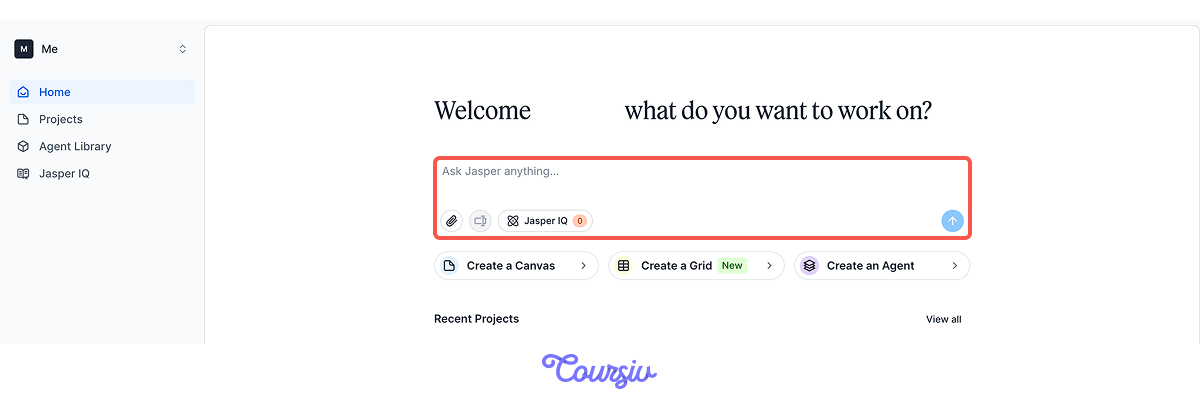
Organizing Work with Projects
The "Projects" tab — where you organize content by campaign, client, or business area.
Without it, your documents can turn into one long, messy list.
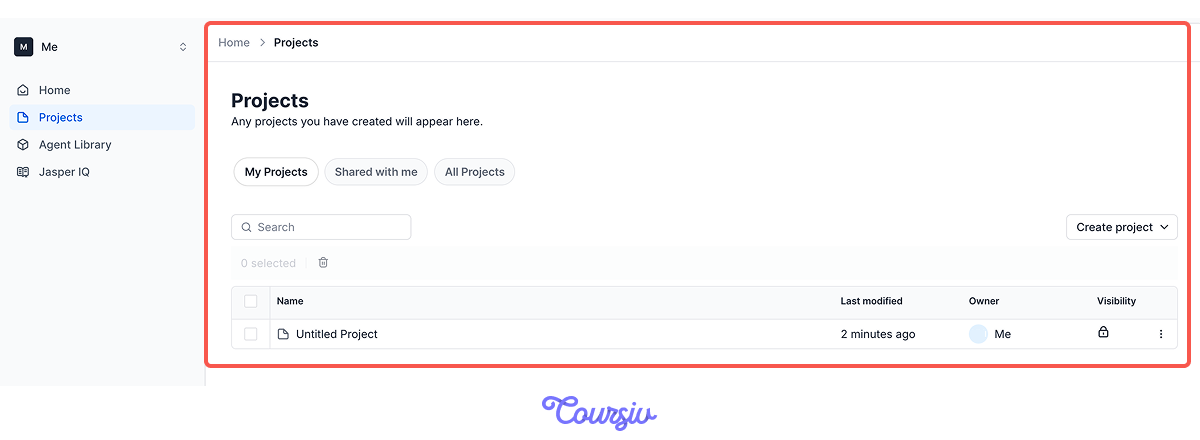
For example, imagine you're planning a summer sale. You need:
- Multiple email drafts (announcement, reminder, last chance)
- Social media posts (teaser, sale launch, daily updates)
- Ad variations (headlines, descriptions)
Now create a "Summer Sale — 2026" to keep everything together so you're not hunting for drafts later.
Inside this project, you can:
- Create new documents specific to that campaign
- See all related content in one place
- Add project-specific instructions (brand voice, key messaging, target audience)
- Keep your workspace organized as campaigns evolve
Think of projects as folders, but smarter — they organize files as well as maintain context.
Another example: You send a weekly email to customers. Each week follows the same structure but covers different topics.
In this situation, a "Weekly Newsletter" project can help you
- Save email templates that performed well
- Store topic ideas
- Keep drafts organized by date
- Maintain consistent messaging week to week
So, when it's time to write, you open the project and start with a proven base.

But what if you manage marketing for two different businesses?
For example, a bakery and a consulting agency.
Choose one
How should you organize your Jasper workspace in this case?
Agents and Projects Together
Here's where it clicks: Agents create content, Projects organize it.
The workflow:
- Create a project for your campaign or recurring task.
- Inside that project, use Agents to generate content.
- Refine each draft in Canvas, then keep it all in one place.
- Reuse what works, iterate on what doesn't.
This way, Jasper will save you time at scale.
Think of the scenario where you're launching a new product.
practice preview
Interactive practice
Put in order
Arrange the steps for creating organized launch content.
Great work!
You now understand how Agents and projects work together to keep your marketing organized and efficient.

Overall, most effective Jasper users settle into a pattern:
- Identify recurring tasks: What marketing content do you create regularly?
- Find matching Agents: Which Agents fit those tasks?
- Create projects: Group related work together.
- Build, refine, reuse: Generate content, refine it in Canvas, and save what works.
What's Next?
In the next lesson, you'll learn about Jasper IQ — a feature that can help Jasper stay aligned with your business context.
Ready to see how it works? Let's keep going!