Jasper AI · Jasper Essentials
Intro to Jasper AI
Specialized AI for marketing needs
AI Solution for Marketing
If you've tried using AI for business marketing, you've probably noticed something frustrating.
You ask for a promotional email or a social media post. The AI writes something. It looks okay at first glance, but when you actually read it, it's too generic, too formal, or just doesn't sound like your business.
Well, you're not alone — this happens too often when AI tools are used for marketing. But Jasper can solve this problem!

The Marketing Content Problem
Let's say you run a local bakery. You want to promote your weekend special — fresh croissants, 20% off Saturday morning.
You open your go-to AI assistant and type: "Write a post about my weekend croissant special."

You get something like:
"Indulge in our exquisite artisanal croissants this weekend. Crafted with premium ingredients and baked to perfection. Visit us for an unforgettable culinary experience."
Choose one
What do you think is the main problem with this AI-generated bakery post?
To be fair, it wasn't wrong per se. It's just not you.
- Your actual customers don't talk about "exquisite artisanal" anything — they say "those buttery croissants" or "the chocolate ones."
- And you'd never describe your bakery as a "culinary experience" — you call it "your go-to spot for fresh-baked treats."
So the tool didn't fail. It did what it could with a vague prompt and filled the gaps with generic marketing language.
Meet Jasper
This is where Jasper comes in.
It's designed specifically for marketing content — not essays, technical docs, or open-ended conversation.
Jasper's main advantage is that it helps you start with a marketing task (email, ad, social post) and guides you to provide the few details that actually change the result.

Think of it this way:
General AI-assistants (ChatGPT, Claude, Gemini) = Swiss army knife
- Useful for many tasks
- You figure out how to use them for your specific task
- Great for research, thinking, and analyzing
Jasper = Purpose-built marketing tool
- Designed specifically for business content
- Organized around marketing tasks you actually need to do
- Less flexible, but more efficient for its specific purpose
This becomes possible thanks to Jasper's specialized interface, where you can:
- Pick the type of marketing content you need (email, ad, social post)
- Fill in a few details about your business
- Get output that helps you start structured
So, let's explore it!

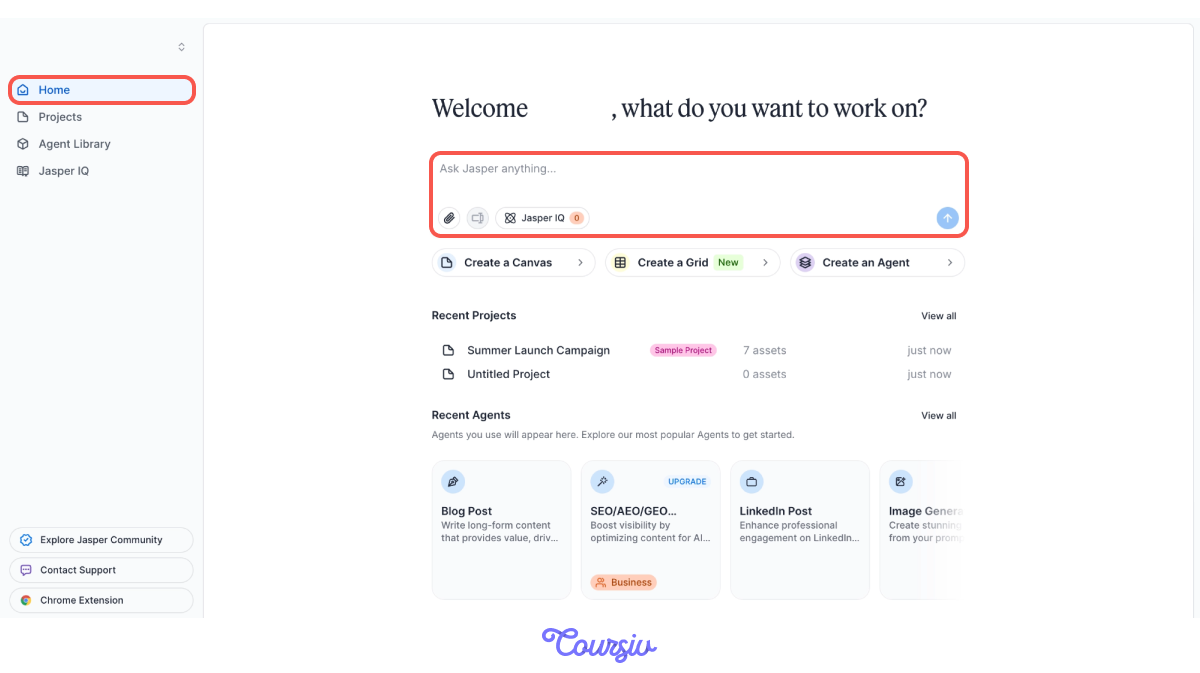
Home Page
Home is your starting point. Here, you can start creating right away by specifying a writing task in the Jasper Chat.
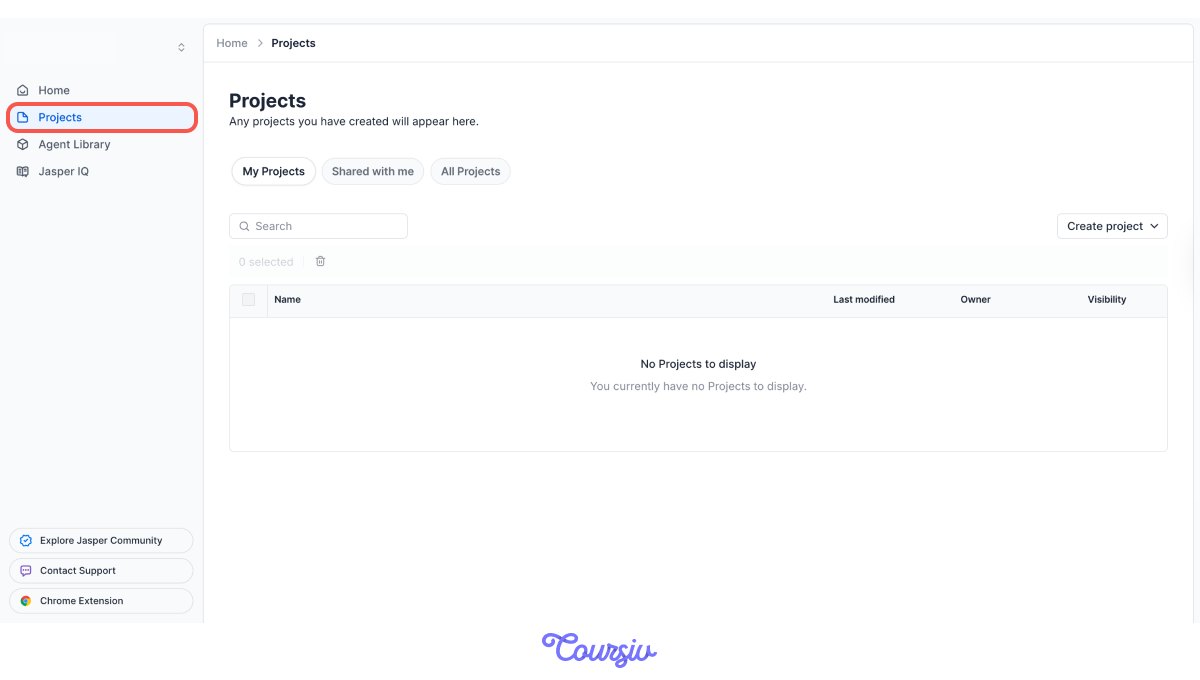
Projects
The "Projects" tab helps you organize your work by client, campaign, or business area.
This tab helps you to manage multiple marketing efforts.
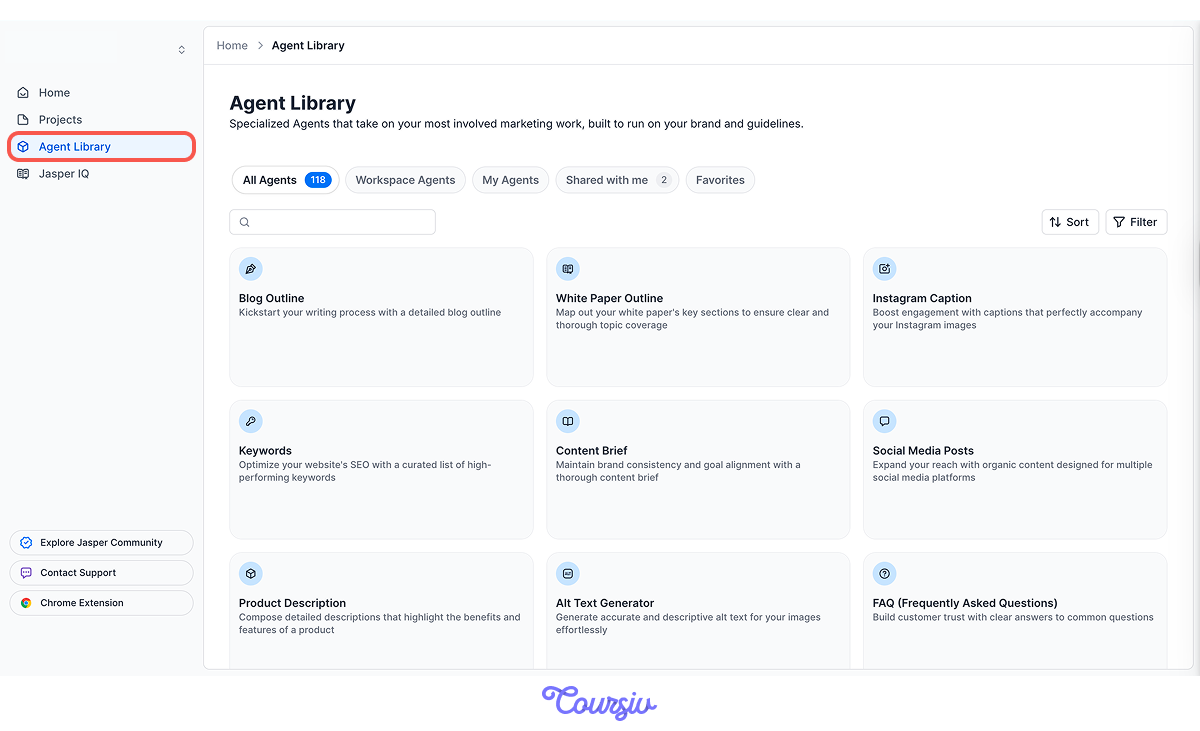
Agent Library
The "Agent Library" tab is where you'll find Jasper's Agents — purpose-built AI tools for specific marketing tasks like emails, ads, social posts, and product content.
So, instead of starting from a blank page, you can pick the type of content you need, and Jasper will guide you through what information to provide.
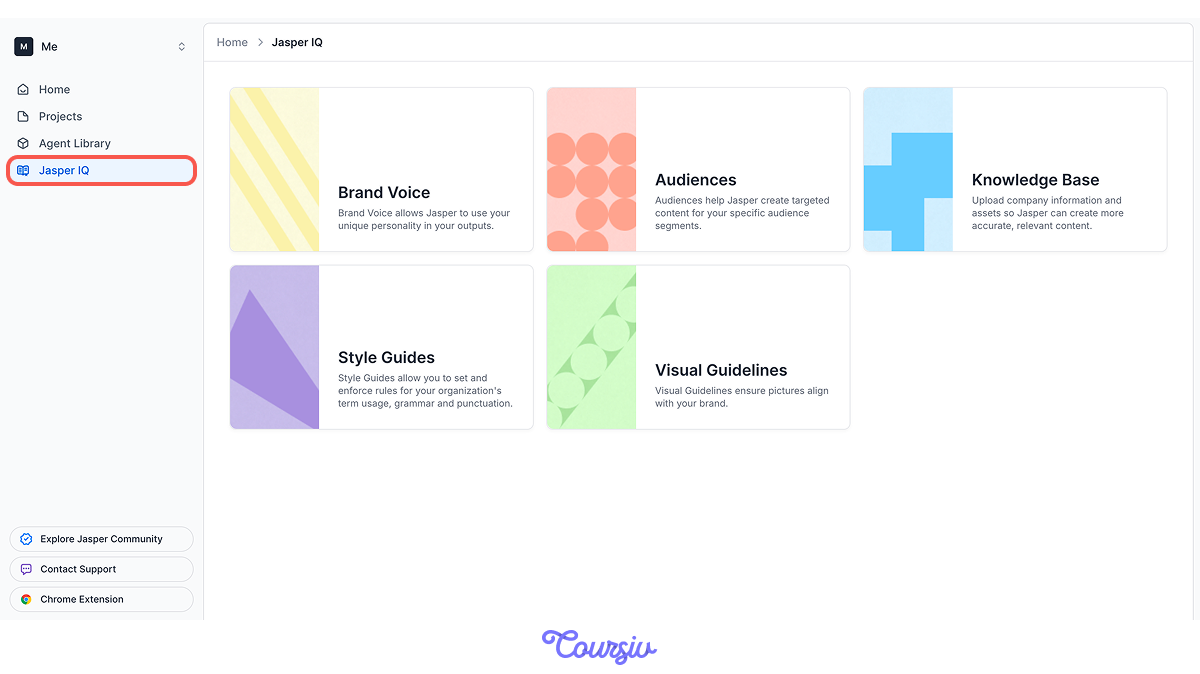
Jasper IQ
"Jasper IQ" tab is where you store context about your business, products, and brand, so Jasper can reference this information across all your content.
To see how Jasper's approach differs, watch two tools take on the same task:
- ChatGPT: "I need to write an email promoting my weekend special at my bakery — 20% off croissants on Saturday morning. Can you help?"
→ ChatGPT asks questions, you clarify, it drafts, you request edits, and back and forth.
- Jasper: Open the Promotional Email Agent in the Agent Library → Add context, answer its questions — the email's primary goal, the main offers to highlight, and any custom instructions → Tap Generate now.
→ Jasper returns a structured draft on the first pass.
The difference: the Agent already knows the shape of a promotional email, so it asks for the specifics it needs instead of working them out through conversation with you.
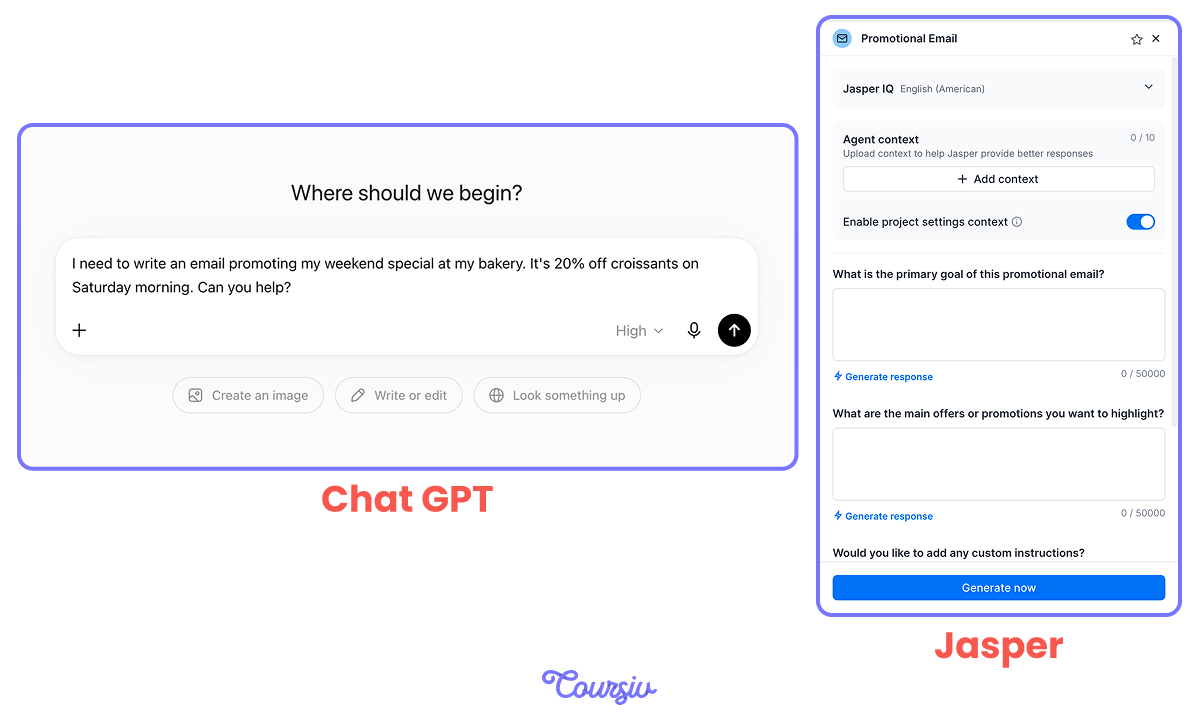
Quick tip! See the Generate response link under the input fields? If you're not sure how to phrase your goal or offer, tap it and Jasper drafts that field for you to edit.
Canvas
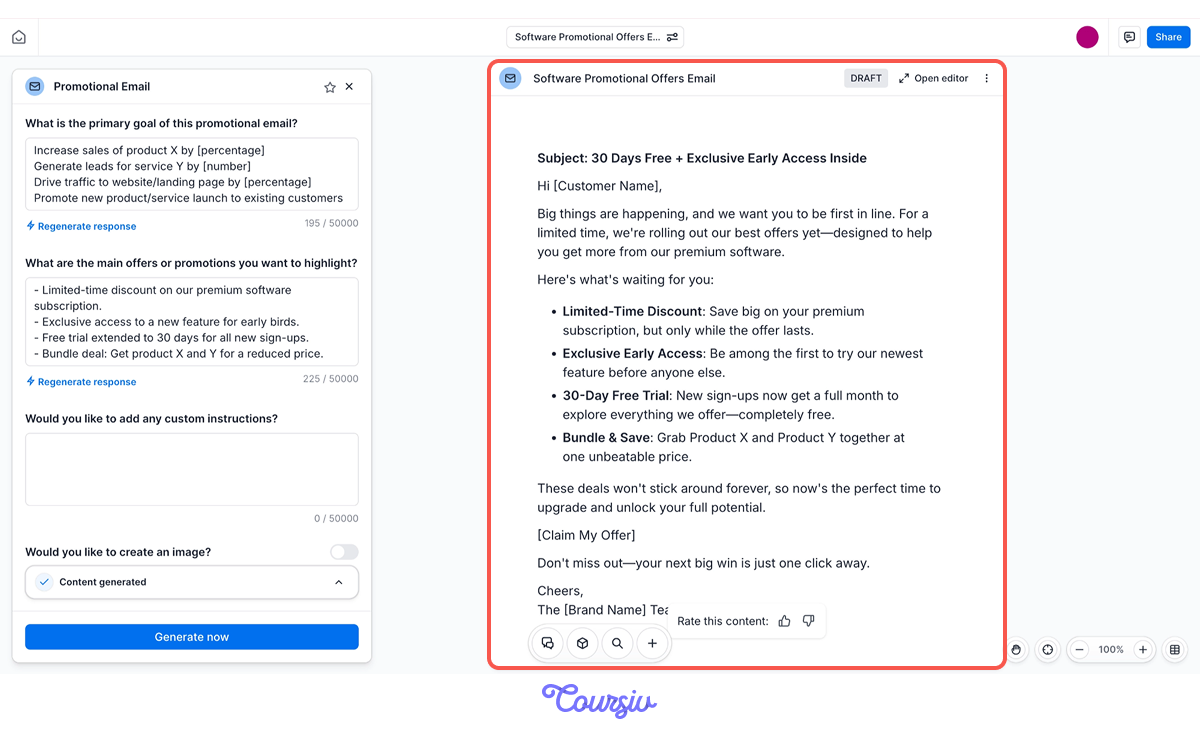
When an Agent generates your draft, it opens in Canvas — Jasper's editing workspace. Highlight any part and use the toolbar to rewrite, shorten, expand, or shift the tone.
The Agent hands you a strong first draft, and Canvas is where you shape it into the final version.
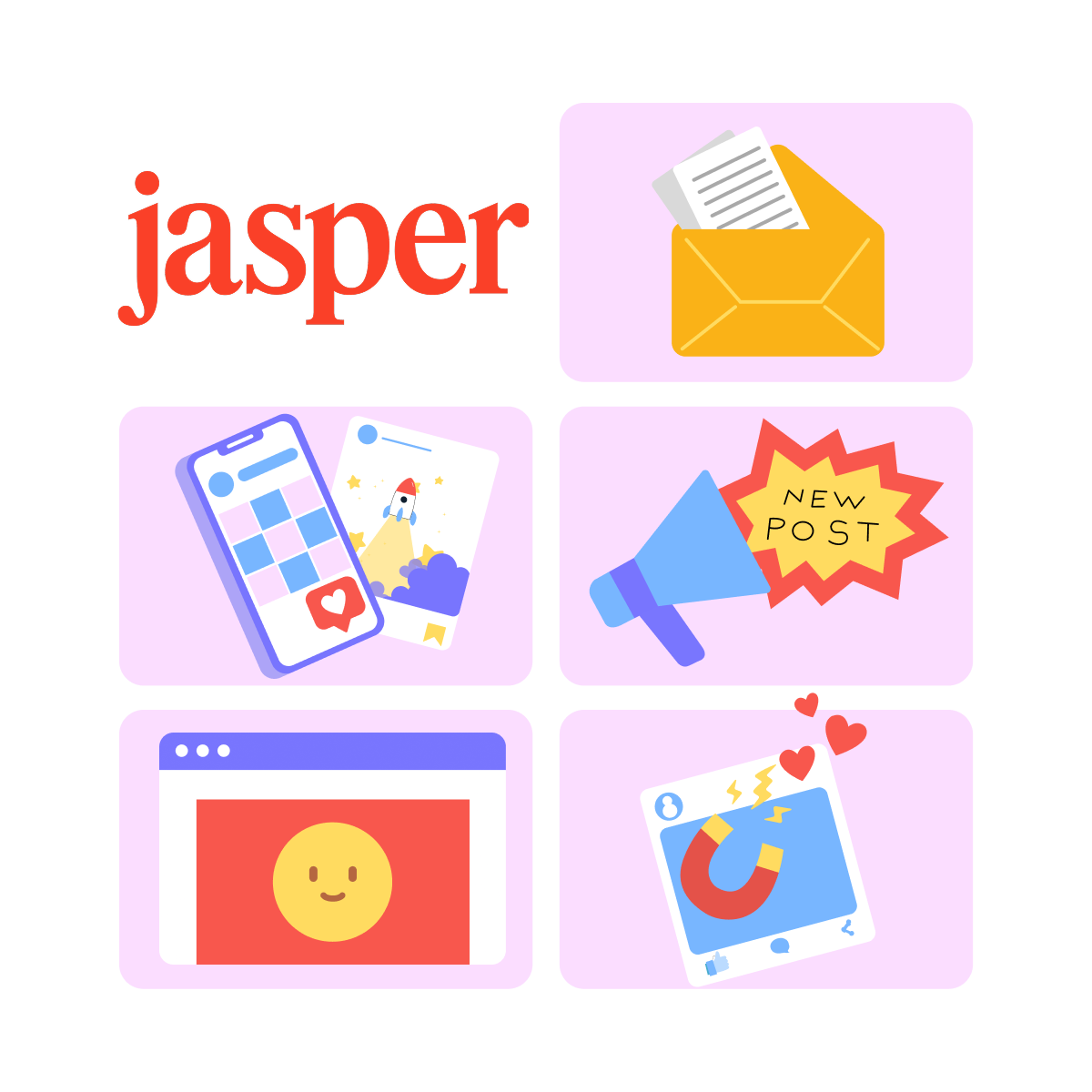
Jasper can help you create marketing content that small businesses and marketers need most:
- Emails: promotions, newsletters, announcements
- Social media posts: Facebook, Instagram, LinkedIn updates
- Ads: Facebook ads, Google ads, headline variations
- Website content: product descriptions, service pages, "About" sections
- Blog posts: articles that drive traffic and explain your expertise
- Images: social graphics, ad visuals, and other marketing imagery
If it's something you'd post, send, or publish to promote your business — Jasper will handle it.
Jasper Where You Already Work
Jasper also has a browser extension for Chrome and Edge. Install it once, and you can pull Jasper into Gmail, Google Docs, WordPress, and most text fields on the web — drafting and rewriting without switching over to the app.
practice preview
Interactive practice
True / False
Given what you learned, decide which tool makes more sense for this task.
practice preview
Interactive practice
True / False
Decide which tool makes more sense for this task.
Choose one
Now, imagine you want to promote your new consulting package. Which information does Jasper need most to create useful content?
To get the best out of Jasper, be clear on three things before you generate anything:
- What you're creating: Email? Social post? Ad? Product description?
- Who it's for: Existing customers? New leads? Local audience?
- What it should accomplish: Drive sales? Build awareness? Get clicks?
What You're About to Learn
Now that you understand what Jasper is built for and how it's different from the AI tools you might already use, the rest of this guide will show you how to actually work with it in real marketing workflows.
By the end of this guide, you'll know how to:
- Choose Jasper vs. a general AI tool for a task
- Draft and create marketing content faster without it sounding generic
- Keep your content consistent across channels
- Save time on the content you create every week
Ready to see how Jasper works? In the next lesson, we'll walk through the interface in more detail and see how to organize your marketing work efficiently.
Let's get started!