Claude · Claude Essentials
Meet Claude
Understand Claude's strengths
Meet Claude
Before any prompt or trick, the thing that decides whether Claude works for you is something quieter: what you expect from it.
Claude isn't a faster chatbot — it's a reasoning partner that rewards a clear frame and goes vague when you don't give it one. And once you get it, everything else becomes easier — throughout this course, we'll take a closer look at how it's done.

First Impressions Matter
If you're coming to Claude from another AI tool, it might feel a little different at first. The answers may seem cautious, and the creativity might feel restrained. Sometimes Claude asks clarifying questions instead of jumping in.
That difference reflects a different design philosophy.

How Claude Approaches Problems
Instead of guessing, Claude reasons carefully before responding. It tries to:
- Collect context
- Understand intent
- Consider implications
- Avoid oversimplified conclusions
This makes Claude especially strong at tasks where clarity, nuance, and structure matter more than speed. It serves as your thinking partner instead of just generating answers.
Claude performs especially well when you need to:
- Work through complex ideas
- Analyze long or detailed material
- Refine writing or arguments
- Explore sensitive or ambiguous topics
In these situations, Claude's careful approach becomes a real advantage. It serves as your thinking partner instead of just generating answers.
Where Claude Struggles
That same careful design can make Claude struggle when:
- The task goal is vague
- The prompt relies on guesswork
- You ask it to create something but don't set boundaries
- Speed matters more than depth
When this happens, Claude is waiting for clearer direction.
Choose one
You type "Help me make my presentation better" and paste your slides. Instead of editing them, Claude replies: "Do you need clearer structure, tighter wording, stronger visuals? And who's the audience: your team, or a client pitch?" Why did Claude ask instead of just improving the slides?
practice preview
Interactive practice
Fill in the blank
Turn the vague "make it better" into a framed request by filling each gap with the missing detail.
Choose one
Considering the above, which one of these requests is most likely to produce a weak or frustrating response from Claude?
Claude can be creative — but not in a chaotic way. Its creativity tends to be:
- Thoughtful rather than flashy
- Grounded rather than wild
- Guided by structure and intent
Claude's Models
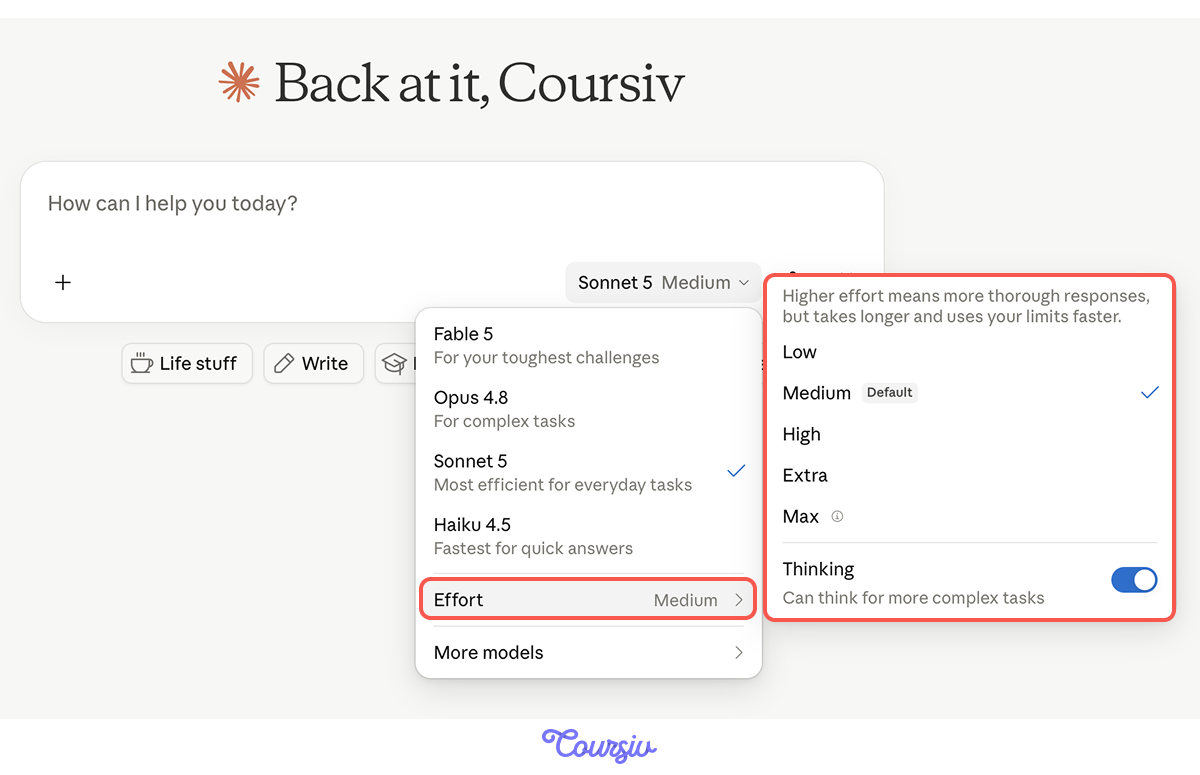
Claude's performance and output quality depend on the model you go with. The tool offers a range of models:
- Haiku — fast and light for simple tasks
- Sonnet — the balanced everyday choice
- Opus — powerful for advanced reasoning and complex projects
- Fable — designed for highly complex tasks, research, and long-running workflows
Available models depend on your plan. Free users typically get Haiku and Sonnet, while paid plans unlock Opus and Fable. Fable is a premium model with separate usage limits and may require additional credits.
Note: Model availability, usage limits, and access requirements may change over time. Check Claude for the latest options available on your account.
One More Dial: Effort
Next to the model name sits an effort control: turn it up, and Claude thinks longer and more thoroughly before answering; turn it down for faster replies. But neither dial fixes a vague prompt — more effort just gets you a thorough answer to the wrong question.
The model and effort change how hard Claude works; your frame still decides what it works on.
Claude vs. Other AI Tools
So how does Claude itself compare to the other tools you might already reach for? If you've used tools like ChatGPT, Gemini, or DeepSeek, Claude may feel familiar at first — but the differences show up quickly as tasks become more complex.
These AIs aren't better or worse overall. They're optimized for different kinds of thinking and different working styles.
Claude and ChatGPT: Different Priorities
ChatGPT is optimized for speed, flexibility, and conversational flow. It often jumps into a task quickly, even when the goal is loosely defined.
Claude takes a more deliberate approach. It prefers clarity before action and tends to reason through implications before producing an answer.
If you ask both tools: "Help me write a welcome email for new customers."
- ChatGPT will likely jump straight into a draft — friendly, upbeat, ready to send. Fast and useful if you just need something now.
- Claude is more likely to pause and ask: "What kind of customers? What tone fits your brand? Is there a specific action you want them to take?" It wants to understand before it writes.
Claude and Gemini: Focus vs. Breadth
Gemini is designed to work across a wide range of tasks and environments, especially Google's ecosystem. It adapts quickly and shines in tasks involving integrations, tools, or rapid synthesis.
Claude focuses more narrowly on reasoning quality and language consistency. It strongly maintains coherence across long conversations or large documents.

If you paste a 20-page contract and ask: "What should I watch out for?"
- Gemini might scan quickly, pull key terms, and give you a broad summary with links to relevant resources. Efficient and wide-ranging.
- Claude is more likely to walk through the document section by section, flag specific clauses that could create risk, and explain why each one matters in plain language.
Claude and DeepSeek: Caution vs. Speed
DeepSeek is optimized for efficiency and rapid problem-solving. It tends to move quickly from prompt to output, often producing confident answers even with minimal instructions.
Claude takes a more cautious path. It prioritizes understanding the full context before responding and is more likely to slow down, clarify, or hedge when information is incomplete.
Imagine you ask both tools: "What are the risks of expanding into a new market?"
- DeepSeek will likely give you a quick, confident list — market saturation, regulatory hurdles, currency risk — and move on. Efficient and to the point.
- Claude is more likely to ask what kind of market you're in, which industry, and what your current position looks like before answering. Then it'll walk through each risk with context specific to your situation.
When tasks are simple, the differences between models can feel minor. As complexity increases, patterns emerge:
- Claude asks clarifying questions more often
- Claude avoids guessing
- Claude maintains tone and logic over long responses
Time to Practice
You've seen how these tools differ; now let's put that knowledge to work.
In the next exercises, you'll need to recognize whether Claude truly fits the scenario.
practice preview
Interactive practice
True / False
Decide whether this task is the right one for Claude.
practice preview
Interactive practice
True / False
Decide whether this task is the right one for Claude.
Choose one
You're working on a long document where clarity, consistency, and careful reasoning matter more than speed. Which tool fits best?
To sum it all up, working with Claude requires a small mindset shift.
The key thing to take away from this lesson is that with Claude, you'll get better results by asking: "Here's what I'm trying to solve. Let's think it through", not "Can you do this for me?"
Claude responds best when treated as a collaborator.
practice preview
Interactive practice
Fill in the blank
Now let's have our final practice for this lesson. Complete the prompt so Claude acts as a collaborator and has a frame to work inside.
From Conversations to Workflows
Now that you know how Claude approaches problems, it's time to see what it can actually build. Next up, you'll get hands-on with:
- Projects — workspaces within Claude that keep your context, instructions, and files organized across conversations.
- Artifacts — documents, dashboards, websites, and other interactive outputs you can use immediately.
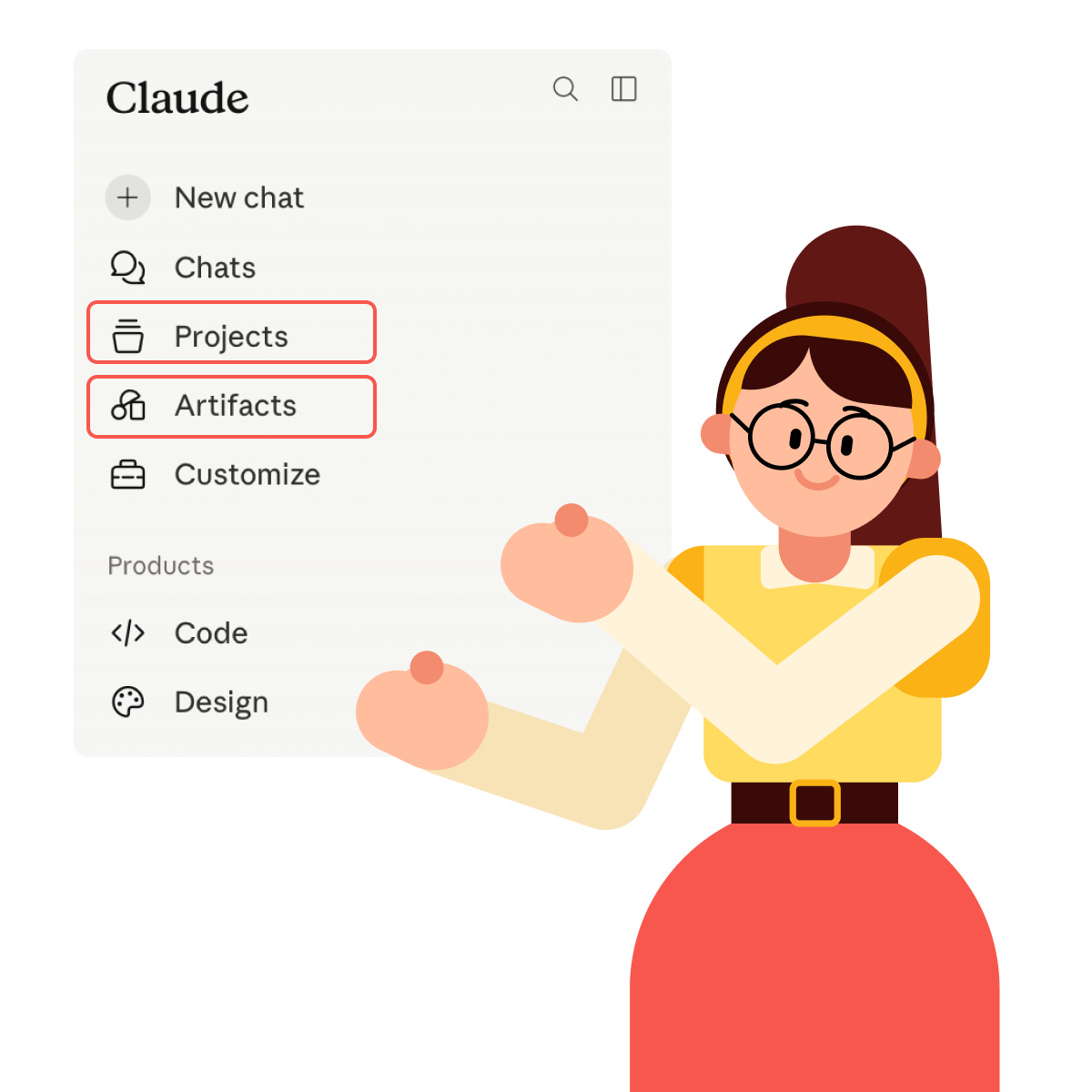
In the next lesson, you'll start with Projects — a way to keep context and goals consistent across longer work.
Ready to uncover Claude's full potential?