AI for Business Operations · Leading Smarter with AI
AI in Meetings: From Talk to Action
Never lose decisions buried in long recordings
The Meeting You Missed
You're triple-booked. The weekly sync with the engineering team went on without you, and now you need to know: did they commit to the new deadline?
Normally, you'd ask someone for notes or spend 30 minutes scrubbing through a recording. With AI, you get the answer in 10 seconds.

The Lost Intelligence Problem
Every meeting contains decisions, commitments, and context.
But most of that intelligence disappears the moment the call ends because people take incomplete notes, key decisions get buried in recordings, and commitments never get documented.
AI meeting tools solve this by creating searchable records of every conversation.
Select all that apply
How could AI-powered meeting intelligence help leaders who can't attend every meeting?
Setting Up Meeting Intelligence
The tool you use depends on your organization's platform. This is how to enable automatic recording and transcription for both.
For Google Meet Users
If your team uses Google Meet, you can use Gemini to capture and summarize meetings.
For Microsoft Teams Users
If your team uses Microsoft Teams, you'll most likely use Microsoft Copilot.
Setting Up and Accessing Transcripts
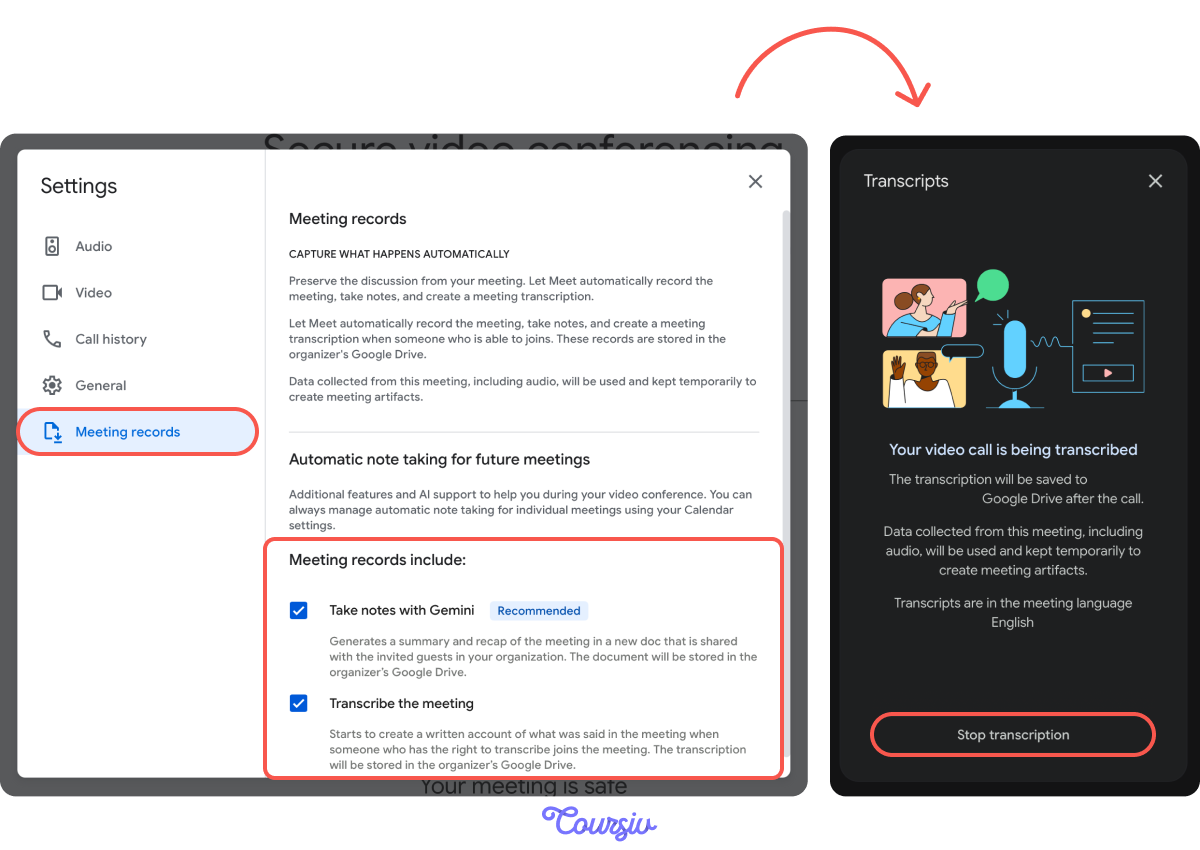
For Google Meet:
- Go to Settings → Meeting records
- Check the "Take notes with Gemini" and "Transcribe the meeting" features
- When you enter a meeting, transcribing starts automatically.
After meeting:
- Go to the "Meet Recordings" folder in Google Drive.
- Open transcript (appears as a Google Doc). It's ready to be processed with Gemini!
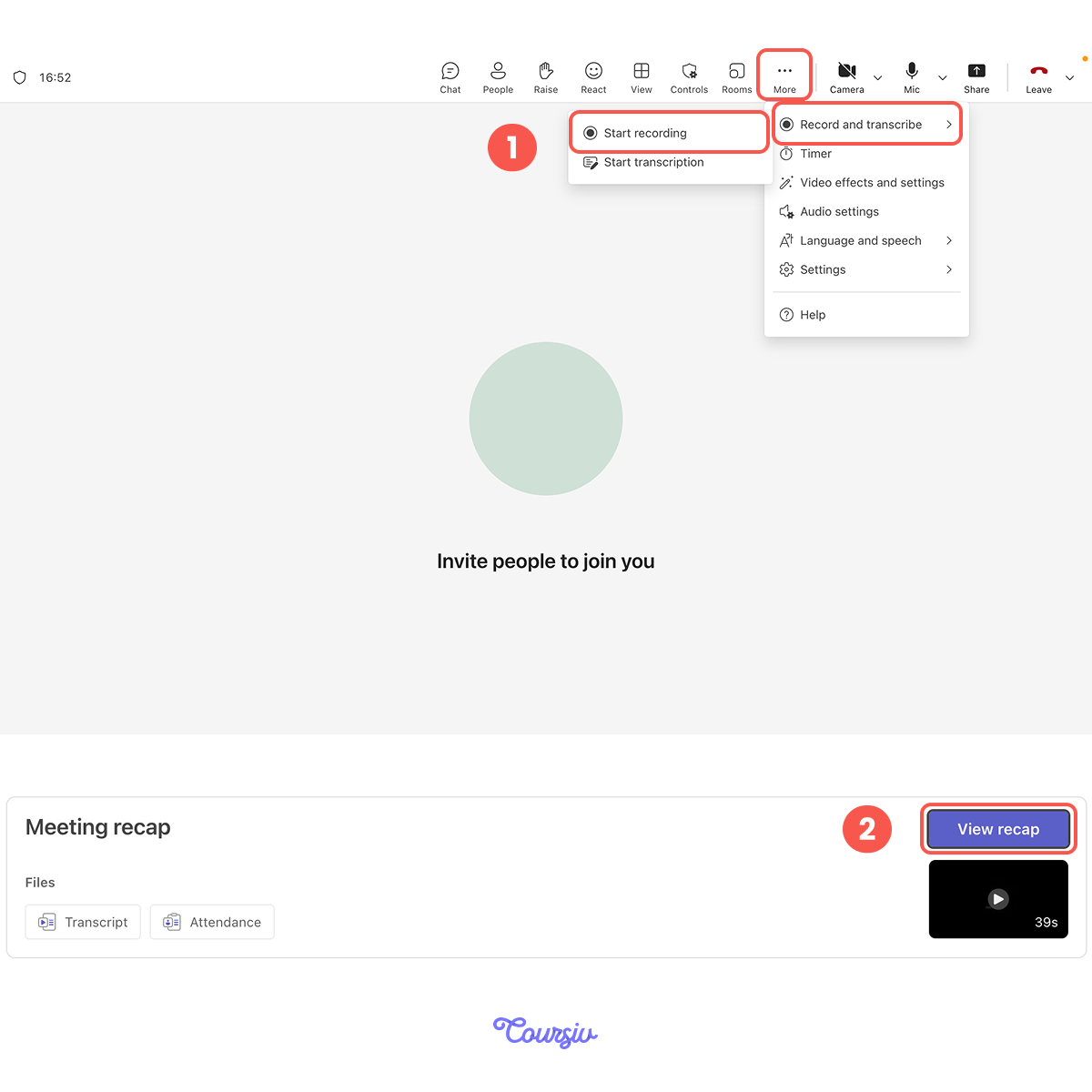
For Microsoft Teams:
- Click "More actions" (...)
- Select "Start recording," and transcription will start automatically too.
After meeting:
- Look into the "Recap" section of the meeting after opening it in the calendar.
- View transcript and AI-generated summary. Copilot automatically highlights key points!
Querying Meetings for Specific Answers
Once you access the recordings, you can ask specific questions and get targeted answers without re-listening.
Let's go back to the engineering sync that you missed. Imagine you got the Gemini transcript, and now need to know if they committed to the revised launch date.
practice preview
Interactive practice
Fill in the blank
Complete the prompt to ask the AI assistant to find a specific decision from the meeting transcript.
Choose one
Looking at this response, what makes it valuable for leadership decision-making?
AI meeting tools create three layers of value:
- Retrieval: query-specific decisions without needing to listen to the recording again
- Summary: extract key decisions and actions automatically
- Search: find when topics were discussed across meetings
Extracting Key Decisions
Another use case: sometimes you need an overview of what mattered, not one specific answer.
Say you need to catch up on the quarterly planning discussion without having to listen to an hour-long recording.
practice preview
Interactive practice
Fill in the blank
Ask Gemini to extract strategic decisions from a leadership meeting.
See the structure?
Decisions are separated from actions and open questions. You immediately know what was decided, who owns what, and what needs to be resolved.
Converting Intelligence Into Action
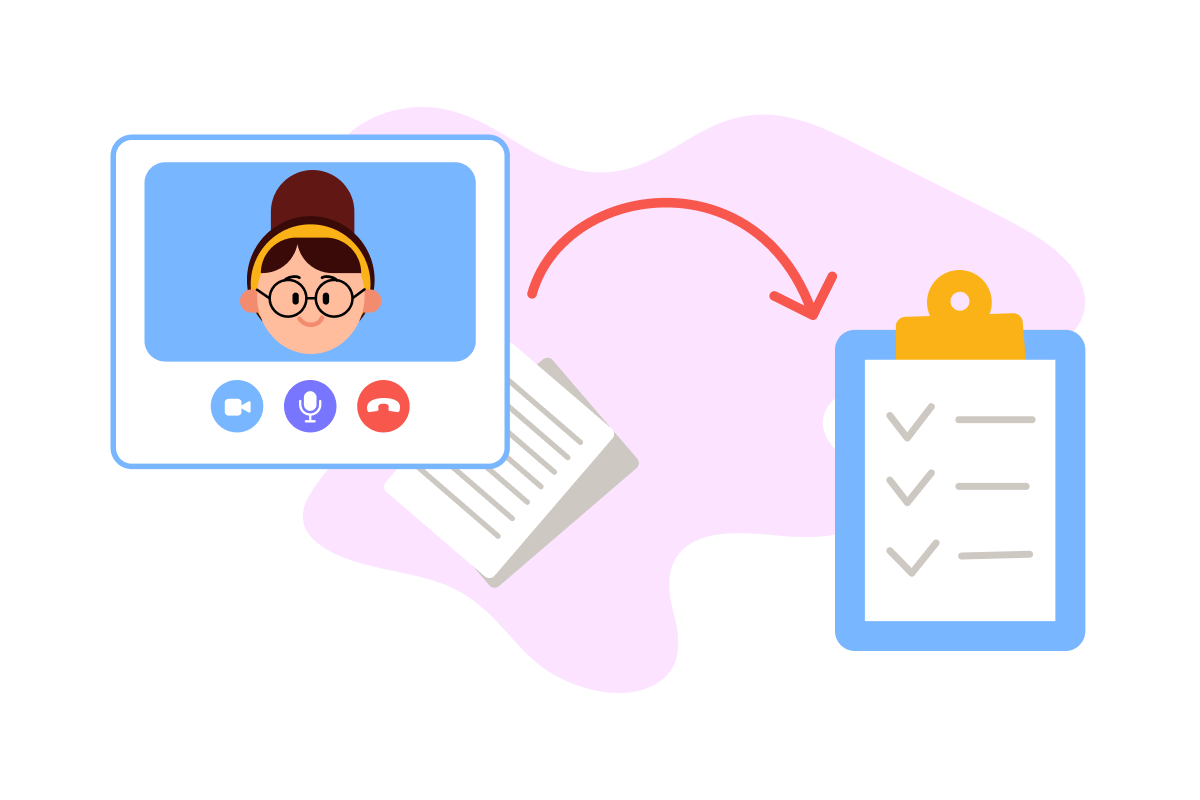
Meeting summaries are valuable, but they're not action plans.
Choose one
What do you think transforms meeting notes into actual execution?
Great, now let's turn extracted decisions into clear, assignable tasks.
practice preview
Interactive practice
Fill in the blank
Convert meeting decisions into executable tasks with clear accountability.
AI in meetings only drives results when it converts to execution:
- Extract decisions and actions separately
- Assign specific owners to each task
- Set realistic deadlines with success criteria
practice preview
Interactive practice
Put in order
To sum it all up, arrange the steps for transforming meetings into executed outcomes in the correct order.
Excellent Work!
You've learned how to make meetings searchable and actionable.
This systematic approach will ensure that your meetings produce outcomes. The goal isn't better documentation — it's better execution.
Next, you'll learn how to use AI to create presentations that communicate complex concepts at a glance.
Let's master visual storytelling!

- Enable transcription in Google Meet or Teams to capture meetings automatically.
- Query meetings for specific decisions without re-listening.
- Use Gemini/Copilot for summaries, ChatGPT to structure action items.
- Assign clear owners, deadlines, and success criteria to drive execution.
- Result: meetings become searchable intelligence that produces outcomes!