Build a Strong Portfolio with AI · Creating an Effective Portfolio
Mobile Optimization & Launch
Polish for mobile, launch with confidence
Making It Perfect for Everyone
Your portfolio looks great on your laptop. But over half of people will view it on their phones.
If your site breaks on mobile, you're losing potential clients before they even see your work. So, in this lesson, you'll learn how to ensure your portfolio works flawlessly everywhere — and how to launch it live.
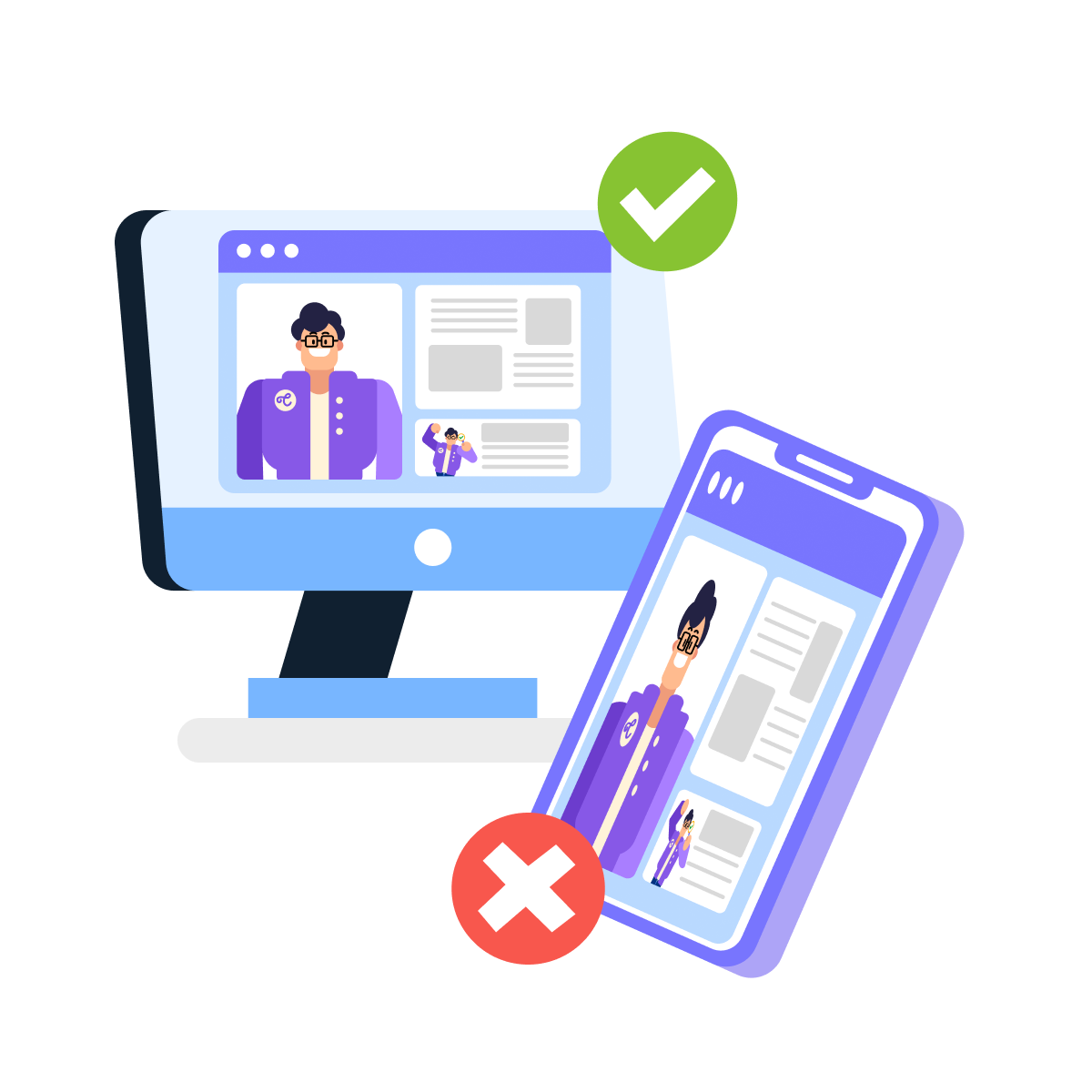
The Mobile Problem
When building a website, you usually start with its desktop version.
But since many people use phones as their primary device, there are certain factors to consider for this type of portfolio viewer.

Select all that apply
Why does mobile optimization matter so much for portfolio sites?
So, you should think of mobile optimization as quality assurance.
You've built something good — now you need to make sure it actually works for everyone who sees it.
Checking Your Mobile View
Lovable includes a mobile preview feature that shows you exactly how your site looks on phones.
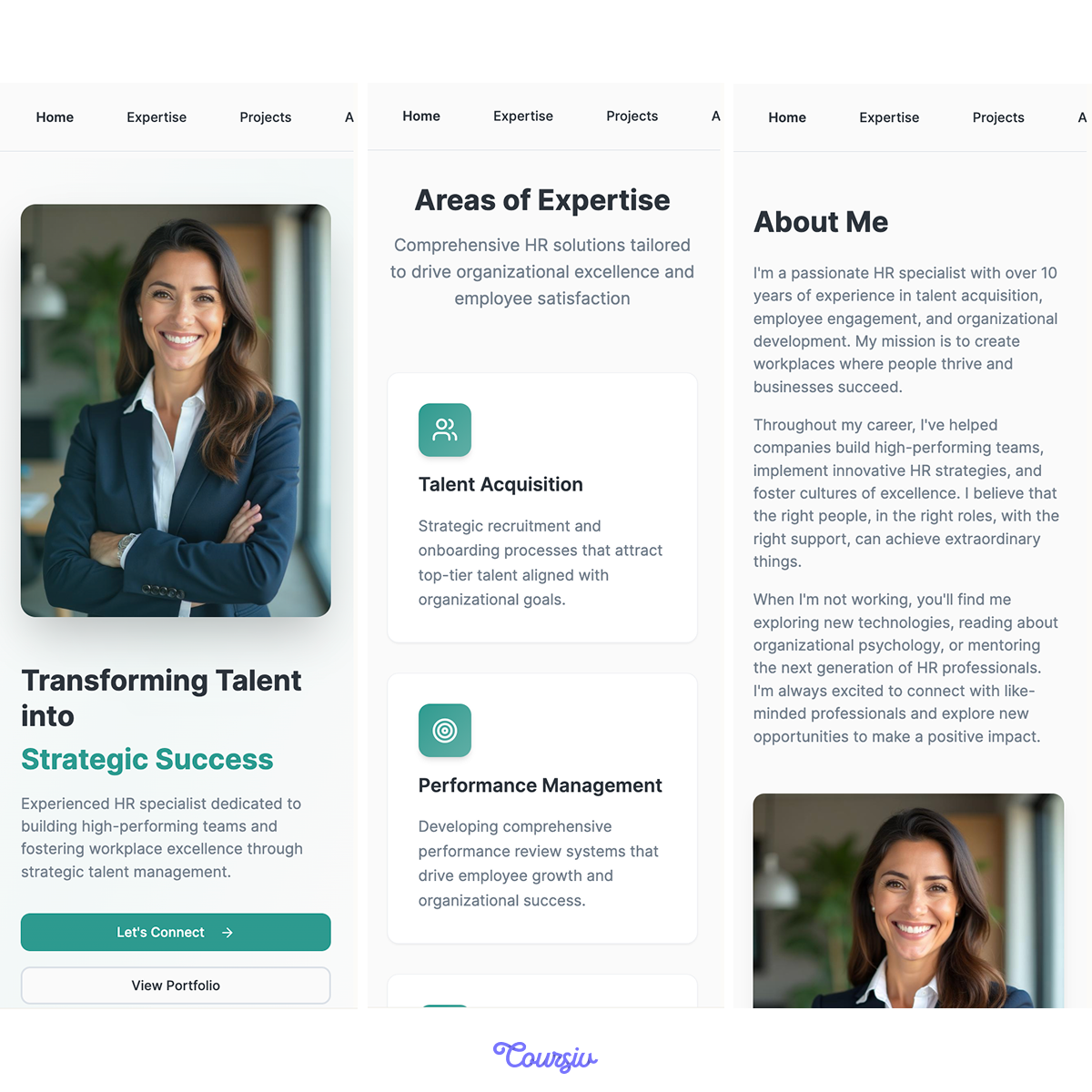
This is where you can spot problems before your viewers will: headlines that are too large, images that don't fit, buttons that overlap, and spacing that feels wrong.
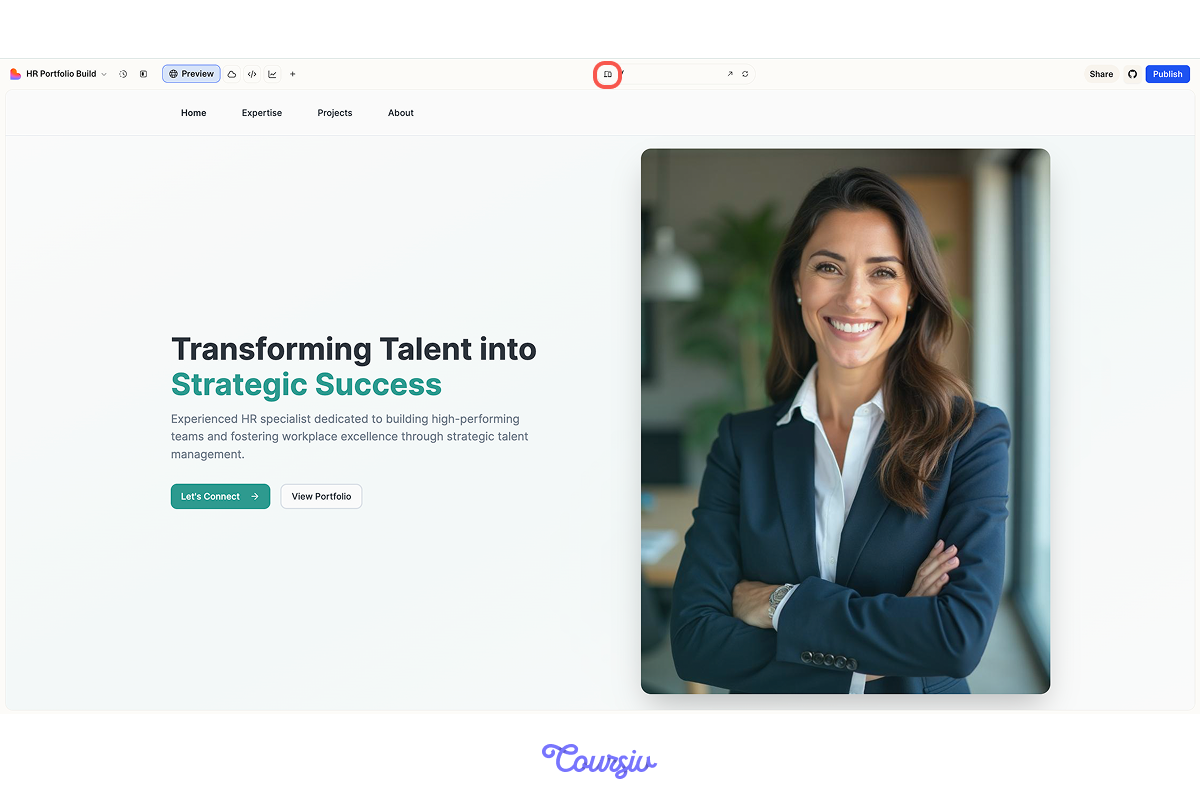
See? Doesn't seem that good.
However, here is the good news: every issue you find can be fixed with a simple prompt — just like you built the original layout!
Fixing Mobile Issues
Let's say you open mobile preview and notice your hero section headline is way too large — it's breaking across multiple lines and dominating the screen.
practice preview
Interactive practice
Fill in the blank
Fix a mobile layout issue by targeting the specific element and screen size.
See how that works? You identified a mobile-specific problem and fixed it without affecting the desktop layout.
This is responsive design — making sure your site adapts properly to different screen sizes.
Choose one
We've fixed one mobile issue individually rather than rebuilding the entire page. What do you think is the advantage of this approach?
Select all that apply
The next thing to know is that certain problems show up repeatedly on mobile. Which do you think they are?
So, you need to go through your portfolio systematically. Make sure to check:
- The hero section,
- The "About" preview,
- The project grid
- The footer
Publishing Your Portfolio
Your portfolio is polished and mobile-optimized. Now it's time to make it live for the world to see.
Choose one
Look at this once again. What do you think you need to set up before publishing your first Lovable project?
Cool, right? With Lovable, publishing is effortless: no servers, no hosting setup — just click Publish in the top right corner, confirm, and wait about a minute.
That's it — your portfolio goes live!
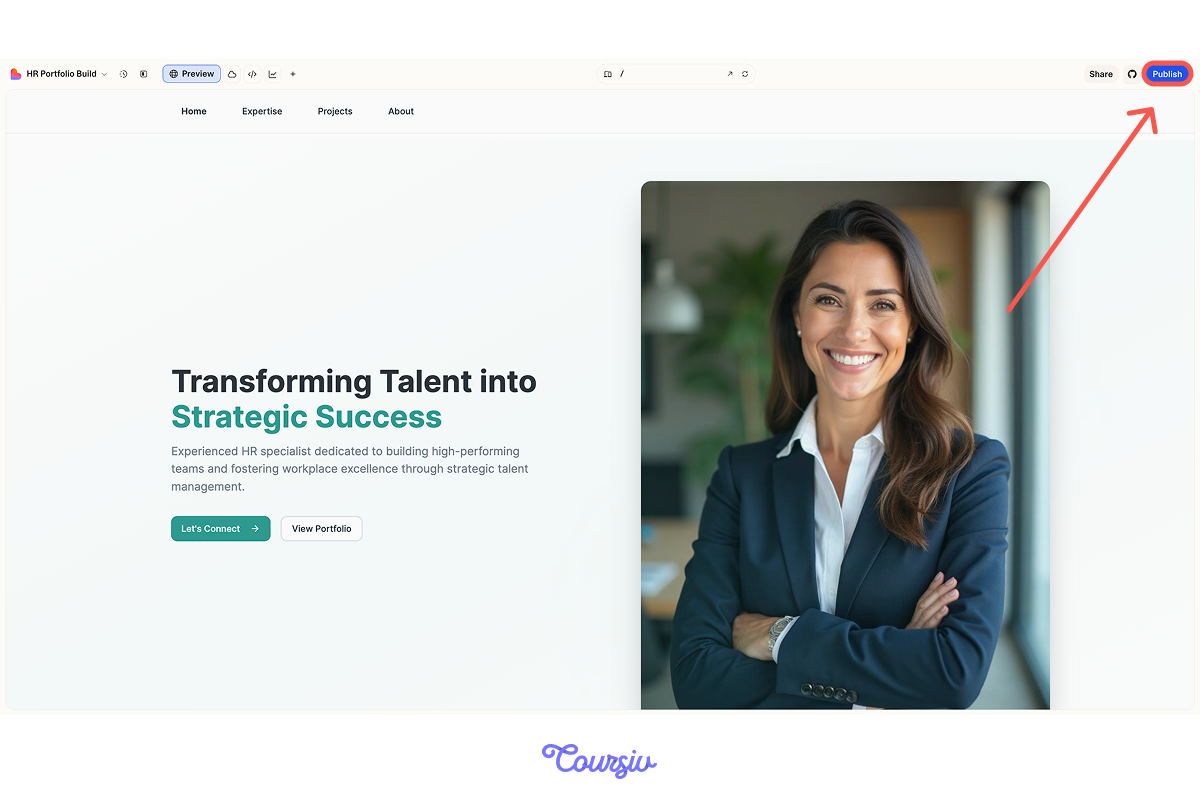
Once you publish, Lovable deploys your portfolio to a live server, generates a unique URL, and makes your site accessible to anyone with the link.
Your published site includes all functionality, styling, and content — it's fully functional, not just a preview!
Your Published Link
After publishing, you get a permanent, shareable link like yourname.lovable.app.
Anyone can visit this URL without needing a Lovable account — perfect for sharing with potential clients, colleagues, or on your LinkedIn profile.
Choose one
Your portfolio is published. What should you do before sharing it widely?
Making Updates After Publishing
You've published your portfolio, but then you realize you want to change something — maybe update a project description or fix a typo.
Choose one
What do you think happens to your published portfolio after you make edits in Lovable?
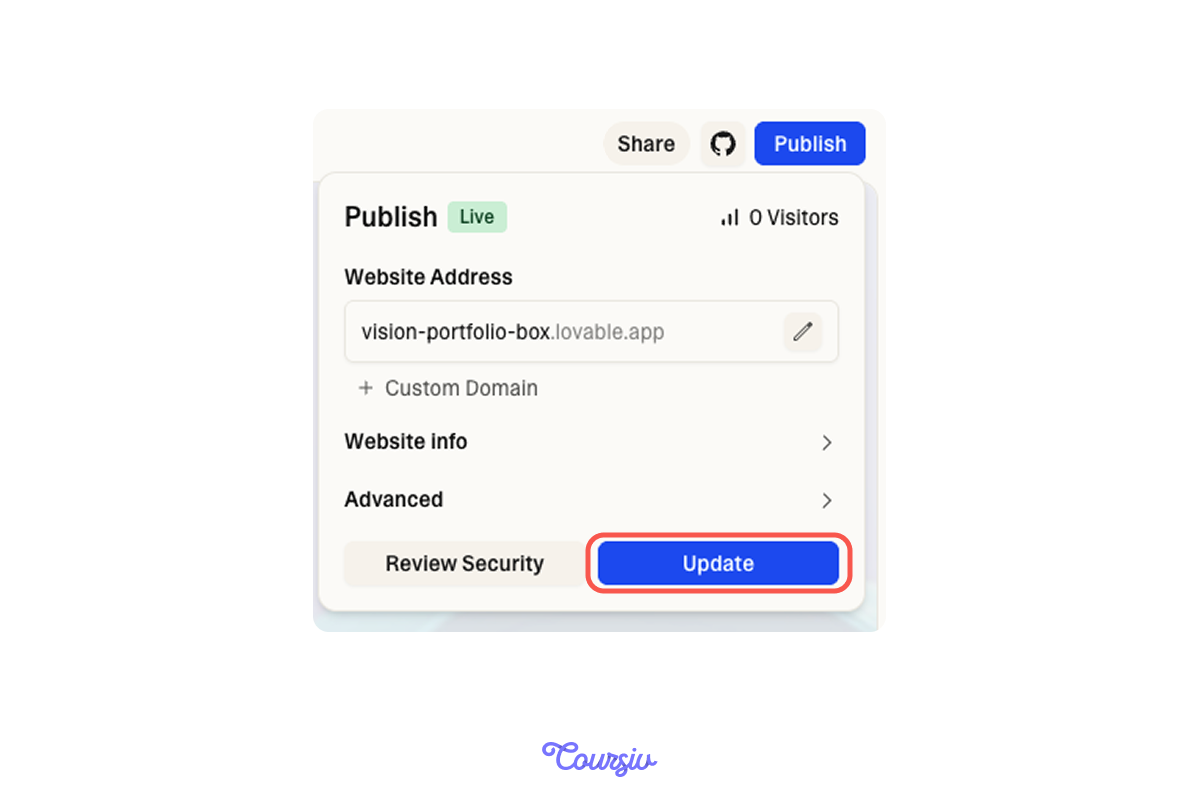
Published portfolios aren't frozen. You can continue editing your project normally.
When you're ready, press Update in the publish dropdown, and your changes will go live.
This way, you can refine your portfolio without worrying about breaking your live site mid-edit!
Connecting a Custom Domain (Optional)
Right now, your portfolio lives at yourname.lovable.app — which works perfectly fine for sharing and job applications.
But if you want a more professional custom domain like yourname.com, you can connect one.
To connect a custom domain, you'll need:
- A paid Lovable plan
- A domain name purchased from registrars like Namecheap or GoDaddy (around $10-15/year)
Lovable handles the technical setup through a service called Entri, which configures everything automatically.
Once this part of the job is finished, your portfolio website is all set!
The Living Portfolio Strategy
Before we conclude, there is one thing that most people get wrong: they think portfolios are "finished" projects you build once and forget.
The truth? Portfolios are living documents that evolve with your career.

Choose one
How often do you think you should update your portfolio with new projects?
The beauty of AI-powered portfolios? As we discussed, updating takes minutes, not hours, and you've already learned the workflow:
- Write descriptions with Claude
- Create assets in Canva/Midjourney
- Add a new case study page in Lovable
- Click Update to push changes live.
With this workflow, keeping your portfolio current is easier than ever before!
You're Live!
You just learned how to optimize for mobile, publish your portfolio with one click, and maintain it as a living document that evolves with your career.
Thus, you now know how to make your portfolio live!
More specifically, you now know how to build a portfolio that:
- Showcases your work clearly and professionally
- Works beautifully on desktop and mobile devices
- Makes it easy for people to contact you
- Can be updated and published in minutes
Now go share it with the world!