Marketing Your Business with AI · AI-Powered Marketing
Design Scroll-Stopping Visuals
Stop the scroll with eye-catching custom images
Words Aren't Enough
You've written compelling copy that connects with your audience. However, the reality is that people scroll quickly.
On social media, you have less than 2 seconds to make them stop. And words alone — no matter how good — often aren't enough.
The Scroll-Past Problem
Imagine you post a carefully written caption on Instagram. It's engaging, it addresses a problem, and it offers a solution.
Still, the visual doesn't spark interest instantly; users never pause long enough to reach those insights. The message stays unread not because it's weak, but because it's unseen.
Why Visuals Matter More Than Ever
Your brain processes images 60K times faster than text.
On social media, the visual is what makes people stop scrolling — the copy is what makes them act.
Select all that apply
Given that, what do you think makes strong marketing visuals?
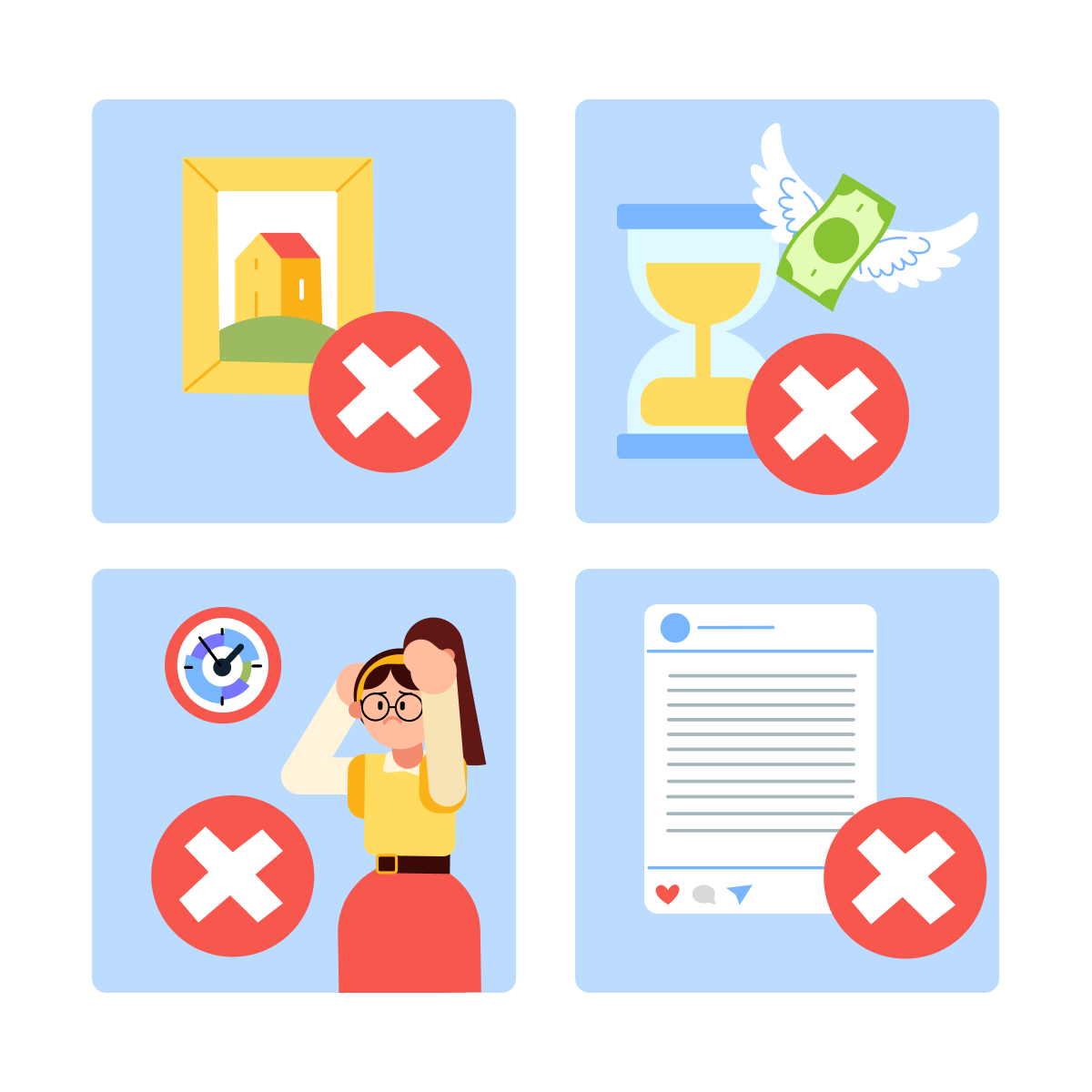
Common mistakes when small businesses try to create visuals:
- Using stock photos that look generic and forgettable
- Hiring a designer and waiting days for revisions
- Trying to go without a designer at all, wasting hours, frustrated
- Skipping visuals altogether and posting text-only
Meanwhile, the competitors' feeds look polished and professional.
Choose one
What do you think is the biggest challenge with creating visual content?
Good news: with AI, you can create stunning professional visuals that match your brand perfectly — without touching design software!
So instead of struggling with design tools or settling for generic stock photos, you can use Midjourney to create custom images for your specific idea — and Canva AI to polish them for your brand as they came from a pro designer.
Creating Images with Midjourney
Let's return to the fitness studio example again. Remember, you wrote this text for an Instagram post about personal attention in small classes:
Tired of feeling like just another number at the gym? 🏋️
At *Studio Name*, you'll never disappear into a crowded class. We cap every session at 8 people — because your goals deserve personal attention.
Now, you need an image that captures that intimate, supportive feeling.
Instead of searching through thousands of stock photos (and finding nothing that fits), you can describe the image you want to Midjourney.
practice preview
Interactive practice
Fill in the blank
Describe the visual you need to Midjourney in simple terms.
Choose one
What makes these AI-generated images better than typical stock photos for your business?
You now have four professional images in under 3 minutes! Very time-efficient.
Each one captures the feeling your customers talked about in their reviews — no more settling for generic stock photos.
Refining Your Images in Canva
Midjourney created beautiful images, but you need to add your logo, adjust colors to match your brand, and create versions for different platforms.
This is where Canva AI comes in: you upload your favorite Midjourney images to Canva → Canva features help you brand them.
Branding Your Image in Canva
- Use the "Resize" option to create Instagram posts, Facebook covers, and story versions instantly.
- Create and apply your "Brand Kit" — logo, colors, and fonts automatically.
- Add text overlay with your USP.
This way, one Midjourney image becomes 3 platform-ready posts with your branding — in under 5 minutes!
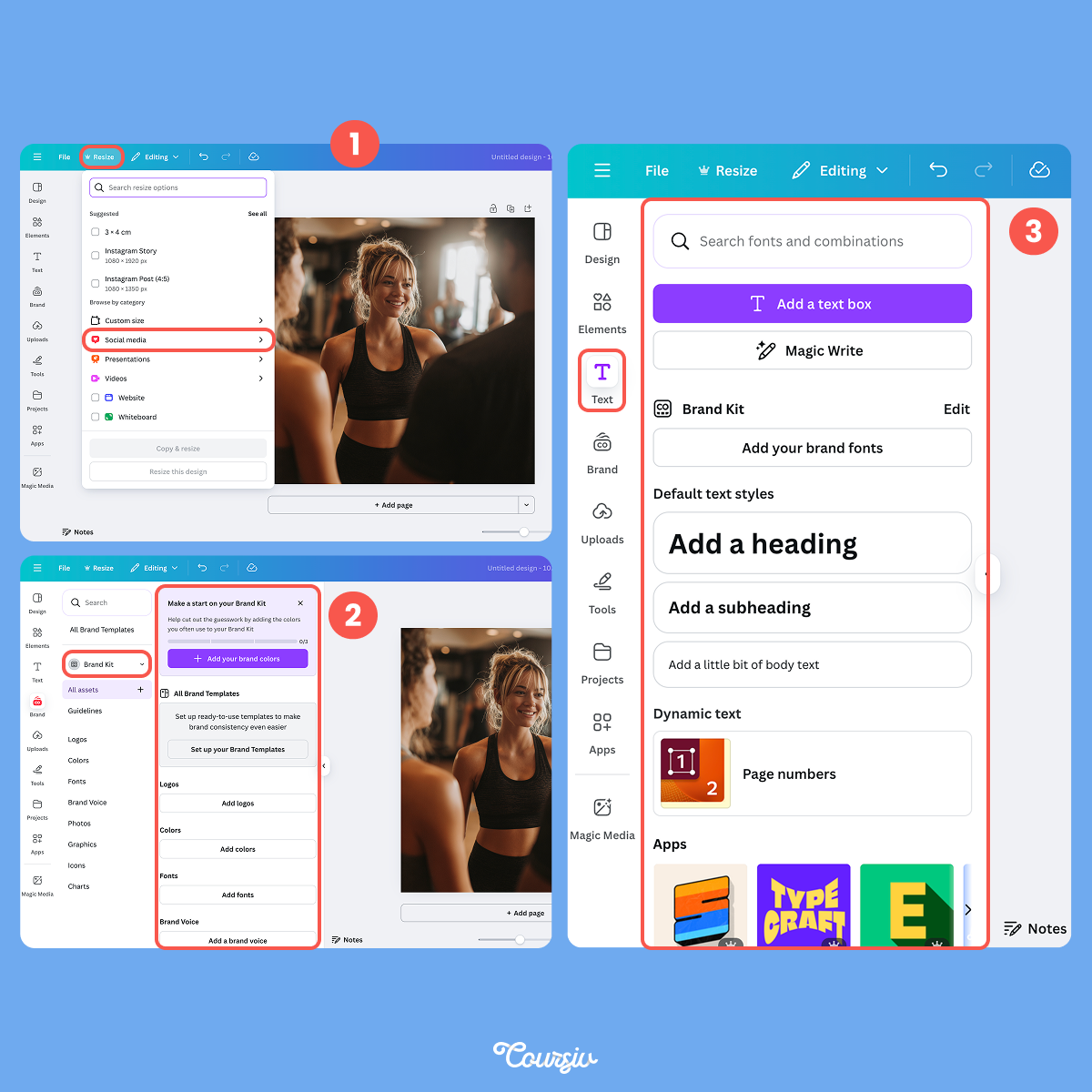
As a result, you'll get the same powerful images but optimized for Instagram, Facebook, and Stories — as well as with your logo, colors, and messaging perfectly integrated!
- Midjourney creates original images that match your vision
- Canva adjusts them to match your brand — colors, fonts, logo, and sizing
Creating Visuals for Different Marketing Needs
Fitness studio images are just one example. Let's see how this works for other types of businesses.
practice preview
Interactive practice
Fill in the blank
See how this works for a coffee shop promoting a new seasonal drink.
Choose one
Based on this example, what do you think is the key principle for creating effective AI images for your business?
You've Unlocked Professional Visuals!
You just learned how to create custom, branded images that make people stop scrolling — without design skills, expensive software, or hiring a designer.
Every post you create from now on will look polished and professional, perfectly matched to your brand and message.
In the next lesson, you'll learn how to put copy and visuals together into a complete social media system — planning, creating, and scheduling content that posts automatically.
Let's keep building!
- Visuals determine whether people stop to read your copy — they're the gatekeepers of attention.
- Midjourney creates original images from descriptions; Canva AI brands them for consistency.
- Describe mood and atmosphere, not just objects, for images that tell your story.
- Result: professional marketing visuals in minutes, no designer required.