AI Essentials for Project Managers · AI Project Management
Build Your AI Project Hub
One hub for all your templates
The Scattered System Problem
You've learned seven powerful AI techniques. ChatGPT for planning, Asana for tracking, Notion for risks, Slack for updates.
But when you start a new project next week, you'll rebuild everything from scratch. Let's solidify the knowledge you gained to remember everything important!

The Reinvention Problem
Most project managers reinvent their process with every new project: new doc, new structure, new confusion.
Choose one
What's the real problem with starting projects from scratch each time?
What if you had one workspace with all your AI project management tools ready to go — templates, prompts, trackers, all organized and reusable?
That's what we're building today: your AI Project Hub.
Select all that apply
Based on what you've learned in previous lessons, what should your AI Project Hub include?
Your hub is your reusable toolkit. Each new project copies from it without cluttering it.
Creating Your Notion Hub
We'll use Notion as your central workspace because it combines docs, databases, and templates in one place.
Setup Steps
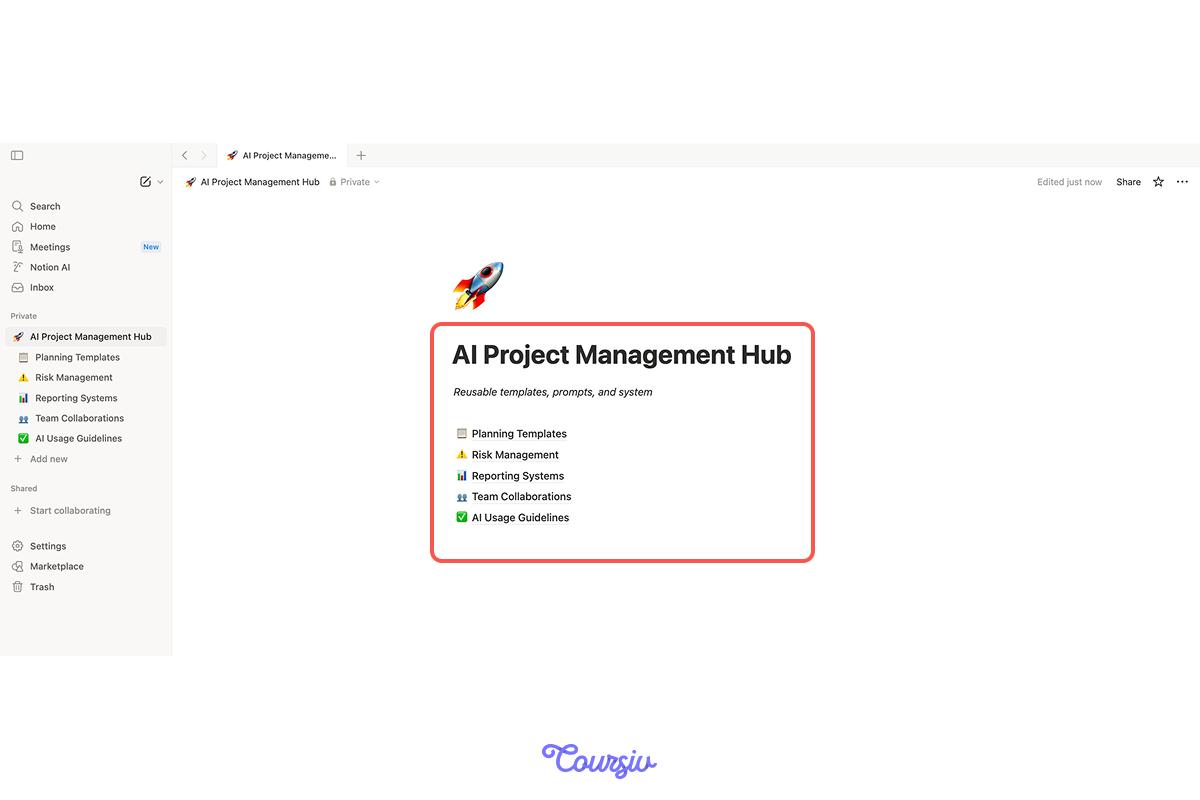
- Create new Notion page titled "AI Project Management Hub."
- Add icon and description: "Reusable templates, prompts, and systems."
- Create these sub-pages:
Inside each sub-page, you'll add links to templates and databases.
Building the Planning Section
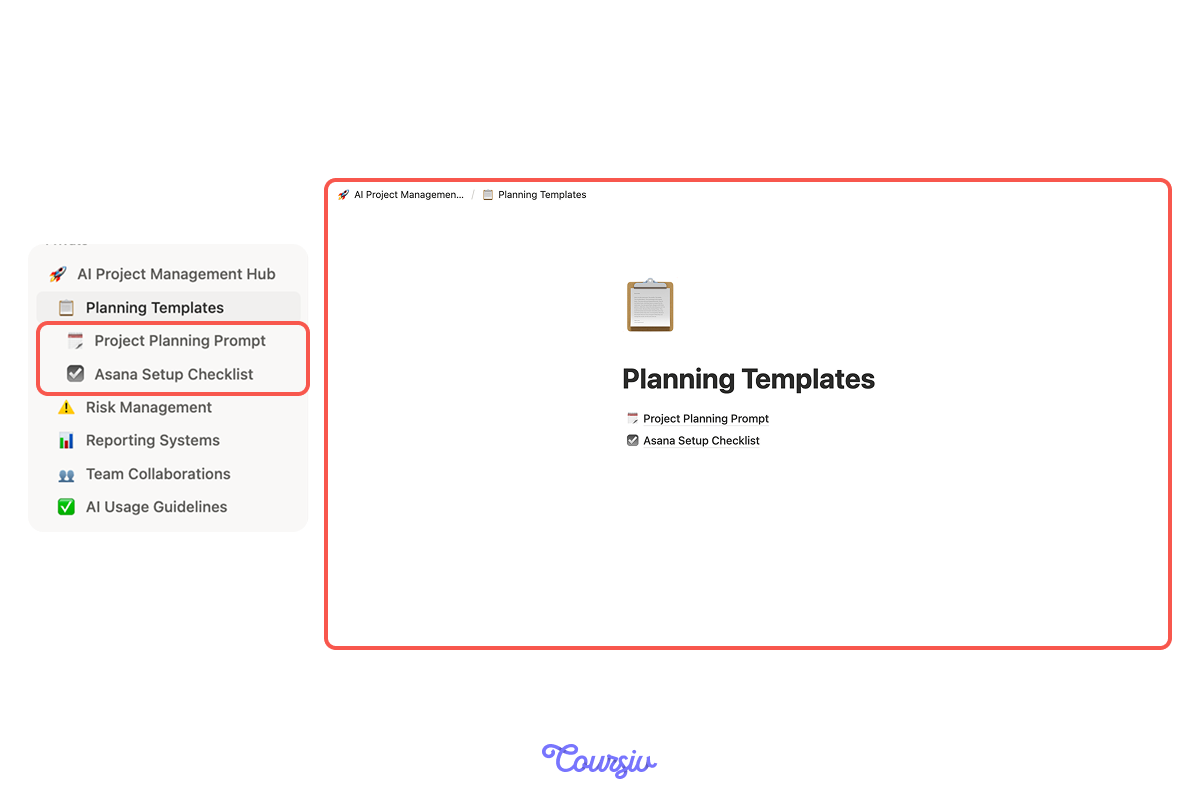
In the "Planning Templates" section, create two pages:
1. Project Planning prompt
"Create a [duration] plan to [goal] with milestones and specific tasks. Include timeline, key stakeholders, and success criteria."
2. Asana Setup checklist
- Create a project in Asana
- Add tasks from the ChatGPT plan
- Assign owners and due dates
- Switch to Timeline view
- Share with the team
Link both under Planning Templates.
Building the Risk Section
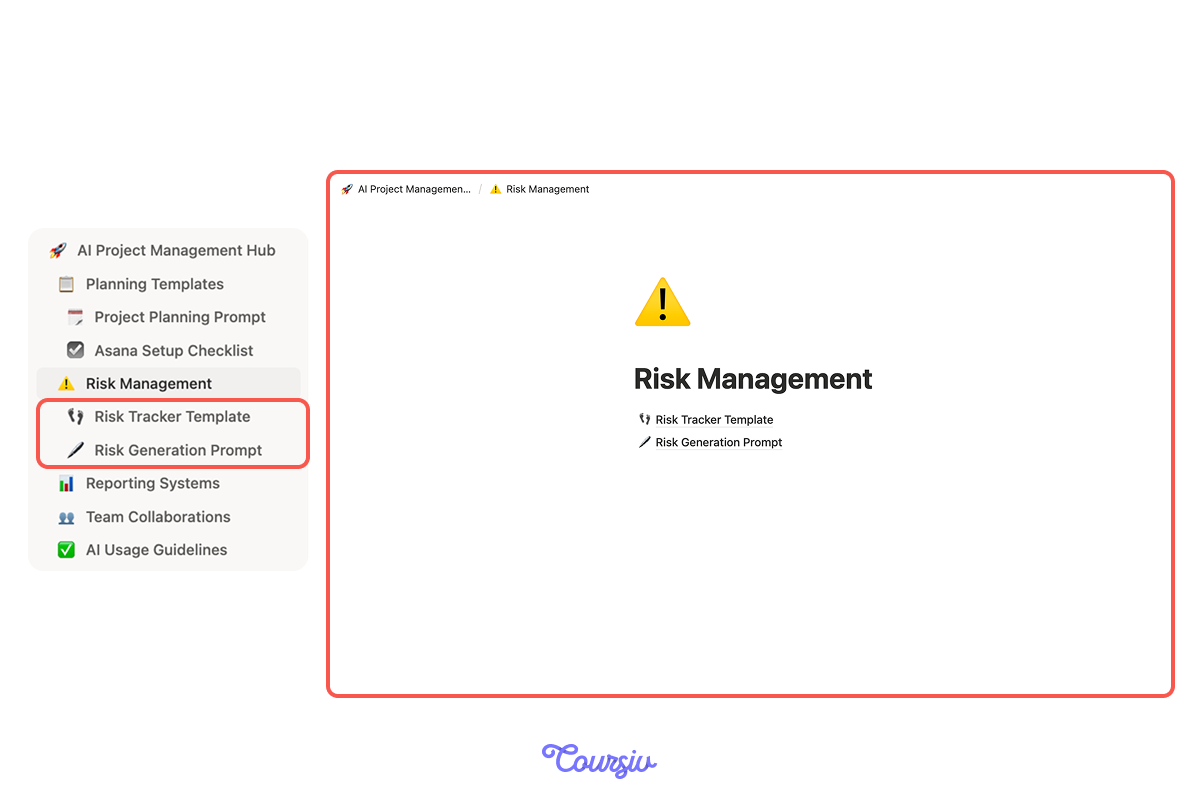
For the "Risk Management" section, create two pages as well:
1. Risk Tracker template
- Add a table database with columns: Risk, Likelihood, Impact, Owner, Status, Mitigation Plan
- Add 2-3 example risks as a reference
2. Risk Generation prompt
"What could delay or derail [project type]? List potential risks with likelihood and impact."
Building the Reporting Section
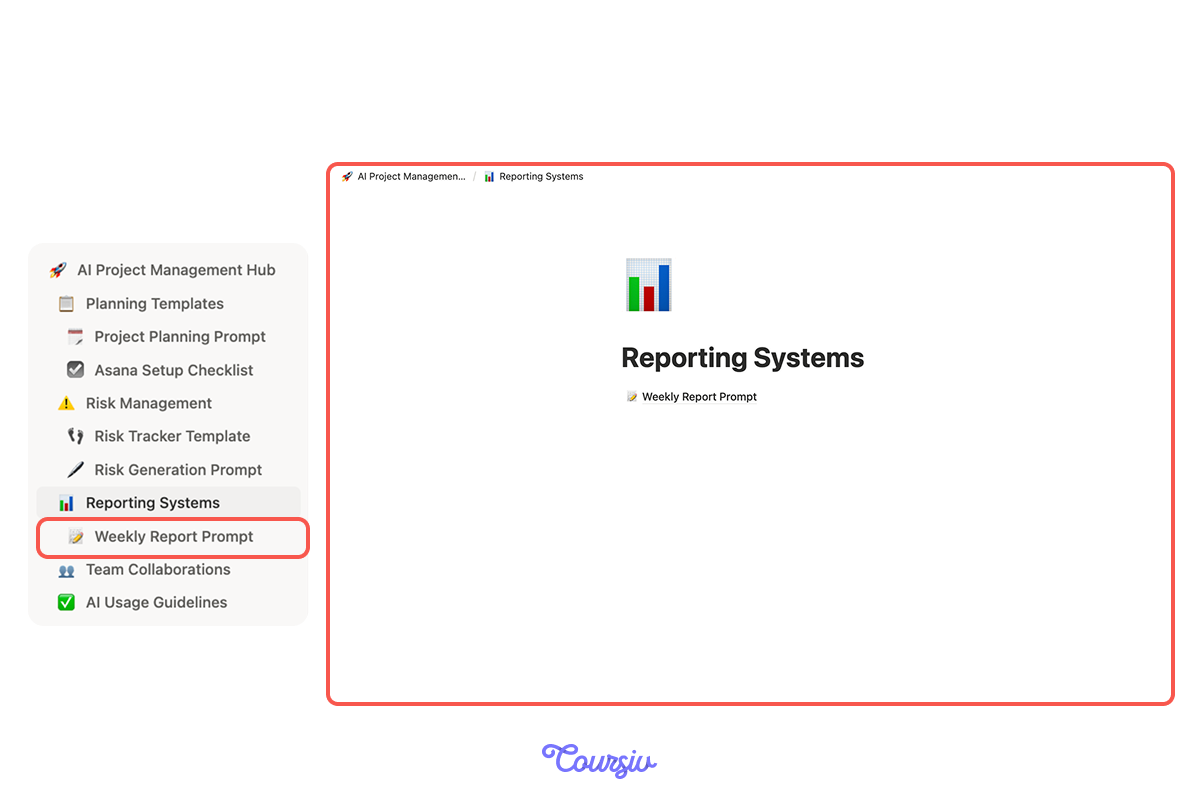
In the "Reporting Systems" section, create a "Weekly Report Prompt" page with your reusable template:
"Turn these project updates into a professional weekly summary with sections: Completed This Week, In Progress, Blockers & Risks, Next Week Priorities. Updates: [paste notes here]"
Choose one
Now that you've created planning, risk, and reporting templates, what do you think makes them valuable?
Completing Your Hub
Let's add the remaining sections quickly.
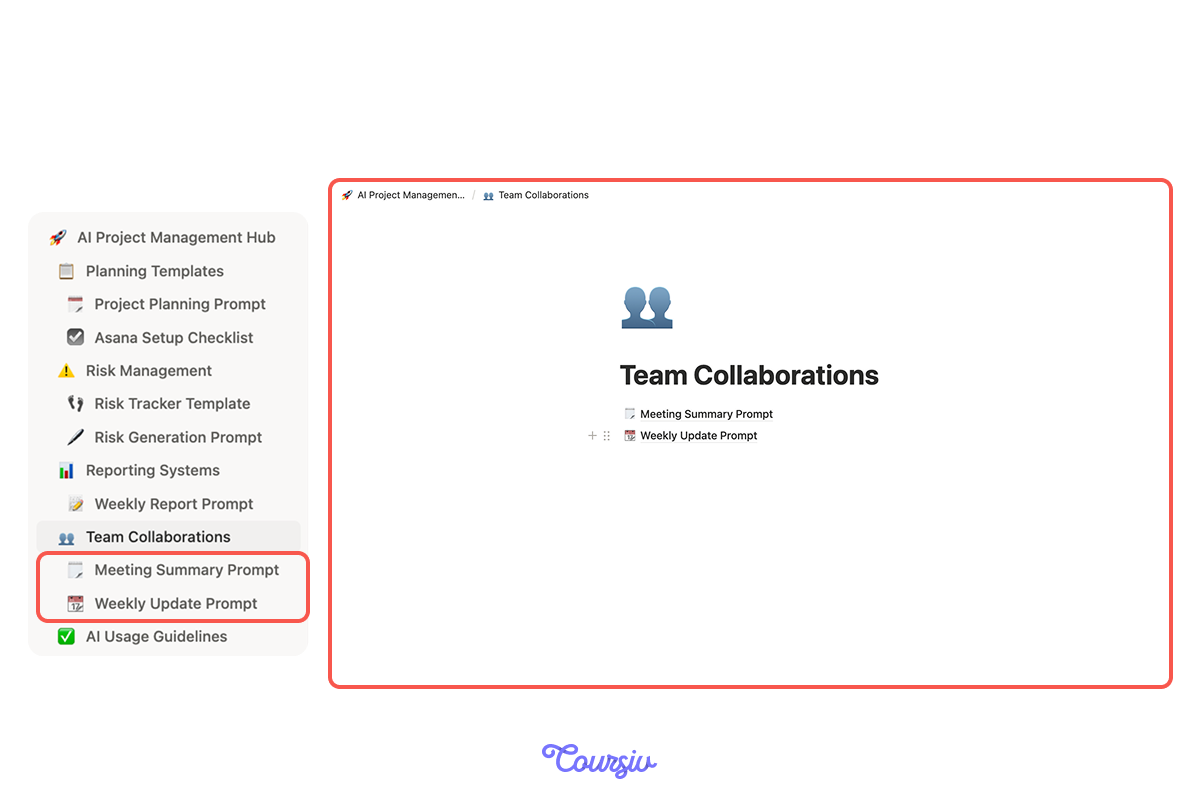
For the "Team Communication" section, create a page with prompt templates for meeting summaries and weekly updates:
- Meeting Summary prompt: "Summarize these meeting notes into a clear 5-point summary: [paste notes]. Include decisions, action items with owners, blockers, and next meeting."
- Weekly Update prompt: "Create a weekly progress update for this week: [provide context]. Include completed tasks, in-progress work, risks, and next week's priorities."
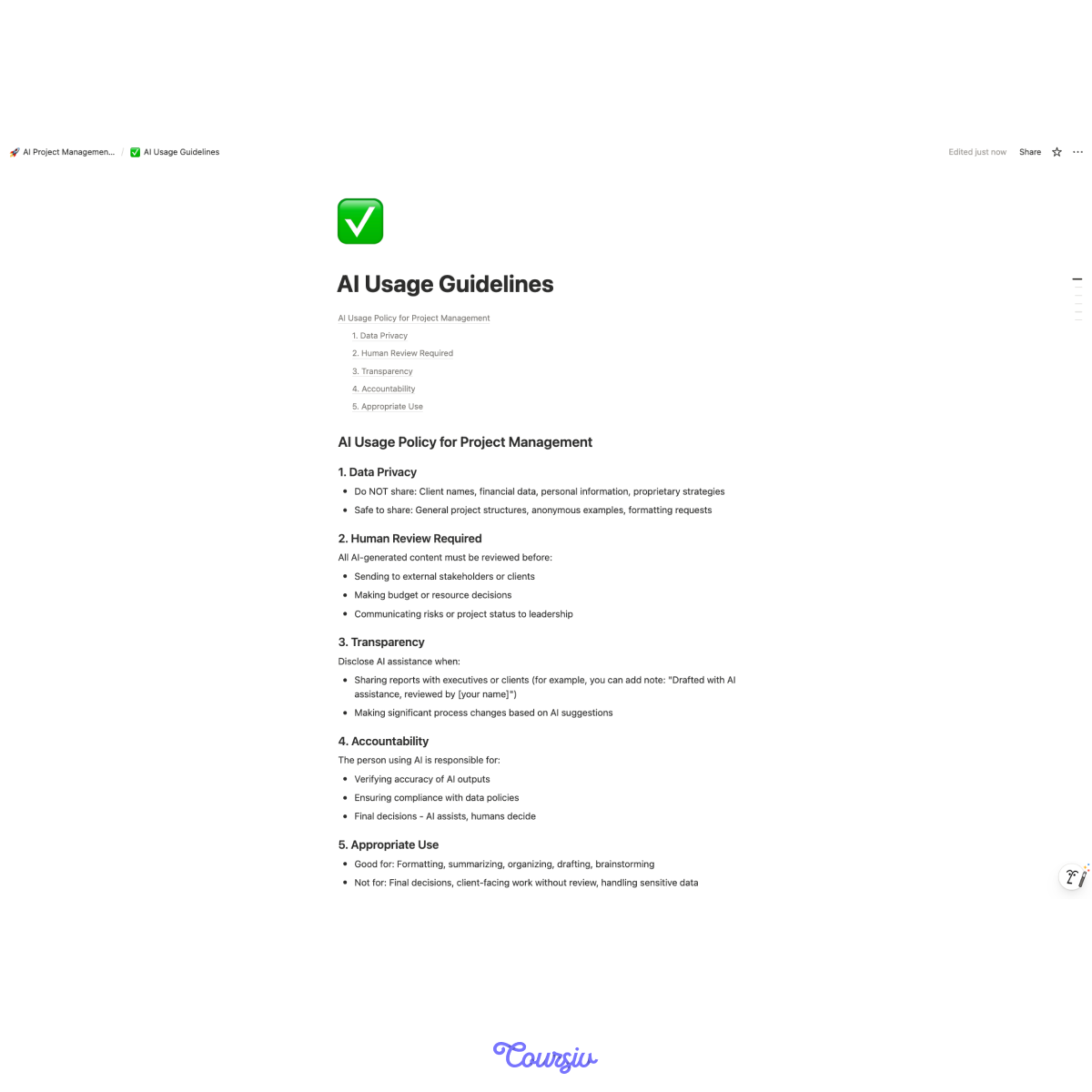
Last but not least, insert your AI policy from the previous lesson into the AI Usage Guidelines.
As a result, your hub structure will be complete!
practice preview
Interactive practice
True / False
Based on what you learned, decide if this is a good approach.
Using ChatGPT to Optimize Your Hub
Your hub is built. Now let's make it even better.
practice preview
Interactive practice
Fill in the blank
Ask ChatGPT to review and improve your hub structure.
Choose one
Looking at ChatGPT's response, what is the value of asking it to review your hub?
You just saw ChatGPT analyze and improve your hub structure. Use this technique for any system you build:
This way, your workspace will evolve and get better over time — just like your projects!
How Your Hub Works
Now, let's see the hub in action.
practice preview
Interactive practice
Put in order
Arrange these steps for launching a new project using your hub.
practice preview
Interactive practice
True / False
Which mindset leads to better project management?
Excellent Work!
You're now ready to build your complete AI Project Management Hub — a reusable system that makes every future project faster and more effective.
On that note, you've completed the entire guide. What you've mastered:
- Documentation speed with ChatGPT
- Planning with ChatGPT + Asana
- Workload balancing
- Risk management with Notion
- Team communication with Slack
- Effortless reporting
- Responsible AI use
- Your complete reusable system
You're now an AI-powered project manager!
Select all that apply
Last check: what's the main benefit of having a centralized AI Project Hub?
You Did It — You're Ready!
Look at what you're now ready to build: a complete AI-powered project management system that saves hours every week, keeps teams aligned, spots problems early, and launches new projects in minutes.
Most project managers will continue to struggle with the old way. But you? You've mastered something that changes everything.
You now have the tools, the templates, and the system to manage projects faster, smarter, and with way less stress. That's not just an upgrade — that's transformation!
Now build something amazing. You've got this!

- Centralized hubs eliminate setup time with reusable templates and prompts.
- Systems make your best practices repeatable across every project.
- Quick Start checklists turn hubs from reference to action.
- Result: launch new projects much faster with proven AI tools ready to go.