AI Essentials for Project Managers · AI Project Management
Spot Risks Before They Happen
Weekly reviews prevent costly project surprises
The Surprise That Wasn't
Two weeks before launch, your developer discovers the payment gateway doesn't work with your new platform. Complete integration rewrite needed.
Launch delays six weeks. Budget doubles. Stakeholders furious.
The worst part? This was predictable.
The "Surprise" Problem
Most project disasters aren't surprises — they're risks nobody bothered to list.
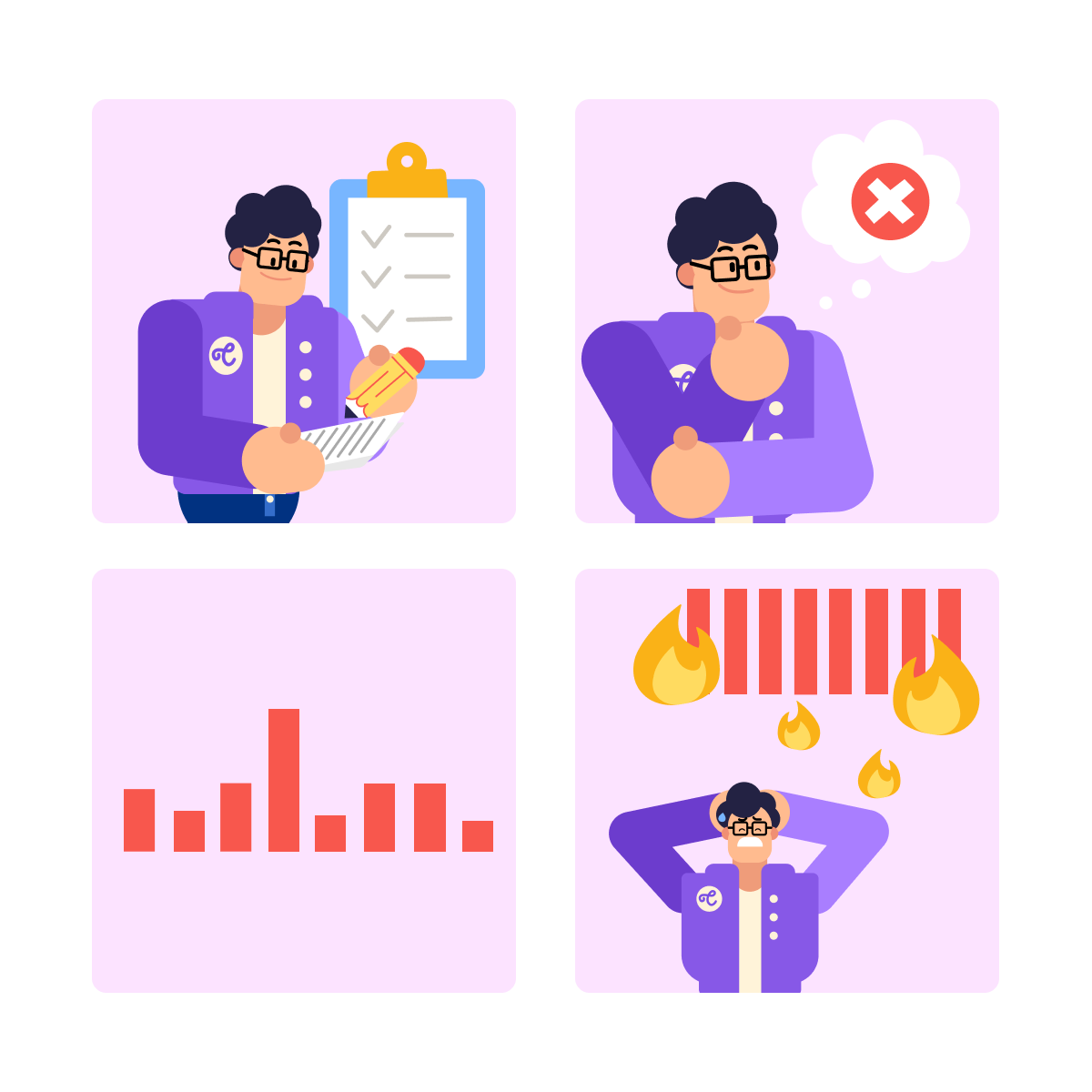
What typically happens:
- You focus on the plan (what should happen)
- You don't think through what could go wrong
- Small risks grow quietly in the background
- By the time they surface, it's too late to prevent them
You can't mitigate risks you haven't identified.
Choose one
When's the best time to identify project risks?
That's what we're building today! A way to spot risks before they happen, track which ones matter most, and have mitigation plans ready before anything goes wrong.
practice preview
Interactive practice
Fill in the blank
Ask ChatGPT to list potential risks for your project.
Choose one
Looking at this list, how many of these risks had you already thought of?
ChatGPT just generated a comprehensive risk list across timeline, resources, technical, external, and business categories. You now see potential problems before they happen.
One thing to think about: a list sitting in a doc gets forgotten. Risks need tracking, prioritization, and action.
Choose one
What's your next move with this risk list?
Meet Notion for Risk Tracking
Notion is a workspace tool that combines documents, databases, and task management in one place.
Why Notion Works for Risk Management
- Structure: each risk is a row with properties (likelihood, impact, owner, status).
- It's easy to update statuses: from "Monitoring" to "Mitigating" with a click.
- Visual prioritization: sort by impact or filter by owner instantly.
- No version confusion, team sees the same live tracker.
The bottom line: Notion turns your risk list from static text into a trackable, actionable system.
Now, let's build your risk tracker in Notion.
Setting Up Your Risk Tracker
- Open Notion and create a new page titled "Project Risk Tracker."
- Type /table and select Table — Database.
- Rename the default "Name" column to Risk.
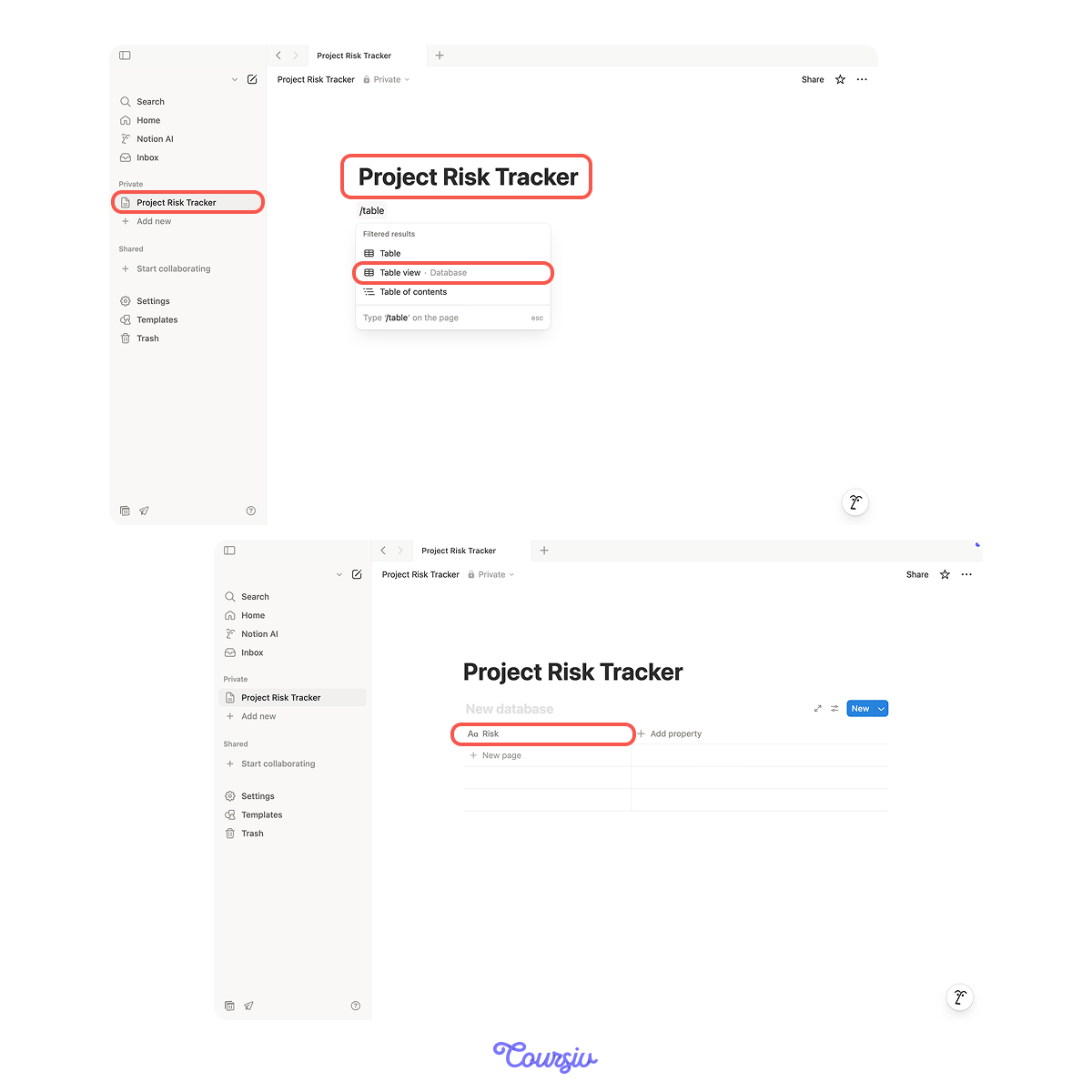
Then, add these columns by clicking "+":
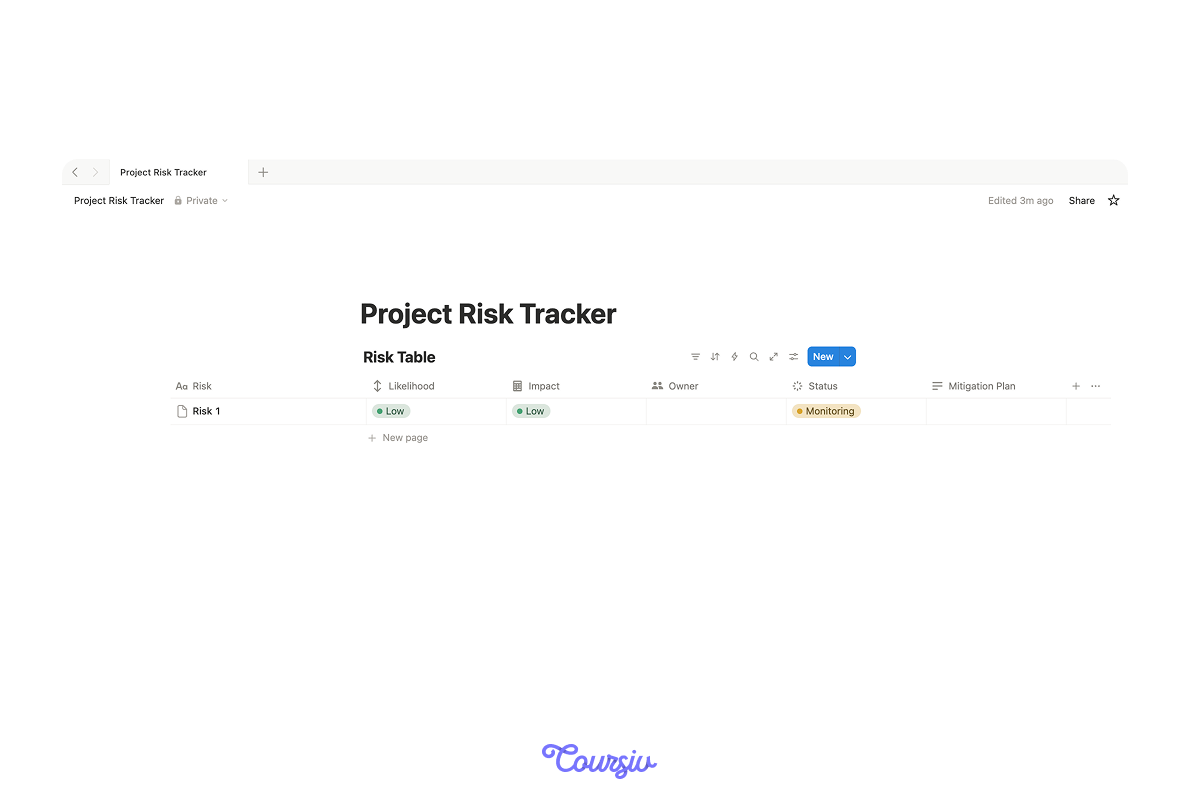
Now copy your risks from ChatGPT and paste each one as a new row in your Notion table. For each risk, use the above columns:
- Likelihood: how likely is this to happen?
- Impact: how much damage if it happens?
- Owner: who watches this risk?
- Status: "Identified" (for now)
- Mitigation plan: what will you do if it happens?
Choose one
You've added all risks to your Notion tracker. Now, you focus on the most critical ones first. What should you do?
Using Notion AI to Refine Mitigation Plans
You've identified risks and assigned owners — everything is now trackable and prioritized. But what about mitigation plans?
Some risks have obvious solutions. Others? Not so much.
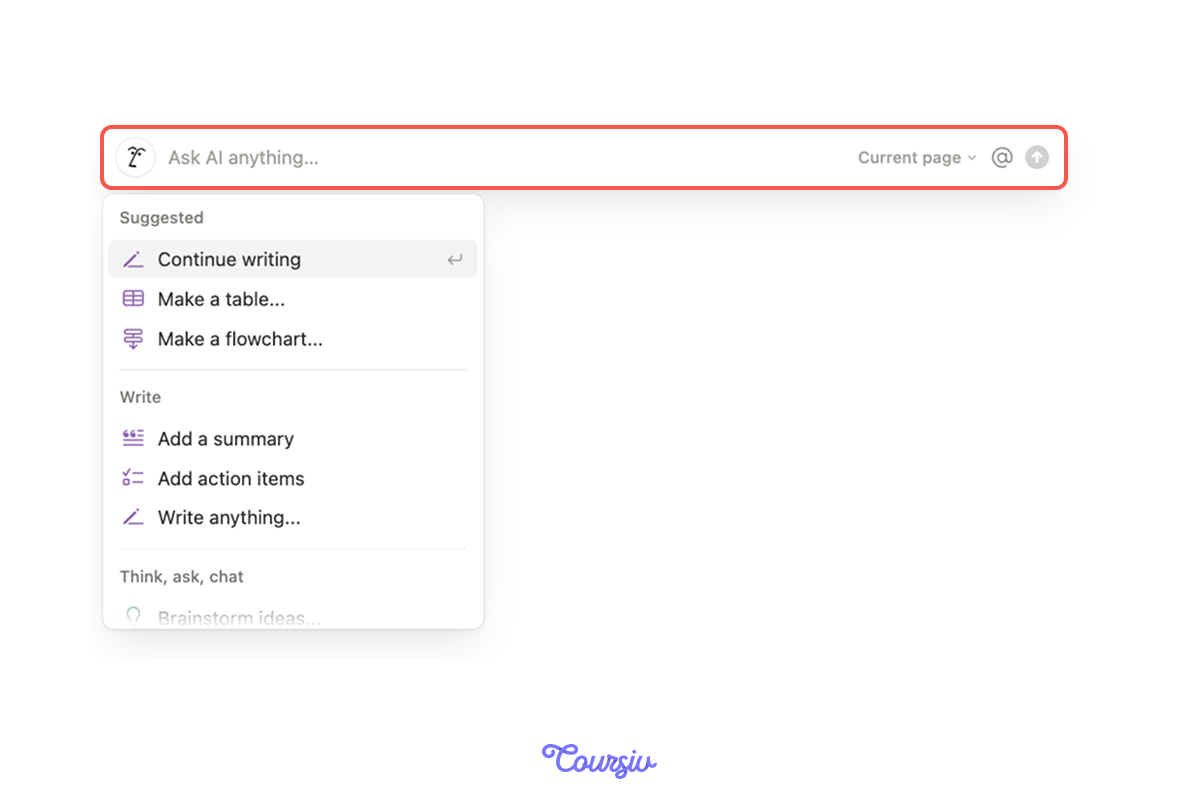
Notion AI can help you develop better mitigation strategies directly in your tracker:
- Type space to activate Notion AI anywhere on the page.
- Prompt: "Suggest a mitigation plan for [risk type]."
- Notion AI generates a plan you can edit and refine.
- Transfer the plan to the respective "Mitigation Plan" cell.
practice preview
Interactive practice
Fill in the blank
Use Notion AI to create a mitigation plan for a specific risk.
See how Notion AI created a plan with prevention, response, and monitoring steps?
You can now paste this into your tracker and customize it based on your specific situation.
Building a Weekly Risk Review
Your risk tracker is live. Now you need a habit to keep it useful.
Here's a simple Friday afternoon routine (10 minutes):
- Open your Notion risk tracker.
- Filter to show Status = "Monitoring" or "Mitigating."
- For each active risk, ask: "Did anything change this week?"
- Update the Status if risks are resolved or escalated.
- Add new risks that emerged during the week.
- Assign owners to any unassigned risks.
Result: your tracker stays current, and you catch emerging risks early.
Choose one
Why is Friday afternoon a good time for risk review?
practice preview
Interactive practice
Put in order
Now, let's put the full risk management process together.
Excellent Work!
You've just unlocked something PMs never master — spotting risks before they become crises and tracking them systematically.
While others are firefighting surprises, you'll be three steps ahead with mitigation plans ready to go.
In the next lesson, you'll learn how to keep your entire team aligned without endless meetings — turning communication chaos into crystal-clear clarity.
Let's keep the momentum going!
- ChatGPT generates comprehensive risk lists across categories you might miss.
- Notion creates trackable risk databases with likelihood, impact, owners, and status.
- Weekly reviews catch emerging risks early when prevention is still possible.
- Result: spot 3+ hidden risks before they escalate into costly problems.