Turbocharge Your Productivity with AI · AI-Powered Productivity
From Ideas to Documents and Slides
Structure documents and presentations quickly
Stop Fighting with Formatting
You can draft content fast now. But what about turning those ideas into polished documents and slide decks?
That's where formatting used to consume hours of time. Let's automate that too!

The Two-Stage Creation Process
Great documents need two things: solid content and a professional presentation. AI excels at both.
Here's how you can use AI to create excellent written documents and slide presentations:
Stage 1: Structure (ChatGPT)
- Organize ideas into logical flow
- Create outlines and frameworks
- Draft core content
Stage 2: Format (Copilot)
- Convert to Word docs or PowerPoint
- Apply professional styling
- Generate visual elements
Separating content from formatting lets each tool do what it does best.
Choose one
Why should you use two tools instead of doing everything in one?
Creating Document Outlines
Start with structure. A clear outline in ChatGPT becomes the foundation for any document.

practice preview
Interactive practice
Fill in the blank
Let's take a sample topic and create a document outline on it.
Perfect structure! Now you have a logical framework.
Next, develop each section into full content using ChatGPT. Let's try it with the work requirements section.
practice preview
Interactive practice
Fill in the blank
Complete the prompt to see how it can develop content.
Great! This way, you can build your complete document section by section before moving to Copilot.
From Text to Formatted Document
Once your content is ready, you can open Word and Copilot to transform it into a professional Word document with proper formatting.
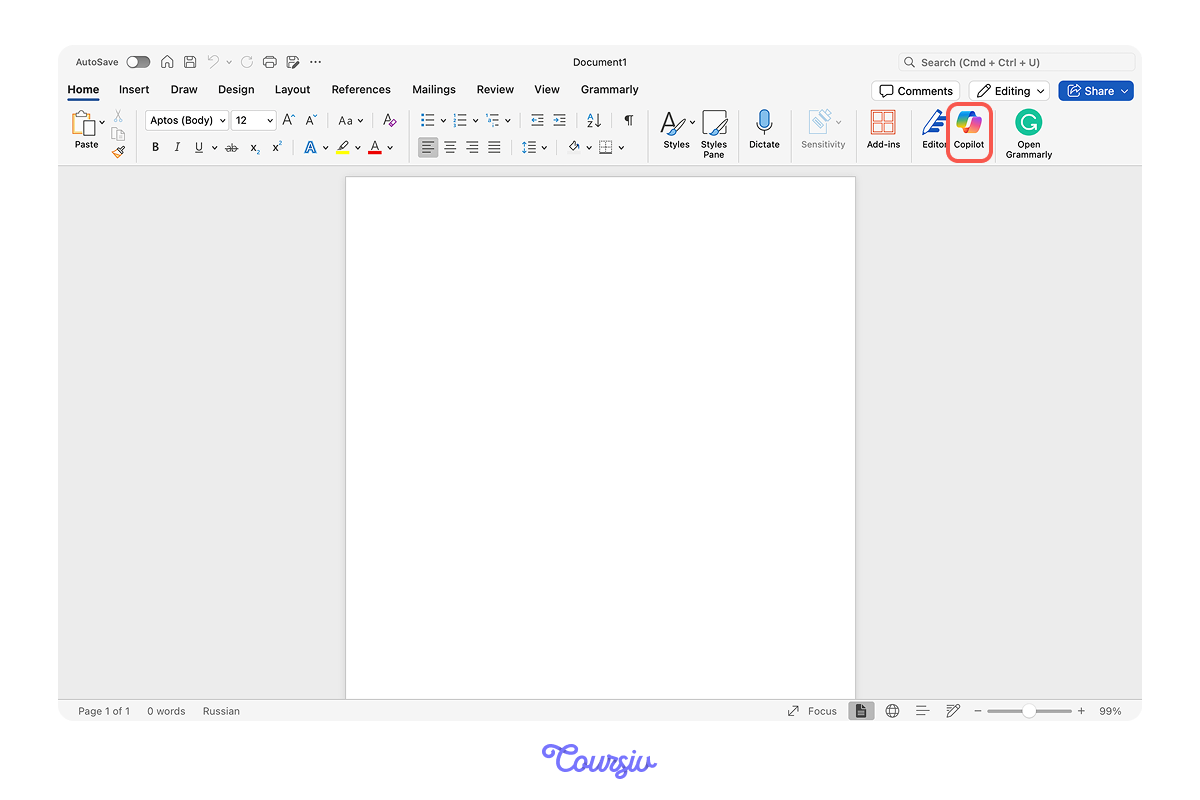
In Word with Copilot, put this command:
"Create a policy document from this content *paste text*"
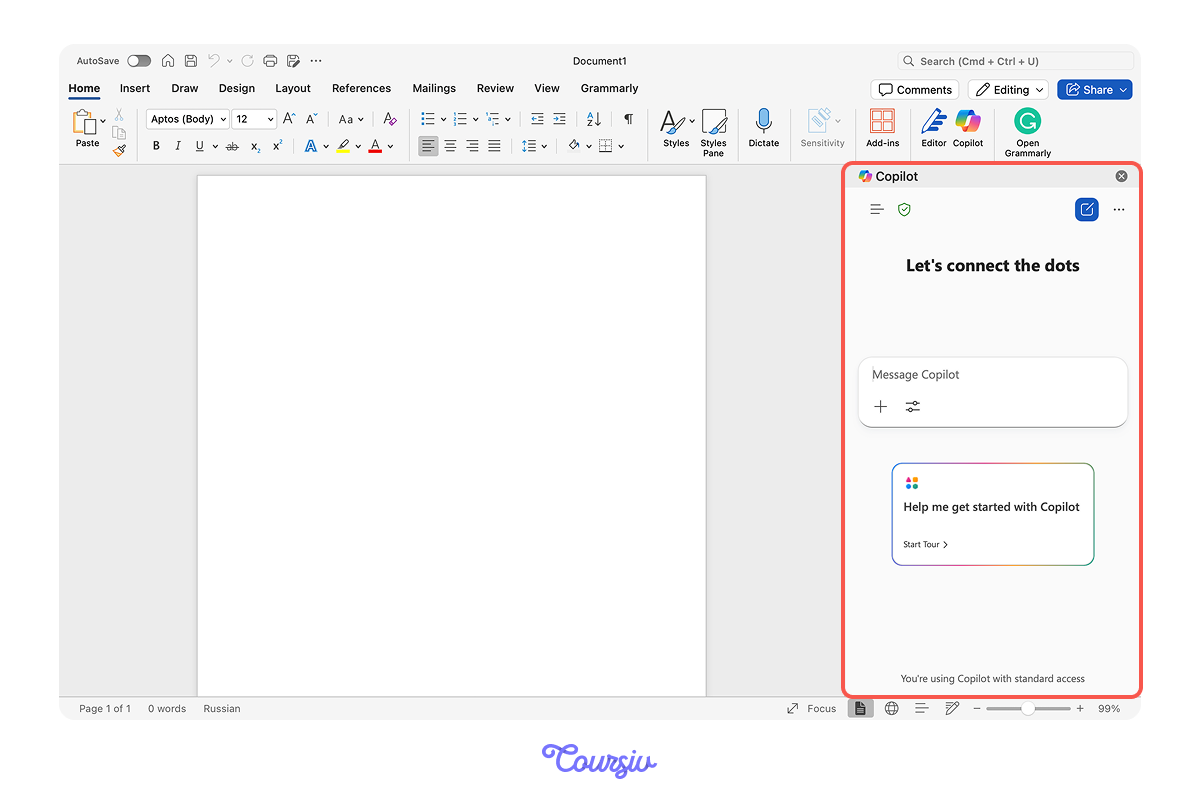
After this, Copilot will apply:
- Professional formatting and spacing
- Consistent heading styles
- Bullet points and numbered lists
- Table of contents (if needed)
- Page numbers and headers
No more fighting with styles or spacing!
practice preview
Interactive practice
True / False
Given what you learned so far, decide if this workflow is efficient.
Creating Presentation Outlines
Presentations follow the same two-stage process — structure in ChatGPT, formatting in PowerPoint with Copilot.

practice preview
Interactive practice
Fill in the blank
Complete this prompt to outline a presentation.
Excellent structure!
Notice how it includes visual suggestions for each slide? That guides Copilot's design choices.
Generating Slides with Copilot
Once your structure is ready, you can go to PowerPoint, and Copilot will transform your outline into a complete slide deck with design and layout.
To do so, you can use this command to Copilot:
"Create a presentation from this outline [paste outline]"
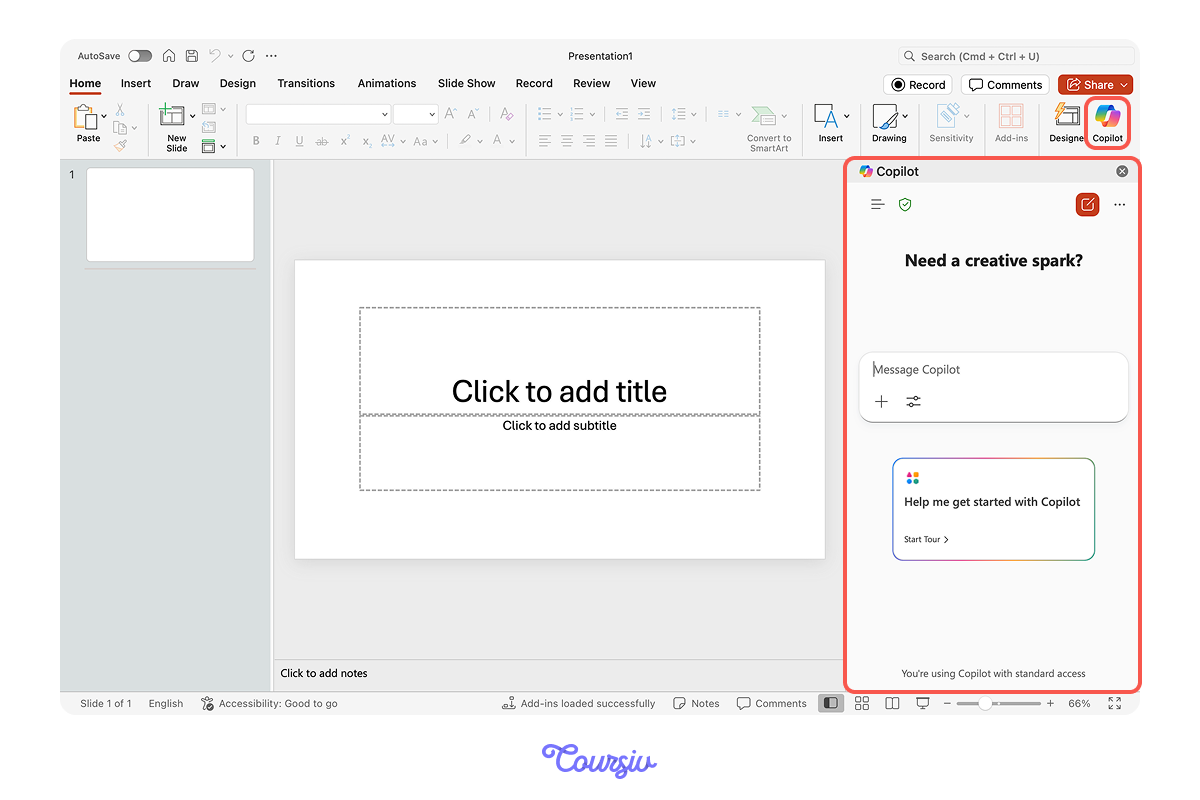
Hence, Copilot will generate:
- Professional slide layouts
- Consistent design theme
- Charts and visual elements
- Speaker notes (if requested)
- Transition suggestions
Your role: Review flow, adjust specific data, and add company branding.
practice preview
Interactive practice
Put in order
Now, arrange these steps for creating polished documents or presentations.
Perfect! This systematic approach separates thinking from formatting — each happens when you're in the right mindset.
Remember: AI handles structure and formatting; you add the insights and polish.
The Manual Refinement Step
AI gets you 75% of the way there. The final 25% requires your judgment.

Select all that apply
What do you think you should always do after AI generates a document or presentation?
For convenience, here's the full list of what to refine manually:
Content accuracy
- Verify all data and claims
- Add specific examples from your context
- Remove any generic filler
Brand consistency
- Apply company color schemes
- Use approved templates or logos
- Match organizational voice
Audience customization
- Adjust technical depth
- Add relevant internal references
- Personalize examples
Never skip this step — it's what makes AI output authentically yours.
What's Next
Great! You've now mastered creating content faster with AI!
In the next lesson, you'll learn how to make meetings actually productive — capturing discussions and turning them into clear action plans!

- Use ChatGPT for content structure and development, Copilot for formatting in Office apps.
- Separate thinking from formatting — draft completely before styling.
- AI gets you 85% there — always add specific context and verify accuracy.
- Save your document and presentation prompts for instant reuse.