Boost Your Sales with AI · From Busy to Productive: AI for Sales
Never Forget a Follow-Up Again
Set perfect timing on every single follow-up
Where Deals Actually Die
You found great leads. You sent perfect emails. Then... silence. You forget to follow up, and the deal dies.
What if every lead got the perfect follow-up sequence automatically, while you focused on closing? Let's make it happen!

The Follow-Up Problem
Let's identify the problem first.
Choose one
When do most sales opportunities actually die?
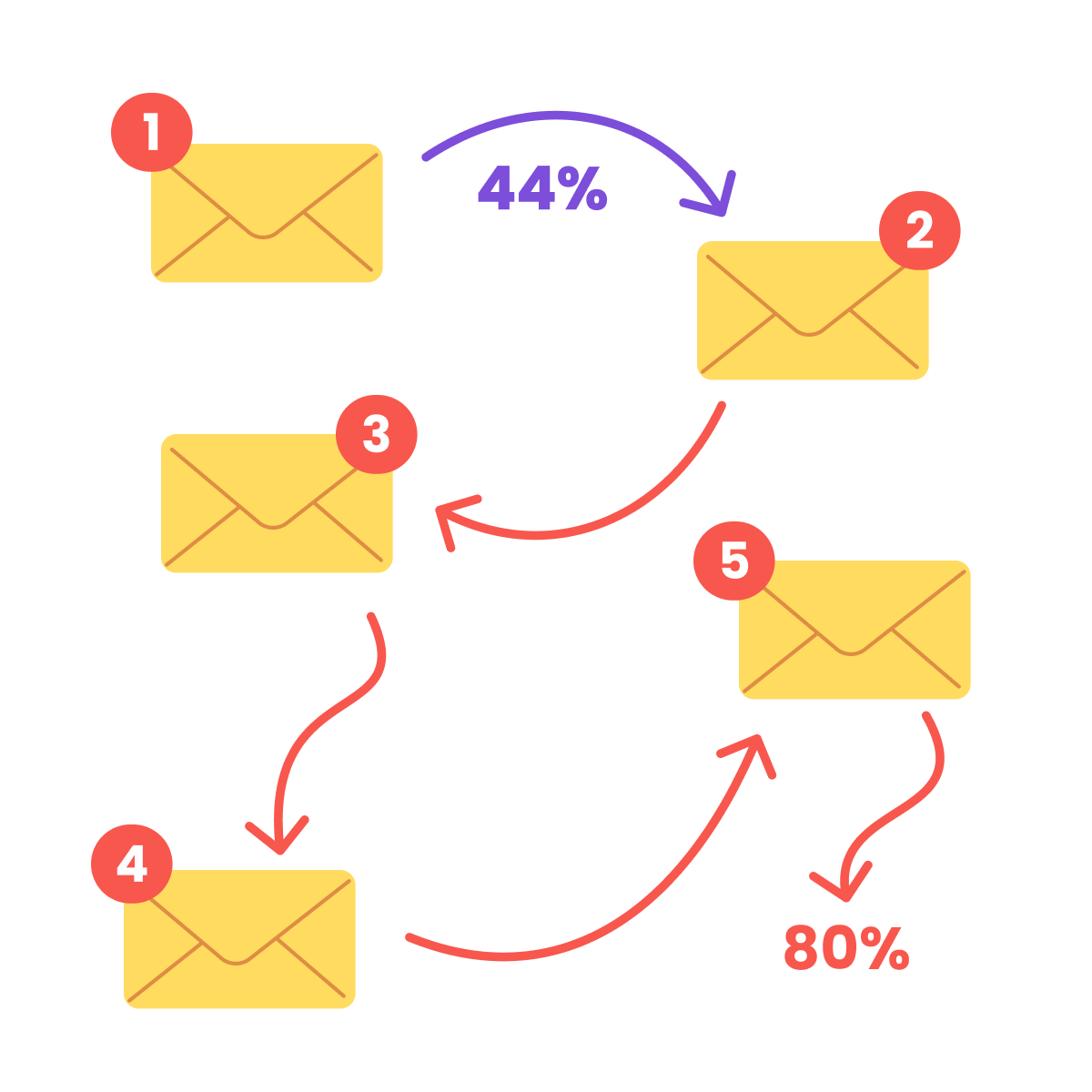
That is, around 80% of sales happen after the 5th contact, but 44% of salespeople give up after just one follow-up.
That gap is where deals go to die.
Why Follow-Ups Fail
It's not laziness — it's overwhelm!
What Actually Happens
- You send a great first email on Monday morning. The prospect doesn't respond.
- Tuesday rolls around — should you follow up? Too soon?
- By Friday, you're buried in new leads and meetings. That prospect? Forgotten.
- Meanwhile, they're buying from your competitor who sent a well-timed follow-up on Wednesday.
You didn't lose because of your product. You lost because of timing.
Think about it: if a prospect showed interest but didn't respond, they're probably just busy — not uninterested.
A well-timed follow-up catches them when they have five minutes. Automation makes sure you're always there at the right moment.

The 3-Email Follow-Up Formula
The most effective follow-up isn't one email. It's a sequence spread over 7 days.
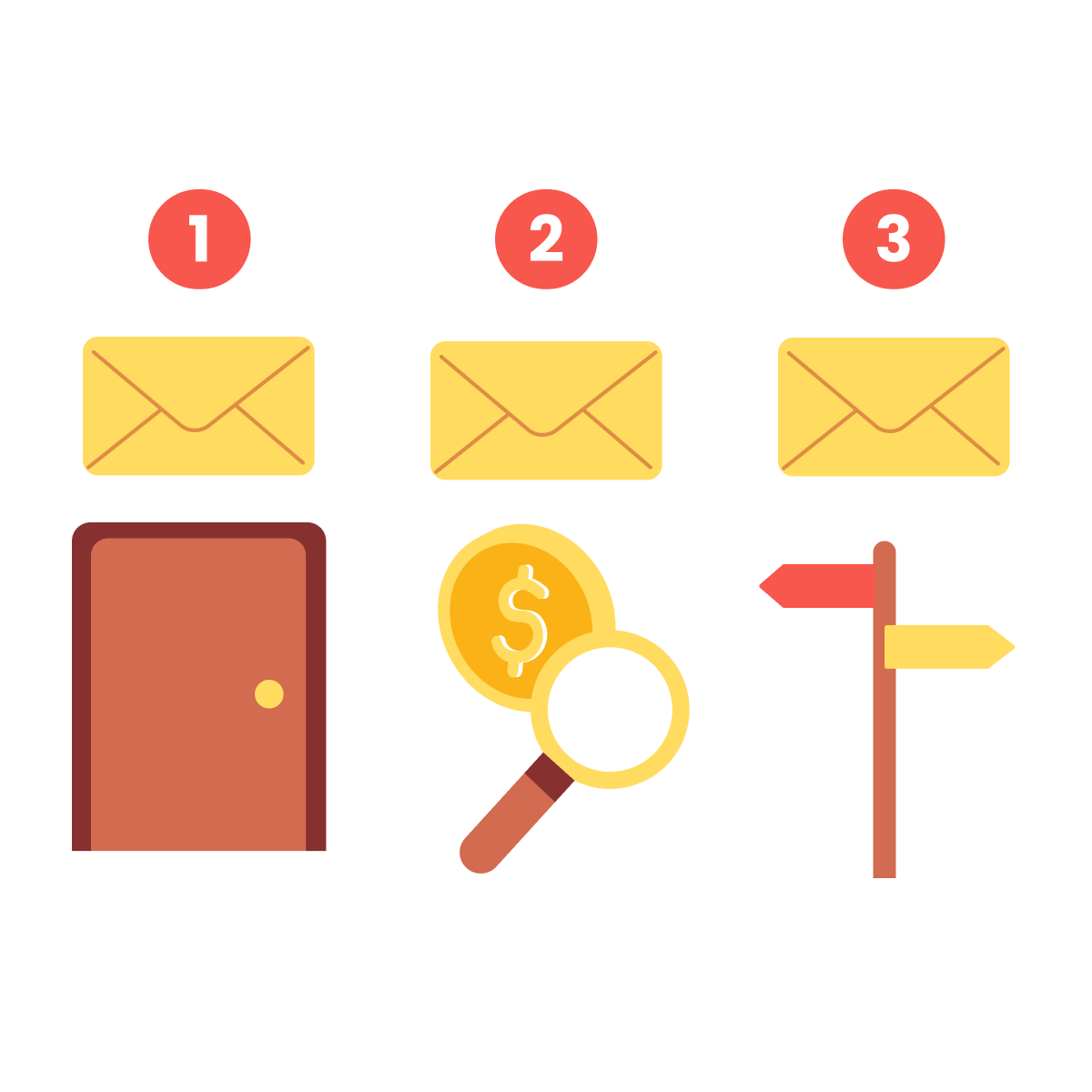
Email 1 (Day 0): Initial outreach
- Introduce yourself and your value proposition
- Clear call to action
- Share a case study, resource, or insight
- No hard sell, just helpful content
- Time-sensitive offer or question
- Final clear call to action
Why does this work?
Because each email gives them a new reason to respond without feeling pushy.
This sequence increases response rates by 30% compared to single emails. But manually tracking who got which email when? Impossible at scale.
That's where automation comes in.

Writing Your Sequence with ChatGPT
Let's use ChatGPT to write all three emails at once, ensuring they flow naturally together.
practice preview
Interactive practice
Fill in the blank
Complete this prompt to generate your entire follow-up sequence.
See how ChatGPT politely asked for your approval before continuing to work on the task?
Don't worry, it is its usual behavior either to change the approach as soon as possible or to ensure that everything is okay.
See how each email builds on the last without being repetitive or pushy?
Email 1 opens the door. Email 2 adds value with no ask. Email 3 creates a decision point.
Now let's automate sending them.
Meet HubSpot
HubSpot is your automation engine. It sends the right email at the right time based on triggers you set.
What HubSpot Does
- Stores your email sequence — all three emails ready to go
- Watches for triggers: someone fills out a form — the sequence starts automatically
- Sends at the right time: Day 0, Day 3, Day 7 — perfectly timed
- Tracks everything: who opened, who clicked, who responded
You set it up once. It runs forever.
Setting Up Your First Sequence
Let's walk through creating your automated follow-up in HubSpot.
HubSpot Setup Steps
- Go to Automation → Workflows in HubSpot.
- Create a new workflow and name it (e.g., "Sales Outreach Sequence").
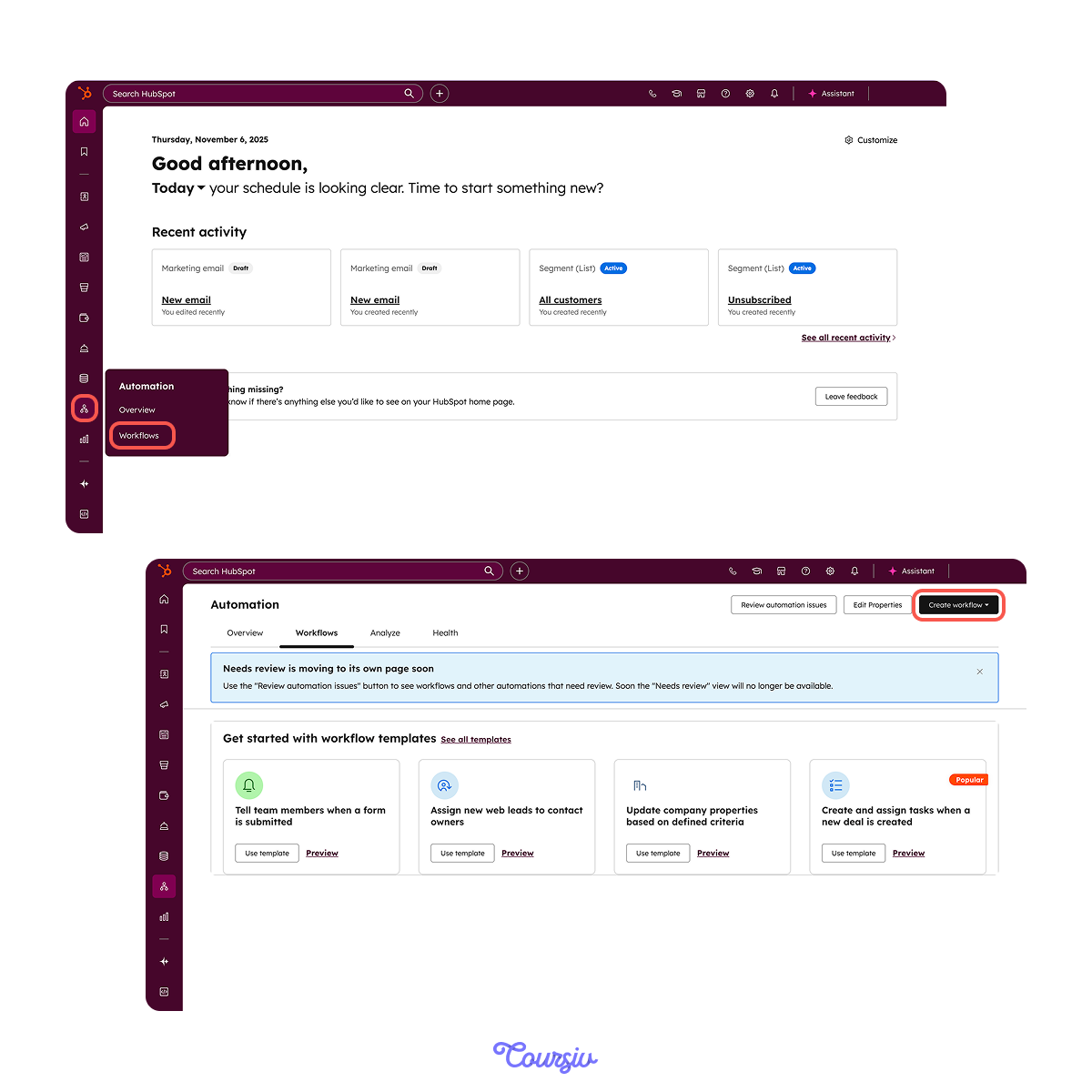
Then, you need to:
- Add Email 1: paste your ChatGPT email, set to send immediately.
- Add Email 2: paste the second email, set the delay to 3 days.
- Add Email 3: paste the third email, set the delay to 7 days.
- Set enrollment trigger: when a contact fills the form, joins the list, or you manually enroll them.
- Activate sequence. Now it runs automatically!
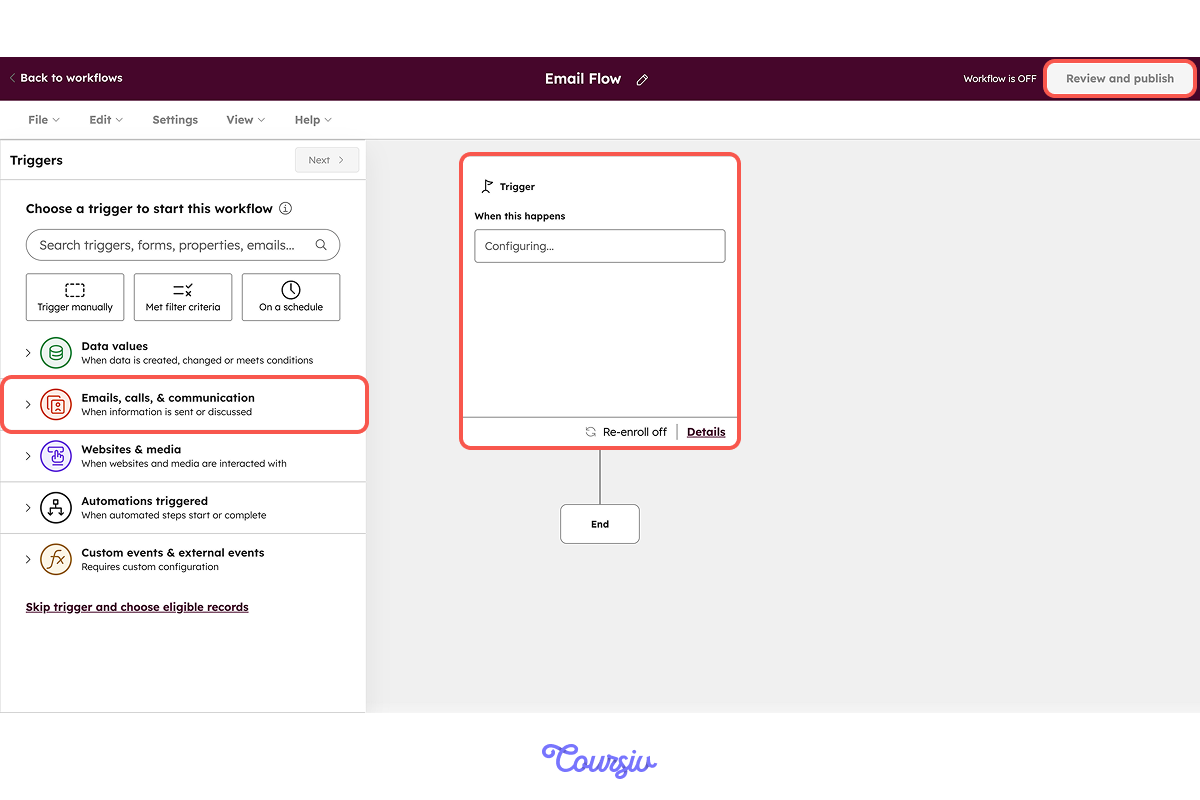
Once activated, every new lead gets the perfect follow-up sequence without you lifting a finger.
You focus on the conversations. HubSpot handles the "checking in."
practice preview
Interactive practice
True / False
Decide if this is the right way to use follow-up automation.
When Automation Runs vs. When You Step In
Automation isn't about replacing you. It's about freeing you to focus on real conversations.
Let automation handle:
- No response after Email 1 → auto-send Email 2 on Day 3
- No response after Email 2 → auto-send Email 3 on Day 7
- Routine "checking in" → consistent touchpoints without manual tracking
- Initial value delivery → case studies, resources sent automatically
When you step in personally:
- They reply to any email → stop automation, have a real conversation
- They book a meeting → prepare personally, send confirmation
- They ask specific questions → answer directly, don't send an automated response
- High-value accounts → add personal touches throughout sequence
The goal: automation ensures no lead is forgotten, but every conversation feels personal when it matters.

practice preview
Interactive practice
Put in order
Arrange these steps for setting up automated follow-ups.
Perfect! This workflow means every lead gets consistent follow-up, and you never lose deals to "I forgot to reach back out."
Test it on yourself first — see how the timing feels from the recipient's perspective.
Measuring What Works
The next step is measuring results, and HubSpot can show you which emails perform best so you can improve over time.
Key Metrics to Watch
- Open rates: are your subject lines working? (Aim for 40%+)
- Click rates: are they engaging with links? (Aim for 10%+)
- Response rates: are they replying? (Aim for 15%+ overall)
- Conversion by email: does Email 2 or Email 3 get more responses?
If Email 2 performs poorly, rewrite it with ChatGPT and test again.
Select all that apply
Now, what's the main benefit of automated follow-up sequences?
You're On the Right Track!
You'll never lose a deal to forgotten follow-ups again.
In the next lesson, you'll learn how to handle the toughest objection in sales: "It's too expensive" — turning price concerns into closed deals!

- 80% of sales happen after the 5th contact, but most reps quit after one follow-up.
- The 3-email sequence (Day 0, Day 3, Day 7) increases response rates by 30%.
- ChatGPT writes your sequences, and HubSpot automates the sending.
- Automation handles "no response" follow-ups — you handle real conversations.