Lovable · Lovable Essentials
Starting Your First Project
Turning ideas into websites with simple prompts
Starting with One Sentence
In this lesson, you'll learn how to turn a simple idea into a live site by describing what you want in simple language.
Along the way, you'll explore how to write clear prompts, preview results instantly, and tweak them in real time. So, let's bring concepts to life!

Starting Simple
As it was mentioned in the first lesson, every website begins with one prompt. In these terms, it is similar to describing an idea to a friend.
No technical terms or perfect wording — just type what you want into the text field on Lovable's home page.
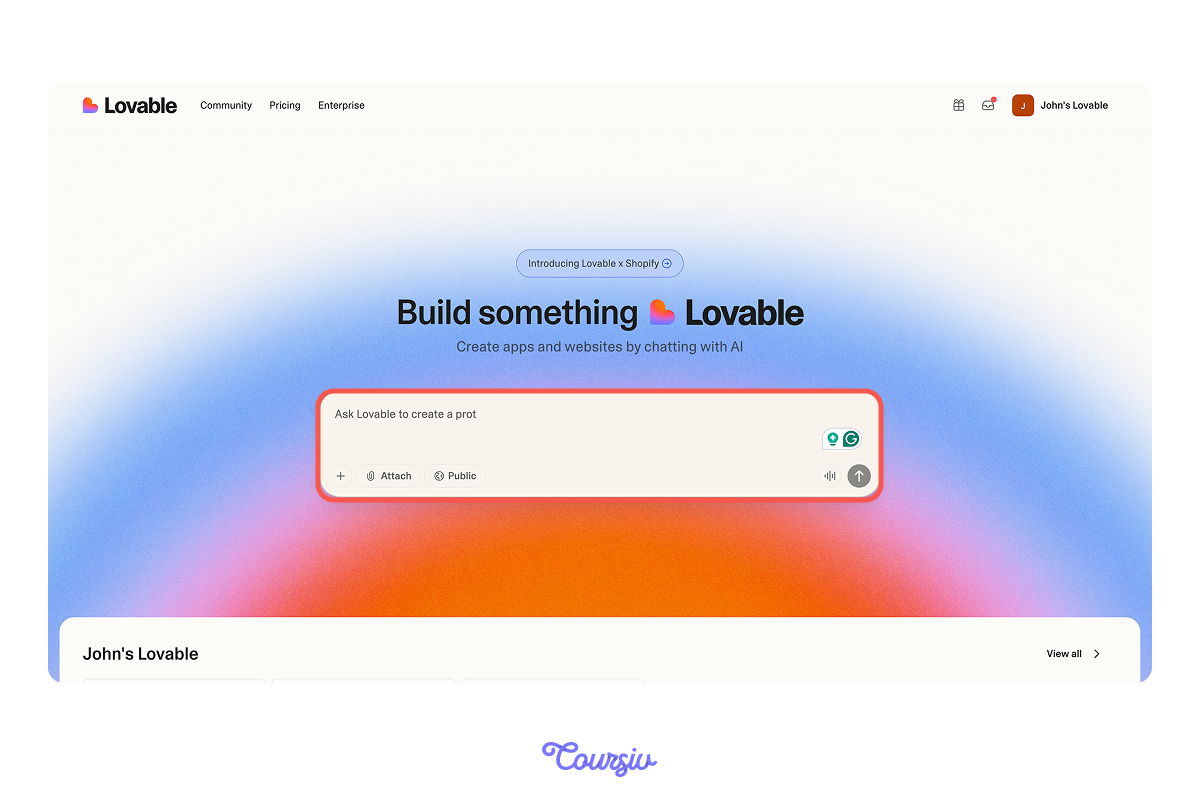
When writing a prompt, start with what you're building and who it's for.
Don't overthink it — just communicate the core idea. You can always refine the result later.
Here's a couple of examples:
- "Build a personal portfolio site"
- "Create a landing page for my coffee shop"
The key here is clarity and simplicity.

practice preview
Interactive practice
Fill in the blank
Complete your first project prompt to see how it works!
What Lovable Generates
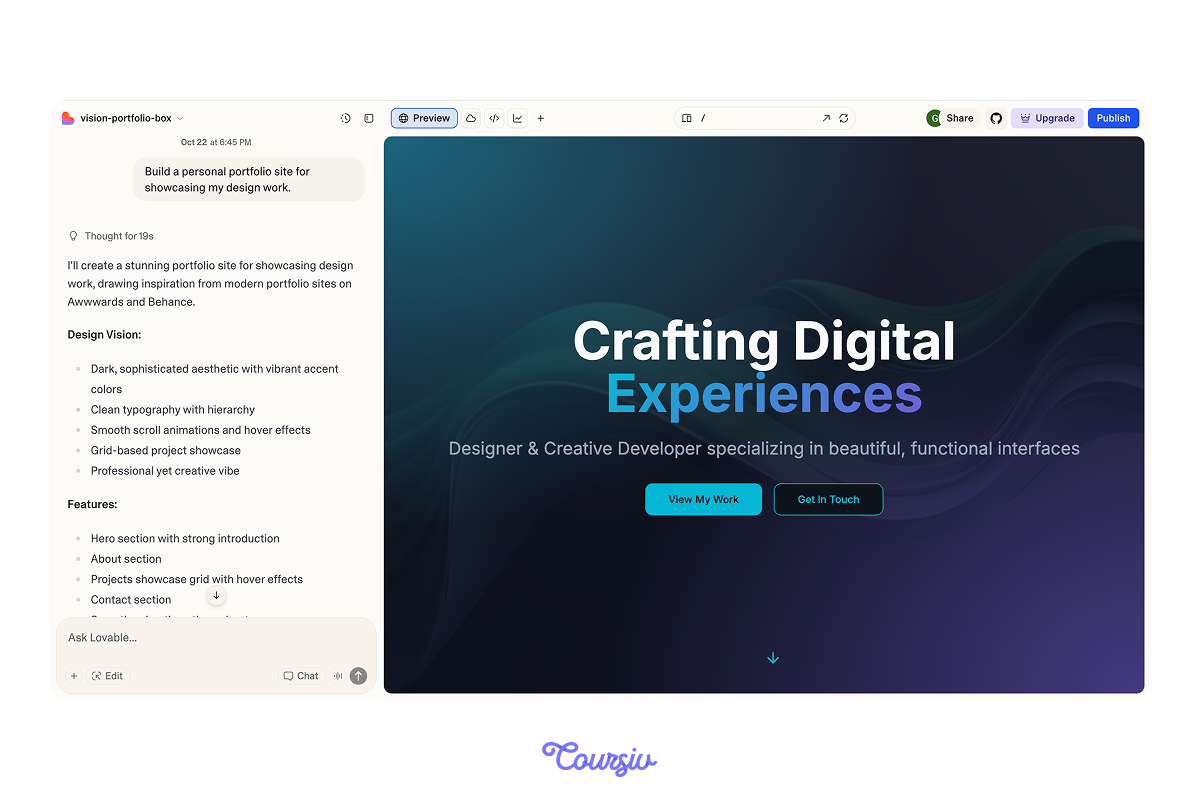
Once you submit your prompt, Lovable creates a complete foundation, where everything is functional from the start.
Here's how it looks:
Choose one
What do you see from what Lovable created?
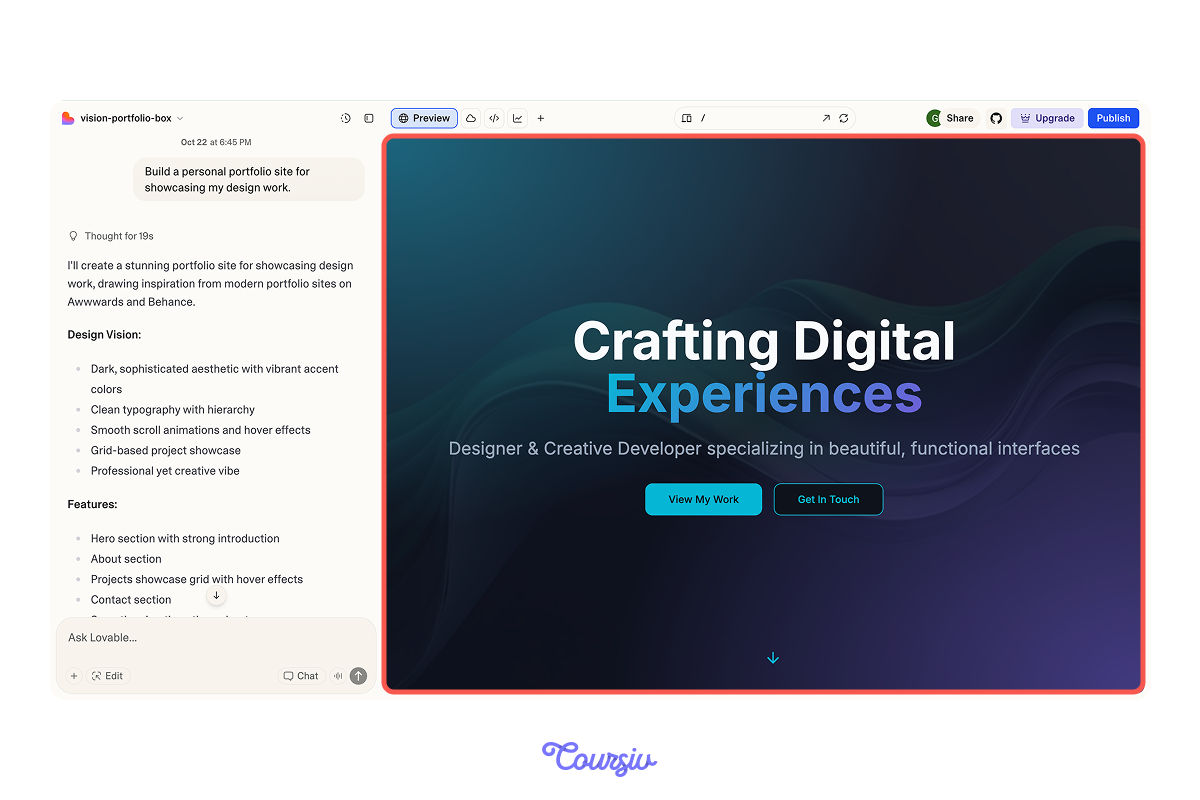
The Preview Window
As soon as your site is generated, you'll see your website in the preview window.
This is a live, interactive version of your site that will update in real time as you make changes.
Making Your First Edit
Want to adjust something? Just describe the change in the "Chat" section. You can edit sections, colors, pages, or structure — all in plain language.
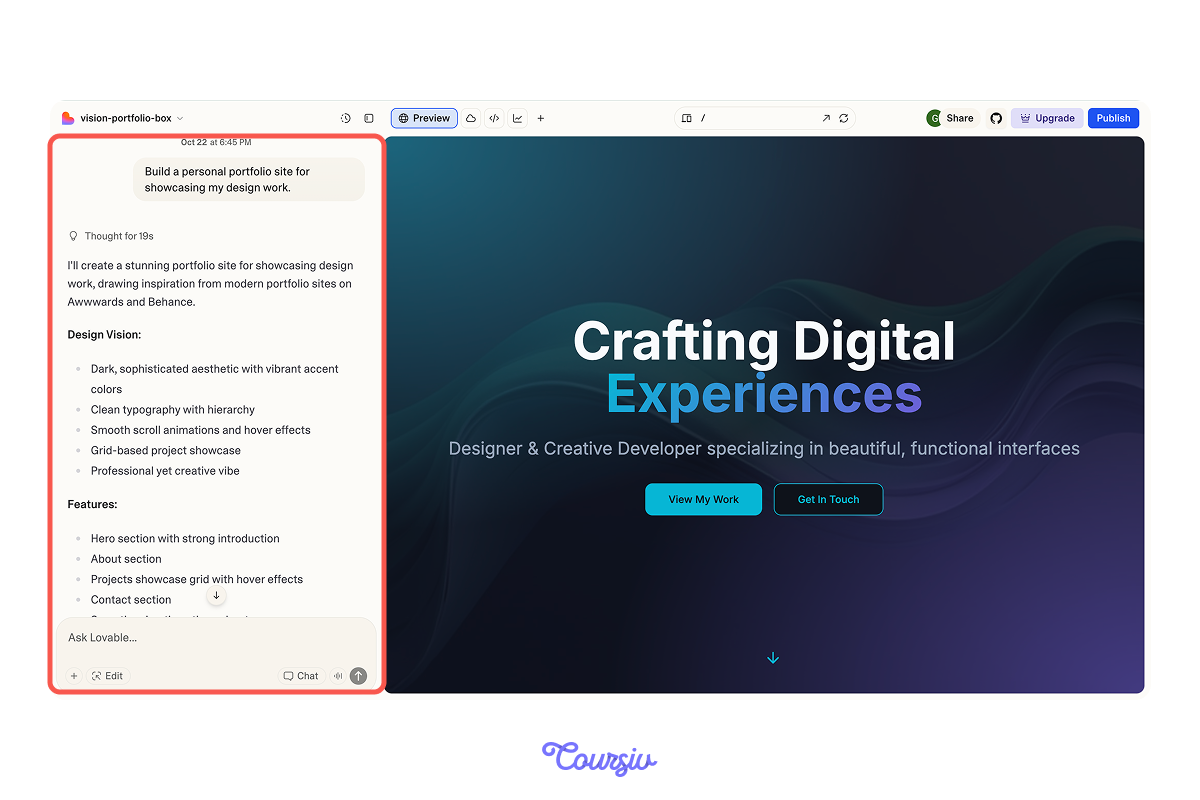
For example, when you want to change the structure, you can tell Lovable what sections you need and where. For example:
- "Add a contact form"
- "Create a services page"
- "Move the portfolio above the about section"
Thus, every update will build on your current version.
Structural and Visual Changes
To edit effectively, you should know the difference between structural changes and visual changes:
- Structural changes affect what's on the page — like adding a new section, removing a page, or reordering content.
- Visual changes affect how things look — like colors, fonts, spacing, and style.
Choose one
Considering this, which of these is a structural change rather than a visual design change?
Hence, when making visual changes, you need to be specific by mentioning such aspects as:
- Colors
- Fonts
- Styles
This way, Lovable will know exactly what you want.
Example prompt might look like this:
- "Make the header background dark blue with white text"
- "Use a modern, minimal font throughout"
Also, you may make both structural and visual changes together. This is perfectly fine — just be clear about what you're adjusting.
For instance: "Add a pricing section with three tiers and use a modern gradient background."
practice preview
Interactive practice
Fill in the blank
Now that you know the difference, complete this prompt to make a structural change to your site.
practice preview
Interactive practice
Fill in the blank
Next, complete the prompt to change the visual style.
Well Done!
See how this works? You describe what you want changed — whether it's structure, visuals, or both — and Lovable updates your site accordingly.
Overall, the core insight from this lesson is that building websites with Lovable is iterative: you start broad, then refine.
Each prompt improves your website until it matches your vision.
A typical workflow looks like this: start with your structure → add or move sections, refine the visuals → adjust the small details.
This way, you see progress quickly while staying in control!

Practice Time
Now, let's put what you've learned into practice!
practice preview
Interactive practice
True / False
Identify whether this change is structural or visual.
practice preview
Interactive practice
Put in order
Now, arrange these steps in the typical order for creating a project in Lovable.
You're Making Progress!
Now you know how to start a project, edit structure and visuals, and refine effectively.
Next, you'll learn precise editing using Lovable's "Chat" section. Let's continue building something amazing!