Lovable · Lovable Essentials
Publishing and Sharing
Publish your website live and share it instantly
From Project to Live Website in Seconds
You've built your website. Now comes the best part — sharing it with the world.
With Lovable, publishing is effortless: no servers, no hosting setup — just a couple clicks and your project is published. So, let's see how it's done!
Choose one
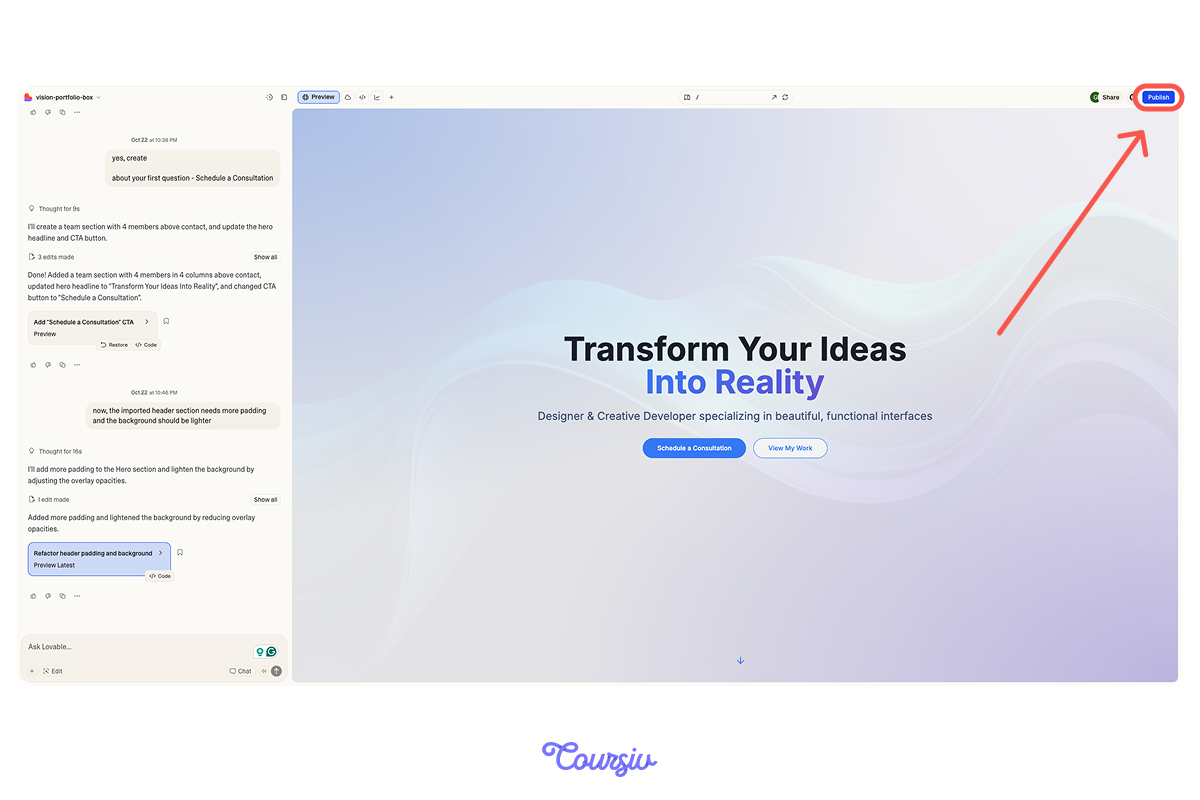
Looking at this screen, what do you think you need to set up before publishing your first Lovable project?
Great, isn't it? Publishing in Lovable is as simple as just pushing the "Publish" button in the top right, confirming, and waiting about a minute.
That's it — your website goes live!
But How Does It Work?
Once you publish, Lovable deploys your project to a live server, generates a unique URL, and makes your site accessible to anyone with the link.
Your published site includes all functionality, styling, and content — it's fully functional, not just a preview!
Your Published Link
After publishing, you get a link. For example, yourprojectname.lovable.app.
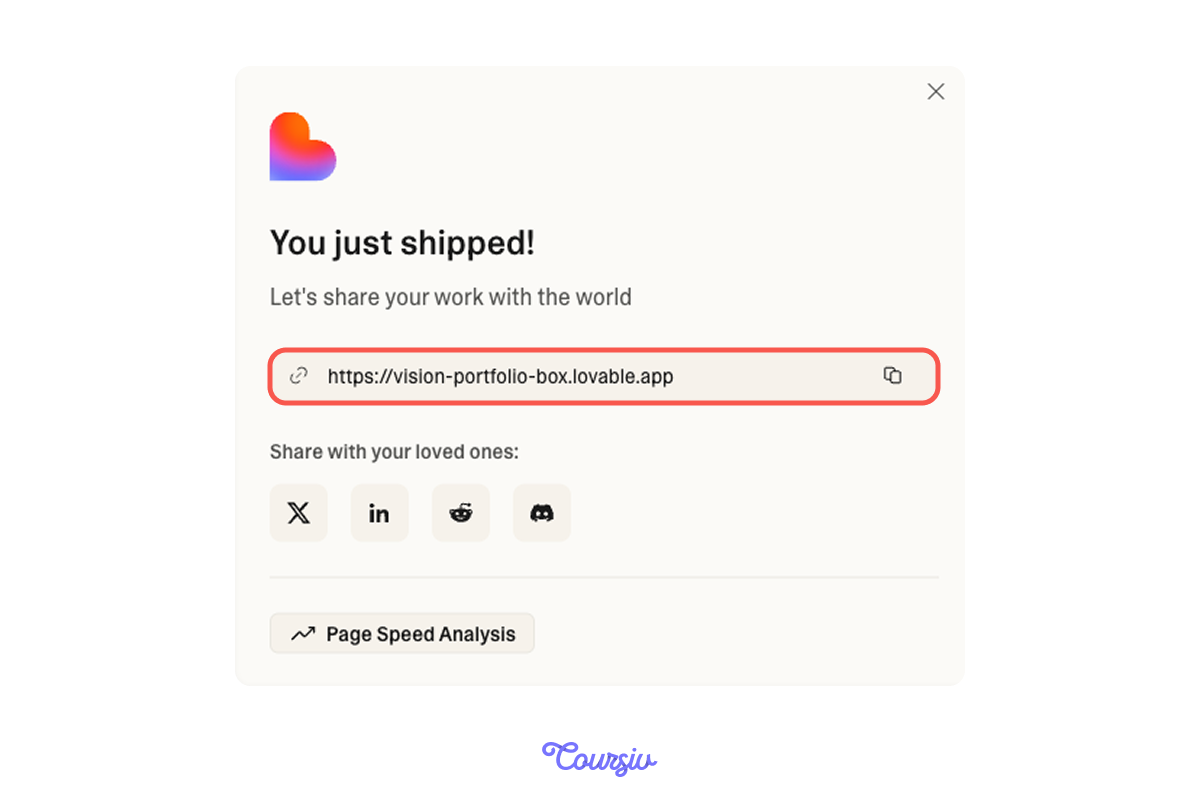
This link is permanent and shareable. Anyone can visit without needing a Lovable account.
This makes these links perfect for gathering real feedback!
You can share it with:
- Potential users to test concepts
- Clients for approval
- Investors to show your MVP
- Colleagues before final launch
Thus, real feedback may help you to polish you website until it's perfect!
Making Updates
Now, imagine you got some feedback and decided to make several changes to your project.
Choose one
What do you think will happen to your published website after making edits?
Indeed, published sites aren't frozen. You are definitely able to continue editing your project normally.
The only thing is that you should press Update in the publish dropdown when you're ready.
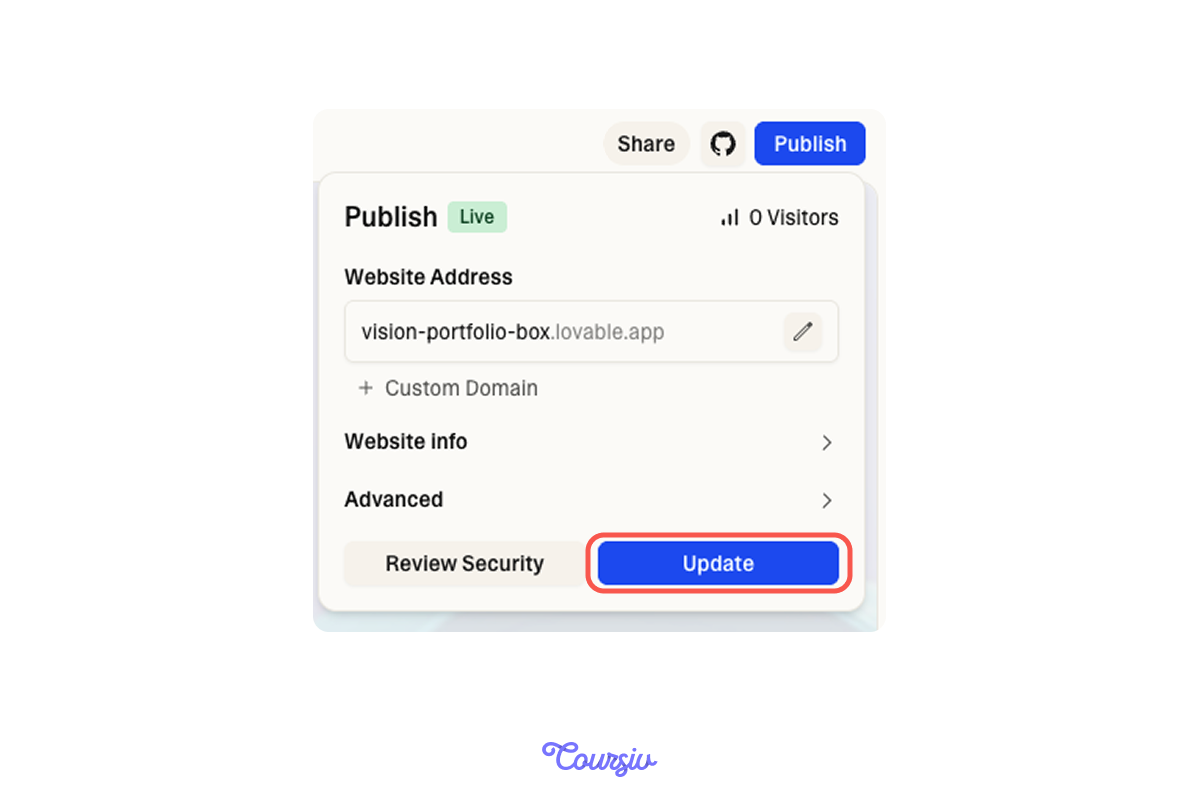
This way, changes don't automatically push to your live site — you control when updates go live!
practice preview
Interactive practice
Put in order
Solidify the knowledge by arranging these steps in the proper sequence.
Perfect! You've mastered the basics of publishing and iterating.
But now you want your site to look even more professional.
Professional URLs with Custom Domains
Right now, your published site has a URL like yourproject.lovable.app — which works great for testing and prototypes.
But when you're ready to launch a real business or professional portfolio, you'll want a custom domain like yourbusiness.com or yourname.com
This makes your site look more credible and helps with search engine visibility!
To connect a custom domain, you'll need two things:
- A paid Lovable plan
- A domain name purchased from registrars like Namecheap or GoDaddy
Lovable makes setup easy through a service called Entri, which handles all the technical configuration automatically.
The process takes just a few minutes on your end, though it can take up to 48 hours for the domain to fully connect (this is normal for all domains!).

Once this part of the job is finished, your website is good to go!
Summing Up
Now that you understand the full publishing workflow, let's test your overall knowledge!
Select all that apply
Which statements about publishing in Lovable are correct?
Select all that apply
When should you use a custom domain versus the default lovable.app link?
Before publishing important projects:
- Replace all placeholder content with final copy
- Test all links and buttons work correctly
- Verify the site looks good on desktop and mobile
You're Live!
You now know how to publish projects with one click, share for feedback, iterate based on user input, and connect custom domains for professional presentation.
Publishing transforms your project from development into something real that serves actual users. Congratulations!

- Publish with one click — no hosting setup required.
- Control when updates go live with the manual "Update" button.
- Share published links to gather real user feedback.
- Iterate: publish → feedback → improve → update → repeat.
- Use lovable.app links for testing, custom domains for professional sites.
- Always review thoroughly before publishing business-critical sites.